web-sqlite-js






web-sqlite-js is a friendly, out-of-the-box SQLite database for the web that makes persistent client-side storage simple for every developer.
Designed to be truly effortless, it allows you to get a high-performance relational database running in the browser in seconds. Just install, set your HTTP headers, and start querying—no complex infrastructure required.
Table of contents
Features
- Persistent Storage: Uses OPFS for high-performance, persistent file storage.
- Non-Blocking: Runs in a Web Worker, keeping your UI responsive.
- Concurrency Safe: Built-in mutex ensures safe, sequential execution of commands.
- Type-Safe: Written in TypeScript with full type definitions.
- Transactions: Supports atomic transactions with automatic rollback on error.
- Schema Migrations: Built-in versioning system for database schema changes.
- Two-Tier Validation (v2.2.0): Distinguishes between whitespace-only changes and actual SQL changes.
- Enhanced Error Messages (v2.2.0): SQL diffs and truncation for better debugging.
- Structured Logging: Subscribe to SQL execution logs via
onLog().
Quick start
Pick the path that fits your setup:
Option A: npm / bundler
npm install web-sqlite-js
import openDB from "web-sqlite-js";
Option B: CDN / script tag (no build step)
For quick demos or plain HTML pages you can load the prebuilt module directly:
<script type="module">
import openDB from "https://cdn.jsdelivr.net/npm/web-sqlite-js@2.2.0/dist/index.js";
</script>
See samples/cdn.html for a copy/paste page you can serve .
Heads up: SharedArrayBuffer requires COOP/COEP headers; see the section below.
Pick your stack below to set the headers:
This library depends on SharedArrayBuffer for high performance, which requires your server to send the following HTTP headers:
Cross-Origin-Opener-Policy: same-origin
Cross-Origin-Embedder-Policy: require-corp
Vite
Update your vite.config.ts:
import { defineConfig } from "vite";

export default defineConfig({
  server: {
    headers: {
      "Cross-Origin-Opener-Policy": "same-origin",
      "Cross-Origin-Embedder-Policy": "require-corp",
    },
  },
  preview: {
    headers: {
      "Cross-Origin-Opener-Policy": "same-origin",
      "Cross-Origin-Embedder-Policy": "require-corp",
    },
  },
});
Next.js
Update your next.config.js:
const nextConfig = {
async headers() {
return [
{
source: "/(.*)",
headers: [
{
key: "Cross-Origin-Opener-Policy",
value: "same-origin",
},
{
key: "Cross-Origin-Embedder-Policy",
value: "require-corp",
},
],
},
];
},
};
module.exports = nextConfig;
Webpack (Dev Server)
Update your webpack.config.js:
module.exports = {
devServer: {
headers: {
"Cross-Origin-Opener-Policy": "same-origin",
"Cross-Origin-Embedder-Policy": "require-corp",
},
},
};
Nginx
Add the headers to your server block:
server {
    # ...
    add_header Cross-Origin-Opener-Policy "same-origin";
    add_header Cross-Origin-Embedder-Policy "require-corp";
    # ...
}
Express.js
Use a middleware:
const express = require("express");
const app = express();
app.use((req, res, next) => {
res.setHeader("Cross-Origin-Opener-Policy", "same-origin");
res.setHeader("Cross-Origin-Embedder-Policy", "require-corp");
next();
});
React / Vue (Create React App / Vue CLI)
Most modern React/Vue setups use Vite. Please refer to the Vite section above.
If you are using an older webpack-based setup (like CRA react-scripts), you technically need to configure the underlying webpack-dev-server, but CRA doesn't expose this easily without ejecting or using tools like craco or react-app-rewired to modify the dev server configuration as shown in the Webpack section.
Usage
Basic Usage
const db = await openDB("local.sqlite3");
await db.exec(`
CREATE TABLE IF NOT EXISTS users (
id INTEGER PRIMARY KEY AUTOINCREMENT,
name TEXT,
email TEXT
);
`);
await db.exec("INSERT INTO users (name, email) VALUES (?, ?)", [
"Alice",
"alice@example.com",
]);
await db.exec("INSERT INTO users (name, email) VALUES ($name, $email)", {
$name: "Bob",
$email: "bob@example.com",
});
const users = await db.query("SELECT * FROM users");
console.log(users);
await db.close();
Debug mode
Add { debug: true } when opening the database to stream worker-side SQL logs (including bind values and timings) to your browser's console.debug. This is useful for profiling and verifying queries during development.
const db = await openDB("local.sqlite3", { debug: true });

await db.exec("CREATE TABLE IF NOT EXISTS notes (body TEXT)");
await db.query("SELECT * FROM notes WHERE id = ?", [1]);
The console output highlights SQL keywords and shows how long each statement took (click to preview):

Transactions
Transactions are atomic. If any command inside the callback fails, the entire transaction is rolled back.
await db.transaction(async (tx) => {
await tx.exec("INSERT INTO users (name) VALUES (?)", ["Charlie"]);
await tx.exec("INSERT INTO logs (action) VALUES (?)", ["User Created"]);
});
Schema Migrations
Manage database schema changes across releases using the built-in versioning system. Define releases with migration SQL and optional seed data.
Basic Usage
const db = await openDB("myapp", {
releases: [
{
version: "1.0.0",
migrationSQL: `
CREATE TABLE users (
id INTEGER PRIMARY KEY AUTOINCREMENT,
name TEXT NOT NULL,
email TEXT UNIQUE
);
`,
seedSQL: `
INSERT INTO users (name, email) VALUES
('Alice', 'alice@example.com'),
('Bob', 'bob@example.com');
`,
},
{
version: "1.1.0",
migrationSQL: `
ALTER TABLE users ADD COLUMN created_at TEXT DEFAULT (datetime('now'));
`,
},
],
});
const users = await db.query("SELECT * FROM users");
console.log(users);
Two-Tier Validation (v2.2.0)
Starting with v2.2.0, web-sqlite-js uses a two-tier validation system that intelligently handles SQL formatting changes:
Tier 1: Fast Path (< 0.1ms)
- Trims whitespace and compares hashes
- Passes immediately if SQL hasn't changed
Tier 2: Slow Path (1-5ms, only on hash mismatch)
- Normalizes SQL using SQLite prepare
- Auto-updates hash for whitespace-only changes
- Throws enhanced error for actual SQL changes
What this means for you:
const db1 = await openDB("myapp", {
releases: [
{
version: "1.0.0",
migrationSQL: "CREATE TABLE items (id INTEGER PRIMARY KEY, name TEXT);",
},
],
});
await db1.close();
const db2 = await openDB("myapp", {
releases: [
{
version: "1.0.0",
migrationSQL: `
CREATE TABLE items (
id INTEGER PRIMARY KEY,
name TEXT
);
`,
},
],
});
Enhanced Error Messages:
If you accidentally change the SQL semantics, you'll get detailed error messages:
Hash mismatch for 1.0.0 migrationSQL:
Expected: abc123...
Actual: def456...
SQL has changed:
- Original: CREATE TABLE items (id INTEGER PRIMARY KEY, name TEXT);
+ Current:  CREATE TABLE items (id INTEGER PRIMARY KEY, email TEXT);
How It Works
- Version Tracking: Each release has a semantic version (e.g., "1.0.0")
- Automatic Migration: When opening a database, new releases are applied in order
- Hash Verification: Migration SQL is hashed to prevent tampering
- Two-Tier Validation: Distinguishes whitespace-only changes from actual SQL changes
- OPFS Storage: Each version is stored as a separate file (
1.0.0.sqlite3, 1.1.0.sqlite3)
Best Practices
- Use Semantic Versioning: Follow
MAJOR.MINOR.PATCH format
- Idempotent Migrations: Each migration should handle re-runs safely
- Test Migrations: Always test migrations on a clean database
- Incremental Changes: Keep migrations focused on single schema changes
Structured Logging
Subscribe to structured log events for monitoring, debugging, and analytics. The onLog() API allows you to capture SQL execution details, errors, and application events.
const db = await openDB("myapp");
const cancelLog = db.onLog((log) => {
if (log.level === "error") {
errorTracking.capture(log.data);
} else if (log.level === "debug") {
console.log(`SQL: ${log.data.sql}, Duration: ${log.data.duration}ms`);
} else if (log.level === "info") {
console.log(`Event: ${log.data.action}`);
}
});
await db.exec("CREATE TABLE users (id INTEGER PRIMARY KEY, name TEXT)");
await db.exec("INSERT INTO users (name) VALUES (?)", ["Alice"]);
cancelLog();
Log Levels:
"debug" - SQL execution details (sql, duration, bind parameters)"info" - Application events (open, close, commit, rollback)"error" - SQL errors and exceptions
Multiple Callbacks: You can register multiple log listeners simultaneously:
const cancel1 = db.onLog((log) => console.log("Logger 1:", log));
const cancel2 = db.onLog((log) => {
  if (log.level === "error") sendToAlerting(log.data);
});
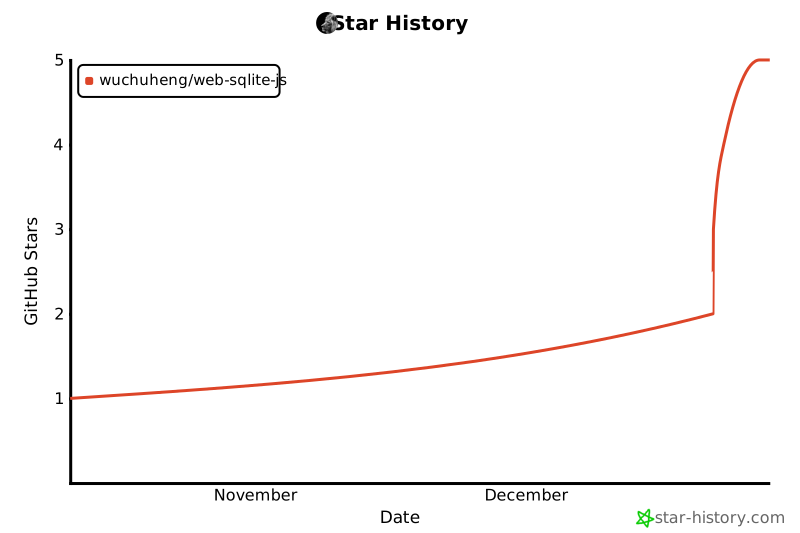
Star History