Mind Elixir




English |
中文 |
Español |
Français |
Português |
Русский |
日本語 |
한국어
Mind elixir is a open source JavaScript mind map core. You can use it with any frontend framework you like.
Features:
- Lightweight
- High performance
- Framework agnostic
- Pluginable
- Build-in drag and drop / node edit plugin
- Export as SVG / PNG / Html
- Summarize nodes
- Bulk operations supported
- Undo / Redo
- Efficient shortcuts
- Easily Styling your node with CSS variables
Table of Contents
Try now
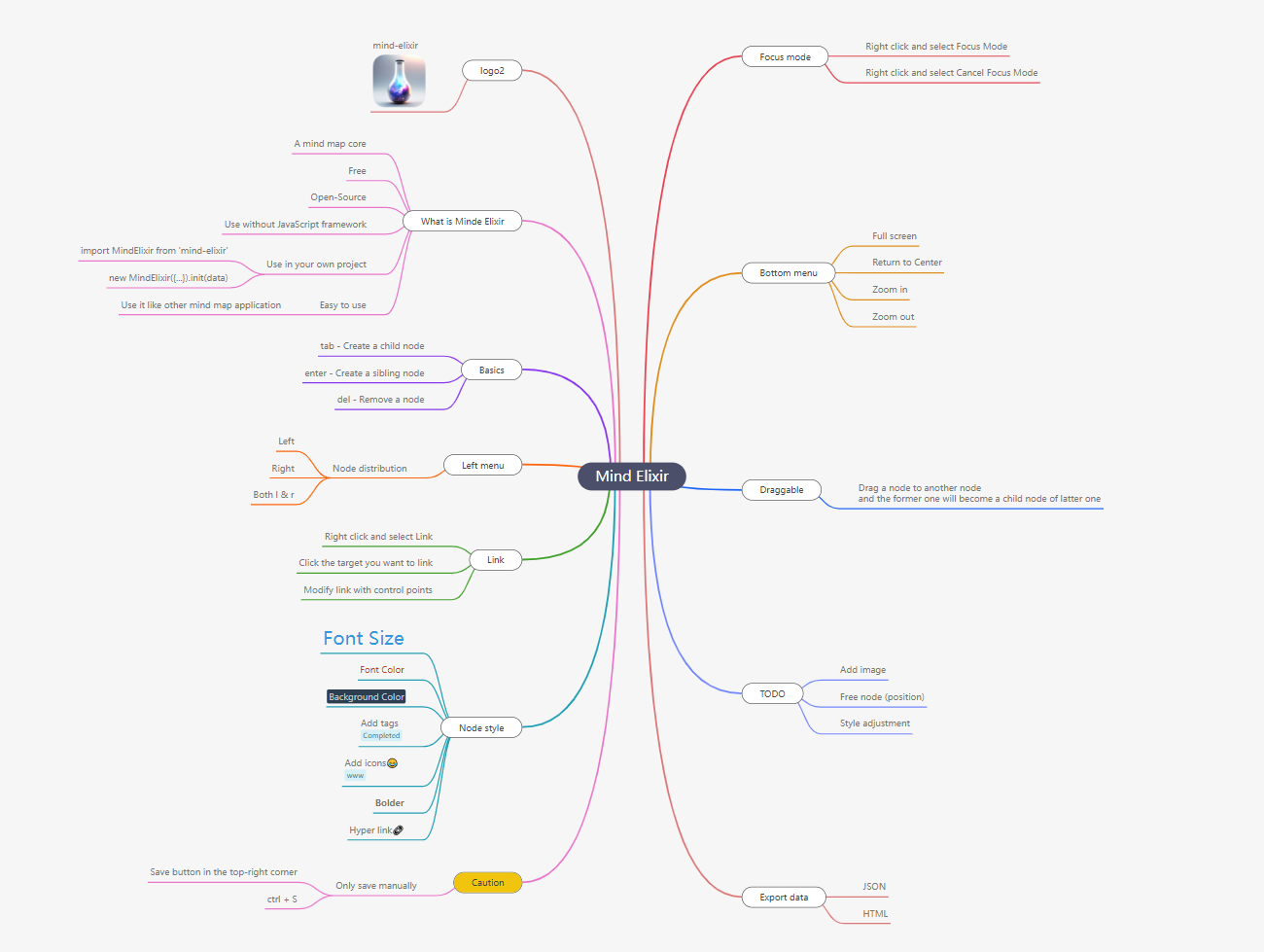
https://mind-elixir.com/
Playground
Documentation
https://docs.mind-elixir.com/
Usage
Install
NPM
npm i mind-elixir -S
import MindElixir from 'mind-elixir'
Script tag
<script type="module" src="https://cdn.jsdelivr.net/npm/mind-elixir/dist/MindElixir.js"></script>
Init
<div id="map"></div>
<style>
  #map {
    height: 500px;
    width: 100%;
  }
</style>
Breaking Change since 1.0.0, data should be passed to init(), not options.
import MindElixir from 'mind-elixir'
import example from 'mind-elixir/dist/example1'
let options = {
el: '#map',
direction: MindElixir.LEFT,
draggable: true,
contextMenu: true,
toolBar: true,
nodeMenu: true,
keypress: true,
locale: 'en',
overflowHidden: false,
mainLinkStyle: 2,
mouseSelectionButton: 0,
contextMenuOption: {
focus: true,
link: true,
extend: [
{
name: 'Node edit',
onclick: () => {
alert('extend menu')
},
},
],
},
before: {
insertSibling(el, obj) {
return true
},
async addChild(el, obj) {
await sleep()
return true
},
},
}
let mind = new MindElixir(options)
mind.install(plugin)
const data = MindElixir.new('new topic')
mind.init(data)
MindElixir.E('node-id')
Data Structure
const nodeData = {
topic: 'node topic',
id: 'bd1c24420cd2c2f5',
style: { fontSize: '32', color: '#3298db', background: '#ecf0f1' },
expanded: true,
parent: null,
tags: ['Tag'],
icons: ['😀'],
hyperLink: 'https://github.com/ssshooter/mind-elixir-core',
image: {
url: 'https://raw.githubusercontent.com/ssshooter/mind-elixir-core/master/images/logo2.png',
height: 90,
width: 90,
},
children: [
{
topic: 'child',
id: 'xxxx',
},
],
}
Event Handling
mind.bus.addListener('operation', operation => {
console.log(operation)
})
mind.bus.addListener('selectNode', node => {
console.log(node)
})
mind.bus.addListener('expandNode', node => {
console.log('expandNode: ', node)
})
Data Export And Import
const data = mind.getData()
mind.getDataString()
mind.getDataMd()
let mind = new MindElixir(options)
mind.init(data)
mind.refresh(data)
Operation Guards
let mind = new MindElixir({
before: {
insertSibling(el, obj) {
console.log(el, obj)
if (this.currentNode.nodeObj.parent.root) {
return false
}
return true
},
async addChild(el, obj) {
await sleep()
if (this.currentNode.nodeObj.parent.root) {
return false
}
return true
},
},
})
Export as a Image
Solution 1
const mind = {
}
const downloadPng = async () => {
const blob = await mind.exportPng()
if (!blob) return
const url = URL.createObjectURL(blob)
const a = document.createElement('a')
a.href = url
a.download = 'filename.png'
a.click()
URL.revokeObjectURL(url)
}
Solution 2
Install @ssshooter/modern-screenshot, then:
import { domToPng } from '@ssshooter/modern-screenshot'

const download = async () => {
  const dataUrl = await domToPng(mind.nodes, {
    onCloneNode: node => {
      const n = node as HTMLDivElement
      n.style.position = ''
      n.style.top = ''
      n.style.left = ''
      n.style.bottom = ''
      n.style.right = ''
    },
    padding: 300,
    quality: 1,
  })
  const link = document.createElement('a')
  link.download = 'screenshot.png'
  link.href = dataUrl
  link.click()
}
Theme
const options = {
theme: {
name: 'Dark',
palette: ['#848FA0', '#748BE9', '#D2F9FE', '#4145A5', '#789AFA', '#706CF4', '#EF987F', '#775DD5', '#FCEECF', '#DA7FBC'],
cssVar: {
'--main-color': '#ffffff',
'--main-bgcolor': '#4c4f69',
'--color': '#cccccc',
'--bgcolor': '#252526',
'--panel-color': '255, 255, 255',
'--panel-bgcolor': '45, 55, 72',
},
},
}
mind.changeTheme({
name: 'Latte',
palette: ['#dd7878', '#ea76cb', '#8839ef', '#e64553', '#fe640b', '#df8e1d', '#40a02b', '#209fb5', '#1e66f5', '#7287fd'],
cssVar: {
'--main-color': '#444446',
'--main-bgcolor': '#ffffff',
'--color': '#777777',
'--bgcolor': '#f6f6f6',
},
})
Be aware that Mind Elixir will not observe the change of prefers-color-scheme. Please change the theme manually when the scheme changes.
Shortcuts
| Enter | Insert Sibling Node |
| Tab | Insert Child Node |
| F1 | Center the Map |
| F2 | Begin Editing the Current Node |
| ↑ | Select the Previous Sibling Node |
| ↓ | Select the Next Sibling Node |
| ← / → | Select Parent or First Child |
| PageUp / Alt + ↑ | Move Up Node |
| PageDown / Alt + ↓ | Move Down Node |
| Ctrl + ↑ | Change Layout Pattern to Side |
| Ctrl + ← | Change Layout Pattern to Left |
| Ctrl + → | Change Layout Pattern to Right |
| Ctrl + C | Copy the Current Node |
| Ctrl + V | Paste the Copied Node |
| Ctrl + "+" | Zoom In Mind Map |
| Ctrl + "-" | Zoom Out Mind Map |
| Ctrl + 0 | Reset Zoom Level |
Ecosystem
PRs are welcome!
Development
pnpm i
pnpm dev
Test generated files with dev.dist.ts:
pnpm build
pnpm link ./
Update docs:
# Install api-extractor
pnpm install -g @microsoft/api-extractor
# Maintain /src/docs.ts
# Generate docs
pnpm doc
pnpm doc:md
Thanks
Contributors
Thanks for your contributions to Mind Elixir! Your support and dedication make this project better.