


You're Invited:Meet the Socket Team at RSAC and BSidesSF 2026, March 23–26.RSVP
Socket
Book a DemoSign in
Socket

Highlight CSS color

Package Overview
Maintainers
0
Versions
3
Alerts
File Explorer

Advanced tools

Socket logo

Install Socket

Detect and block malicious and high-risk dependencies

Install
This package was compromised as part of the ongoing "GlassWorm v2" supply chain attack.

Affected versions:

2.8.02.8.12.8.2
View campaign page

Highlight CSS color

Instantly highlight CSS, SASS, and web color codes (HEX, RGB, HSL, LCH, named, and more) right in your editor. Detects color values in variables and supports modern CSS color functions. Easily customize marker style, enable/disable, and enhance your workflow with effortless color management.

Open VSX
Version
2.8.2
Version published
Maintainers
0
Created
Source

Color Highlight Extension

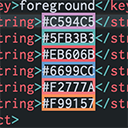
Color Highlight Extension Preview

Instantly highlight CSS and web color codes in your files.
Makes color management much easier right within your editor.

How to install:
Open Command Palette (Ctrl+Shift+P / Cmd+Shift+P) in VS Code,
type "ext install", then search for "Color Highlight" and install it from the marketplace.
Questions or feedback? Please help improve the extension!
Feedback form

Commands

The extension provides the following commands and features for your convenience:

  • Color Highlight: Enable/Disable
    Enables or disables color highlighting globally. You can quickly toggle the extension from the Command Palette (Ctrl+Shift+P / Cmd+Shift+P) by searching for "Color Highlight: Enable" or "Color Highlight: Disable".
  • Color Highlight: Reload
    Forces a reload of the extension, allowing you to apply configuration changes instantly.
  • Color Highlight: Pick Color
    Opens the color picker for the color code under the cursor, if your environment supports it.
  • Color Highlight: Change Marker Style
    Quickly switch between different marker/highlighting styles via a command in the Command Palette.

Features

  • Highlights HEX, RGB, RGBA, HSL, HSLA, HWB, LAB, LCH, OKLCH and CSS named color formats.
  • Automatically highlights color variables (including those imported from SASS/SCSS, LESS, etc.).
  • Floating point values supported in HSL and RGB for Tailwind users.
  • Support for modern CSS color functions, including LCH and OKLCH.
  • Change highlighting style: underline, border, background, dot - customizable via settings and quick command.
  • Recognizes color values without a function wrapper, e.g., 255 0 90.
  • Easy enable/disable option to temporarily suspend color highlighting.

Settings

You can configure the extension in Settings > Extensions > Color Highlight, or by editing your settings.json:

  • color-highlight.enable: Enable/disable the extension (default: true)
  • color-highlight.languages: List of languages to activate highlighting for (default: ["*"])
  • color-highlight.markRuler: Enable marking colors in the ruler (default: false)
  • color-highlight.markerType: Choose highlighting style: underline, box, background, dot (default: background)
  • color-highlight.useARGB: Use ARGB instead of RGBA for hexadecimal colors (default: false)
  • ...and more! See extension settings for all options.

Official VS Code extension for effortless color highlighting.

Keywords

__web_extension

FAQs

Package last updated on 12 Mar 2026

Did you know?

Socket

Socket for GitHub automatically highlights issues in each pull request and monitors the health of all your open source dependencies. Discover the contents of your packages and block harmful activity before you install or update your dependencies.

Install

Related posts

