


Research
/Security News
Fake imToken Chrome Extension Steals Seed Phrases via Phishing Redirects
Mixed-script homoglyphs and a lookalike domain mimic imToken’s import flow to capture mnemonics and private keys.
By Kirill Boychenko - Mar 05, 2026
marimo
Advanced tools

A reactive Python notebook that's reproducible, git-friendly, and deployable as scripts or apps.
Docs · Discord · Examples · Gallery · YouTube
English | 繁體中文 | 简体中文 | 日本語 | Español





marimo is a reactive Python notebook: run a cell or interact with a UI element, and marimo automatically runs dependent cells (or marks them as stale), keeping code and outputs consistent. marimo notebooks are stored as pure Python (with first-class SQL support), executable as scripts, and deployable as apps.
Highlights.
jupyter, streamlit, jupytext, ipywidgets, papermill, and more.py filespip install marimo && marimo tutorial intro
Get started instantly with molab, our free online notebook. Or jump to the quickstart for a primer on our CLI.
marimo guarantees your notebook code, outputs, and program state are consistent. This solves many problems associated with traditional notebooks like Jupyter.
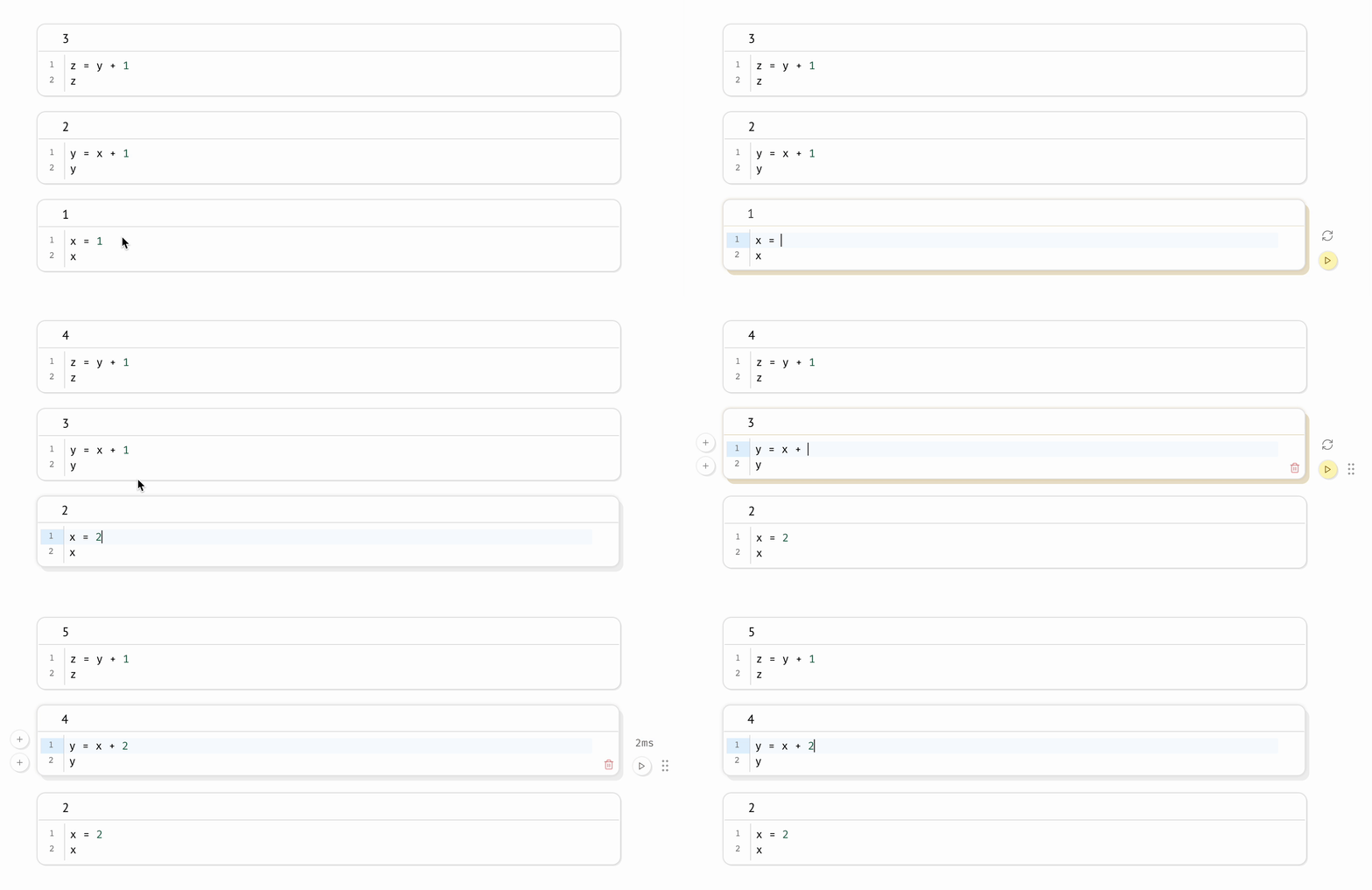
A reactive programming environment. Run a cell and marimo reacts by automatically running the cells that reference its variables, eliminating the error-prone task of manually re-running cells. Delete a cell and marimo scrubs its variables from program memory, eliminating hidden state.
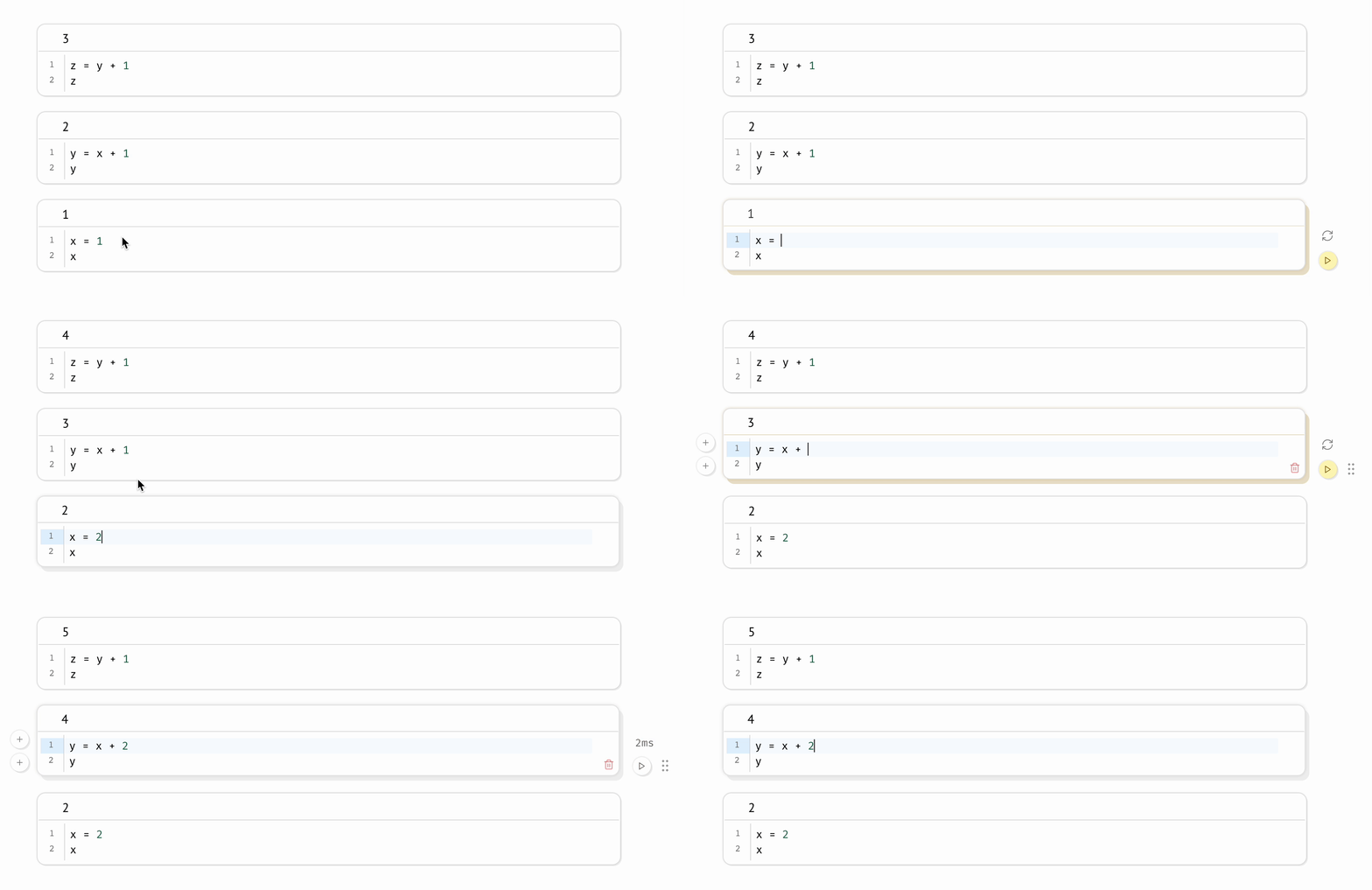
Compatible with expensive notebooks. marimo lets you configure the runtime to be lazy, marking affected cells as stale instead of automatically running them. This gives you guarantees on program state while preventing accidental execution of expensive cells.
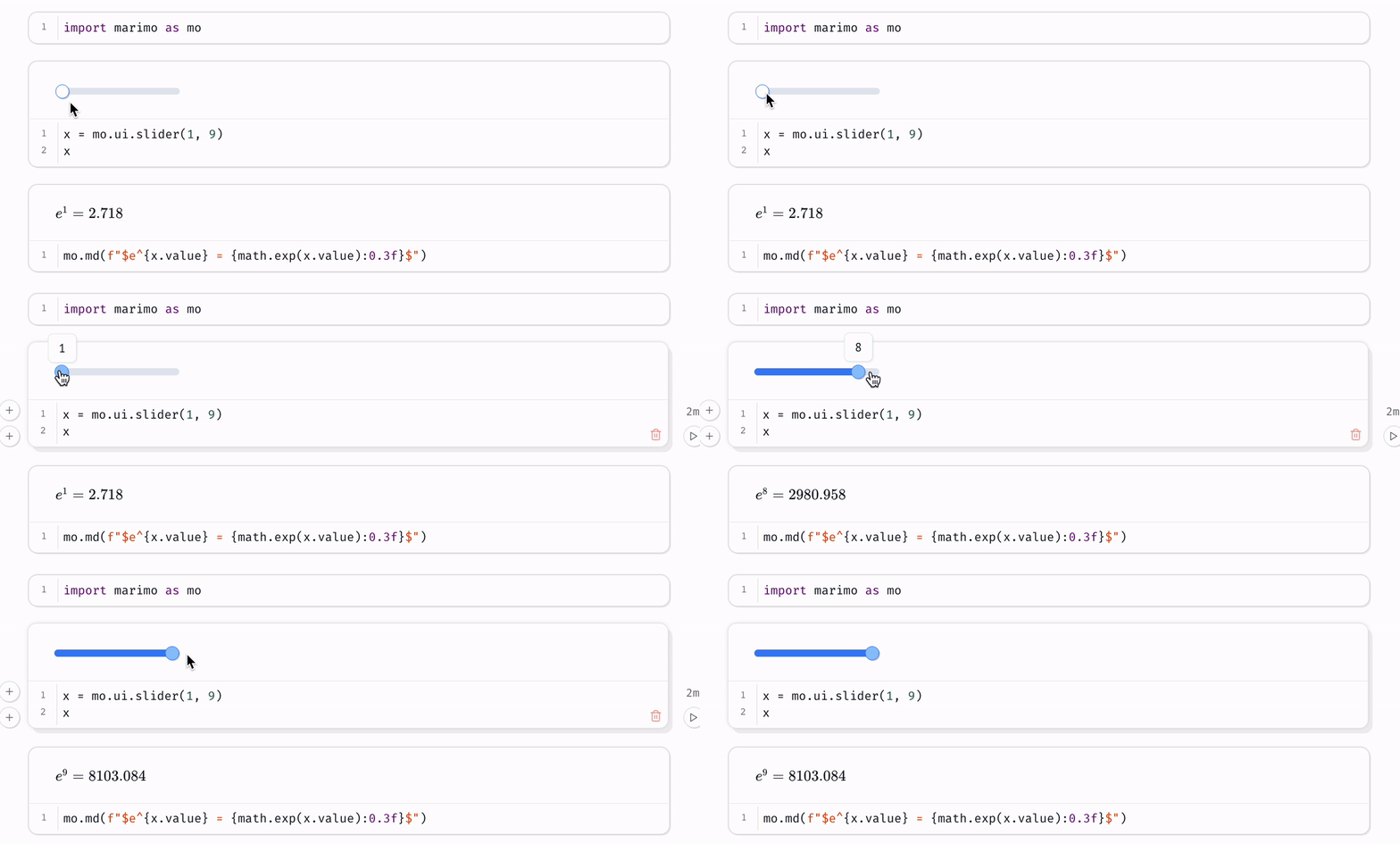
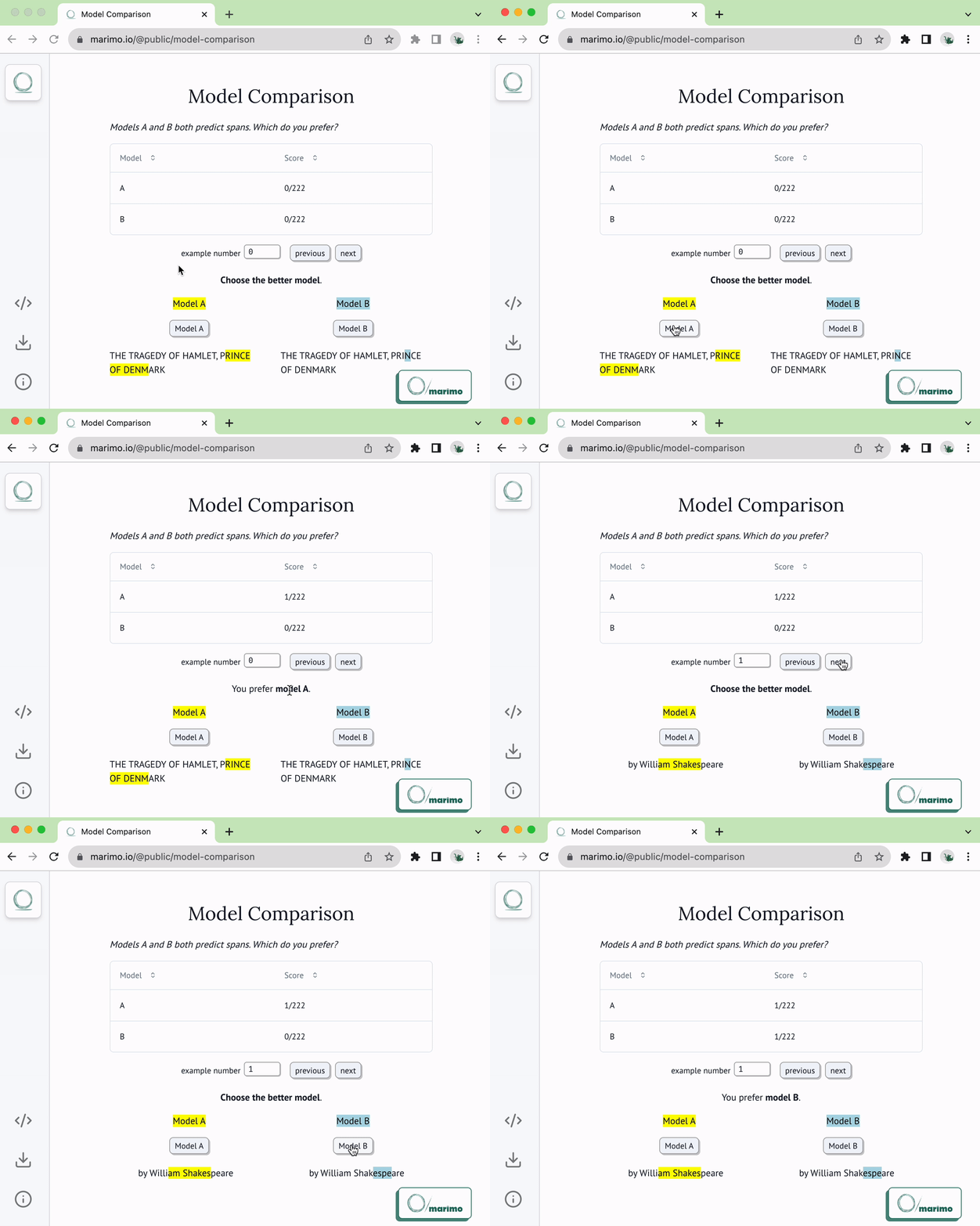
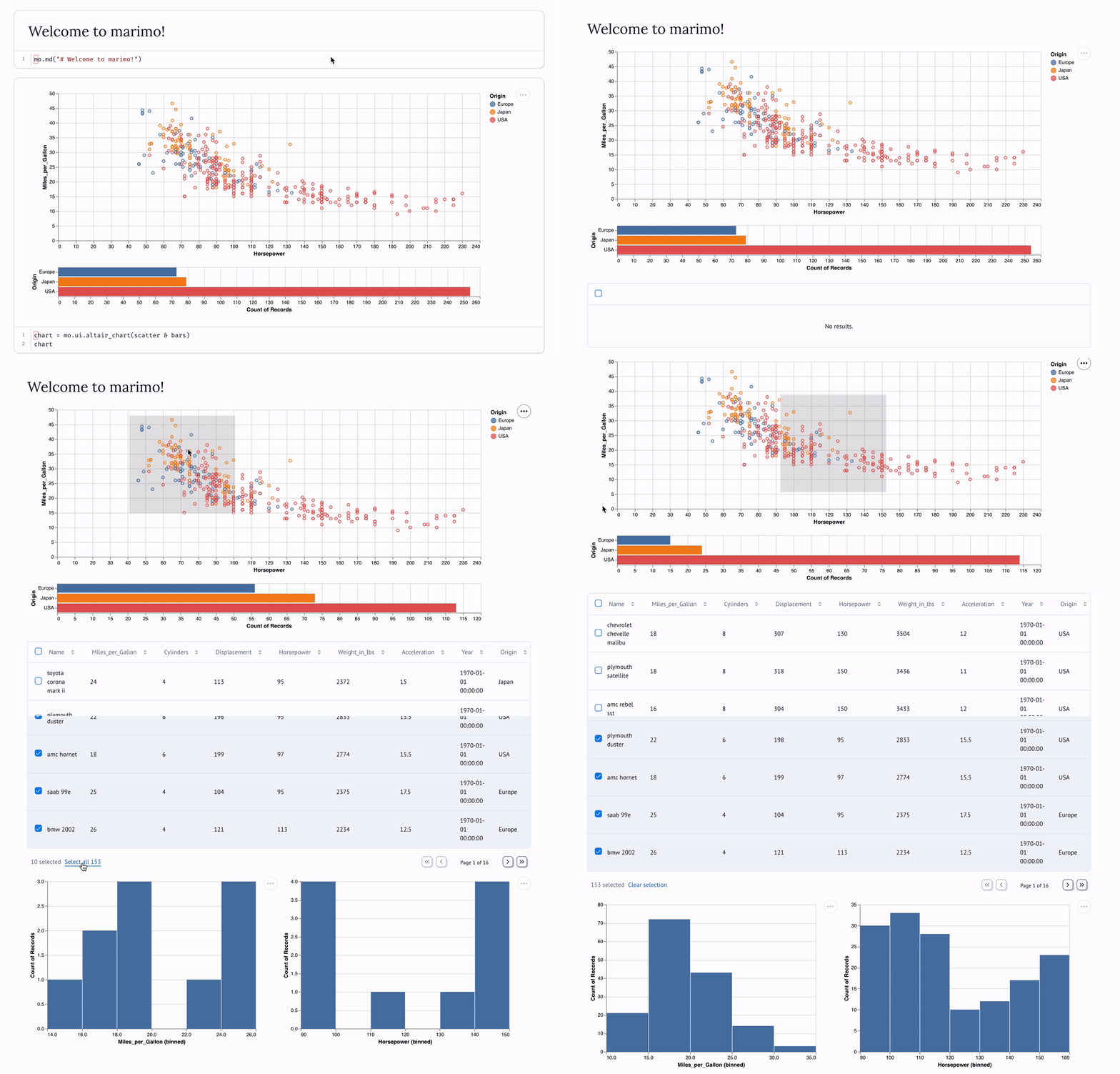
Synchronized UI elements. Interact with UI elements like sliders, dropdowns, dataframe transformers, and chat interfaces, and the cells that use them are automatically re-run with their latest values.
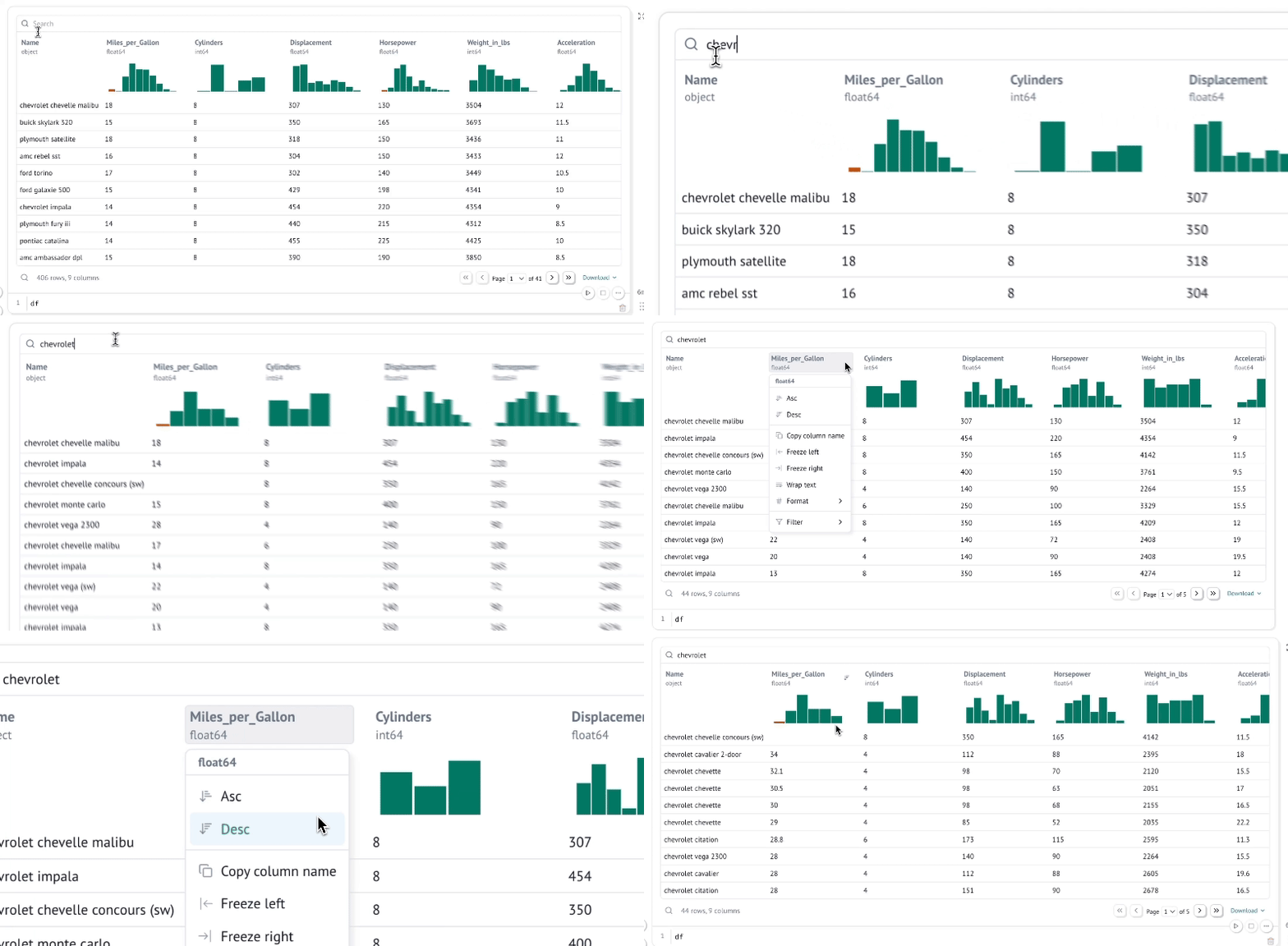
Interactive dataframes. Page through, search, filter, and sort millions of rows blazingly fast, no code required.
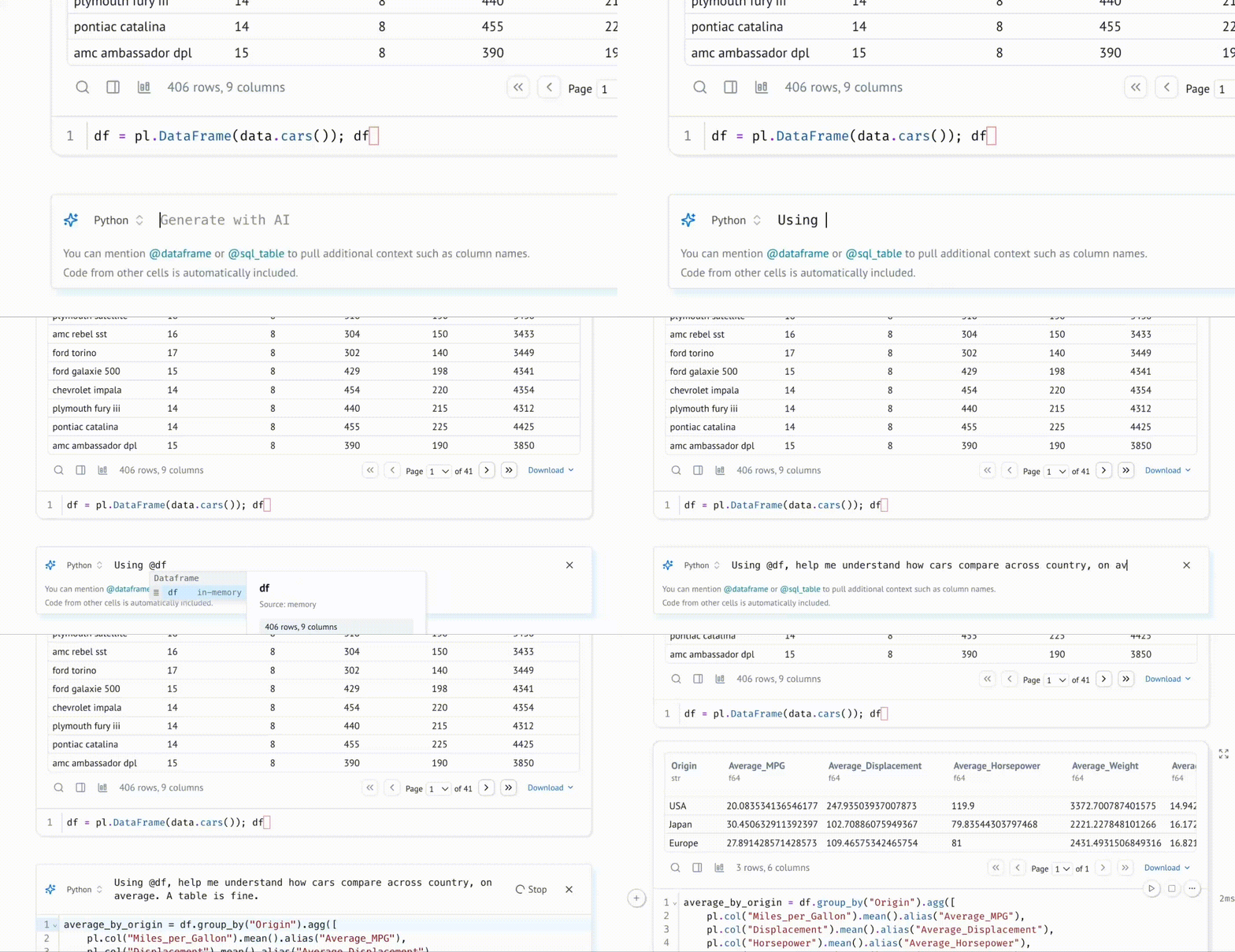
Generate cells with data-aware AI. Generate code with an AI assistant that is highly specialized for working with data, with context about your variables in memory; zero-shot entire notebooks. Customize the system prompt, bring your own API keys, or use local models.
Query data with SQL. Build SQL queries that depend on Python values and execute them against dataframes, databases, lakehouses, CSVs, Google Sheets, or anything else using our built-in SQL engine, which returns the result as a Python dataframe.
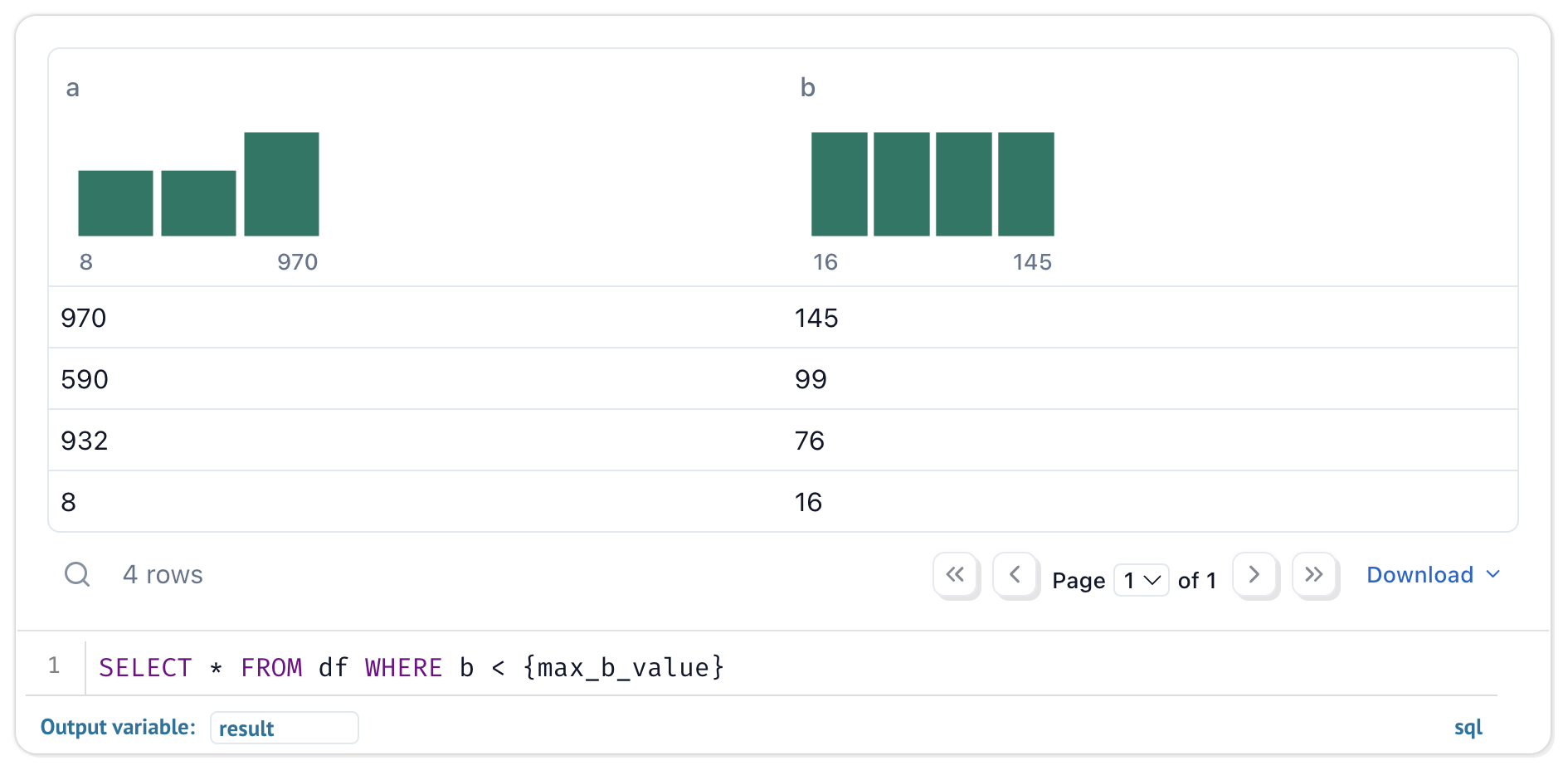
Your notebooks are still pure Python, even if they use SQL.
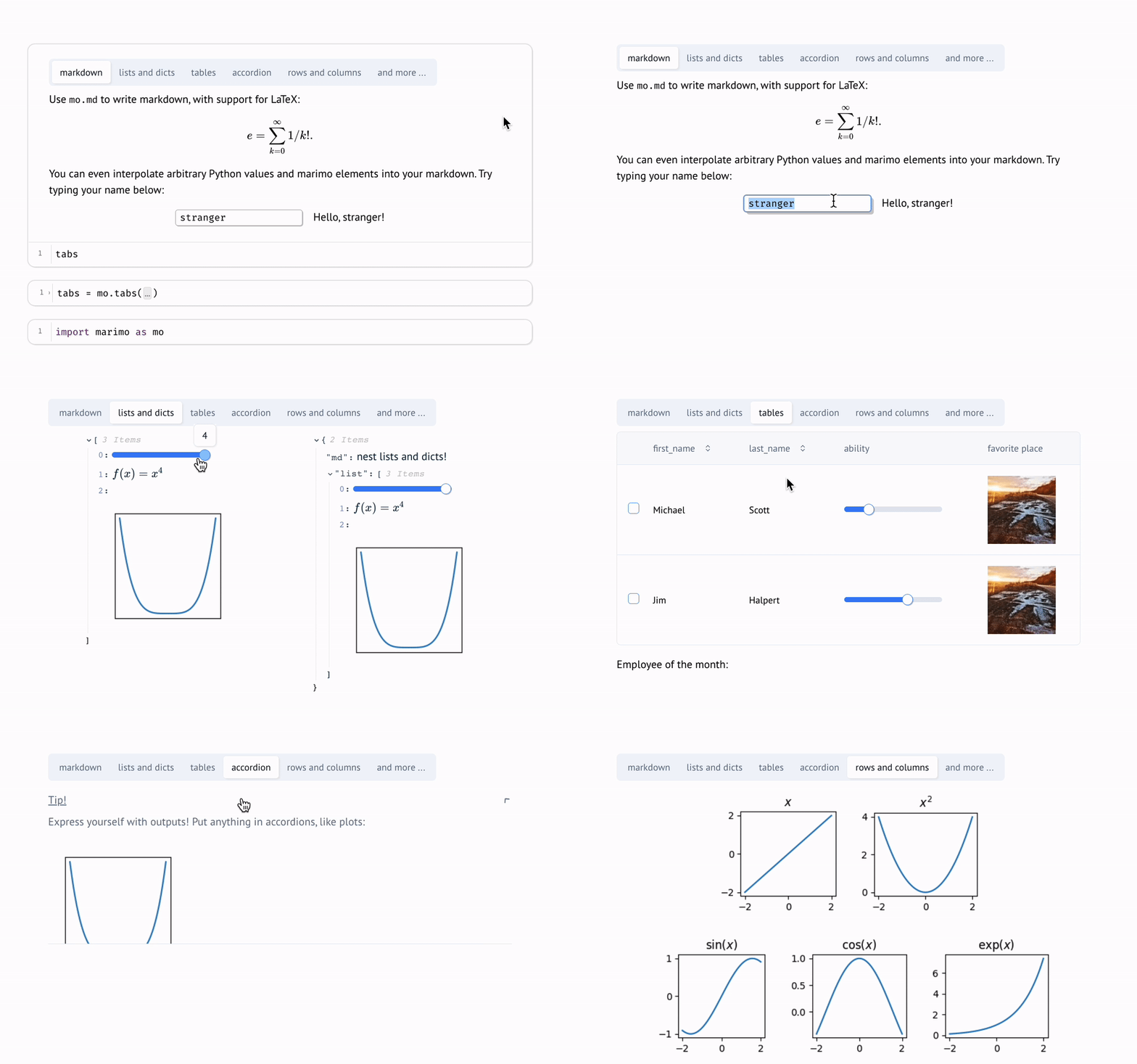
Dynamic markdown. Use markdown parametrized by Python variables to tell dynamic stories that depend on Python data.
Built-in package management. marimo has built-in support for all major package managers, letting you install packages on import. marimo can even serialize package requirements in notebook files, and auto install them in isolated venv sandboxes.
Deterministic execution order. Notebooks are executed in a deterministic order, based on variable references instead of cells' positions on the page. Organize your notebooks to best fit the stories you'd like to tell.
Performant runtime. marimo runs only those cells that need to be run by statically analyzing your code.
Batteries-included. marimo comes with GitHub Copilot, AI assistants, Ruff code formatting, HTML export, fast code completion, a VS Code extension, an interactive dataframe viewer, and many more quality-of-life features.
The marimo concepts playlist on our YouTube channel gives an overview of many features.
Installation. In a terminal, run
pip install marimo  # or conda install -c conda-forge marimo
marimo tutorial intro
To install with additional dependencies that unlock SQL cells, AI completion, and more, run
pip install "marimo[recommended]"
Create notebooks.
Create or edit notebooks with
marimo edit
Run apps. Run your notebook as a web app, with Python code hidden and uneditable:
marimo run your_notebook.py
Execute as scripts. Execute a notebook as a script at the command line:
python your_notebook.py
Automatically convert Jupyter notebooks. Automatically convert Jupyter notebooks to marimo notebooks with the CLI
marimo convert your_notebook.ipynb > your_notebook.py
or use our web interface.
Tutorials. List all tutorials:
marimo tutorial --help
Share cloud-based notebooks. Use molab, a cloud-based marimo notebook service similar to Google Colab, to create and share notebook links.
See the FAQ at our docs.
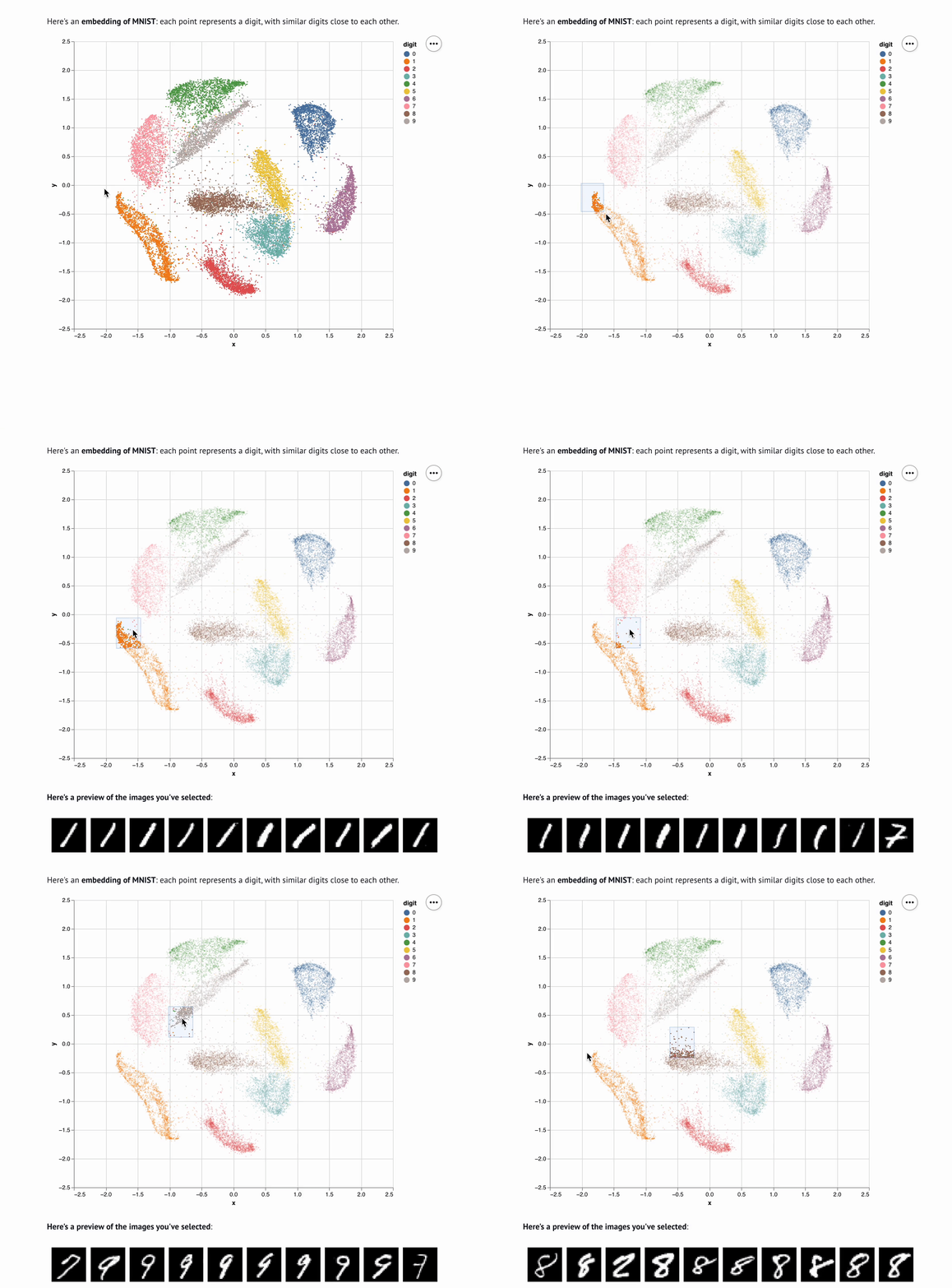
marimo is easy to get started with, with lots of room for power users. For example, here's an embedding visualizer made in marimo (try the notebook live on molab!):
Check out our docs, usage examples, and our gallery to learn more.
|
|
|
|
| Tutorial | Inputs | Plots | Layout |

|
|
|
|
We appreciate all contributions! You don't need to be an expert to help out. Please see CONTRIBUTING.md for more details on how to get started.
Questions? Reach out to us on Discord.
We're building a community. Come hang out with us!
A NumFOCUS affiliated project. marimo is a core part of the broader Python ecosystem and is a member of the NumFOCUS community, which includes projects such as NumPy, SciPy, and Matplotlib.

marimo is a reinvention of the Python notebook as a reproducible, interactive, and shareable Python program, instead of an error-prone JSON scratchpad.
We believe that the tools we use shape the way we think — better tools, for better minds. With marimo, we hope to provide the Python community with a better programming environment to do research and communicate it; to experiment with code and share it; to learn computational science and teach it.
Our inspiration comes from many places and projects, especially Pluto.jl, ObservableHQ, and Bret Victor's essays. marimo is part of a greater movement toward reactive dataflow programming. From IPyflow, streamlit, TensorFlow, PyTorch, JAX, and React, the ideas of functional, declarative, and reactive programming are transforming a broad range of tools for the better.

FAQs
A library for making reactive notebooks and apps
We found that marimo demonstrated a healthy version release cadence and project activity because the last version was released less than a year ago. It has 2 open source maintainers collaborating on the project.
Did you know?

Socket for GitHub automatically highlights issues in each pull request and monitors the health of all your open source dependencies. Discover the contents of your packages and block harmful activity before you install or update your dependencies.
Research
/Security News
Mixed-script homoglyphs and a lookalike domain mimic imToken’s import flow to capture mnemonics and private keys.

Security News
Latio’s 2026 report recognizes Socket as a Supply Chain Innovator and highlights our work in 0-day malware detection, SCA, and auto-patching.

Company News
Join Socket for live demos, rooftop happy hours, and one-on-one meetings during BSidesSF and RSA 2026 in San Francisco.