



Research
Malicious fezbox npm Package Steals Browser Passwords from Cookies via Innovative QR Code Steganographic Technique
A malicious package uses a QR code as steganography in an innovative technique.
By Olivia Brown - Sep 22, 2025
mcpuniverse
Advanced tools
A framework for developing and benchmarking AI agents using Model Context Protocol (MCP)
 MCP-Universe


MCP-Universe is a comprehensive framework designed for developing, testing, and benchmarking AI agents. It offers a robust platform for building and evaluating both AI agents and LLMs across a wide range of task environments. The framework also supports seamless integration with external MCP servers and facilitates sophisticated agent orchestration workflows.

Unlike existing benchmarks that rely on overly simplistic tasks, MCP-Universe addresses critical gaps by evaluating LLMs in real-world scenarios through interaction with actual MCP servers, capturing real application challenges such as:
Even state-of-the-art models show significant limitations in real-world MCP interactions:
This highlights the challenging nature of real-world MCP server interactions and substantial room for improvement in current LLM agents.
The MCPUniverse architecture consists of the following key components:
mcpuniverse/agent/): Base implementations for different agent typesmcpuniverse/workflows/): Orchestration and coordination layermcpuniverse/mcp/): Protocol management and external service integrationmcpuniverse/llm/): Multi-provider language model supportmcpuniverse/benchmark/): Evaluation and testing frameworkmcpuniverse/dashboard/): Visualization and monitoring interfaceThe diagram below illustrates the high-level view:
┌─────────────────────────────────────────────────────────────────┐
│                      Application Layer                          │
├─────────────────────────────────────────────────────────────────┤
│  Dashboard  │    Web API      │   Python Lib   │   Benchmarks   │
│   (Gradio)  │   (FastAPI)     │                │                │
└─────────────┬─────────────────┬────────────────┬────────────────┘
              │                 │                │
┌─────────────▼─────────────────▼────────────────▼────────────────┐
│                      Orchestration Layer                        │
├─────────────────────────────────────────────────────────────────┤
│           Workflows           │        Benchmark Runner         │
│    (Chain, Router, etc.)      │      (Evaluation Engine)        │
└─────────────┬─────────────────┬────────────────┬────────────────┘
              │                 │                │
┌─────────────▼─────────────────▼────────────────▼────────────────┐
│                        Agent Layer                              │
├─────────────────────────────────────────────────────────────────┤
│  BasicAgent │   ReActAgent    │  FunctionCall  │     Other      │
│             │                 │     Agent      │     Agents     │
└─────────────┬─────────────────┬────────────────┬────────────────┘
              │                 │                │
┌─────────────▼─────────────────▼────────────────▼────────────────┐
│                      Foundation Layer                           │
├─────────────────────────────────────────────────────────────────┤
│   MCP Manager   │   LLM Manager   │  Memory Systems │  Tracers  │
│   (Servers &    │   (Multi-Model  │   (RAM, Redis)  │ (Logging) │
│    Clients)     │    Support)     │                 │           │
└─────────────────┴─────────────────┴─────────────────┴───────────┘
More information can be found here.
We follow the feature branch workflow in this repo for its simplicity. To ensure code quality, PyLint is integrated into our CI to enforce Python coding standards.
Clone the repository
git clone https://github.com/SalesforceAIResearch/MCP-Universe.git
cd MCP-Universe
Create and activate virtual environment
python3 -m venv venv
source venv/bin/activate
Install dependencies
pip install -r requirements.txt
pip install -r dev-requirements.txt
Platform-specific requirements
Linux:
sudo apt-get install libpq-dev
macOS:
brew install postgresql
Configure pre-commit hooks
pre-commit install
Environment configuration
cp .env.example .env
# Edit .env with your API keys and configuration
To run benchmarks, you first need to set environment variables:
.env.example file to a new file named .env..env file, set the required API keys for various services used by the agents,
such as OPENAI_API_KEY and GOOGLE_MAPS_API_KEY.To execute a benchmark programmatically:
from mcpuniverse.tracer.collectors import MemoryCollector  # You can also use SQLiteCollector
from mcpuniverse.benchmark.runner import BenchmarkRunner

async def test():
    trace_collector = MemoryCollector()
    # Choose a benchmark config file under the folder "mcpuniverse/benchmark/configs"
    benchmark = BenchmarkRunner("dummy/benchmark_1.yaml")
    # Run the specified benchmark
    results = await benchmark.run(trace_collector=trace_collector)
    # Get traces
    trace_id = results[0].task_trace_ids["dummy/tasks/weather.json"]
    trace_records = trace_collector.get(trace_id)
This section provides comprehensive instructions for evaluating LLMs and AI agents using the MCP-Universe benchmark suite. The framework supports evaluation across multiple domains including web search, location navigation, browser automation, financial analysis, repository management, and 3D design.
Before running benchmark evaluations, ensure you have completed the Getting Started section and have the following:
pip install -r requirements.txtCopy the environment template and configure your API credentials:
cp .env.example .env
Configure the following environment variables in your .env file. The required keys depend on which benchmark domains you plan to evaluate:
| Environment Variable | Provider | Description | Required For |
|---|---|---|---|
OPENAI_API_KEY | OpenAI | API key for GPT models (gpt-5, etc.) | All domains |
ANTHROPIC_API_KEY | Anthropic | API key for Claude models | All domains |
GEMINI_API_KEY | API key for Gemini models | All domains |
Note: You only need to configure the API key for the LLM provider you intend to use in your evaluation.
| Environment Variable | Service | Description | Setup Instructions |
|---|---|---|---|
SERP_API_KEY | SerpAPI | Web search API for search benchmark evaluation | Get API key |
GOOGLE_MAPS_API_KEY | Google Maps | Geolocation and mapping services | Setup Guide |
GITHUB_PERSONAL_ACCESS_TOKEN | GitHub | Personal access token for repository operations | Token Setup |
GITHUB_PERSONAL_ACCOUNT_NAME | GitHub | Your GitHub username | N/A |
NOTION_API_KEY | Notion | Integration token for Notion workspace access | Integration Setup |
NOTION_ROOT_PAGE | Notion | Root page ID for your Notion workspace | See configuration example below |
| Environment Variable | Description | Example |
|---|---|---|
BLENDER_APP_PATH | Full path to Blender executable (we used v4.4.0) | /Applications/Blender.app/Contents/MacOS/Blender |
MCPUniverse_DIR | Absolute path to your MCP-Universe repository | /Users/username/MCP-Universe |
Notion Root Page ID: If your Notion page URL is:
https://www.notion.so/your_workspace/MCP-Evaluation-1dd6d96e12345678901234567eaf9eff
Set NOTION_ROOT_PAGE=MCP-Evaluation-1dd6d96e12345678901234567eaf9eff
Blender Installation:
🔒 IMPORTANT SECURITY NOTICE
Please read and follow these security guidelines carefully before running benchmarks:
🚨 GitHub Integration: CRITICAL - We strongly recommend using a dedicated test GitHub account for benchmark evaluation. The AI agent will perform real operations on GitHub repositories, which could potentially modify or damage your personal repositories.
🔐 API Key Management:
🛡️ Access Permissions:
⚡ Blender Operations: The 3D design benchmarks will execute Blender commands that may modify or create files on your system. Ensure you have adequate backups and run in an isolated environment if necessary.
Each benchmark domain has a dedicated YAML configuration file located in mcpuniverse/benchmark/configs/test/. To evaluate your LLM/agent, modify the appropriate configuration file:
| Domain | Configuration File | Description |
|---|---|---|
| Web Search | web_search.yaml | Search engine and information retrieval tasks |
| Location Navigation | location_navigation.yaml | Geographic and mapping-related queries |
| Browser Automation | browser_automation.yaml | Web interaction and automation scenarios |
| Financial Analysis | financial_analysis.yaml | Market data analysis and financial computations |
| Repository Management | repository_management.yaml | Git operations and code repository tasks |
| 3D Design | 3d_design.yaml | Blender-based 3D modeling and design tasks |
In each configuration file, update the LLM specification to match your target model:
kind: llm
spec:
  name: llm-1
  type: openai  # or anthropic, google, etc.
  config:
    model_name: gpt-4o  # Replace with your target model
Execute specific domain benchmarks using the following commands:
# Set Python path and run individual benchmarks
export PYTHONPATH=.

# Location Navigation
python tests/benchmark/test_benchmark_location_navigation.py

# Browser Automation
python tests/benchmark/test_benchmark_browser_automation.py

# Financial Analysis
python tests/benchmark/test_benchmark_financial_analysis.py

# Repository Management
python tests/benchmark/test_benchmark_repository_management.py

# Web Search
python tests/benchmark/test_benchmark_web_search.py

# 3D Design
python tests/benchmark/test_benchmark_3d_design.py
For comprehensive evaluation across all domains:
#!/bin/bash
export PYTHONPATH=.

domains=("location_navigation" "browser_automation" "financial_analysis"
         "repository_management" "web_search" "3d_design")

for domain in "${domains[@]}"; do
    echo "Running benchmark: $domain"
    python "tests/benchmark/test_benchmark_${domain}.py"
    echo "Completed: $domain"
done
If you want to save the running log, you can pass the trace_collector to the benchmark run function:
from mcpuniverse.tracer.collectors import FileCollector

trace_collector = FileCollector(log_file="log/location_navigation.log")
benchmark_results = await benchmark.run(trace_collector=trace_collector)
If you want to save a report of the benchmark result, you can use BenchmarkReport to dump a report:
from mcpuniverse.benchmark.report import BenchmarkReport

report = BenchmarkReport(benchmark, trace_collector=trace_collector)
report.dump()
To run the benchmark with intermediate results and see real-time progress, pass callbacks=get_vprint_callbacks() to the run function:
from mcpuniverse.callbacks.handlers.vprint import get_vprint_callbacks

benchmark_results = await benchmark.run(
    trace_collector=trace_collector,
    callbacks=get_vprint_callbacks()
)
This will print out the intermediate results as the benchmark runs.
For further details, refer to the in-code documentation or existing configuration samples in the repository.
A benchmark is defined by three main configuration elements: the task definition, agent/workflow definition, and the benchmark configuration itself. Below is an example using a simple "weather forecasting" task.
The task definition is provided in JSON format, for example:
{
  "category": "general",
  "question": "What's the weather in San Francisco now?",
  "mcp_servers": [
    {
      "name": "weather"
    }
  ],
  "output_format": {
    "city": "<City>",
    "weather": "<Weather forecast results>"
  },
  "evaluators": [
    {
      "func": "json -> get(city)",
      "op": "=",
      "value": "San Francisco"
    }
  ]
}
Field descriptions:
In "evaluators", you need to write a rule ("func" attribute) showing how to extract values for testing. In the example above, "json -> get(city)" will first do JSON decoding and then extract the value of key "city". There are several predefined funcs in this repo:
For example, let's define
data = {"x": [{"y": [1]}, {"y": [1, 1]}, {"y": [1, 2, 3, 4]}]}
Then get(x) -> foreach -> get(y) -> len will do the following:
[{"y": [1]}, {"y": [1, 1]}, {"y": [1, 2, 3, 4]}].[[1], [1, 1], [1, 2, 3, 4]].[1, 2, 4].If these predefined functions are not enough, you can implement custom ones. For more details, please check this doc.
Define agent(s) and benchmark in a YAML file. Here’s a simple weather forecast benchmark:
kind: llm
spec:
  name: llm-1
  type: openai
  config:
    model_name: gpt-4o

---
kind: agent
spec:
  name: ReAct-agent
  type: react
  config:
    llm: llm-1
    instruction: You are an agent for weather forecasting.
    servers:
      - name: weather

---
kind: benchmark
spec:
  description: Test the agent for weather forecasting
  agent: ReAct-agent
  tasks:
    - dummy/tasks/weather.json
The benchmark definition mainly contains two parts: the agent definition and the benchmark configuration. The benchmark configuration is simple—you just need to specify the agent to use (by the defined agent name) and a list of tasks to evaluate. Each task entry is the task config file path. It can be a full file path or a partial file path. If it is a partial file path (like "dummy/tasks/weather.json"), it should be put in the folder mcpuniverse/benchmark/configs in this repo.
This framework offers a flexible way to define both simple agents (such as ReAct) and more complex, multi-step agent workflows.
"llm-1"). These names serve as identifiers that the framework uses to connect
the different components together."basic", "function-call", and "react". Within the agent specification (
spec.config), you must also indicate which LLM instance the agent should use by setting the "llm" field.For example:
kind: llm
spec:
  name: llm-1
  type: openai
  config:
    model_name: gpt-4o

---
kind: agent
spec:
  name: basic-agent
  type: basic
  config:
    llm: llm-1
    instruction: Return the latitude and the longitude of a place.

---
kind: agent
spec:
  name: function-call-agent
  type: function-call
  config:
    llm: llm-1
    instruction: You are an agent for weather forecast. Please return the weather today at the given latitude and longitude.
    servers:
      - name: weather

---
kind: workflow
spec:
  name: orchestrator-workflow
  type: orchestrator
  config:
    llm: llm-1
    agents:
      - basic-agent
      - function-call-agent

---
kind: benchmark
spec:
  description: Test the agent for weather forecasting
  agent: orchestrator-workflow
  tasks:
    - dummy/tasks/weather.json
If you use MCP-Universe in your research, please cite our paper:
@misc{mcpuniverse,
  title={MCP-Universe: Benchmarking Large Language Models with Real-World Model Context Protocol Servers},
  author={Ziyang Luo and Zhiqi Shen and Wenzhuo Yang and Zirui Zhao and Prathyusha Jwalapuram and Amrita Saha and Doyen Sahoo and Silvio Savarese and Caiming Xiong and Junnan Li},
  year={2025},
  eprint={2508.14704},
  archivePrefix={arXiv},
  primaryClass={cs.AI},
  url={https://arxiv.org/abs/2508.14704},
}
FAQs
A framework for developing and benchmarking AI agents using Model Context Protocol (MCP)
We found that mcpuniverse demonstrated a healthy version release cadence and project activity because the last version was released less than a year ago. It has 1 open source maintainer collaborating on the project.
Did you know?

Socket for GitHub automatically highlights issues in each pull request and monitors the health of all your open source dependencies. Discover the contents of your packages and block harmful activity before you install or update your dependencies.
Research
A malicious package uses a QR code as steganography in an innovative technique.

Research
/Security News
Socket identified 80 fake candidates targeting engineering roles, including suspected North Korean operators, exposing the new reality of hiring as a security function.
Application Security
/Research
/Security News
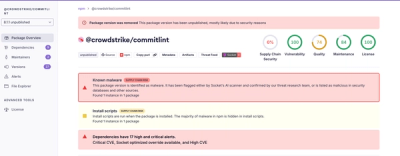
Socket detected multiple compromised CrowdStrike npm packages, continuing the "Shai-Hulud" supply chain attack that has now impacted nearly 500 packages.