Table of Contents
Features
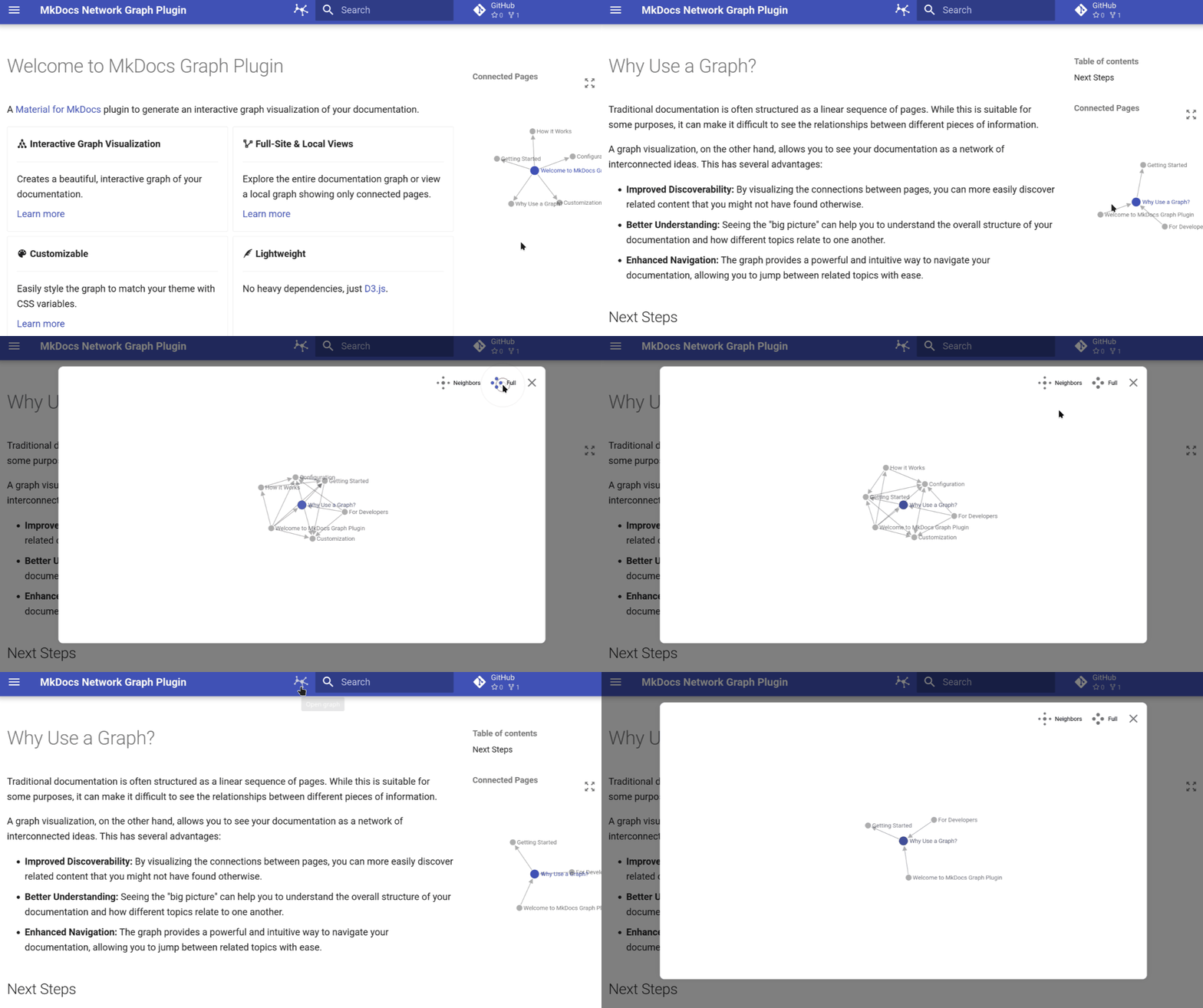
| Interactive Graph Visualization of your documentation structure | Dual View Modes to switch between a full-site overview and local page connections | Theme Integration that seamlessly blends with Material for MkDocs | Performance Optimized with minimal impact on build times and a responsive design |
Quick Start
Get up and running in under 2 minutes:
1. Install the plugin
pip install mkdocs-network-graph-plugin
2. Enable in your mkdocs.yml
plugins:
  - graph
3. Build your docs
mkdocs serve
That's it! Your documentation now includes an interactive graph visualization.
Installation
Using pip (recommended)
pip install mkdocs-network-graph-plugin
Using uv (faster)
uv pip install mkdocs-network-graph-plugin
Using pipx (isolated)
pipx install mkdocs-network-graph-plugin
Development Installation
For contributors, this is the recommended setup:
-
Clone the repository
git clone https://github.com/develmusa/mkdocs-network-graph-plugin.git
cd mkdocs-network-graph-plugin
-
Set up the development environment
uv sync
uv python install 3.10 3.11 3.12 3.13
uv pip install -e '.[dev]'
uv run pre-commit install
For more details, see the developer guide.
Requirements
- Python: 3.10+
- MkDocs: Compatible with latest versions
- Theme: Designed for Material for MkDocs (v9.0.0+)
Configuration
Basic Configuration
plugins:
- graph:
name: "title"
debug: false
Advanced Configuration
plugins:
- graph:
name: "file_name"
debug: true
Configuration Options
name | string | "title" | Node naming strategy: "title" or "file_name" |
debug | boolean | false | Enable debug logging for development |
Customization
Customize the graph appearance using CSS variables in your extra.css:
:root {
--md-graph-node-color: #1976d2;
--md-graph-node-color--hover: #1565c0;
--md-graph-node-color--current: #ff5722;
--md-graph-link-color: #757575;
--md-graph-text-color: #212121;
}
Available CSS Variables
--md-graph-node-color | Default node color | Theme primary |
--md-graph-node-color--hover | Node hover color | Darker primary |
--md-graph-node-color--current | Current page node color | Theme accent |
--md-graph-link-color | Connection line color | Theme text (muted) |
--md-graph-text-color | Node label text color | Theme text |
Documentation
Comprehensive documentation is available at develmusa.github.io/mkdocs-network-graph-plugin
Documentation Sections
Contributing
We welcome contributions! For a complete guide on how to contribute, please see the developer guide.
To get started, set up your environment by following the Development Installation instructions. From there, you can run tests and linting using nox:
uv run nox -s tests
uv run nox -s lint
Contribution Guidelines
- Bug Reports: Use the issue tracker
- Feature Requests: Open an issue with your proposal
- Pull Requests: Fork, create a feature branch, and submit a PR
- Documentation: Help improve our docs
License
This project is licensed under the MIT License - see the LICENSE file for details
Acknowledgments
Related Projects
Explore other tools with Markdown documentation graph visualization: