


Security News
Deno 2.6 + Socket: Supply Chain Defense In Your CLI
Deno 2.6 introduces deno audit with a new --socket flag that plugs directly into Socket to bring supply chain security checks into the Deno CLI.
By Sarah Gooding - Dec 12, 2025
mysql-ch-replicator
Advanced tools



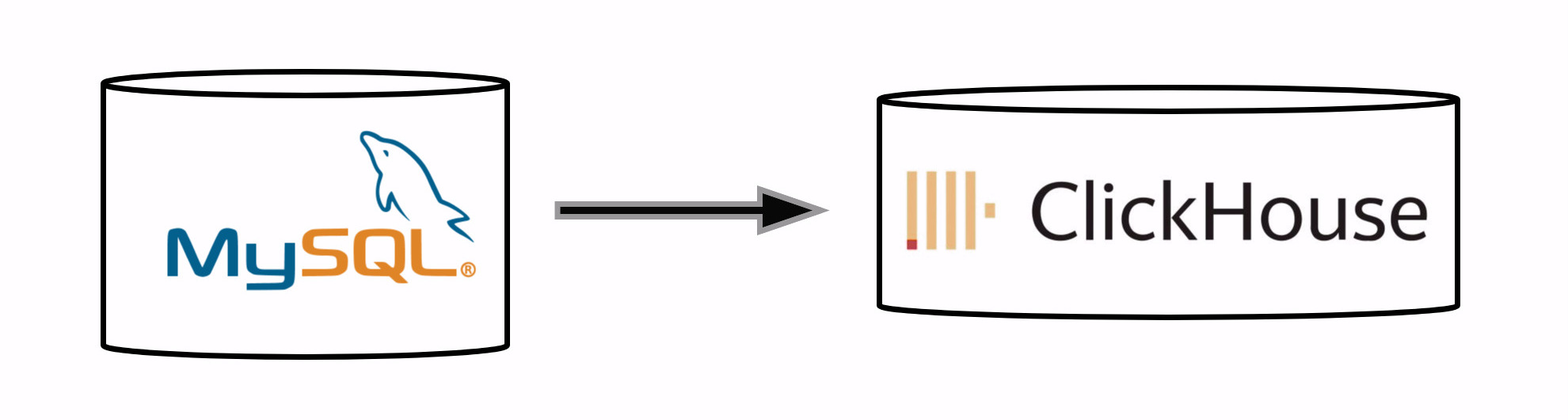
mysql_ch_replicator is a powerful and efficient tool designed for real-time replication of MySQL databases to ClickHouse.
With a focus on high performance, it utilizes batching heavily and uses C++ extension for faster execution. This tool ensures seamless data integration with support for migrations, schema changes, and correct data management.
mysql_ch_replicator ensures physical removal of data.MaterializedMySQL, which replicates the log separately for each database.To install mysql_ch_replicator, use the following command:
pip install --upgrade mysql_ch_replicator
You may need to also compile C++ components if they're not pre-built for your platform.
Alternatively, you can use the pre-built Docker image from DockerHub:
docker pull fippo/mysql-ch-replicator:latest
To run the container:
docker run -d \
  -v /path/to/your/config.yaml:/app/config.yaml \
  -v /path/to/your/data:/app/data \
  fippo/mysql-ch-replicator:latest \
  --config /app/config.yaml run_all
Or with environment variables for credentials:
docker run -d \
  -v /path/to/your/config.yaml:/app/config.yaml \
  -v /path/to/your/data:/app/data \
  -e MYSQL_USER=root \
  -e MYSQL_PASSWORD=secret \
  -e CLICKHOUSE_USER=default \
  -e CLICKHOUSE_PASSWORD=secret \
  fippo/mysql-ch-replicator:latest \
  --config /app/config.yaml run_all
Make sure to:
-v flag-e flags to override credentials via environment variablesHere is a video tutorial
For realtime data sync from MySQL to ClickHouse:
example_config.yaml as an example.my.cnf should include following settings (required to write binary log in raw format, and enable password authentication):[mysqld]
# ... other settings ...
gtid_mode = on
enforce_gtid_consistency = 1
binlog_expire_logs_seconds = 864000
max_binlog_size = 500M
binlog_format = ROW
[mysqld]
# ... other settings ...
gtid_strict_mode = ON
gtid_domain_id = 0
server_id = 1
log_bin = /var/log/mysql/mysql-bin.log
binlog_expire_logs_seconds = 864000
max_binlog_size = 500M
binlog_format = ROW
For AWS RDS you need to set following settings in Parameter groups:
binlog_format                       ROW
binlog_expire_logs_seconds          86400
override.xml should include following settings (it makes clickhouse apply final keyword automatically to handle updates correctly):<clickhouse>
<!-- ... other settings ... -->
<profiles>
<default>
<!-- ... other settings ... -->
<final>1</final>
<max_query_size>300000000</max_query_size>
<max_ast_elements>1000000</max_ast_elements>
<max_expanded_ast_elements>1000000</max_expanded_ast_elements>
</default>
</profiles>
</clickhouse>
!!! Double check final setting is applied !!!
Execute the following command in clickhouse:
SELECT name, value, changed FROM system.settings WHERE name = 'final'
Setting should be set to 1. If not, you should:
override.xml is appliedusers.xml insteadmysql_ch_replicator --config config.yaml run_all
This will keep data in ClickHouse updating as you update data in MySQL. It will always be in sync.
If you just need to copy data once, and don't need continuous synchronization for all changes, you should do following:
example_config.yaml as an example.mysql_ch_replicator --config config.yaml db_replicator --db mysql_db_name --initial_only=True
Where mysql_db_name is the name of the database you want to copy.
Don't be afraid to interrupt process in the middle. It will save the state and continue copy after restart.
Hint: set initial_replication_threads to a number of cpu cores to accelerate initial replication
mysql_ch_replicator can be configured through a configuration file and also by using enviromnent variables to override some of config settings. Here is the config example:
mysql:
  host: 'localhost'
  port: 8306
  user: 'root'
  password: 'root'
  charset: 'utf8mb4'  # optional, default is utf8mb4 for full Unicode support

clickhouse:
  host: 'localhost'
  port: 8323
  user: 'default'
  password: 'default'
  connection_timeout: 30        # optional
  send_receive_timeout: 300     # optional

binlog_replicator:
  data_dir: '/home/user/binlog/'  # a new EMPTY directory (for internal storage of data by mysql_ch_replicator itself)
  records_per_file: 100000
  binlog_retention_period: 43200  # optional, how long to keep binlog files in seconds, default 12 hours

databases: 'database_name_pattern_*'
tables: '*'


# OPTIONAL SETTINGS

initial_replication_threads: 4                        # optional

exclude_databases: ['database_10', 'database_*_42']   # optional
exclude_tables: ['meta_table_*']                      # optional

target_databases:                                     # optional
  source_db_in_mysql_1: destination_db_in_clickhouse_1
  source_db_in_mysql_2: destination_db_in_clickhouse_2
  ...

target_tables:                                        # optional
  source_db_in_mysql_1.source_table_in_mysql_1: destination_table_name_1
  source_db_in_mysql_1.source_table_in_mysql_2: destination_table_name_2
  ...

log_level: 'info'               # optional
optimize_interval: 86400        # optional
auto_restart_interval: 3600     # optional

indexes:                        # optional
  - databases: '*'
    tables: ['test_table']
    index: 'INDEX name_idx name TYPE ngrambf_v1(5, 65536, 4, 0) GRANULARITY 1'

partition_bys:                  # optional
  - databases: '*'
    tables: ['test_table']
    partition_by: 'toYYYYMM(created_at)'

http_host: '0.0.0.0'    # optional
http_port: 9128         # optional

types_mapping:          # optional
  'char(36)': 'UUID'

ignore_deletes: false    # optional, set to true to ignore DELETE operations

mysql_timezone: 'UTC'    # optional, timezone for MySQL timestamp conversion (default: 'UTC')
mysql MySQL connection settingsclickhouse ClickHouse connection settingsbinlog_replicator.data_dir Create a new empty directory, it will be used by script to store it's statedatabases Databases name pattern to replicate, e.g. db_* will match db_1 db_2 db_test, list is also supportedinitial_replication_threads - number of threads for initial replication, by default 1, set it to number of cores to accelerate initial data copytables - tables to filter, list is also supportedexclude_databases - databases to exclude, string or list, eg 'table1*' or ['table2', 'table3*']. If same database matches databases and exclude_databases, exclude has higher priority.exclude_tables - databases to exclude, string or list. If same table matches tables and exclude_tables, exclude has higher priority.target_databases - if you want database in ClickHouse to have different name from MySQL databasetarget_tables - if you want table in ClickHouse to have different name from MySQL table. Specify as source_database.source_table: target_table_name. The target database is determined by existing rules (e.g., target_databases mapping). This mapping applies to both initial and realtime replication, including DDL operations like ALTER, DROP, etc.log_level - log level, default is info, you can set to debug to get maximum information (allowed values are debug, info, warning, error, critical)optimize_interval - interval (seconds) between automatic OPTIMIZE table FINAL calls. Default 86400 (1 day). This is required to perform all merges guaranteed and avoid increasing of used storage and decreasing performance.auto_restart_interval - interval (seconds) between automatic db_replicator restart. Default 3600 (1 hour). This is done to reduce memory usage.binlog_retention_period - how long to keep binlog files in seconds. Default 43200 (12 hours). This setting controls how long the local binlog files are retained before being automatically cleaned up.indexes - you may want to add some indexes to accelerate performance, eg. ngram index for full-test search, etc. To apply indexes you need to start replication from scratch.partition_bys - custom PARTITION BY expressions for tables. By default uses intDiv(id, 4294967) for integer primary keys. Useful for time-based partitioning like toYYYYMM(created_at).http_host, http_port - http endpoint to control replication, use /docs for abailable commandstypes_mappings - custom types mapping, eg. you can map char(36) to UUID instead of String, etc.ignore_deletes - when set to true, DELETE operations in MySQL will be ignored during replication. This creates an append-only model where data is only added, never removed. In this mode, the replicator doesn't create a temporary database and instead replicates directly to the target database.mysql_timezone - timezone to use for MySQL timestamp conversion to ClickHouse DateTime64. Default is 'UTC'. Accepts any valid timezone name (e.g., 'America/New_York', 'Europe/London', 'Asia/Tokyo'). This setting ensures proper timezone handling when converting MySQL timestamp fields to ClickHouse DateTime64 with timezone information.post_initial_replication_commands - SQL commands to execute in ClickHouse after initial replication completes for each database. Useful for creating materialized views, summary tables, or other database objects. Commands are executed in order, once per database matching the pattern.post_initial_replication_commands:
- databases: '*'
commands:
- 'CREATE TABLE IF NOT EXISTS summary_table (...) ENGINE = SummingMergeTree() ORDER BY (...)'
- 'CREATE MATERIALIZED VIEW IF NOT EXISTS data_mv TO summary_table AS SELECT ...'
- 'INSERT INTO summary_table SELECT ... FROM replicated_table'
Few more tables / dbs examples:
databases: ['my_database_1', 'my_database_2']
tables: ['table_1', 'table_2*']
Environment Variables: MySQL and ClickHouse credentials can be overridden using environment variables for better security in containerized environments:
MYSQL_HOST, MYSQL_PORT, MYSQL_USER, MYSQL_PASSWORD, MYSQL_CHARSETCLICKHOUSE_HOST, CLICKHOUSE_PORT, CLICKHOUSE_USER, CLICKHOUSE_PASSWORDmysql_ch_replicator supports the following:
WARNING. While 95% of operations supported, there could be still some unhandled operations. We try to support all of them, but for your safety, please write the CI/CD test that will check your migrations. Test should work a following way:
In case of a failure or during the initial replication, mysql_ch_replicator will preserve old data and continue syncing new data seamlessly. You could remove the state and restart replication from scratch.
Here is the checklist for production. Please read it carefully and confirm every point. If you have any questions - feel free to ask in discussion / issues. Following the checklist is critical to avoid any issues on prod.
mysql_ch_replicator config.yaml.To contribute to mysql_ch_replicator, clone the repository and install the required dependencies:
git clone https://github.com/your-repo/mysql_ch_replicator.git
cd mysql_ch_replicator
pip install -r requirements.txt
cd tests/
docker compose -f docker-compose-tests.yaml up
docker exec -w /app/ -it tests-replicator-1 python3 -m pytest -v -s tests/
docker exec -w /app/ -it tests-replicator-1 python3 -m pytest -v -s tests/ -k test_your_test_name
Contributions are welcome! Please open an issue or submit a pull request for any bugs or features you would like to add.
mysql_ch_replicator is licensed under the MIT License. See the LICENSE file for more details.
Thank you to all the contributors who have helped build and improve this tool.
FAQs
Tool for replication of MySQL databases to ClickHouse
We found that mysql-ch-replicator demonstrated a healthy version release cadence and project activity because the last version was released less than a year ago. It has 1 open source maintainer collaborating on the project.
Did you know?

Socket for GitHub automatically highlights issues in each pull request and monitors the health of all your open source dependencies. Discover the contents of your packages and block harmful activity before you install or update your dependencies.
Security News
Deno 2.6 introduces deno audit with a new --socket flag that plugs directly into Socket to bring supply chain security checks into the Deno CLI.

Security News
New DoS and source code exposure bugs in React Server Components and Next.js: what’s affected and how to update safely.

Security News
Socket CEO Feross Aboukhadijeh joins Software Engineering Daily to discuss modern software supply chain attacks and rising AI-driven security risks.