UniFace: A Unified Face Analysis Library for Python
UniFace is a lightweight, production-ready Python library for face detection, recognition, tracking, landmark analysis, face parsing, gaze estimation, and face attributes.
Features
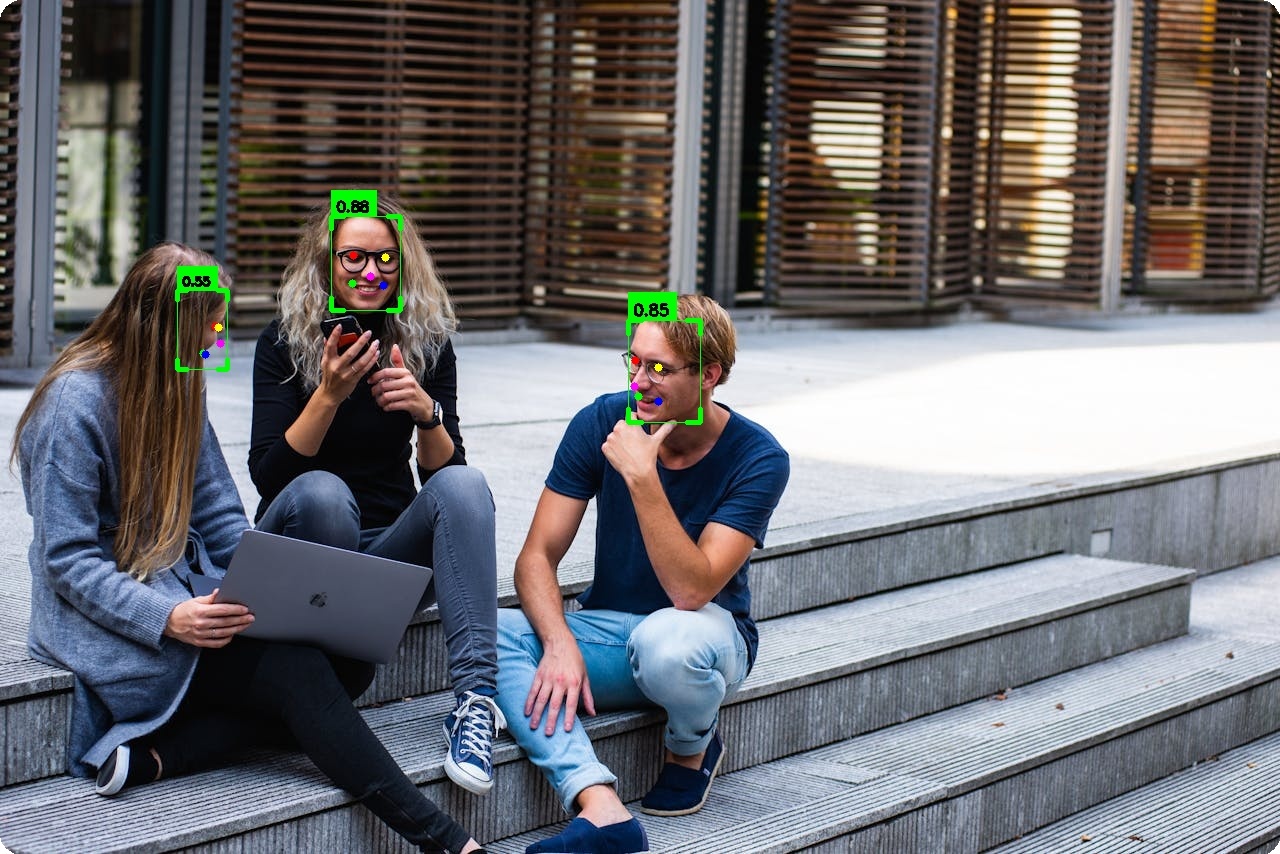
- Face Detection — RetinaFace, SCRFD, YOLOv5-Face, and YOLOv8-Face with 5-point landmarks
- Face Recognition — AdaFace, ArcFace, EdgeFace, MobileFace, and SphereFace embeddings
- Face Tracking — Multi-object tracking with BYTETracker for persistent IDs across video frames
- Facial Landmarks — 106-point landmark localization module (separate from 5-point detector landmarks)
- Face Parsing — BiSeNet semantic segmentation (19 classes), XSeg face masking
- Portrait Matting — Trimap-free alpha matte with MODNet (background removal, green screen, compositing)
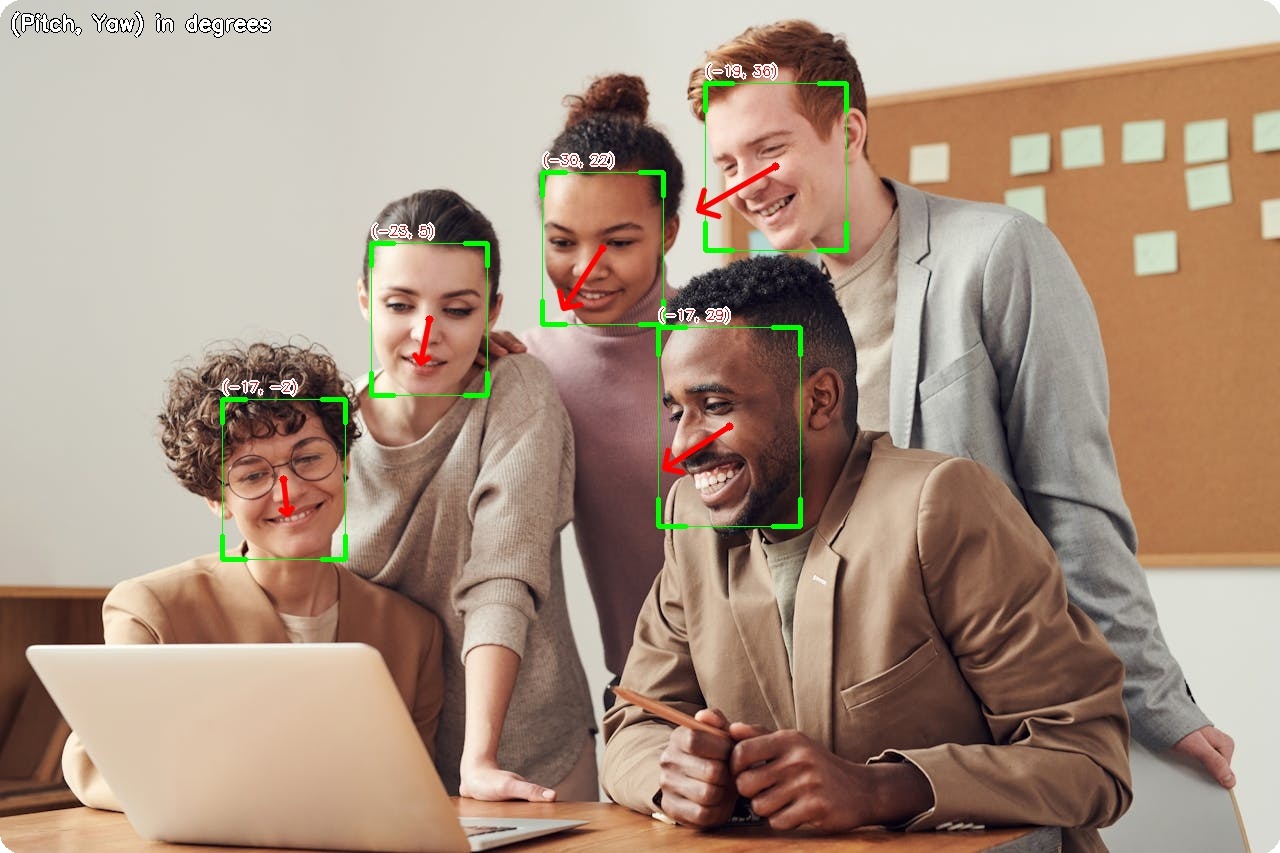
- Gaze Estimation — Real-time gaze direction with MobileGaze
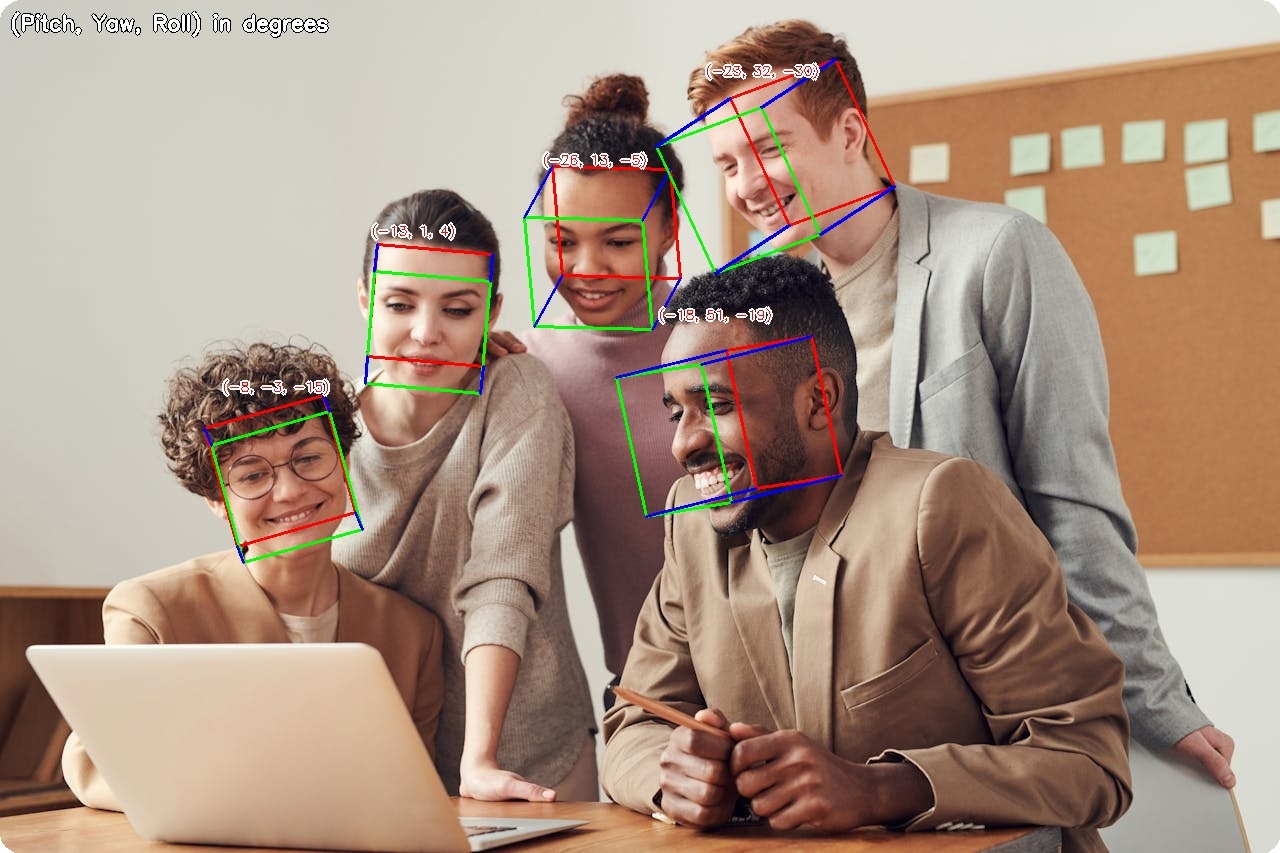
- Head Pose Estimation — 3D head orientation (pitch, yaw, roll) with 6D rotation representation
- Attribute Analysis — Age, gender, race (FairFace), and emotion
- Vector Store — FAISS-backed embedding store for fast multi-identity search
- Anti-Spoofing — Face liveness detection with MiniFASNet
- Face Anonymization — 5 blur methods for privacy protection
- Hardware Acceleration — ARM64 (Apple Silicon), CUDA (NVIDIA), CPU
Visual Examples
Face Detection
 | Gaze Estimation
 |
Head Pose Estimation
 | Age & Gender
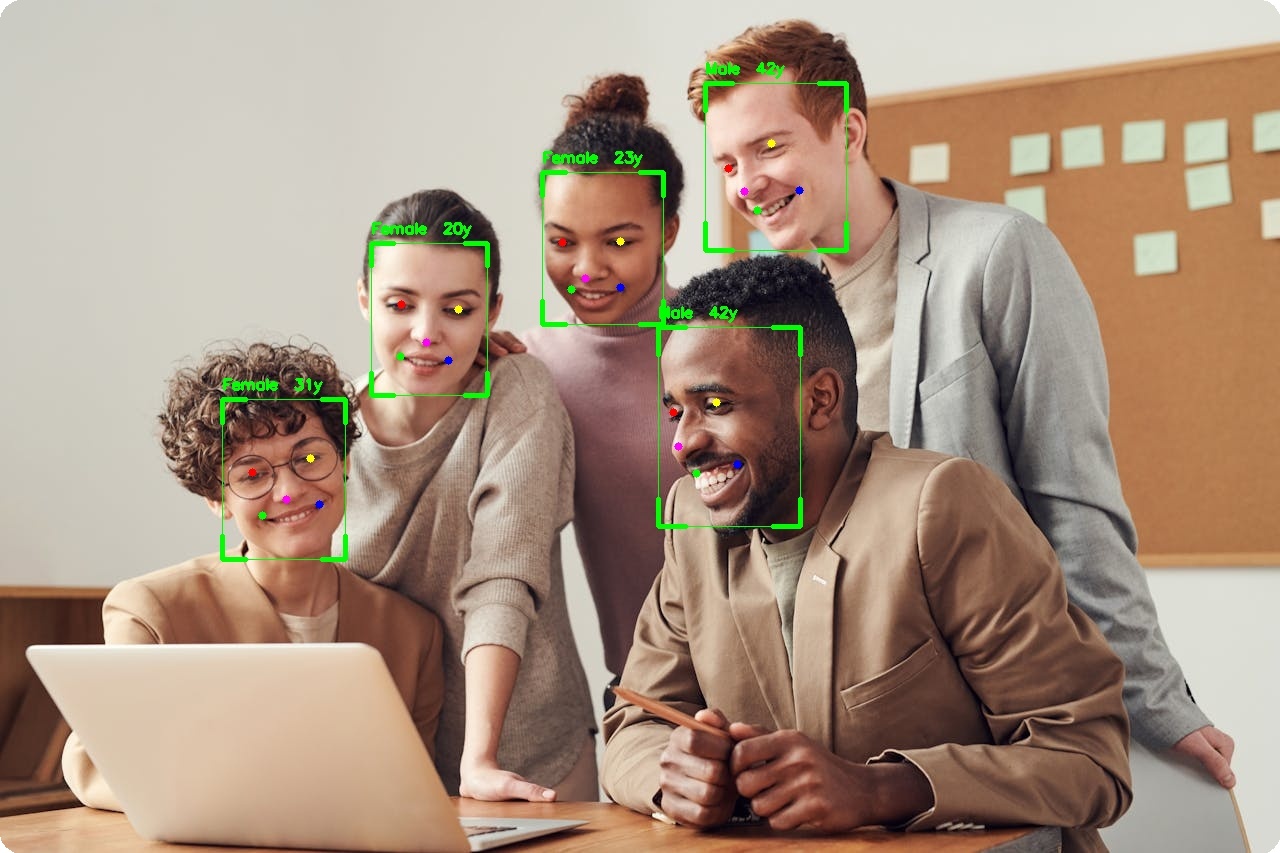 |
Face Verification
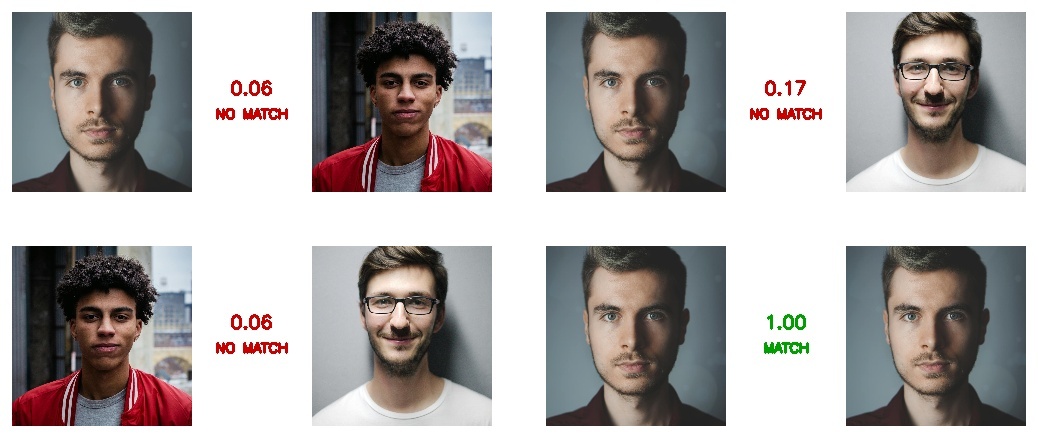 |
106-Point Landmarks
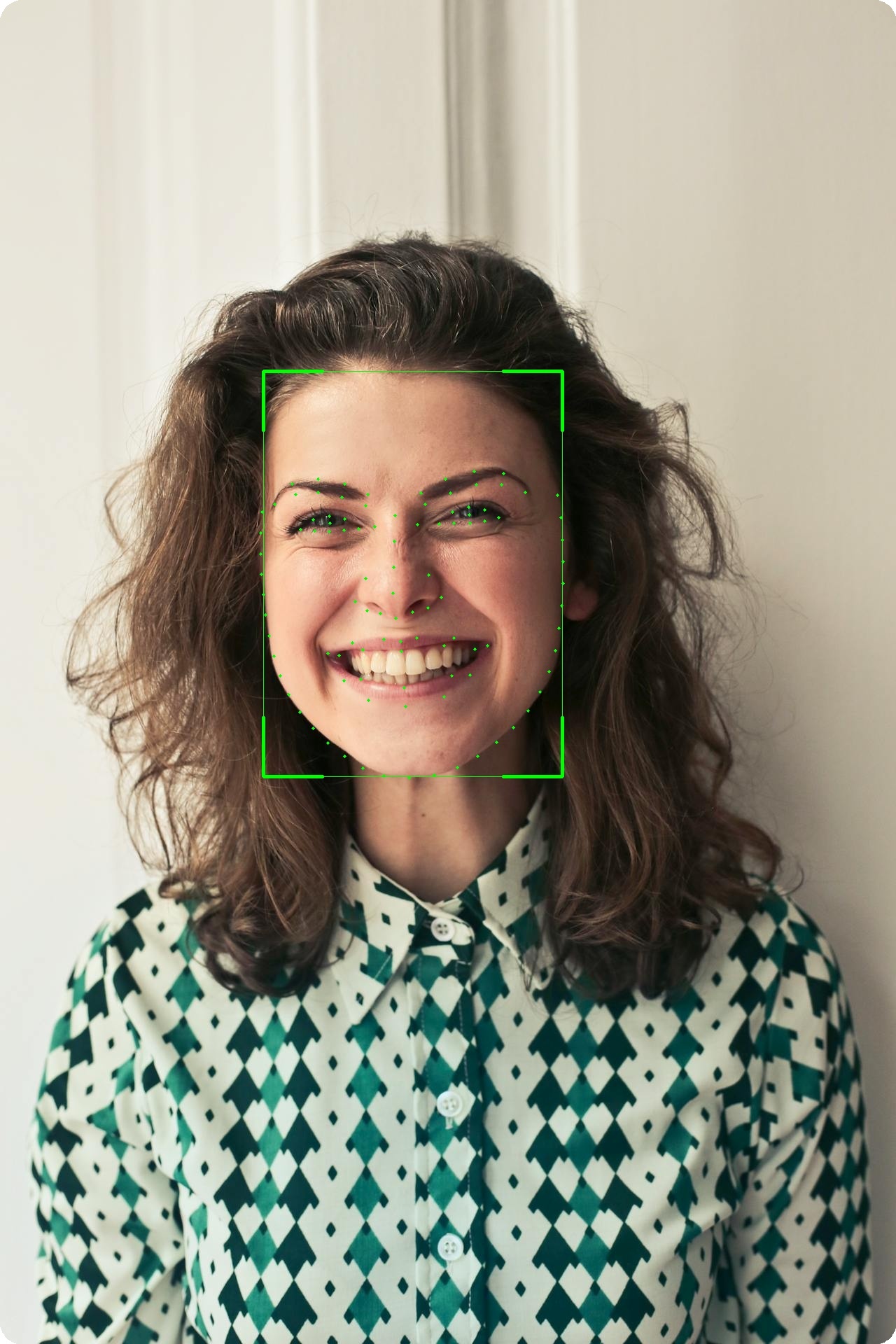 |
Face Parsing
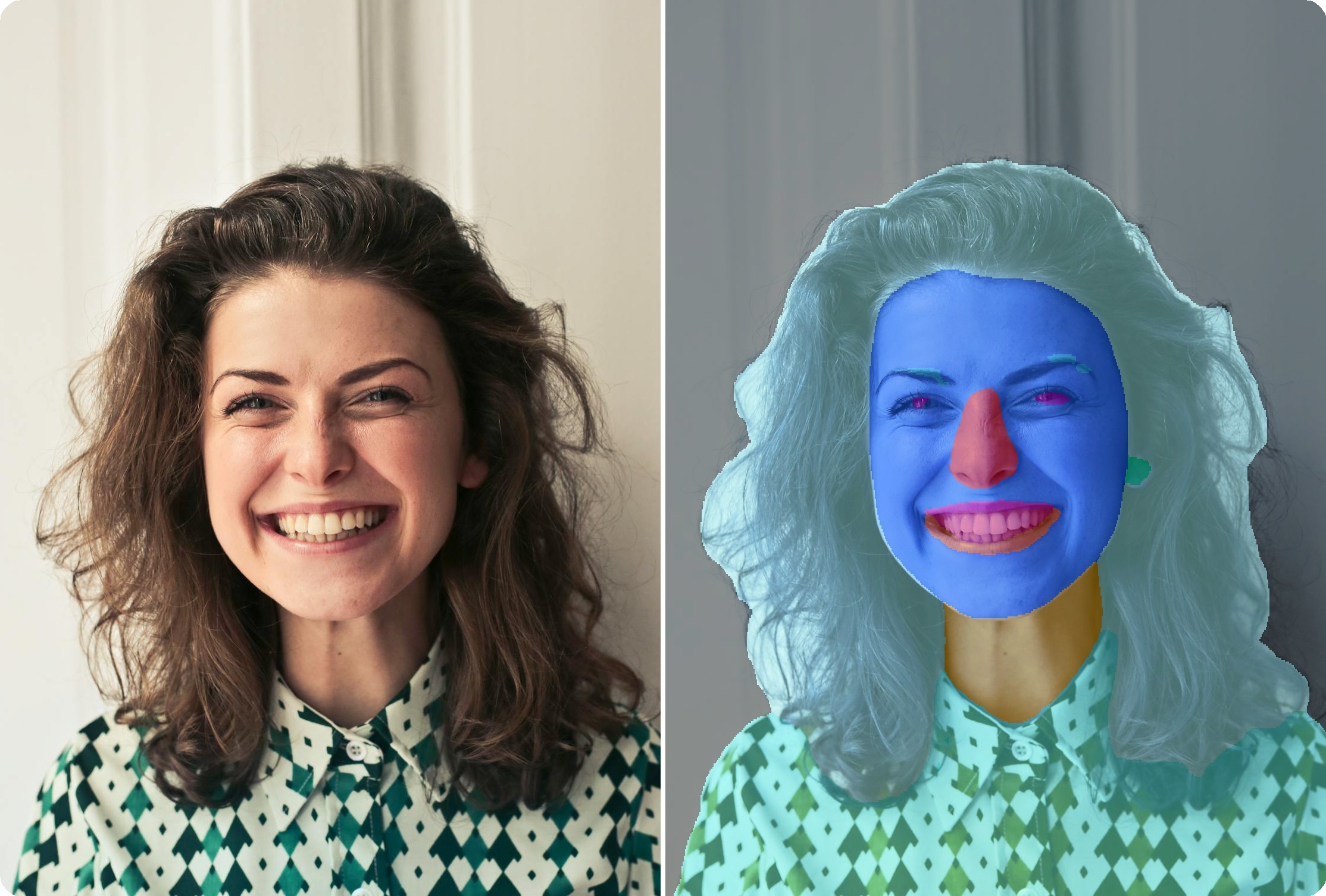 |
Face Segmentation
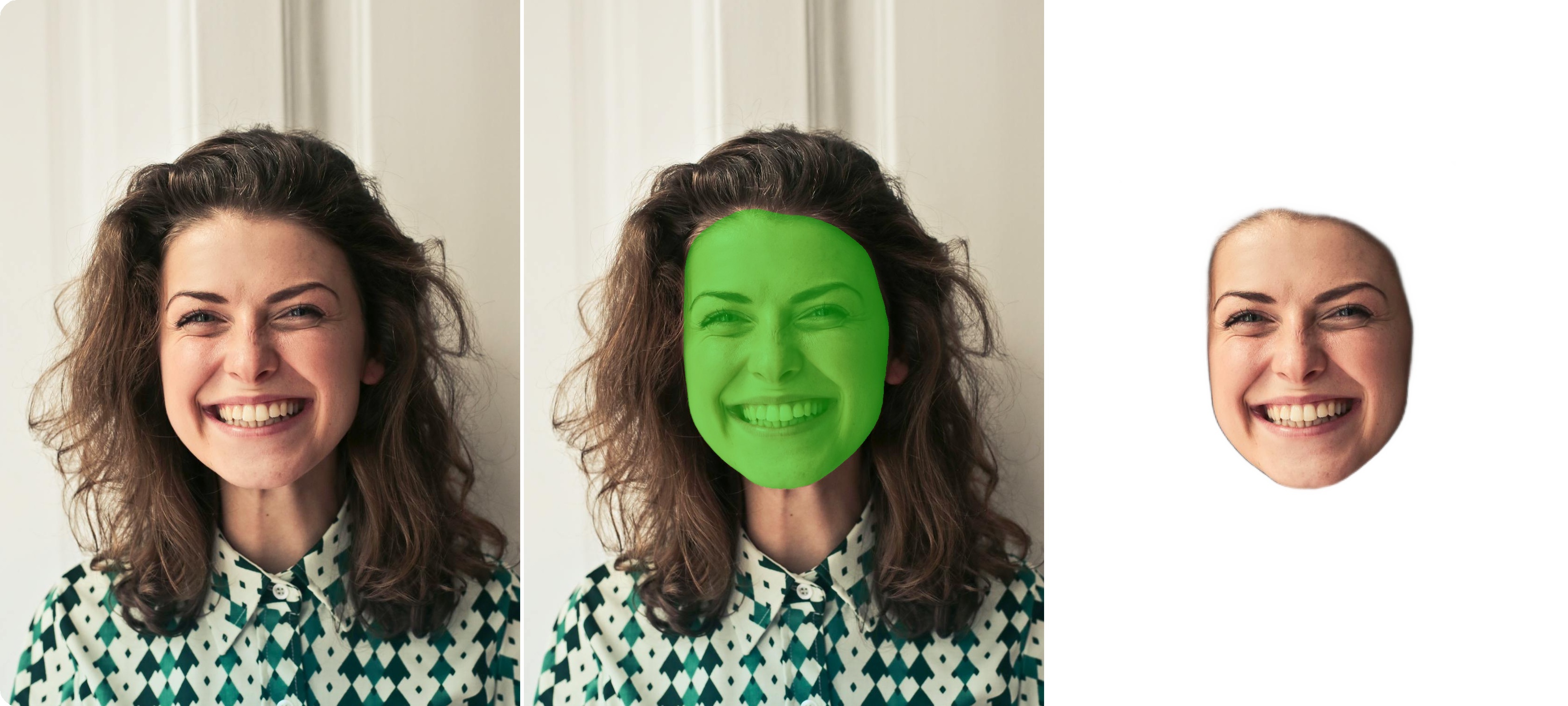 |
Portrait Matting
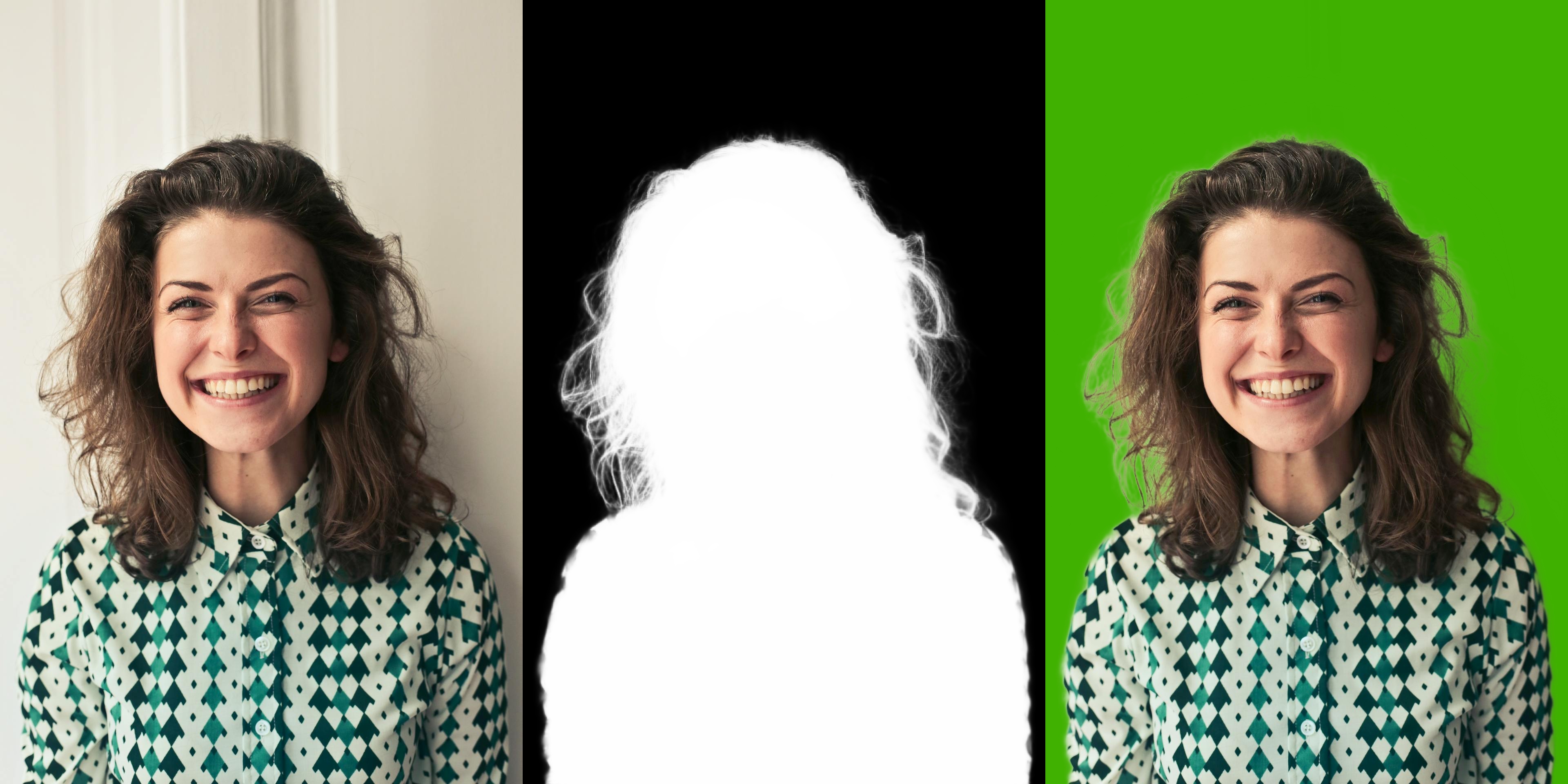 |
Face Anonymization
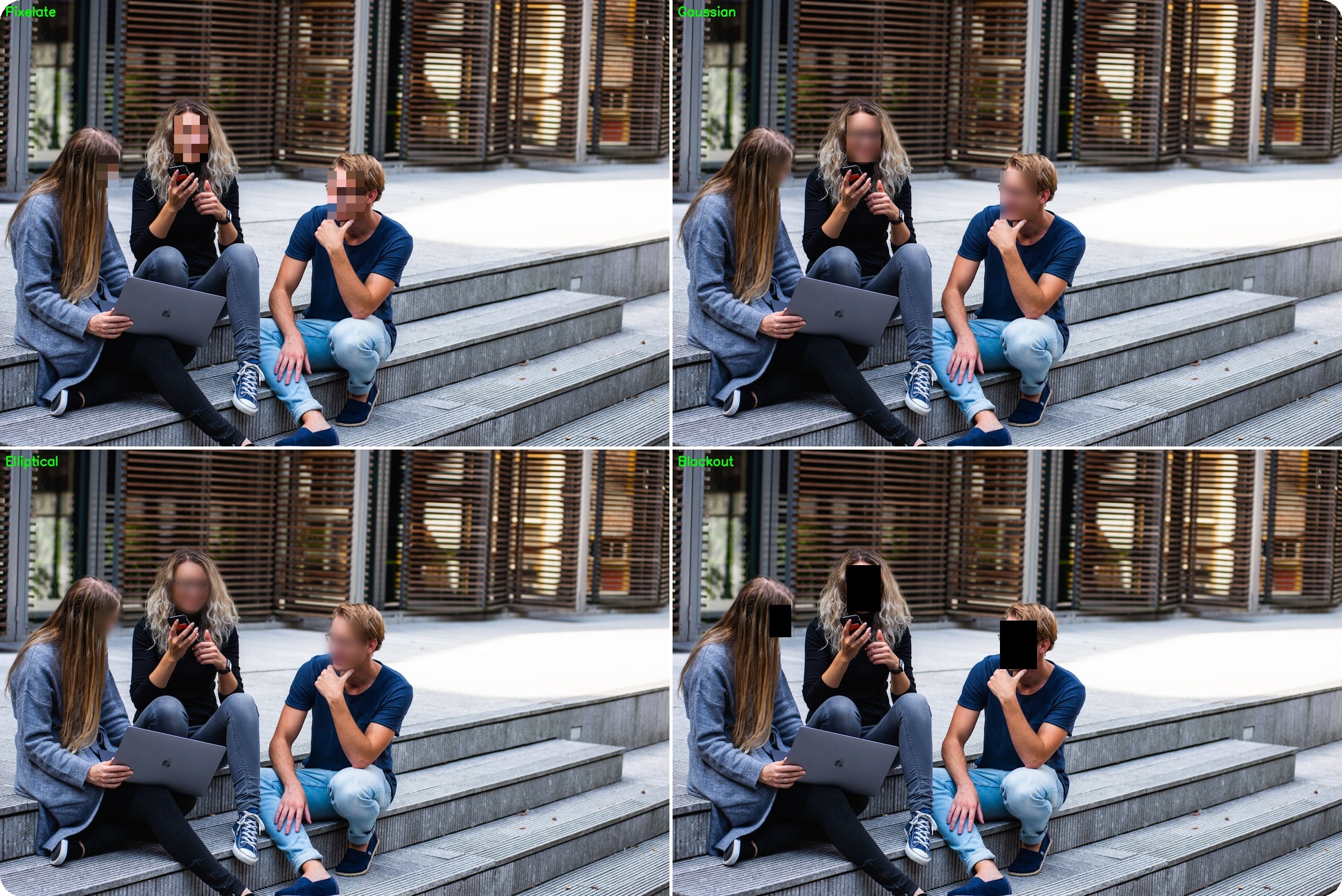 |
Installation
CPU / Apple Silicon
pip install uniface[cpu]
GPU support (NVIDIA CUDA)
pip install uniface[gpu]
Why separate extras? onnxruntime and onnxruntime-gpu conflict when both are installed — they own the same Python namespace. Installing only the extra you need prevents that conflict entirely.
From source (latest version)
git clone https://github.com/yakhyo/uniface.git
cd uniface && pip install -e ".[cpu]"
FAISS vector store
pip install faiss-cpu
Optional dependencies
- Emotion model uses TorchScript and requires
torch:
pip install torch (choose the correct build for your OS/CUDA)
- YOLOv5-Face and YOLOv8-Face support faster NMS with
torchvision:
pip install torch torchvision then use nms_mode='torchvision'
Model Downloads and Cache
Models are downloaded automatically on first use and verified via SHA-256.
Default cache location: ~/.uniface/models
Override with the programmatic API or environment variable:
from uniface.model_store import get_cache_dir, set_cache_dir
set_cache_dir('/data/models')
print(get_cache_dir())
export UNIFACE_CACHE_DIR=/data/models
Quick Example (Detection)
import cv2
from uniface.detection import RetinaFace

detector = RetinaFace()

image = cv2.imread("photo.jpg")
if image is None:
    raise ValueError("Failed to load image. Check the path to 'photo.jpg'.")

faces = detector.detect(image)

for face in faces:
    print(f"Confidence: {face.confidence:.2f}")
    print(f"BBox: {face.bbox}")
    print(f"Landmarks: {face.landmarks.shape}")
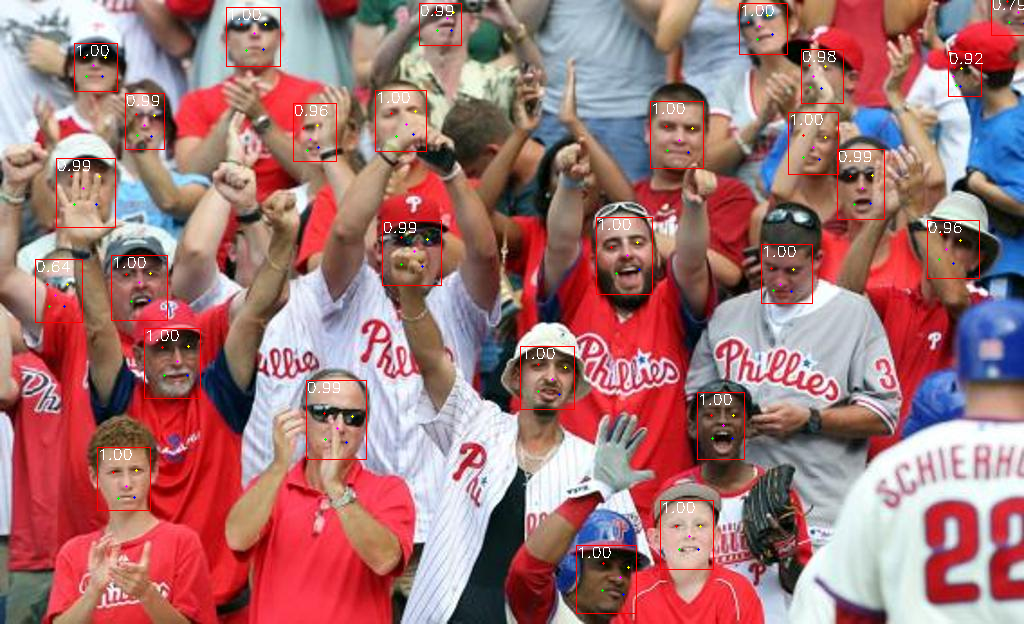
Face Detection Model Output
Example (Face Analyzer)
import cv2
from uniface import FaceAnalyzer
analyzer = FaceAnalyzer()
image = cv2.imread("photo.jpg")
if image is None:
raise ValueError("Failed to load image. Check the path to 'photo.jpg'.")
faces = analyzer.analyze(image)
for face in faces:
print(face.bbox, face.embedding.shape if face.embedding is not None else None)
With attributes:
from uniface import FaceAnalyzer, AgeGender

analyzer = FaceAnalyzer(attributes=[AgeGender()])
faces = analyzer.analyze(image)

for face in faces:
    print(f"{face.sex}, {face.age}y, embedding={face.embedding.shape}")
Example (Portrait Matting)
import cv2
import numpy as np
from uniface.matting import MODNet
matting = MODNet()
image = cv2.imread("portrait.jpg")
matte = matting.predict(image)
rgba = cv2.cvtColor(image, cv2.COLOR_BGR2BGRA)
rgba[:, :, 3] = (matte * 255).astype(np.uint8)
cv2.imwrite("transparent.png", rgba)
matte_3ch = matte[:, :, np.newaxis]
bg = np.full_like(image, (0, 177, 64), dtype=np.uint8)
result = (image * matte_3ch + bg * (1 - matte_3ch)).astype(np.uint8)
cv2.imwrite("green_screen.jpg", result)
Jupyter Notebooks
Documentation
Full documentation: https://yakhyo.github.io/uniface/
Execution Providers (ONNX Runtime)
from uniface.detection import RetinaFace
detector = RetinaFace(providers=["CPUExecutionProvider"])
See more in the docs:
https://yakhyo.github.io/uniface/concepts/execution-providers/
Datasets
| Detection | WIDER FACE | RetinaFace, SCRFD, YOLOv5-Face, YOLOv8-Face |
| Recognition | MS1MV2 | MobileFace, SphereFace |
| Recognition | WebFace600K | ArcFace |
| Recognition | WebFace4M / 12M | AdaFace |
| Recognition | MS1MV2 | EdgeFace |
| Gaze | Gaze360 | MobileGaze |
| Head Pose | 300W-LP | HeadPose (ResNet, MobileNet) |
| Parsing | CelebAMask-HQ | BiSeNet |
| Attributes | CelebA, FairFace, AffectNet | AgeGender, FairFace, Emotion |
See Datasets documentation for download links, benchmarks, and details.
Licensing and Model Usage
UniFace is MIT-licensed, but several pretrained models carry their own licenses.
Review: https://yakhyo.github.io/uniface/license-attribution/
Notable examples:
- YOLOv5-Face and YOLOv8-Face weights are GPL-3.0
- FairFace weights are CC BY 4.0
If you plan commercial use, verify model license compatibility.
References
*SCRFD and ArcFace models are from InsightFace.
Contributing
Contributions are welcome. Please see CONTRIBUTING.md.
Support
If you find this project useful, consider giving it a ⭐ on GitHub — it helps others discover it!
Questions or feedback:
License
This project is licensed under the MIT License.
Disclaimer: This project is not affiliated with or related to
Uniface by Rocket Software.