New:Introducing Socket Scanning for VS Code Marketplace Extensions.Learn more →
Back to changelog
June 12, 2025
New: Manual Alert Refresh Button
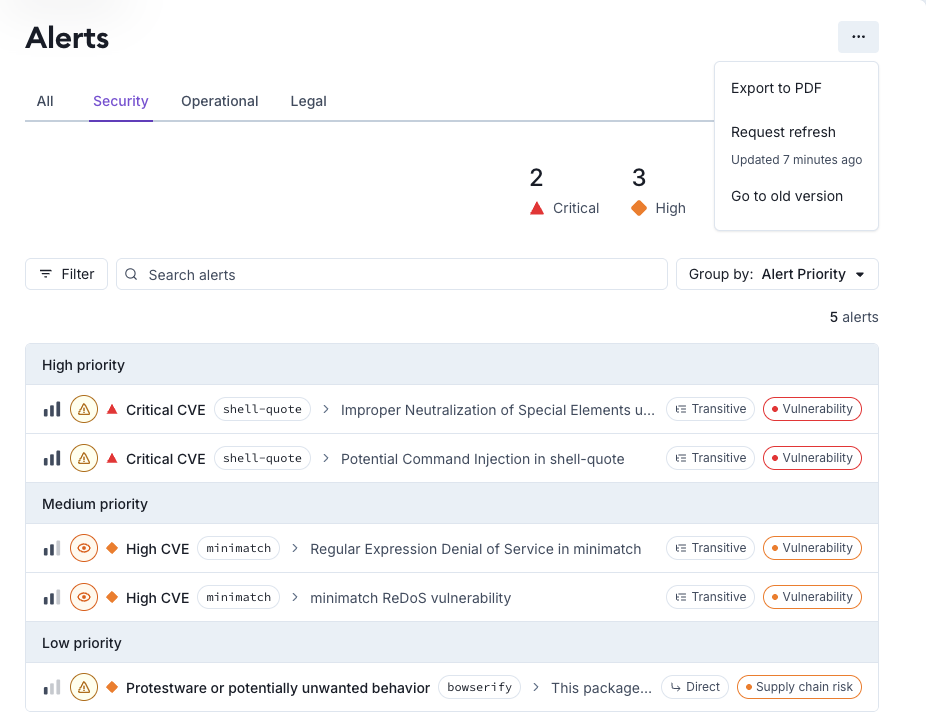
You can now manually refresh alert data from the Alerts page.
Click the “…” menu in the top-right corner and select Request refresh to get the latest snapshot.
- Refreshes are rate-limited:
• Enterprise: once every 6 hours
• Team: once every 12 hours - We’ll show you the time of the last refresh
- You’ll see an error if you hit the rate limit
This gives users more control when they need fresher alert data than the standard update cycle.