Back to changelog
November 02, 2026
Organization alerts can now track multiple branches
By default, organization-wide alerts track the default branch of a repository (e.g. main or master). Some teams, however, ship multiple branches to production simultaneously. For example, you may have multiple "rings" of customers, including beta, canary, legacy, previous, etc.
If you would like to see alerts across all of these branches, and to emit webhooks, emails, or other forms of notifications, you can add a tracked branch. This can be found in Settings -> Scans -> Tracked Branches.
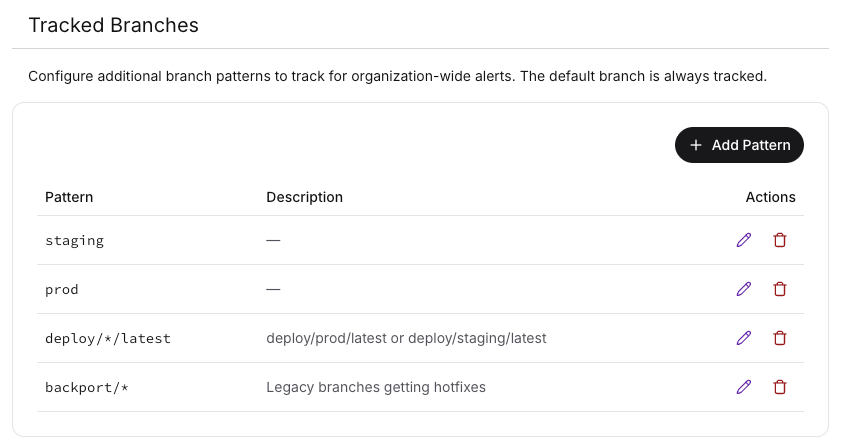
You can specify a plain name for the branch, or a glob expression. This works automatically with Socket's SCM integration (e.g. GitHub). API users must set the branch and set_as_pending_head fields when creating a full scan.
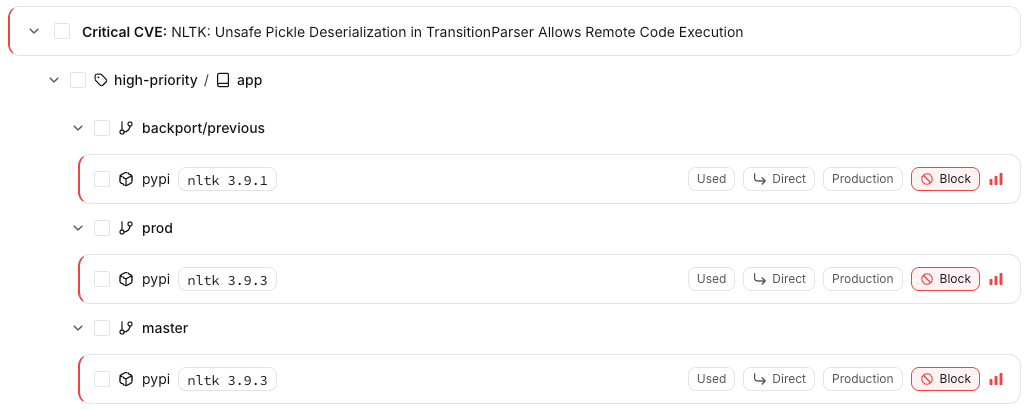
When viewing the alerts in the dashboard, the results are broken down hierarchically by label, repository, and branch:
You can add any number of branch patterns, but only a maximum of 5 branches per repository is currently supported.