

Security News
US Government Forces Anthropic to Pull Claude Fable Days After Launch
Anthropic says the directive cited national security concerns over a narrow jailbreak, but offered no specific technical details.
By Sarah Gooding - Jun 13, 2026
@aion0/forge
Advanced tools
Unified AI workflow platform — multi-model task orchestration, persistent sessions, web terminal, remote access
Self-hosted Vibe Coding platform for Claude Code
Browser terminal · AI tasks · Remote access · Telegram bot



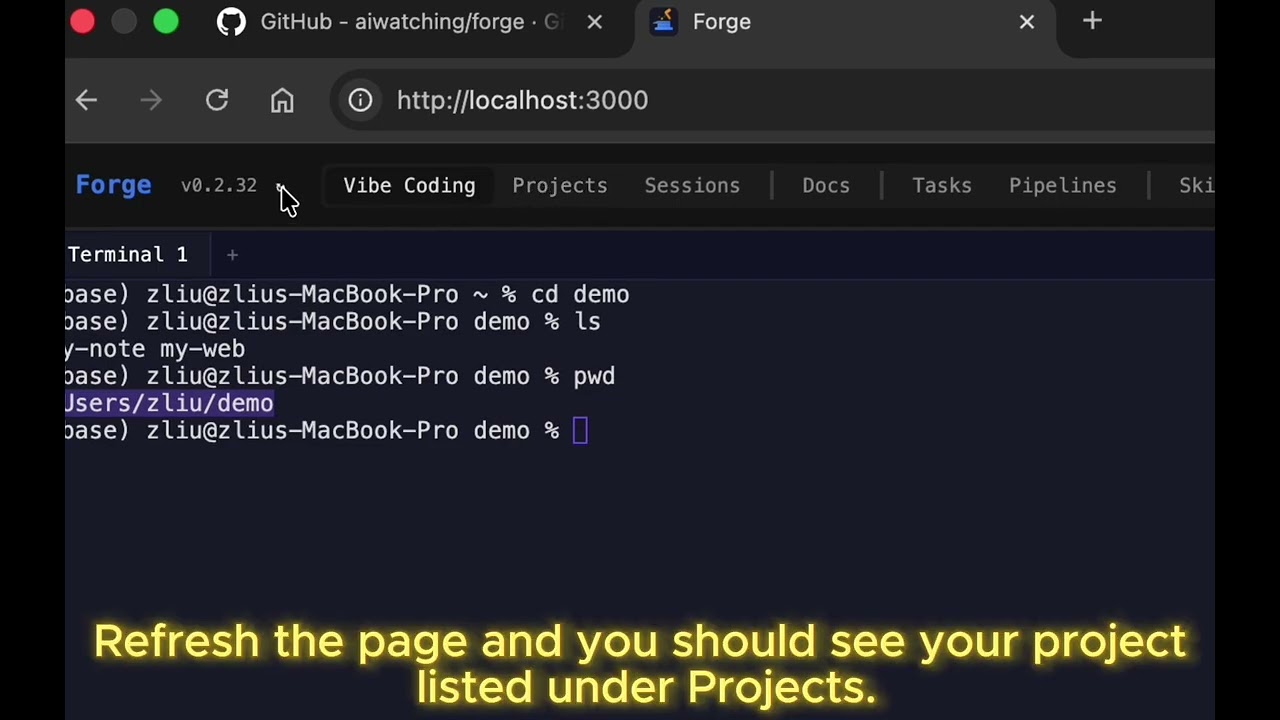
One-liner (macOS + Linux — installs node deps, tmux, claude code, then Forge):
curl -fsSL https://raw.githubusercontent.com/aiwatching/forge/main/scripts/install-deps.sh | bash
Or manually:
npm install -g @aion0/forge
forge server start
Open http://localhost:8403. First launch prompts you to set an admin password.
Requirements: Node.js ≥ 20, tmux, Claude Code CLI Optional: jq, glab, gh (used by some pipelines)
Forge turns Claude Code into a remote-accessible coding platform. Run it on your machine, access from any device.
No API keys required. Uses your existing Claude Code subscription. Code never leaves your machine.
Define agent teams with roles, dependencies, and steps. Agents run as daemons and communicate via a structured message bus.
graph LR
    Input["📋 Requirements"] --> PM["🎯 PM"]
    PM --> Eng["🔨 Engineer"]
    Eng --> QA["🧪 QA"]
    Eng --> Rev["👁 Reviewer"]
    QA --> Rev

    style Input fill:#f0883e,stroke:#f0883e,color:#fff
    style PM fill:#a371f7,stroke:#a371f7,color:#fff
    style Eng fill:#58a6ff,stroke:#58a6ff,color:#fff
    style QA fill:#3fb950,stroke:#3fb950,color:#fff
    style Rev fill:#f778ba,stroke:#f778ba,color:#fff
| Multi-Agent Workspace | Agent teams with DAG dependencies, message bus, watch monitoring, manual/auto mode |
| Vibe Coding | Browser tmux terminal, multi-tab, split panes, WebGL, Ctrl+F search |
| AI Tasks | Background Claude Code execution with live streaming output |
| Pipelines | YAML DAG workflows with parallel execution & visual editor |
| Remote Access | Cloudflare Tunnel with 2FA (password + session code) |
| Docs Viewer | Obsidian / markdown rendering with AI assistant |
| Projects | File browser, git operations, code viewer with syntax highlighting, diff view |
| Skills | Marketplace for skills & commands — browse, install, update, version tracking |
| Telegram | Tasks, sessions, notes, tunnel control from mobile |
| CLI | forge task, forge watch, forge status, and more |
forge server start              # start (background by default)
forge server start --foreground # run in foreground
forge server start --dev        # dev mode with hot-reload
forge server stop               # stop
forge server restart            # restart
git clone https://github.com/aiwatching/forge.git
cd forge && pnpm install
./start.sh          # production
./start.sh dev      # development
forge task <project> <prompt>   # submit a task
forge tasks                     # list tasks
forge watch <id>                # live stream output
forge status                    # process status
forge tcode                     # show tunnel URL + session code
forge projects                  # list projects
forge flows                     # list workflows
forge run <flow>                # run a workflow
forge --reset-password               # reset admin password
Create a bot via @BotFather, add the token in Settings.
/task — create task · /tasks — list · /sessions — AI summary · /note — quick note · /tunnel_start — start tunnel · /watch — monitor session
All data in ~/.forge/ — settings, database, terminal state, workflows, logs. Configurable via --dir flag.
FAQs
Unified AI workflow platform — multi-model task orchestration, persistent sessions, web terminal, remote access
The npm package @aion0/forge receives a total of 4,385 weekly downloads. As such, @aion0/forge popularity was classified as popular.
We found that @aion0/forge demonstrated a healthy version release cadence and project activity because the last version was released less than a year ago. It has 1 open source maintainer collaborating on the project.
Did you know?

Socket for GitHub automatically highlights issues in each pull request and monitors the health of all your open source dependencies. Discover the contents of your packages and block harmful activity before you install or update your dependencies.
Security News
Anthropic says the directive cited national security concerns over a narrow jailbreak, but offered no specific technical details.

Security News
A network of 152 Chrome live wallpaper extensions hid ad tracking and made extension-driven traffic look like Google search clicks.

Company News
Socket’s first CISO brings deep experience securing high-growth SaaS companies as open source supply chain threats accelerate.