@betterdb/agent





Lightweight agent that connects your Valkey/Redis instances to BetterDB Cloud for monitoring and observability — without exposing your database to the internet.
The agent runs inside your VPC and initiates all connections outbound via WebSocket (WSS on port 443). No inbound firewall rules required.
See it live in BetterDB Monitor
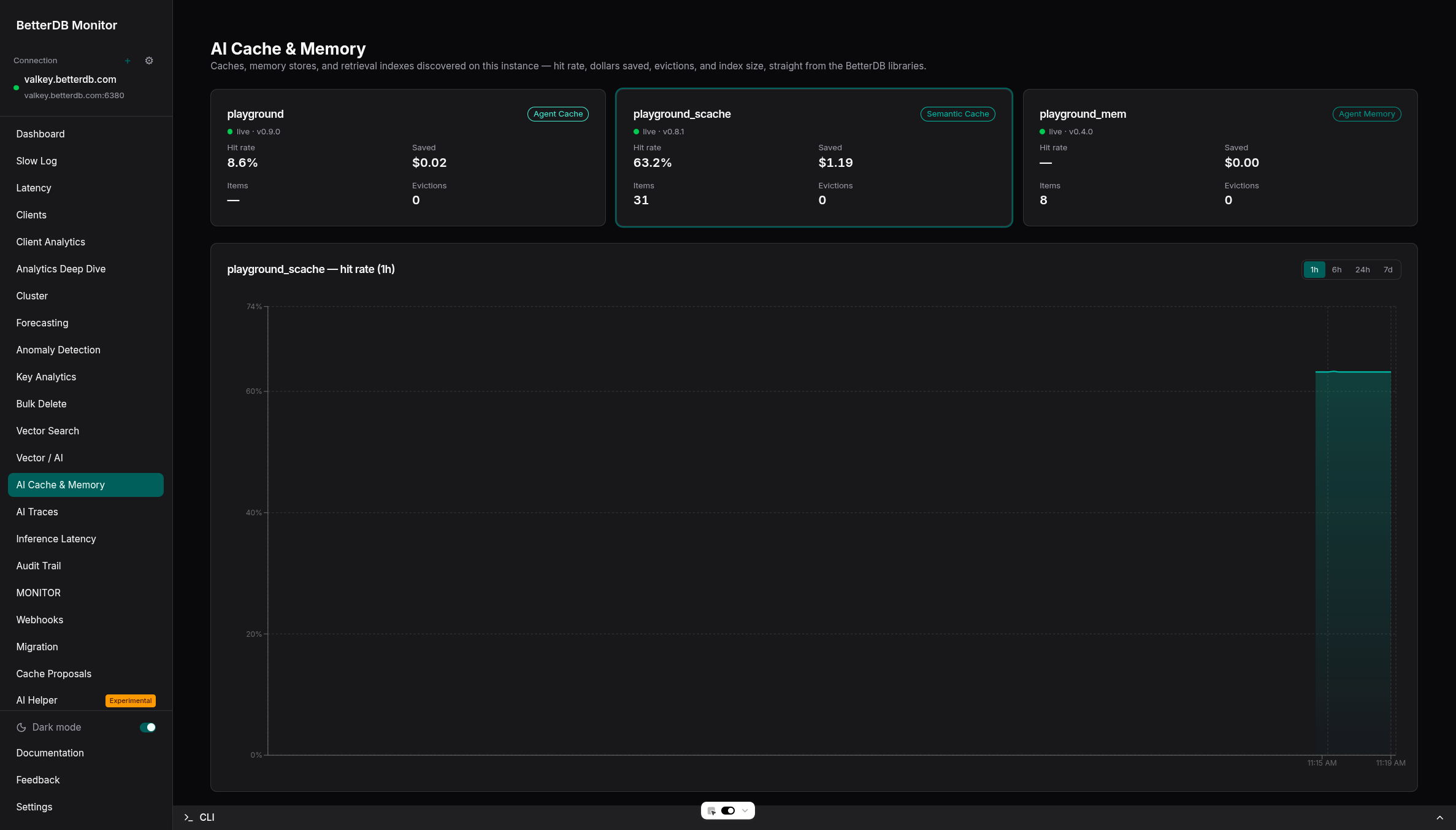
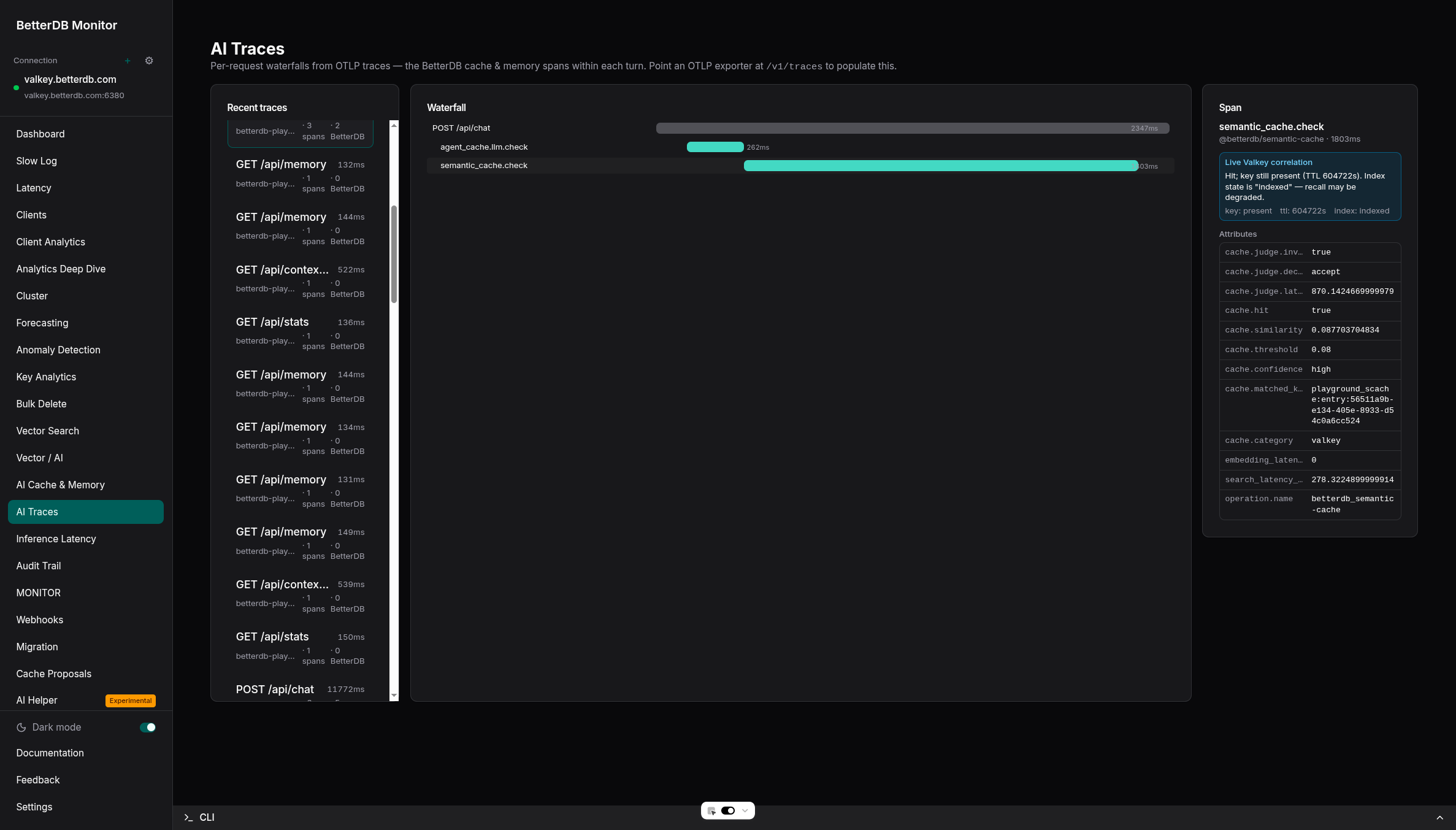
BetterDB Monitor gives you live dashboards for the AI workloads running on your Valkey:
- AI Cache & Memory - hit rate, cost saved, evictions, and index size across all your caches and memory stores, with history.
- AI Traces - OpenTelemetry waterfalls for each request, correlated with live Valkey state to explain every cache hit and miss.
Run it self-hosted (docker run -p 3001:3001 betterdb/monitor), or use BetterDB Cloud - which can also provision a managed, TLS-enabled Valkey instance (Search module included) in one click.
Quick Start
Docker (recommended)
docker run -d --name betterdb-agent \
  --restart=always \
  -e BETTERDB_TOKEN="<your-token>" \
  -e BETTERDB_CLOUD_URL="wss://<your-workspace>.app.betterdb.com/agent/ws" \
  -e VALKEY_HOST="<your-valkey-host>" \
  -e VALKEY_PORT="6379" \
  betterdb/agent
npx
npx @betterdb/agent \
  --token "<your-token>" \
  --cloud-url "wss://<your-workspace>.app.betterdb.com/agent/ws" \
  --valkey-host "<your-valkey-host>" \
  --valkey-port 6379
Configuration
BETTERDB_TOKEN / --token | (required) | Agent token from BetterDB Cloud |
BETTERDB_CLOUD_URL / --cloud-url | (required) | wss://<workspace>.app.betterdb.com/agent/ws |
VALKEY_HOST / --valkey-host | localhost | Valkey/Redis hostname |
VALKEY_PORT / --valkey-port | 6379 | Valkey/Redis port |
VALKEY_PASSWORD / --valkey-password | — | Auth password |
VALKEY_USERNAME / --valkey-username | default | ACL username |
VALKEY_TLS / --valkey-tls | false | Enable TLS (required for ElastiCache Serverless) |
VALKEY_DB / --valkey-db | 0 | Database number |
BETTERDB_UNSAFE_CLI / --unsafe-cli | false | Allow all commands (not just the read-only allowlist). Do not enable on publicly accessible instances. |
Managed Services
Works with AWS ElastiCache, Google Memorystore, Azure Cache, Aiven, and others. Set VALKEY_TLS=true if the provider requires encryption. The agent must be deployed in the same VPC/network as your database.
Networking & Security
- All connections are outbound — no inbound ports needed
- WebSocket uses WSS (TLS) on port 443
- Auto-reconnects with exponential backoff on disconnect
- Tokens can be revoked instantly from the BetterDB Cloud UI
Documentation
Full docs: docs.betterdb.com/agent-connection
License
See LICENSE for details.




