
Code Insights CLI
Analyze AI coding sessions from the terminal. Parses session history from Claude Code, Cursor, Codex CLI, Copilot CLI, and VS Code Copilot Chat — stores everything in a local SQLite database — and serves a built-in browser dashboard with cross-session pattern detection.
Local-first. No accounts. No cloud. No data leaves your machine.
Install
npm install -g @code-insights/cli
Verify:
code-insights --version
Quick Start
npx @code-insights/cli
code-insights
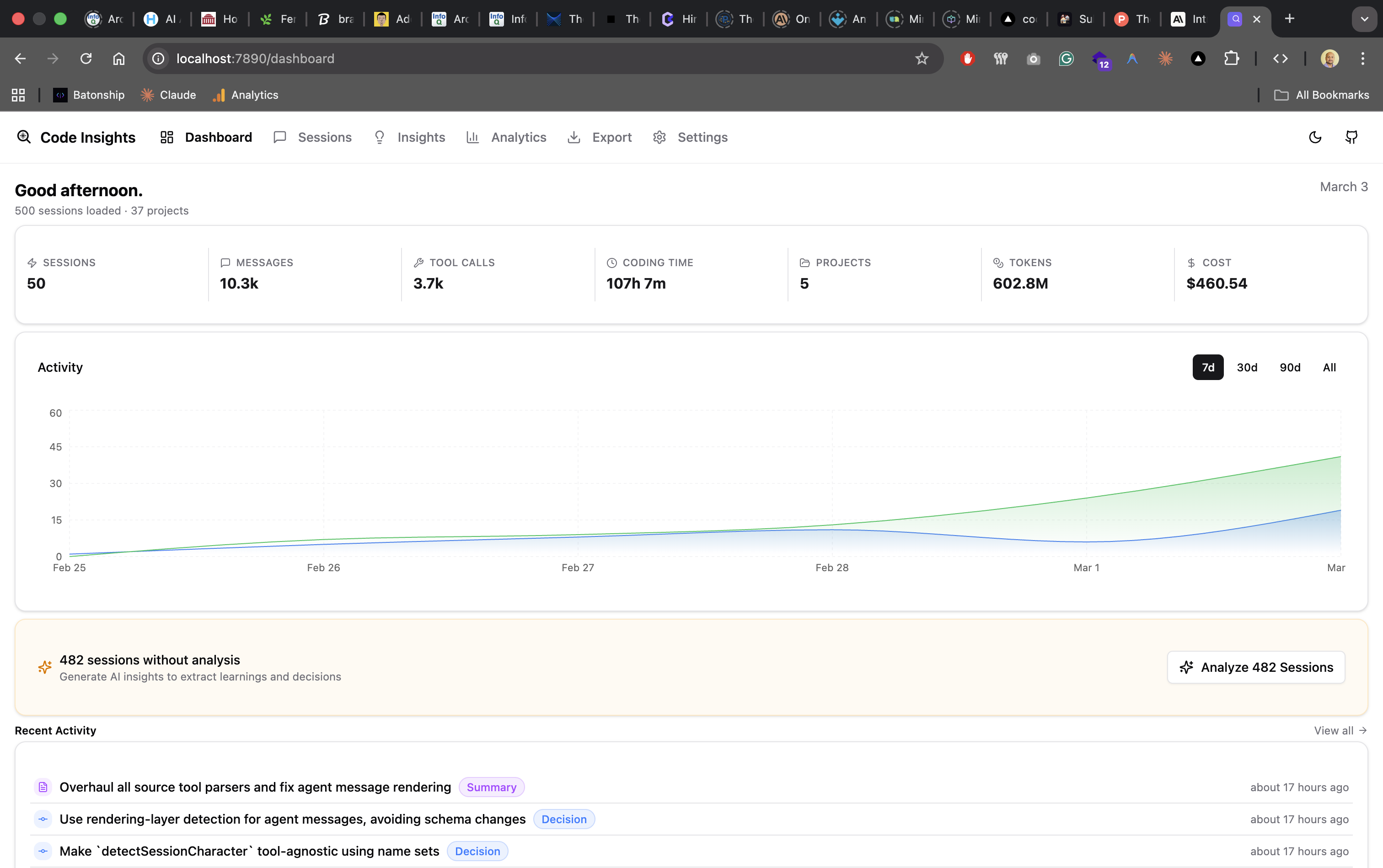
The dashboard opens at http://localhost:7890 and shows your sessions, analytics, and LLM-powered insights.
Individual commands
code-insights stats
code-insights stats today
code-insights dashboard
code-insights dashboard --no-sync
code-insights sync
code-insights init
Supported Tools
| Claude Code | ~/.claude/projects/**/*.jsonl |
| Cursor | Workspace storage SQLite (macOS, Linux, Windows) |
| Codex CLI | ~/.codex/sessions/YYYY/MM/DD/rollout-*.jsonl |
| Copilot CLI | ~/.copilot/session-state/{id}/events.jsonl |
| VS Code Copilot Chat | Platform-specific Copilot Chat storage |
Sessions from all tools are discovered automatically during sync.
Dashboard
code-insights dashboard
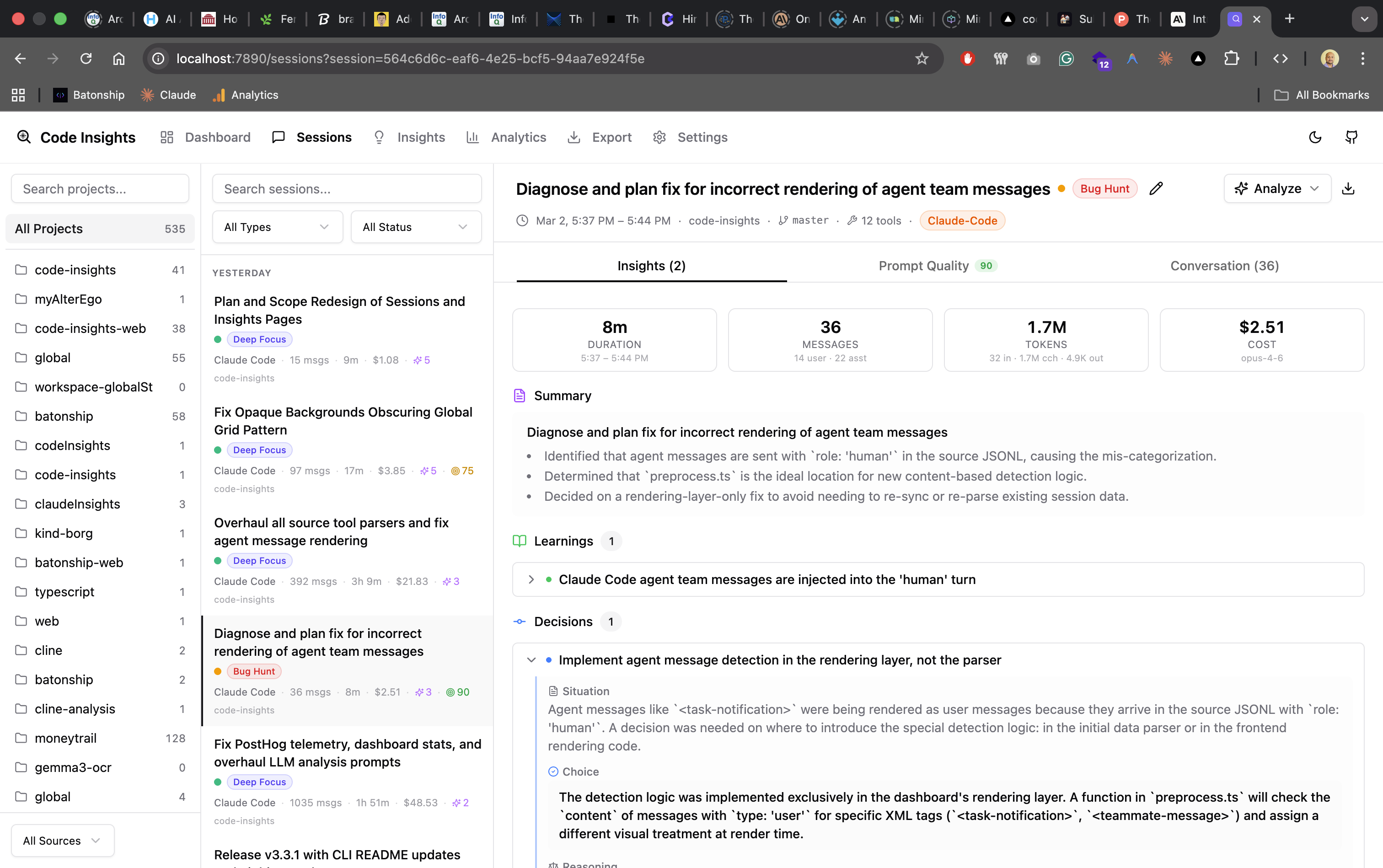
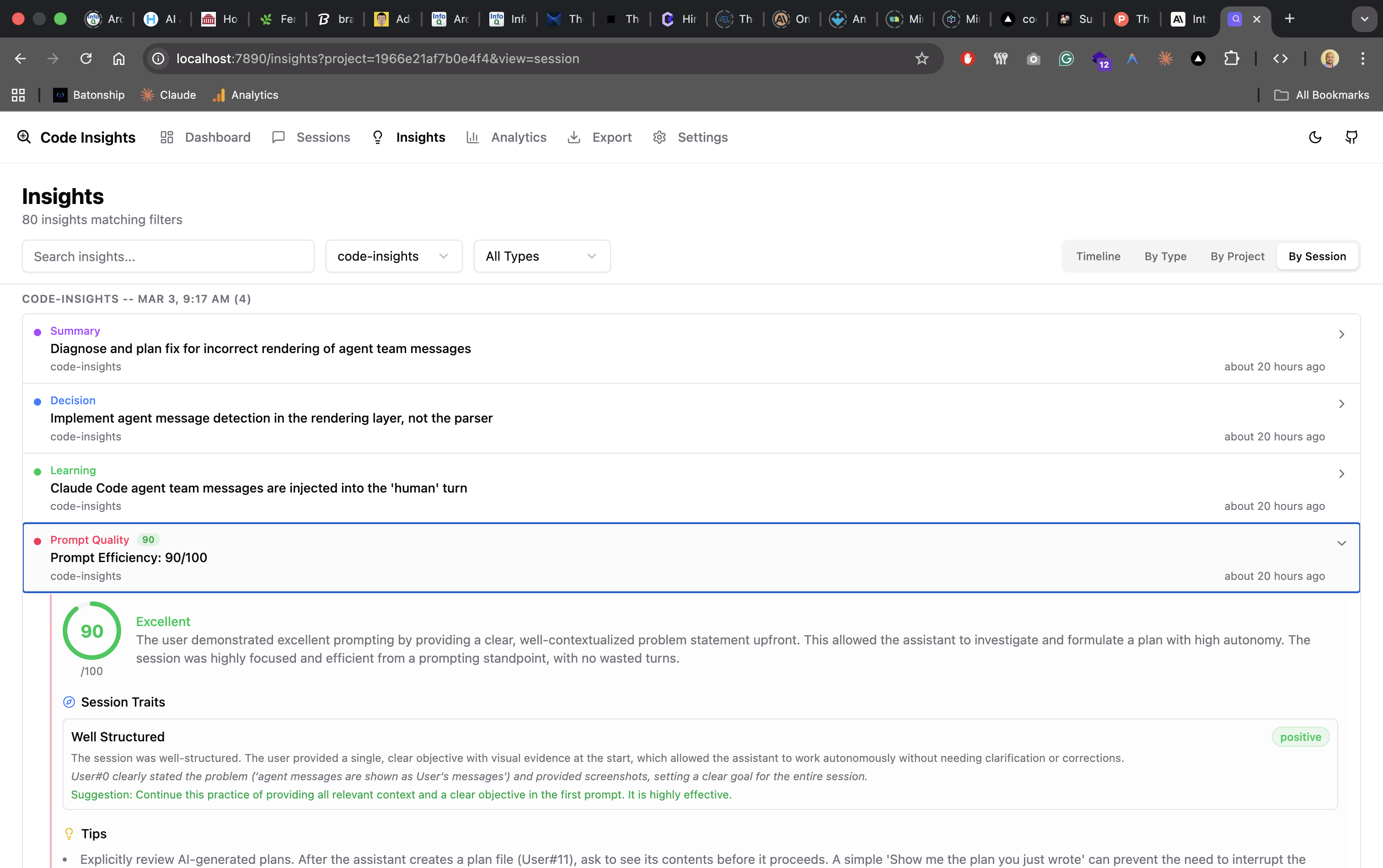
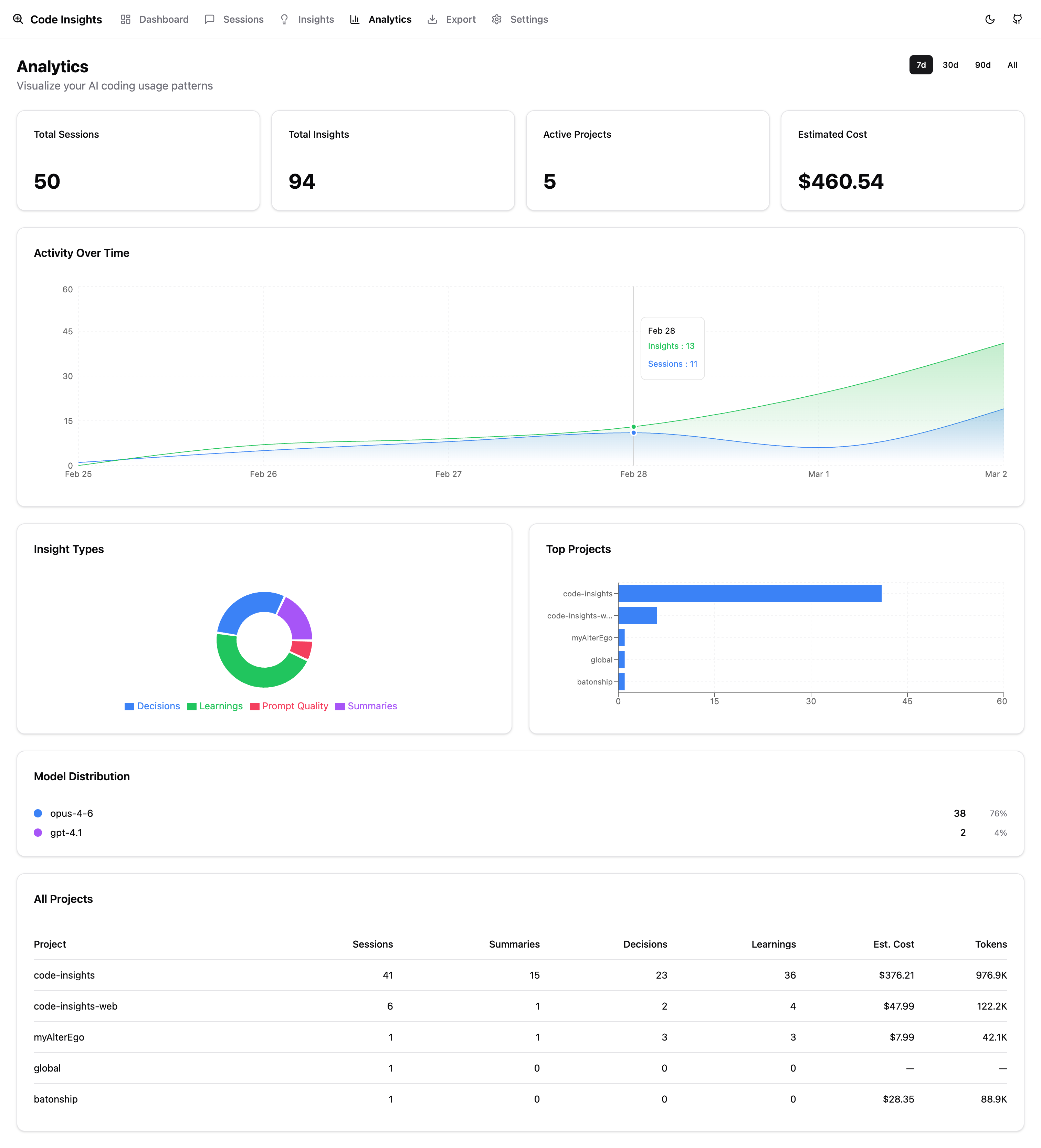
Opens the built-in React dashboard at http://localhost:7890. The dashboard provides:
- Session Browser — search, filter, soft-delete, and view full session details with chat view
- Analytics — usage patterns, cost trends, activity charts
- LLM Insights — AI-generated summaries, decisions, learnings, and prompt quality analysis (7 deficit + 3 strength categories with dimension scores)
- Patterns — weekly cross-session synthesis: friction points (with attribution), effective patterns (with driver classification), working style rules, and shareable AI Fluency Score card (downloadable 1200×630 PNG with score circle, fingerprint bars, and effective patterns)
- Export — LLM-powered cross-session synthesis in 4 formats (Agent Rules, Knowledge Brief, Obsidian, Notion)
- Settings — configure your LLM provider for analysis
Options
code-insights dashboard --port 8080
code-insights dashboard --no-open
CLI Commands
Setup & Configuration
code-insights
code-insights init
code-insights config
code-insights config llm
code-insights config llm --provider anthropic --model claude-sonnet-4-20250514 --api-key sk-ant-...
code-insights config llm --show
code-insights config set telemetry false
Sync
code-insights sync
code-insights sync --force
code-insights sync --dry-run
code-insights sync --source cursor
code-insights sync --source claude-code
code-insights sync --source codex-cli
code-insights sync --source copilot-cli
code-insights sync --project "my-project"
code-insights sync -q
code-insights sync --verbose
code-insights sync --regenerate-titles
code-insights sync prune
Terminal Analytics
code-insights stats
code-insights stats cost
code-insights stats projects
code-insights stats today
code-insights stats models
code-insights stats patterns
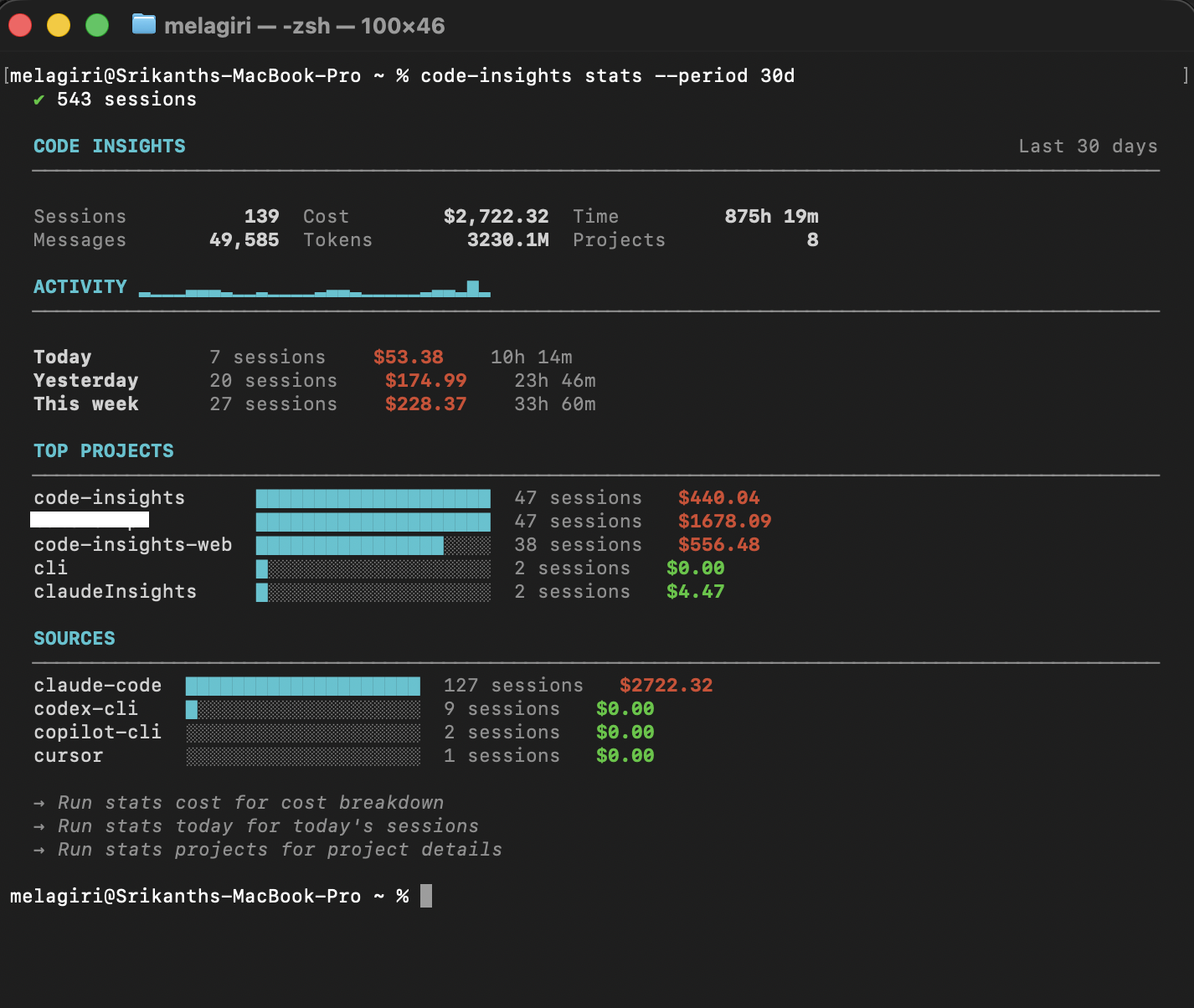
Shared flags for all stats subcommands:
--period 7d|30d|90d|all | Time range (default: 7d) |
--project <name> | Scope to a specific project (fuzzy matching) |
--source <tool> | Filter by source tool |
--no-sync | Skip auto-sync before displaying stats |
Reflect & Patterns
Cross-session pattern detection and synthesis. Requires an LLM provider to be configured.
code-insights reflect
code-insights reflect --week 2026-W11
code-insights reflect --project "my-project"
code-insights reflect backfill
code-insights reflect backfill --prompt-quality
The Reflect feature analyzes your sessions to surface:
- Friction points — recurring obstacles classified into 9 categories with attribution (user-actionable, AI capability, environmental)
- Effective patterns — working strategies across 8 categories with driver classification (user-driven, AI-driven, collaborative)
- Prompt quality — how well you communicate with AI tools (7 deficit + 3 strength categories)
- Working style — rules and skills derived from your sessions
Status & Maintenance
code-insights status
code-insights open
code-insights open --project
code-insights reset --confirm
Auto-Sync Hook
code-insights install-hook
code-insights uninstall-hook
Telemetry
Anonymous usage telemetry is opt-out. No PII is collected.
code-insights telemetry status
code-insights telemetry disable
code-insights telemetry enable
Alternatively, set the environment variable:
CODE_INSIGHTS_TELEMETRY_DISABLED=1 code-insights sync
LLM Configuration
Session analysis (summaries, decisions, learnings, facets) and Reflect synthesis require an LLM provider. Configure it via CLI or the dashboard Settings page.
code-insights config llm
Supported providers:
| Anthropic | claude-opus-4-6, claude-sonnet-4-6, etc. | Yes |
| OpenAI | gpt-4o, gpt-4o-mini, etc. | Yes |
| Google Gemini | gemini-2.0-flash, gemini-2.0-pro, etc. | Yes |
| Ollama | llama3.2, qwen2.5-coder, etc. | No (local) |
API keys are stored in ~/.code-insights/config.json (mode 0o600, readable only by you).
Development
This is a pnpm workspace monorepo with three packages: cli, dashboard, and server.
git clone https://github.com/melagiri/code-insights.git
cd code-insights
pnpm install
pnpm build
cd cli && npm link
code-insights --version
cd cli && pnpm dev
Workspace Structure
code-insights/
├── cli/        # This package — Node.js CLI, SQLite, providers
├── dashboard/  # Vite + React SPA
└── server/     # Hono API server (serves dashboard + REST API)
Contributing
See CONTRIBUTING.md for code style, PR guidelines, and how to add a new source tool provider.
Privacy
- All session data is stored in
~/.code-insights/data.db (SQLite) on your machine
- No cloud accounts required
- No data is transmitted anywhere (unless you explicitly use an LLM provider with a remote API key)
- Anonymous telemetry collects only aggregate usage counts — no session content, no file paths
License
MIT — see LICENSE for details.





