@feimacode/open-design-agent-kit-mcp
Pro-grade design for any MCP-capable coding agent. One command, nothing else to run.
This is Open Design's design library and workflow, packaged as a plain stdio MCP server for Claude Code, Codex, Cursor, and anything else that speaks MCP. It includes 163 skills, 114 design templates, 152 brand design systems, and 167 remixable examples. Ask your agent for a deck, a landing page, a dashboard, or a prototype, and it builds one that looks designed rather than generated, as real files in your project.
- No desktop app, no daemon, no account. Your agent launches the server on demand over stdio, and it exits when the agent does.
- No API keys or model settings. The server never calls a model. Your agent's own selected model does the generation with its normal file-editing tools. The server supplies the library and handles the bookkeeping (manifests, active design system).
- Zero config. It works in the current project out of the box. The active design system is remembered in
.open-design/config.json.
- Plain files. Everything it produces is ordinary HTML plus small JSON sidecars in your repo, so you can diff, review, and commit it.
It has the same core tools and the same content as the VS Code extension, over MCP instead of native languageModelTools.
See what it builds
Four of the ~280 vendored skills and templates, rendered exactly as-is:
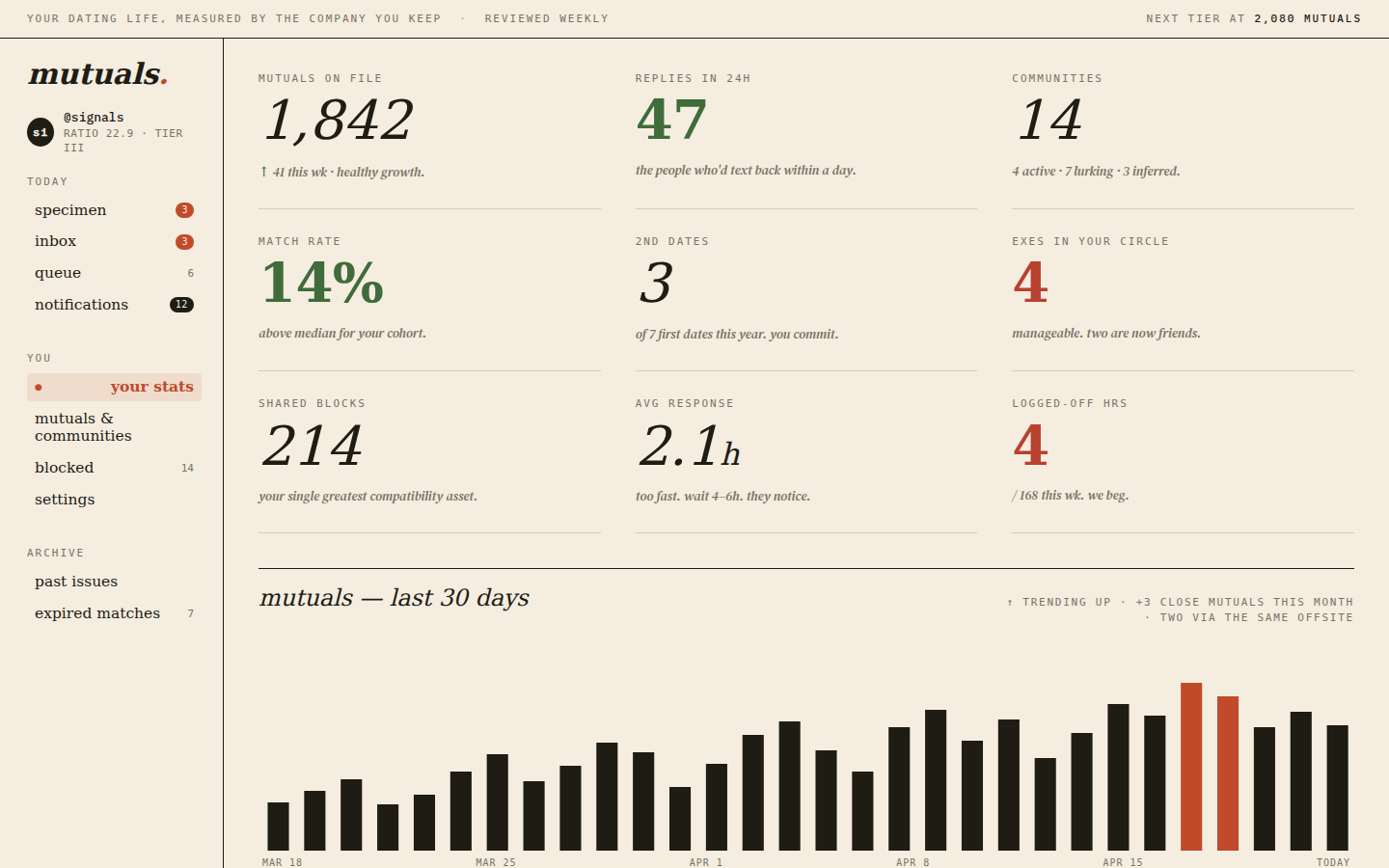
"Design a dating-site dashboard — mutuals, match rate, a 30-day trend."
|
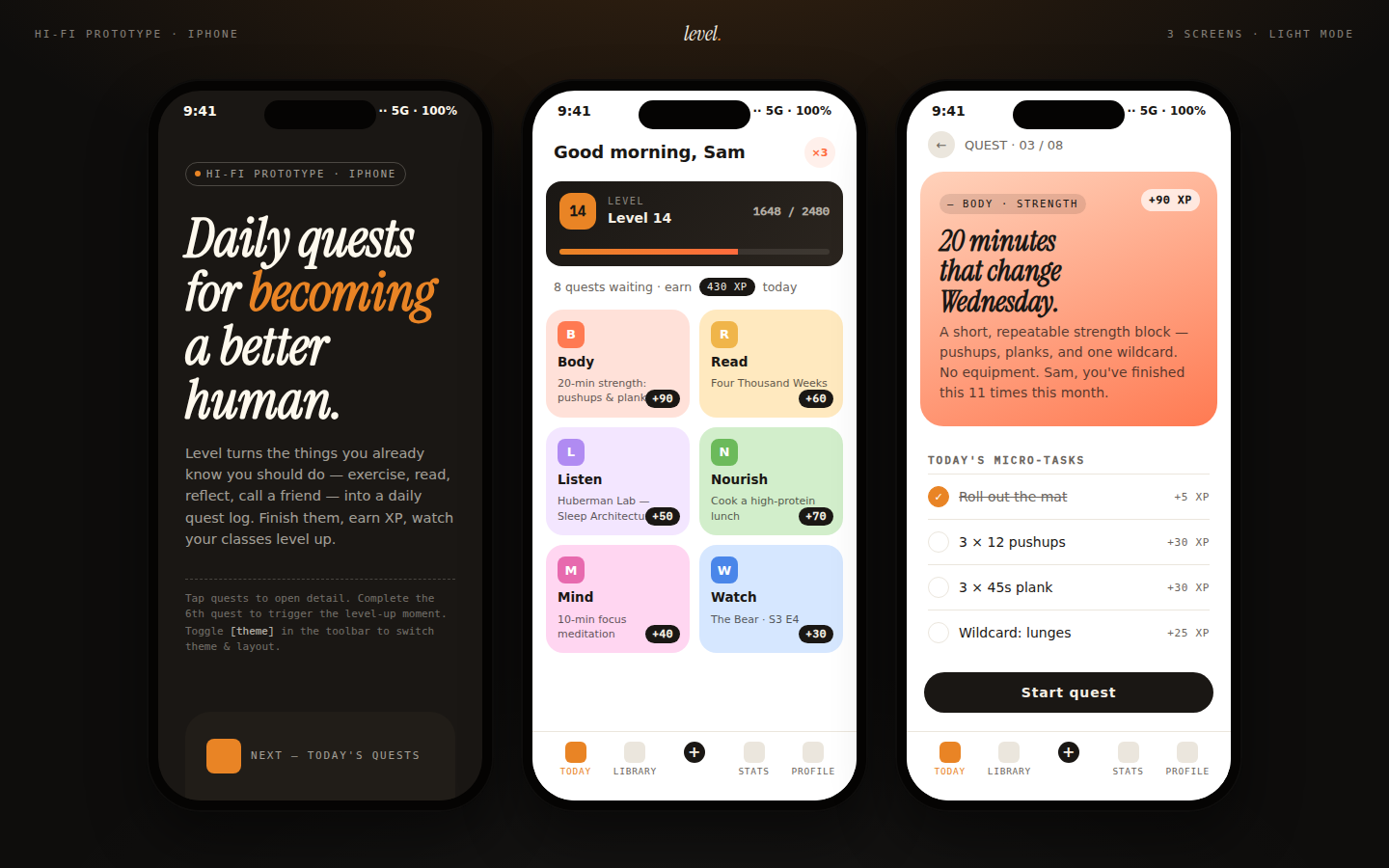
"A habit-tracking app with daily quests and XP."
|
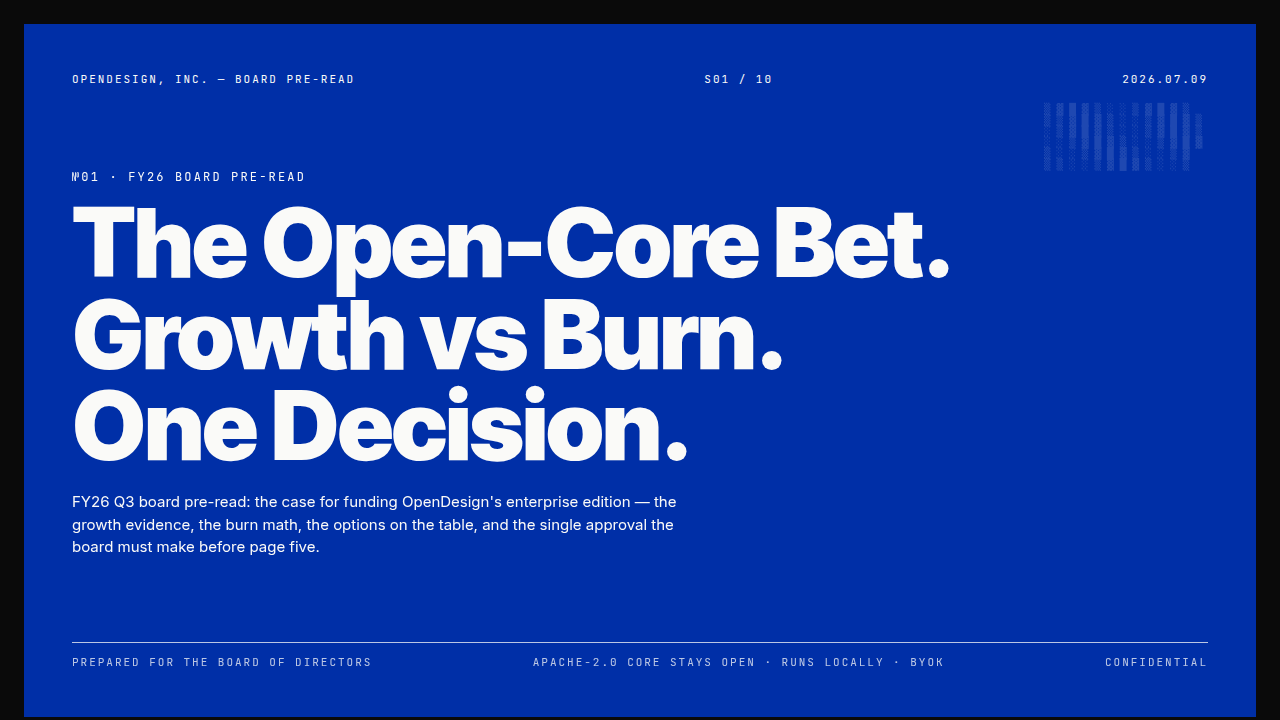
"A board-ready strategy deck, Swiss International style."
|

"5 tips, as a Xiaohongshu-style swipeable card carousel."
|
Each one started from remix_open_design_example (copy a real example, then modify it) or prepare_open_design_brief (compose instructions and generate from scratch) — call list_open_design_skills to browse the other ~276.
Quick start
npx -y @feimacode/open-design-agent-kit-mcp
That's a plain stdio MCP server. Register it with your agent:
Claude Code
claude mcp add open-design -- npx -y @feimacode/open-design-agent-kit-mcp
Or install the Claude Code plugin instead: it registers this server automatically and adds the Open Design skills on top.
Other MCP clients
The server is listed in the MCP registry as io.github.feimacode/open-design, so clients that read it (such as VS Code's @mcp gallery) can install it directly. In VS Code, prefer the extension: it adds live preview and editing, and installing both gives you two copies of the same tools.
Codex CLI
codex mcp add open-design -- npx -y @feimacode/open-design-agent-kit-mcp
or by hand in ~/.codex/config.toml:
[mcp_servers.open-design]
command = "npx"
args = ["-y", "@feimacode/open-design-agent-kit-mcp"]
Or run npx @feimacode/open-design-agent-kit init --tools codex to add the matching skills too. See Codex setup.
Any other MCP host — the generic config shape:
{
  "mcpServers": {
    "open-design": {
      "command": "npx",
      "args": ["-y", "@feimacode/open-design-agent-kit-mcp"]
    }
  }
}
Tools and prompts
24 tools, the same as the VS Code extension's (minus community sharing):
- Catalog:
list_open_design_skills, list_open_design_design_systems, recommend_open_design_design_systems
- Generating:
read_open_design_source (DOCX, PPTX, XLSX, PDF and more to Markdown), prepare_open_design_brief, register_open_design_artifact, get_open_design_artifact, remix_open_design_example, add_open_design_diagram_runtime
- Exploring directions:
prepare_open_design_exploration, compare_open_design_exploration, choose_open_design_direction
- Design systems:
set_active_design_system, create_open_design_design_system
- Beyond the prototype:
port_open_design_artifact_to_app, pull_open_design_figma_frame, push_open_design_artifact_to_figma, publish_open_design_artifact_to_canva, publish_open_design_artifact_to_shop
- Check and export:
check_open_design_artifact (screenshots plus preflight findings), export_open_design_artifact (PNG/JPEG, PDF, PowerPoint, MP4/WebM/GIF, standalone HTML, a site folder, email HTML, paste-ready HTML, one file per spreadsheet row), adapt_open_design_artifact, create_open_design_qr_code, list_open_design_print_houses. Rendering needs an installed Chrome, Edge or Chromium; animation export also needs FFmpeg.
- Sharing:
publish_open_design_artifact (a temporary link, or your own Netlify, Vercel, Cloudflare Pages or GitHub Pages)
- Integrations:
list_open_design_integrations (Canva, Figma, Notion, Google Drive, Slack and posting services your agent can connect to)
MCP prompts: the workflows open-design-new, open-design-social-post, open-design-poster, open-design-campaign, open-design-docs, open-design-explore, open-design-publish, open-design-deck-from-source, open-design-integrations and open-design-recurring, plus one od-<mode>-<id> prompt per remixable example.
Arguments, results and errors: tools reference. Prompts: prompts and commands.
Configuration
Zero config by default. The server works in the directory your agent starts it in. Optional environment variables (OPEN_DESIGN_WORKSPACE_ROOT, OPEN_DESIGN_OUTPUT_DIR, OPEN_DESIGN_FIGMA_TOKEN, OPEN_DESIGN_BROWSER_PATH, OPEN_DESIGN_FFMPEG_PATH, OPEN_DESIGN_SHARE_BADGE) are described in settings and environment variables.
What's not here
Live preview, inline comments, WYSIWYG editing, and the Tweaks panel are webview-based and stay VS-Code-only — see the VS Code extension for those. This package is the headless skill/design-system/artifact workflow only.
More
Documentation · Troubleshooting · All guides · Social media posts · Export decks and PDFs
License
MIT — see LICENSE. Skill/design-system/example content is vendored from open-design, licensed Apache-2.0.



