Cloudeval CLI
Review Azure infrastructure before merge - from CLI, CI, and AI agents.
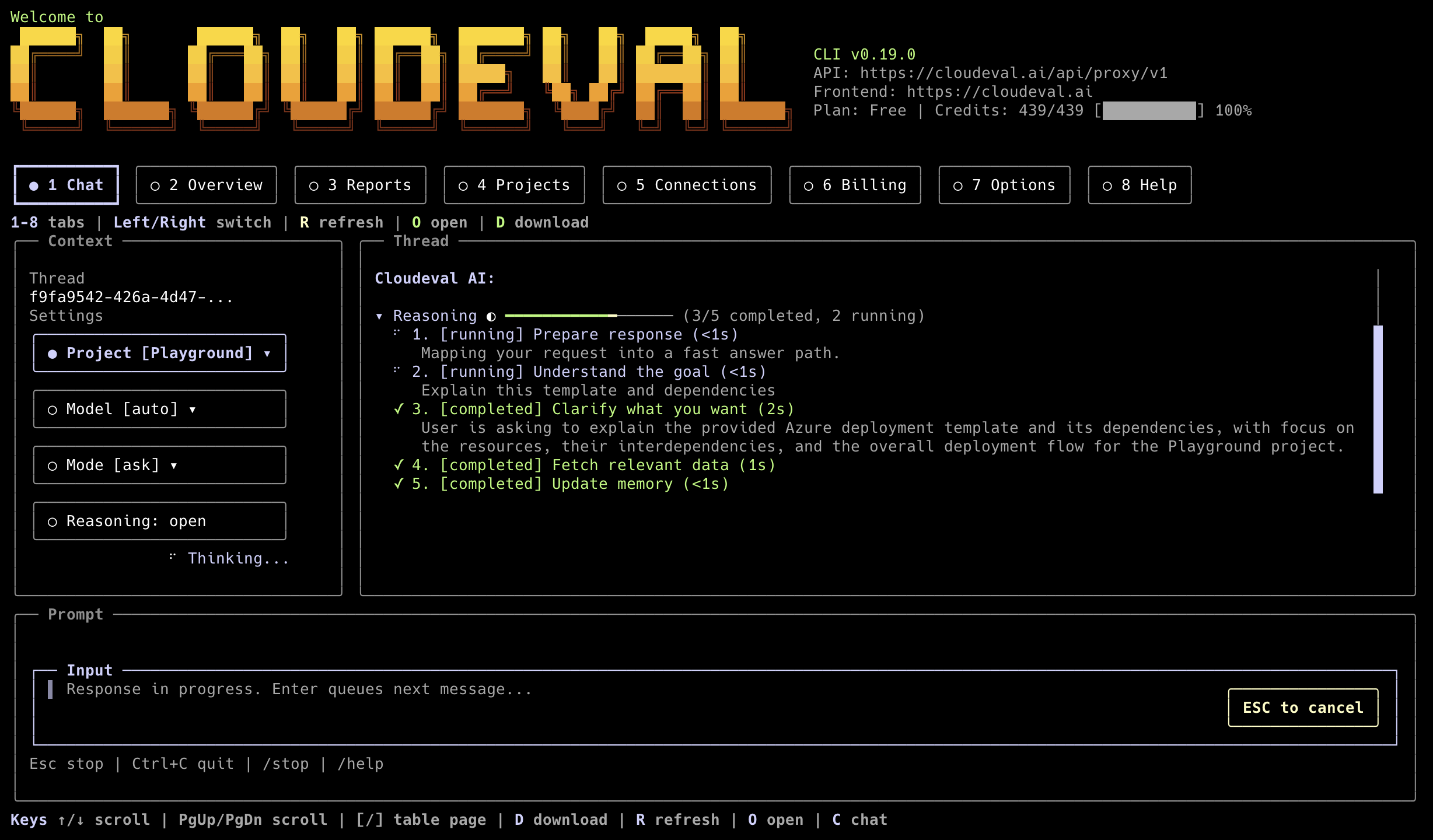





Cloudeval CLI brings Cloudeval into terminals, CI pipelines, and MCP-capable coding agents. Use it to review Azure ARM templates, Bicep-generated ARM JSON, and live Azure context with cost, architecture, and Well-Architected signals.
What It Does
Cloudeval helps teams catch infrastructure risk before merge:
- reviews ARM JSON and Bicep-generated ARM JSON templates;
- validates templates from local files or CI workspaces;
- connects to live Azure context for cloud review workflows;
- renders negotiated Flint chart artifacts and Mermaid diagrams as terminal-safe Unicode, tables, edge lists, or source fallbacks;
- exposes machine-readable output for scripts and GitHub Actions;
- runs as an MCP server for Codex, Cursor, Claude, VS Code, and other clients.
Quickstart: Run Your First Azure/IaC Review
Install from npm:
npm install -g @ganakailabs/cloudeval-cli
cloudeval --help
Sign in for local use:
cloudeval login
cloudeval status
Validate an ARM template:
cloudeval validate template \
  --template-file ./infra/azuredeploy.json \
  --wait \
  --progress stderr \
  --format json \
  --non-interactive
Full setup docs: Get started with the CLI and CLI command reference.
Choose Your Workflow
Local ARM / Bicep-Generated ARM JSON
Use validate template for local review and scriptable checks:
cloudeval validate template \
  --template-file ./infra/azuredeploy.json \
  --parameters-file ./infra/azuredeploy.parameters.json \
  --wait \
  --progress stderr \
  --format json
IDE IaC Detection And Indexing
Use iac detect and iac index when an editor, agent, or script needs a stable
resource map without requiring Cloudeval auth:
cloudeval iac detect --workspace . --format json
cloudeval iac index --file ./infra/main.bicep --format json
cloudeval iac index --workspace . --format json
These commands emit the IDE schema envelope with resource ranges, adapters, and
support levels. ARM JSON and Bicep are marked full; Terraform and OpenTofu are
marked indexed_only until scanner-backed Cloudeval findings are available.
For VS Code and MCP workflows, use the IDE review/evidence commands:
cloudeval review local --file ./infra/main.bicep --project <project-id> --format json
cloudeval findings evidence <finding-id> --run <run-id> --format json
cloudeval findings draft-fix <finding-id> --run <run-id> --format json
cloudeval graph neighborhood --project <project-id> --resource <resource-id> --format json
cloudeval ci init --provider github-actions --project <project-id> --format json
ci init previews files by default and writes only when --write is supplied.
findings draft-fix is non-mutating and returns a proposal/evidence bundle.
Live Azure Sync
Use Cloudeval projects and reports after connecting Azure in the app or CLI:
cloudeval projects list
cloudeval projects overview <project-id> --format json
cloudeval projects graph <project-id> --format json
cloudeval reports list
cloudeval tui --graph-diagram auto
cloudeval ask "Summarize my Azure architecture risks" --format json
Terminal UI Graph Insight cards render Mermaid flowcharts as terminal diagrams
when --graph-diagram auto detects a roomy TTY. Use unicode or ascii to
force a terminal renderer, or off to keep Mermaid source blocks. Unsupported
Mermaid syntax falls back to source instead of breaking the transcript.
Interactive chat requests advertise a versioned terminal presentation profile.
When the backend returns cloudeval.visualization/v1, the TUI renders supported
chart families with Unicode and Mermaid flows as edge lists. Unsupported chart
types use their required table fallback. No browser, SVG renderer, or native
sidecar is required.
For automation, ask and agent JSON results add
data.visualizations when artifacts are present. NDJSON emits each artifact as
{"type":"visualization","artifact":...} and repeats the validated list in
the final result. Text and Markdown keep the canonical fenced response.
projects overview aggregates project metadata, matching connections, latest
report status, graph availability, graph deep links, and credit state for IDEs
such as the Cloudeval VS Code extension. Optional layers that are unavailable
are returned as warnings or graph gaps instead of inventing project data.
GitHub Actions / CI
Use a scoped CLOUDEVAL_ACCESS_KEY secret and keep generated JSON on stdout:
name: Cloudeval review

on:
  pull_request:
    paths:
      - "infra/**"

jobs:
  cloudeval:
    runs-on: ubuntu-latest

    steps:
      - uses: actions/checkout@v4

      - uses: actions/setup-node@v4
        with:
          node-version: "20"

      - run: npm install -g @ganakailabs/cloudeval-cli

      - name: Validate ARM template
        env:
          CLOUDEVAL_ACCESS_KEY: ${{ secrets.CLOUDEVAL_ACCESS_KEY }}
        run: |
          cloudeval validate template \
            --template-file ./infra/azuredeploy.json \
            --wait \
            --progress stderr \
            --format json \
            --non-interactive
Public example: passing baseline PR #6 in ganakailabs/cloudeval-azure-arm-review-example. Review comments show a merge-gate table, Cloudeval report badges, a visible AI summary, a folded detailed AI reviewer note, a compact Well-Architected radar/table drilldown, and cost Mermaid charts grouped for quick scanning.
For GitHub-backed Cloudeval projects, use the high-level review command from a clean pushed commit:
cloudeval review \
  --project "$CLOUDEVAL_PROJECT_ID" \
  --repo "$GITHUB_REPOSITORY" \
  --ref "$GITHUB_REF_NAME" \
  --commit-sha "$GITHUB_SHA" \
  --github-checks \
  --sarif \
  --output cloudeval-review \
  --format json \
  --non-interactive
--github-checks records source-mapped annotations in review.json for the GitHub Action to post through the Cloudeval GitHub App. --sarif writes review.sarif.json for GitHub code scanning upload.
To include a PDF in each review artifact bundle, opt in from .cloudeval/config.yaml:
ci:
  review:
    outputs:
      pdf:
        enabled: true
        report_type: all
        verbosity: evidence
        fail_on_error: false
When cloudeval review --output <dir> runs, the CLI writes <dir>/review.pdf alongside review.json and review.md. In GitHub Actions, ganakailabs/cloudeval-action uploads that file when upload_artifacts: true; PR comments keep both the Cloudeval-hosted PDF badge and the GitHub Artifacts badge.
Supported PDF output keys:
enabled | true, false | false |
report_type | all, architecture, cost, unit_tests | all |
verbosity | brief, detailed, evidence | evidence |
fail_on_error | true, false | false |
To block pull requests on scanner-backed Cloud Posture findings, enable the
Cloud Posture findings gate. This is useful for AWS CloudFormation enrichment
from AWS Guard, Checkov, and cfn-lint without treating those findings as
Well-Architected scores:
ci:
  gates:
    enforcement: block_pull_request
    fail_when_cloud_posture_findings_exist: true
MCP For Codex, Cursor, Claude, VS Code
Start with read-only agent integration:
cloudeval mcp serve --toolset readonly
For IDE project-cockpit workflows, use the focused IDE toolset. It exposes project overview, graph, report, connection, billing-summary, rule, and recipe tools without enabling report generation or local file writes:
cloudeval mcp serve --toolset ide
cloudeval mcp setup vscode --toolset ide
Setup docs: MCP client setup and agent behavior and automation safety.
Example Outputs
Human-facing commands print concise summaries by default:
cloudeval status
cloudeval reports list
cloudeval rules search "public network"
cloudeval agents run cost --project <project-id> --format json
Automation should request structured output:
cloudeval capabilities --format json
cloudeval validate template --template-file ./infra/azuredeploy.json --wait --format json --non-interactive
cloudeval ask "Summarize top risks" --format ndjson --progress ndjson --non-interactive
Trust, Privacy, And Limits
Cloudeval is designed for review workflows, not silent cloud mutation.
- Azure is the primary supported live-cloud provider today.
- ARM JSON and Bicep-generated ARM JSON are the strongest current IaC paths.
- AWS and GCP live sync are not full-parity workflows today.
- Machine-readable commands write payloads to stdout.
- Prompts, warnings, progress, and browser-open messages go to stderr.
- Telemetry does not send raw prompts, command output, tokens, local paths, resource IDs, tenant IDs, cloud resource names, stack traces, or raw error messages.
- Use
--format json --non-interactive for scripts and CI.
- Use
cloudeval mcp serve --toolset readonly as the default agent integration mode.
Privacy and automation details: agent behavior and automation safety.
Automation Contract
Cloudeval separates machine output from human/operator messages:
- stdout: JSON, NDJSON, Markdown, or text payload requested by
--format;
- stderr: prompts, warnings, progress, browser-open messages, and MCP diagnostics;
- JSON/NDJSON: use
--format json for one final payload or --format ndjson for streaming events where supported;
- exit codes: non-zero exits indicate failed commands, validation failures, missing auth, or required human approval;
- non-interactive mode: use
--non-interactive in CI so commands fail instead of prompting;
- HITL approvals: interactive approval prompts require an explicit option number, yes/no-style answer, or typed response; blank Enter does not approve the recommended option.
Recommended CI shape:
cloudeval validate template \
  --template-file ./infra/azuredeploy.json \
  --wait \
  --progress stderr \
  --format json \
  --non-interactive
MCP For Coding Agents
Use MCP when an AI coding agent should inspect Cloudeval projects, reports, rules, recipes, or validation capabilities.
cloudeval mcp serve --toolset readonly
Common setup commands:
codex mcp add cloudeval -- cloudeval mcp serve --toolset readonly
cloudeval mcp setup cursor --dry-run --toolset readonly --format json
cloudeval mcp setup vscode --dry-run --toolset readonly --format json
cloudeval mcp setup vscode --dry-run --toolset ide --format json
MCP stdout is reserved for JSON-RPC. Diagnostics go to stderr.
Advanced Install, Update, Uninstall
Standalone installers are available for macOS, Linux, WSL2, Git Bash, and PowerShell 7+:
curl -fsSL https://cli.cloudeval.ai/install.sh | bash
irm https://cli.cloudeval.ai/install.ps1 | iex
Update and uninstall:
cloudeval update --check
cloudeval update --yes
cloudeval uninstall --dry-run
cloudeval uninstall --yes
cloudeval uninstall --yes --remove-config
npm uninstall -g @ganakailabs/cloudeval-cli
The installer can offer optional MCP setup for detected clients. It does not create access keys or write secrets into MCP client config.
Full Docs
Build From Source / Contributing
Read AGENTS.md before touching auth, credentials, smoke artifacts, or user-facing command behavior.
git clone https://github.com/ganakailabs/cloudeval-cli.git
cd cloudeval-cli
pnpm install
pnpm build
pnpm -C packages/cli dev --help
Run focused package checks:
pnpm test:npm-package
pnpm -C packages/cli test:cli:noninteractive
License
Cloudeval CLI first-party code is provided under the Cloudeval CLI License.
Production third-party attribution is published in THIRD_PARTY_NOTICES.md, and the release SBOM is published as sbom.spdx.json.



