New:Socket for Asana Is Now Available.Learn more →
@particlr/runtime
Advanced tools

@particlr/runtime - npm Package Compare versions
+1
-1
| export * from "./format/index.js"; | ||
| export * from "./core/index.js"; | ||
| export declare const RUNTIME_VERSION = "0.4.2"; | ||
| export declare const RUNTIME_VERSION = "0.4.3"; | ||
| //# sourceMappingURL=index.d.ts.map |
+1
-1
@@ -7,3 +7,3 @@ // @particlr/runtime — public entry (format + core only; never imports pixi). | ||
| // test/placeholder.test.ts so the two can never drift. | ||
| export const RUNTIME_VERSION = "0.4.2"; | ||
| export const RUNTIME_VERSION = "0.4.3"; | ||
| //# sourceMappingURL=index.js.map |
+2
-2
| { | ||
| "name": "@particlr/runtime", | ||
| "version": "0.4.2", | ||
| "version": "0.4.3", | ||
| "description": "Framework-agnostic particle simulation core + Pixi v8 adapter for the .prt format.", | ||
| "license": "MIT", | ||
| "type": "module", | ||
| "homepage": "https://particlr.brac.dev", | ||
| "homepage": "https://particlr.com", | ||
| "repository": { | ||
@@ -9,0 +9,0 @@ "type": "git", |
+11
-2
@@ -6,3 +6,3 @@ # @particlr/runtime | ||
| Plays `.prt` particle effects in PixiJS v8. Design effects visually in the | ||
| [particlr editor](https://particlr.brac.dev), export a `.prt` file, play it | ||
| [particlr editor](https://particlr.com), export a `.prt` file, play it | ||
| back with this package. The editor previews through this exact runtime, and | ||
@@ -12,2 +12,11 @@ playback is deterministic (same document + seed ⇒ same frames) — so what you | ||
| <!-- ABSOLUTE URL, deliberately: npm does not resolve relative image paths, and | ||
| this README is subtree-split into the public mirror where no repo-relative | ||
| asset path exists. The image is served from the landing app's public/ dir. --> | ||
| 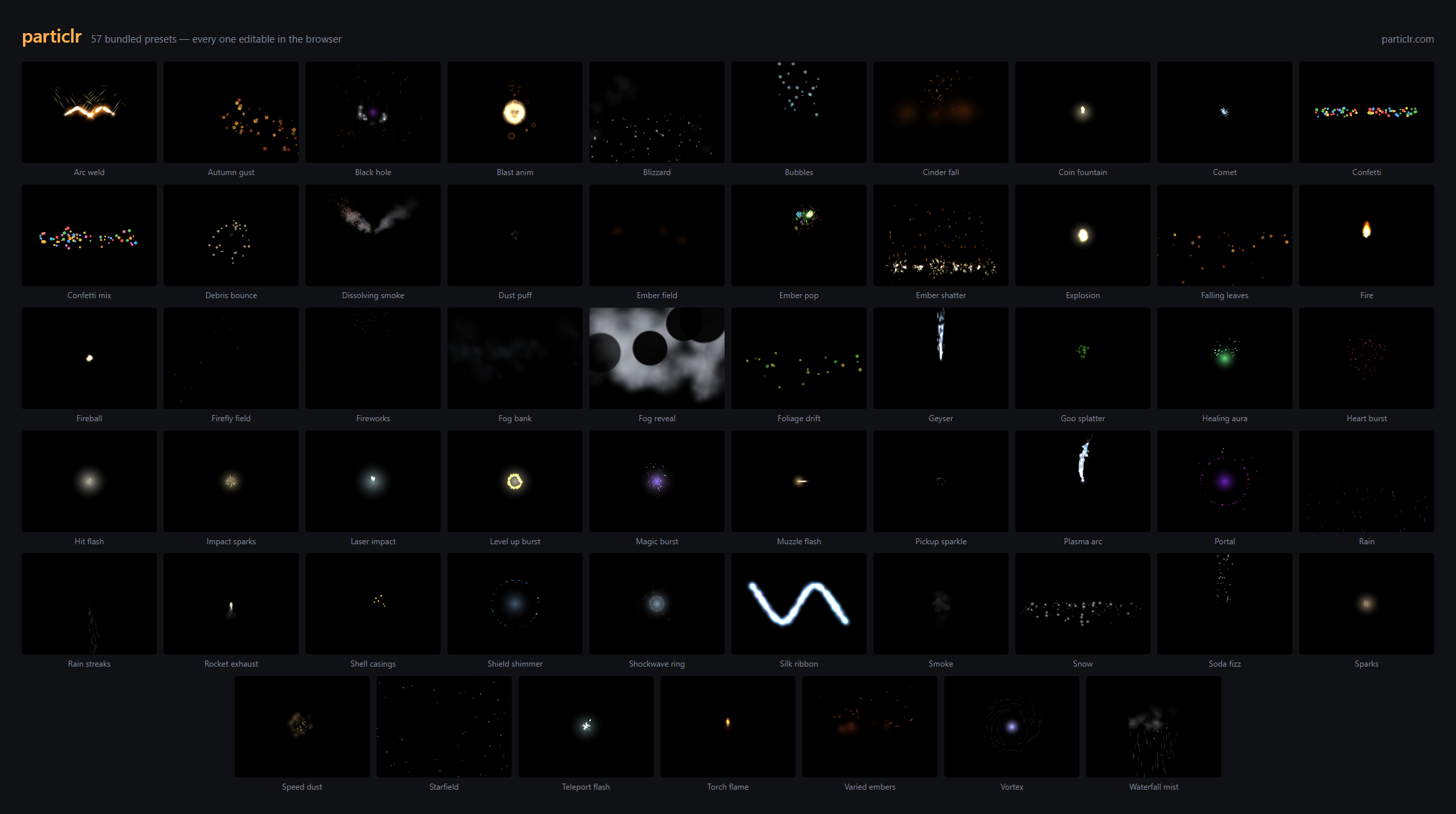 | ||
| The editor ships 57 CC0 presets — every frame above was rendered by *this* | ||
| package. Open any of them at [particlr.com](https://particlr.com), tune it, | ||
| export, and play it back here. | ||
| ## Install | ||
@@ -43,3 +52,3 @@ | ||
| That's the whole integration. Live example: | ||
| [particlr.brac.dev/sample](https://particlr.brac.dev/sample/). | ||
| [particlr.com/sample](https://particlr.com/sample/). | ||
@@ -46,0 +55,0 @@ ## Going further |
No alert changes
Improved metrics
- Total package byte prevSize
785635
0.07%- Number of lines in readme file
64
16.36%No dependency changes