🌐 Try PicLet Online
piclet.app - Use all tools directly in your browser. No installation, 100% client-side processing, your images never leave your device.
Tools & Features
 | Make Icon
Convert images to ICO with multiple resolutions (256, 128, 64, 48, 32, 16) | PNG, GIF* | CLI, GUI, Web |
 | Remove Background
Remove solid backgrounds with configurable fuzz tolerance | PNG, GIF | CLI, GUI, Web |
 | Scale Image
Resize images with optional square padding | PNG, JPG, GIF, BMP | CLI, GUI, Web |
 | Icon Pack
Generate complete icon sets for Web, Android, and iOS | PNG, JPG, GIF* | CLI, GUI, Web |
 | Store Assets
Generate graphics for Steam, itch.io, Unity Asset Store, and app stores | PNG, JPG, GIF | GUI, Web |
 | Extract Frames
Extract individual frames from animated GIFs | GIF | CLI, GUI |
*For GIFs, uses selected frame or first frame
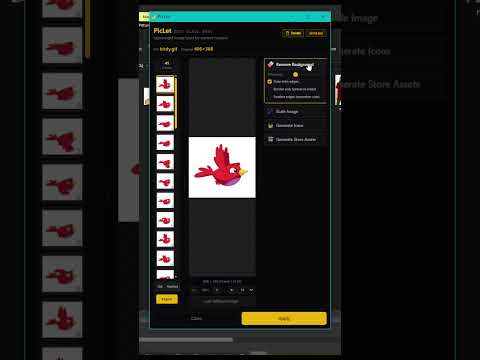
Animated GIF Support
When you load an animated GIF in the GUI, PicLet provides:
- Frame Strip - Vertical panel showing all frames as thumbnails
- Frame Selection - Click any frame to preview and apply tools to it
- Animation Playback - Play/pause with adjustable speed (0.5x to 3x)
- Live Preview - See tool effects applied to all frames in real-time
- Flexible Export:
- Single Frame - Export selected frame as PNG
- All Frames - Export all frames as individual PNGs
- Processed GIF - Export as animated GIF with all effects applied
Get Started
🌐 Web Version (No Installation)
Visit piclet.app - Works in any modern browser, 100% client-side processing.
💻 Desktop Version (Windows)
Download and install via npm for CLI access and Windows Explorer integration:
npm install -g @spark-apps/piclet
Requirements:
- Windows with WSL (Windows Subsystem for Linux)
- ImageMagick in WSL:
sudo apt update && sudo apt install imagemagick
- Node.js >= 18
Desktop Usage
🖱️ GUI Mode (Right-Click Integration)
Right-click any image file in Windows Explorer to access PicLet tools:
GUI with real-time preview and batch processing
⌨️ CLI Mode (Command Line)
Fast batch processing via terminal:
piclet makeicon logo.png
piclet remove-bg photo.png
piclet scale image.jpg
piclet iconpack app-icon.png
piclet storepack image.png
piclet frames animation.gif

CLI for automation and batch operations
Registry Management
piclet install
piclet uninstall
npm uninstall -g @spark-apps/piclet
Icon Pack Output
When you run piclet iconpack, it generates:
Web (8 files)
favicon.ico, favicon-16x16.png, favicon-32x32.png, favicon-48x48.pngapple-touch-icon.png (180px)android-chrome-192x192.png, android-chrome-512x512.pngmstile-150x150.png
Android (6 files)
mipmap-mdpi through mipmap-xxxhdpi directoriesplaystore-icon.png (512px)
iOS (15 files)
- All
AppIcon sizes including @2x/@3x variants
AppIcon-1024.png for App Store
Support & Contributions
⭐ Star the repo and I power up like Mario!
🤝 Contributions are welcome.