@yatmo/vue
Add real estate maps, points of interest and neighbourhood data to Vue and Nuxt applications.
@yatmo/vue is the official Vue SDK for Yatmo, providing ready-to-use components for property
maps, nearby schools, nurseries, supermarkets and public transport with real travel times, and written neighbourhood
insights, in 25 countries and 23 languages. Vue 3 and Nuxt 3, server rendering included.
npm install @yatmo/vue
<script setup>
import { YatmoMap, YatmoPois, YatmoNeighbourhoodText } from '@yatmo/vue';
const yatmo = { key: 'YOUR_FRONTEND_KEY', country: 'BE', language: 'FR', latitude: 50.8461, longitude: 4.3664 };
</script>

<template>
  <YatmoMap :license-key="yatmo.key" country="BE" language="FR" :latitude="50.8461" :longitude="4.3664" marker="circle" isochrone="right" />
  <YatmoPois :client="yatmo" :categories="['education', 'shopping']" />
  <YatmoNeighbourhoodText :client="yatmo" />
</template>
Install in 5 minutes
- Get a Yatmo licence key at yatmo.com. In the browser, use the frontend key (locked to
your domains); on the server, the backend key (keys explained).
npm install @yatmo/vue (Vue 3.3 or later).- Put
<YatmoMap> on the property page with the coordinates; add <YatmoPois> and <YatmoNeighbourhoodText>.
Runnable demo (Vite, a complete listing page): yatmo-examples/11-vue.
Components
<YatmoMap>
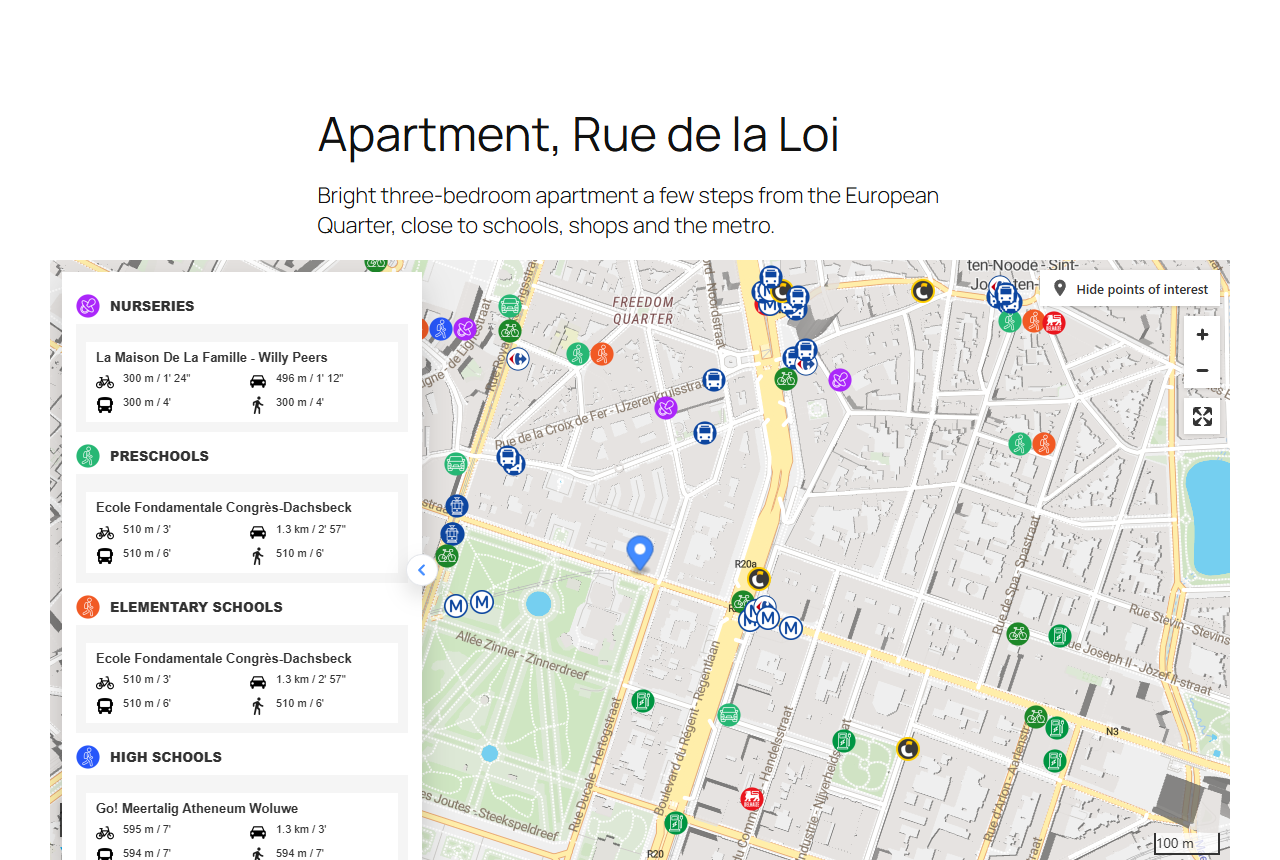
The interactive neighbourhood map as the Yatmo iframe plugin: points of interest with travel times on foot, by bike,
by car and by public transport, summary, isochrones, routes. Renders on the server too (it is one <iframe>), and
several maps can share a page. Props are the iframe plugin parameters:
license-key, country, language, latitude, longitude, mode, zoom, map-style, accent-color, marker,
circle-radius-in-meters, custom-marker, rounded, isochrone, route-from, user-id, height, title.
<YatmoInteractiveMap>
The Yatmo JavaScript map plugin, when the map must blend into the page or expose the search features (travel-time
search, listings on the map). config is the plugin's yatmoConfig without container. One per page.
<YatmoInteractiveMap :config="{ licenseKey: KEY, country: 'BE', language: 'FR', center: [4.3664, 50.8461], zoom: 16, fullScreenButton: true }" />
<YatmoPois>
The nearest places by category with distance and travel time, as headings and lists styled by your CSS.
Props: categories (education, transport, shopping, tourism), mode (walking default, bicycling,
driving, transit), limit per sub-category, heading. Slots: place (scoped: { place, distance, time }),
fallback, error (scoped: { error }).
<YatmoNeighbourhoodText>
The written description of the neighbourhood: headings and paragraphs, key places in <strong>.
Props: heading (h2 to h6, empty for none), titles (street-city, city for discreet listings, generic),
paragraphs (education, shopping, publictransports, transports, tourism, cities), strong.
Slots: fallback, error.
Server rendering, for search engines
YatmoPois and YatmoNeighbourhoodText take their data either from client (fetched in the browser once mounted,
with the frontend key) or from summary / text fetched on the server with
@yatmo/sdk. The second form renders the text into the HTML, so search
engines and AI assistants index it. In Nuxt:
<script setup>
import { createYatmoClient } from '@yatmo/sdk';
import { YatmoMap, YatmoNeighbourhoodText, YatmoPois } from '@yatmo/vue';

const listing = await getListing(useRoute().params.id);
const { data } = await useAsyncData('yatmo-' + listing.id, async () => {
  const yatmo = createYatmoClient({ key: useRuntimeConfig().yatmoKey, country: 'FR', language: 'FR' });   // backend key, server only
  const [text, summary] = await Promise.all([yatmo.summaryText(listing), yatmo.summary(listing)]);
  return { text, summary };
});
</script>

<template>
  <article>
    <h1>{{ listing.title }}</h1>
    <YatmoMap :license-key="useRuntimeConfig().public.yatmoFrontendKey" country="FR" language="FR" :latitude="listing.latitude" :longitude="listing.longitude" />
    <YatmoPois :summary="data.summary" :categories="['education', 'transport']" />
    <YatmoNeighbourhoodText :text="data.text" />
  </article>
</template>
Composables
useYatmoClient(config), useYatmoSummary(client, position) and useYatmoText(client, position, language?) return
{ data, loading, error, refresh } refs for your own markup. Requests run once mounted and whenever the position changes.
More
Examples · Documentation ·
React · Web components for any site
MIT licence. Yatmo is a paid service for real estate portals, agency networks and developers; a licence key is required.



