create-ai-toolkit
create-ai-toolkit is an AI-driven frontend development tool designed to significantly enhance development efficiency through automation and intelligence. This tool integrates component and hook generation, automated commit messages, and code review functions to help developers maintain high code quality while simplifying and accelerating the development process.
Features
1. Automatic Component Generation
create-ai-toolkit can automatically generate standardized frontend components based on user-provided requirements, reducing repetitive work and allowing developers to focus on core business logic.
Features:
- Supports multiple frontend frameworks (such as React, Vue).
- Automatically generates TypeScript type definitions.
- Optional integration with CSS preprocessors (such as SASS, LESS, Stylus, Tailwind CSS), etc.
- Automatically generates TypeDoc comments, quickly grasping usage methods.
2. Custom Hook Generation
This tool can generate custom hooks based on requirement descriptions, improving code reusability and maintainability.
Features:
- Supports multiple frontend frameworks (such as React, Vue).
- Supports complex state management and side effects.
- Automatically generates TypeDoc comments, quickly grasping usage methods.
- Seamlessly integrates with existing components.
3. Intelligent Commit Message Generation
create-ai-toolkit can automatically generate commit messages based on the content of the staging area, ensuring a clear and standardized commit history.
Features:
- Generates commit messages based on code changes.
- Supports multiple commit message formats (such as Conventional Commits).
- Increases commit efficiency and reduces human error.
4. Code Review and Optimization
This tool can perform static analysis and reviews of the code, providing optimization suggestions to help developers improve code quality.
Features:
- Identifies potential issues and anti-patterns in the code.
- Provides code optimization suggestions and best practices.
- Supports multiple programming languages and frameworks.
Usage Guide
1. Installation
Ensure your Node.js version is v18 or above, and globally install create-ai-toolkit:
npm install -g ai-log-review
pnpm add -g ai-log-review
2. Add API Key
If you don't have a GPT key, you can purchase one from the OpenAI Official Website.
3. Set API Key
To use create-ai-toolkit, first execute the following command to globally set the API Key:
ai set OPENAI_KEY your-key
This command will create a toolkit.config.json file in the root directory of your operating system.
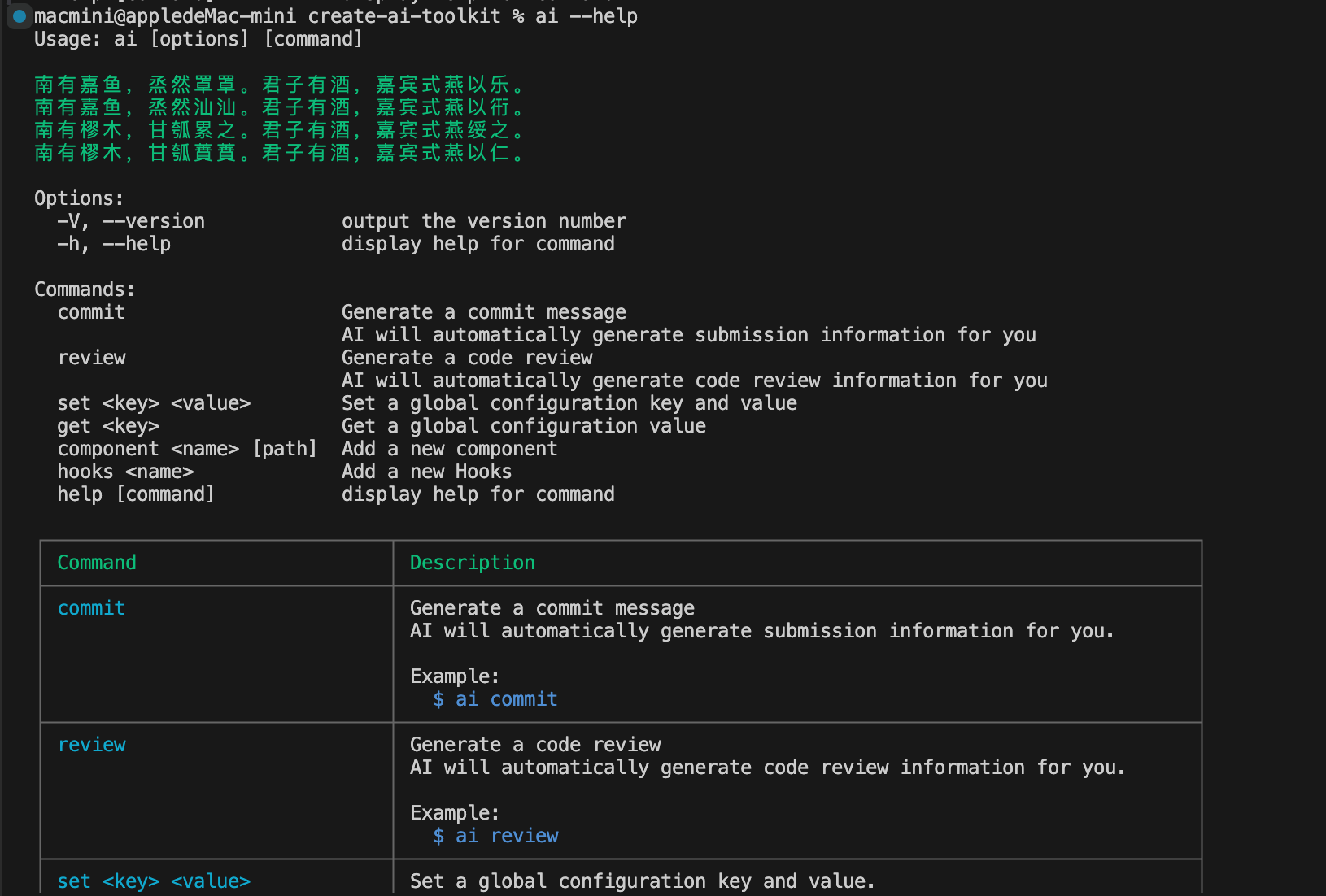
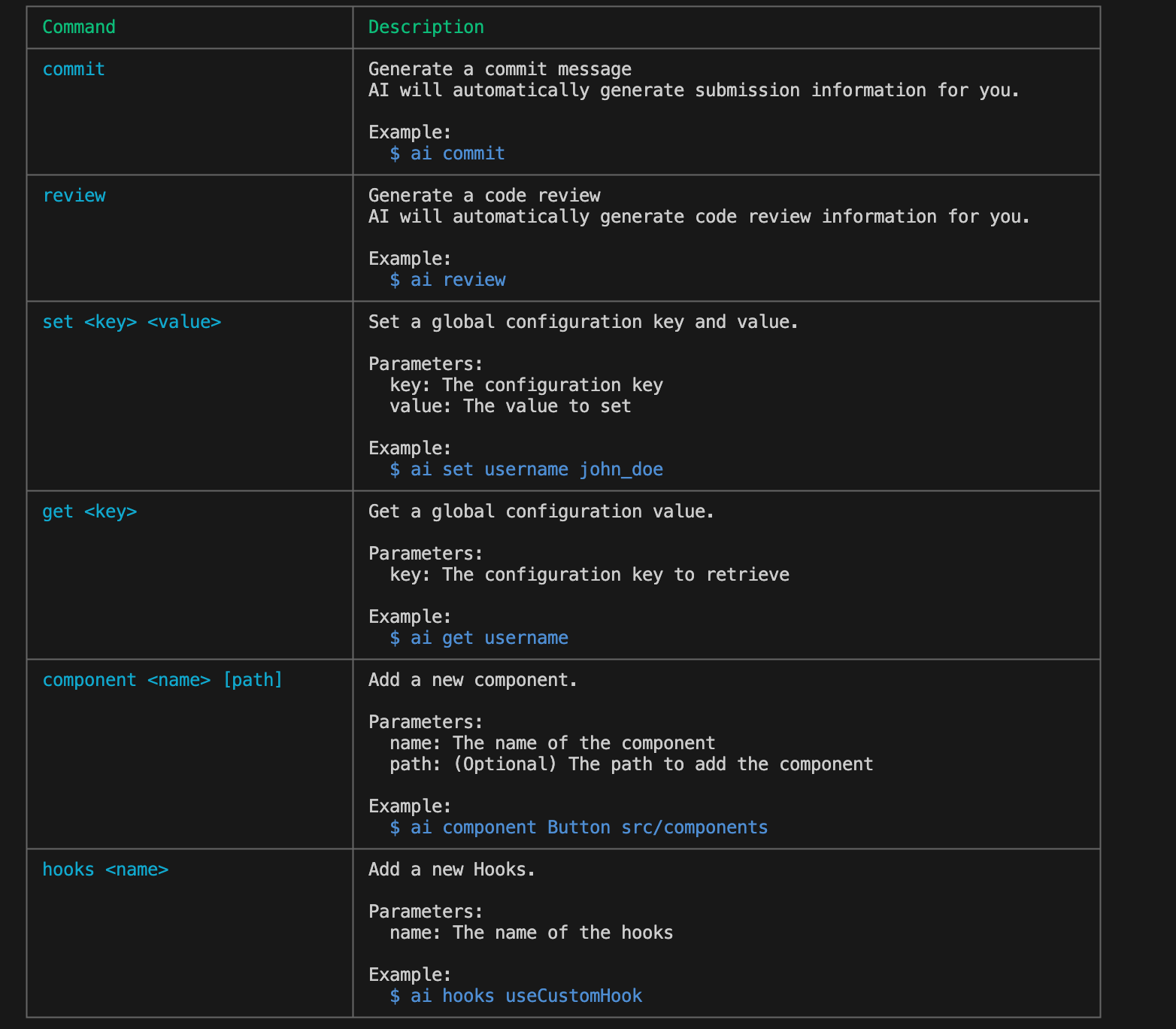
4. View Help
Execute the following command in the terminal:
ai --help
You will see the following result:
Feature Demonstrations
1. Automatic Component Generation
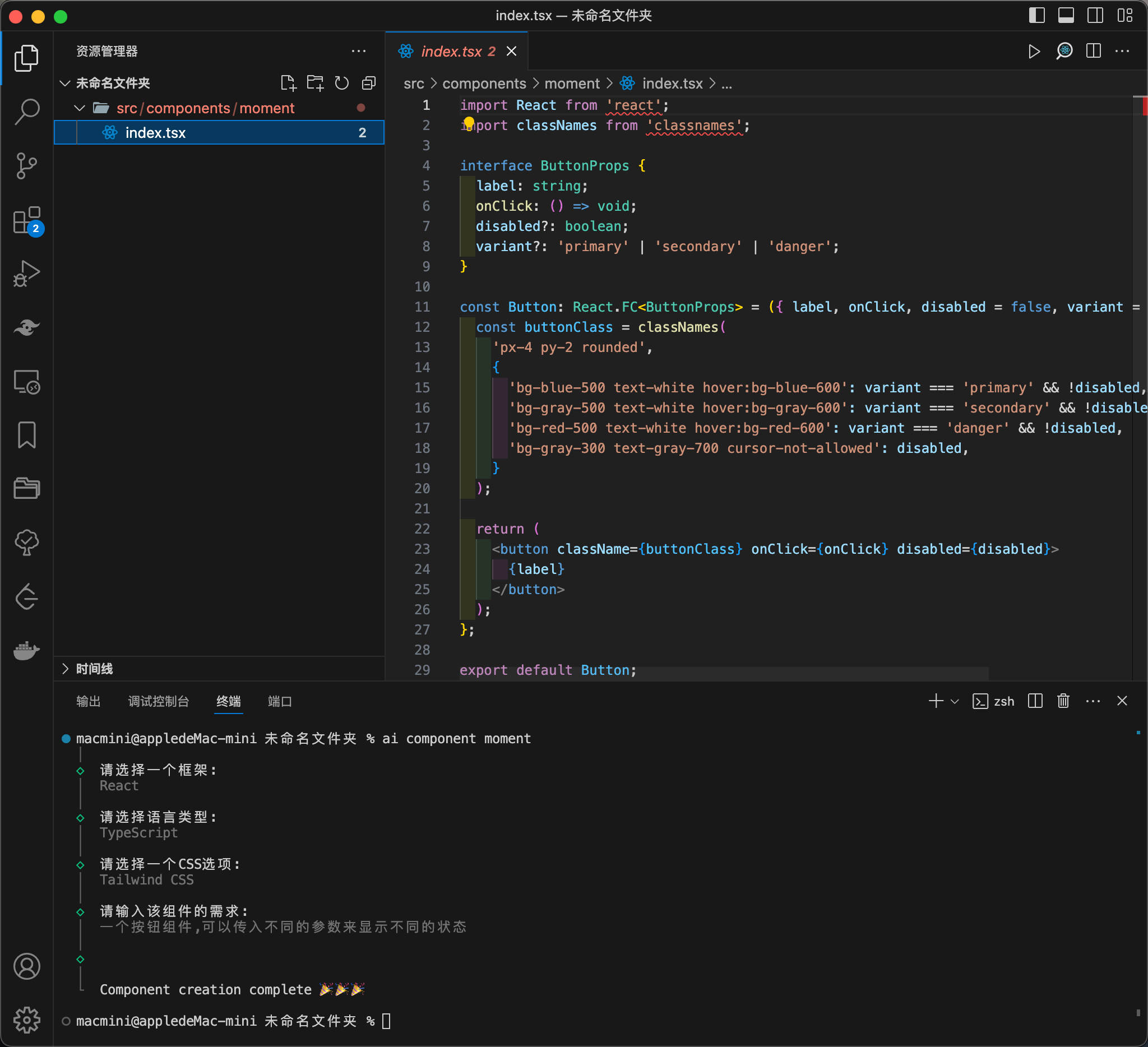
Execute the following command to automatically generate a component:
ai component <name> [path]
Where name is the component name, and path is an optional parameter specifying the path to generate the file, defaulting to the src/components directory.
Execute the command and select based on your needs, the final result is shown below:
2. Custom Hook Generation
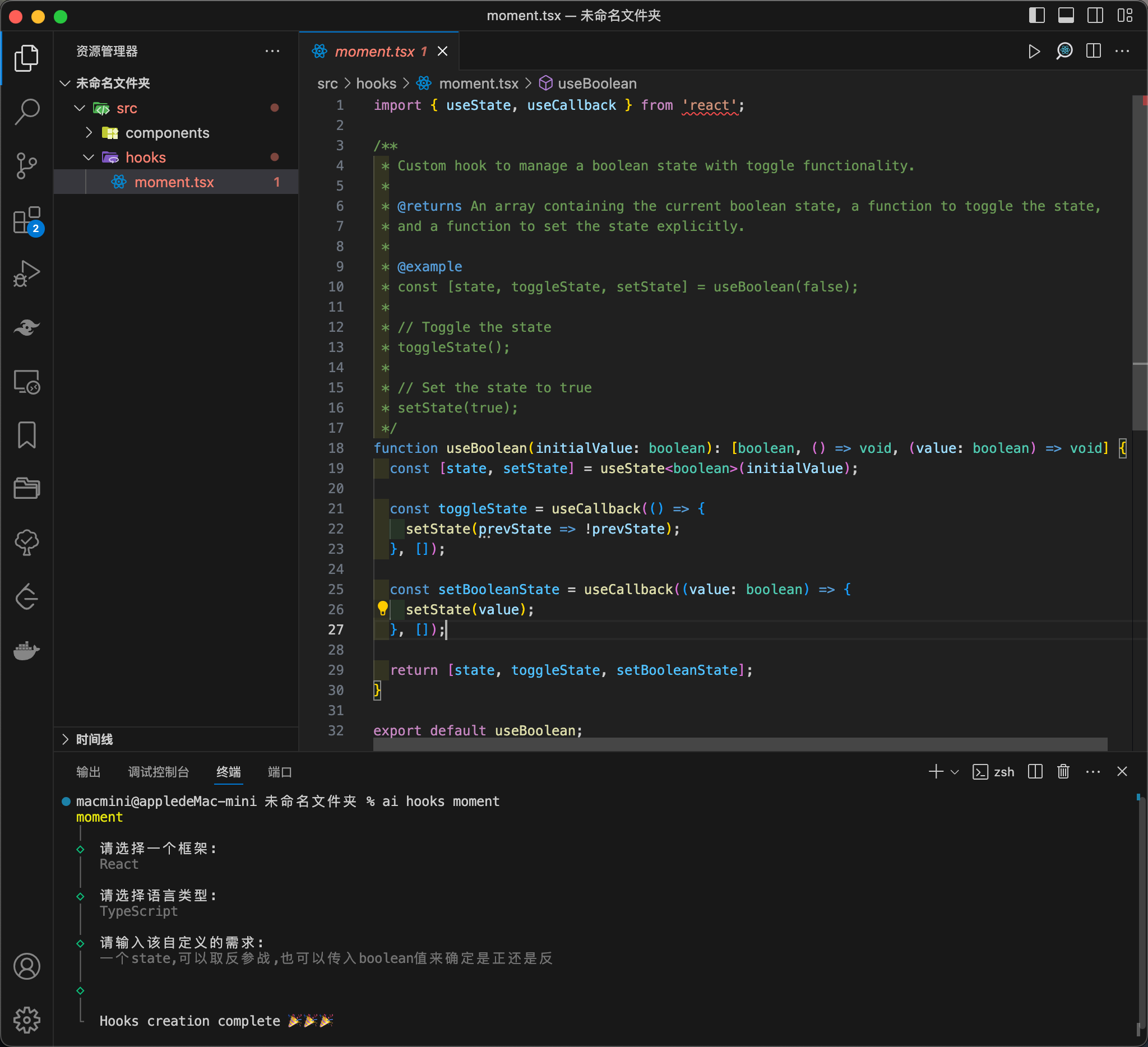
Execute the following command to generate custom hooks:
ai hooks <name>
Where name is the name of the hooks file, defaulting to the src/hooks directory.
Execute the command and select based on your needs, the final result is shown below:
3. Automatic Commit Message Generation
To generate commit messages, first ensure there is content in your git staging area. Execute the following command to add modified files to the staging area:
git add .
After ensuring there is content in the staging area, execute the following command:
ai commit
The terminal will return appropriate commit messages for you to choose from:
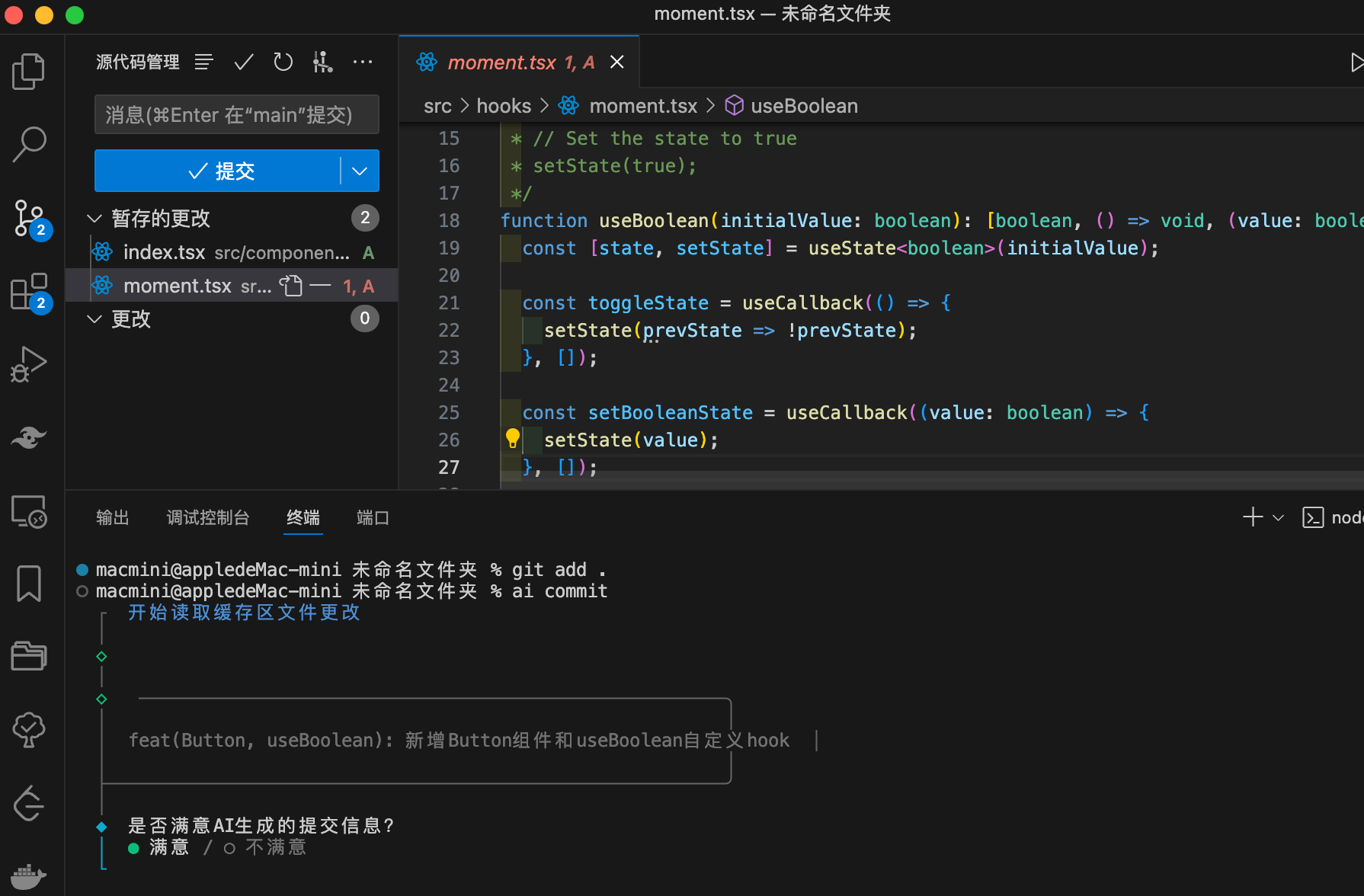
If you select a satisfactory commit message, the tool will automatically execute git commit -m 'generated commit message'.
4. Automatic Code Review
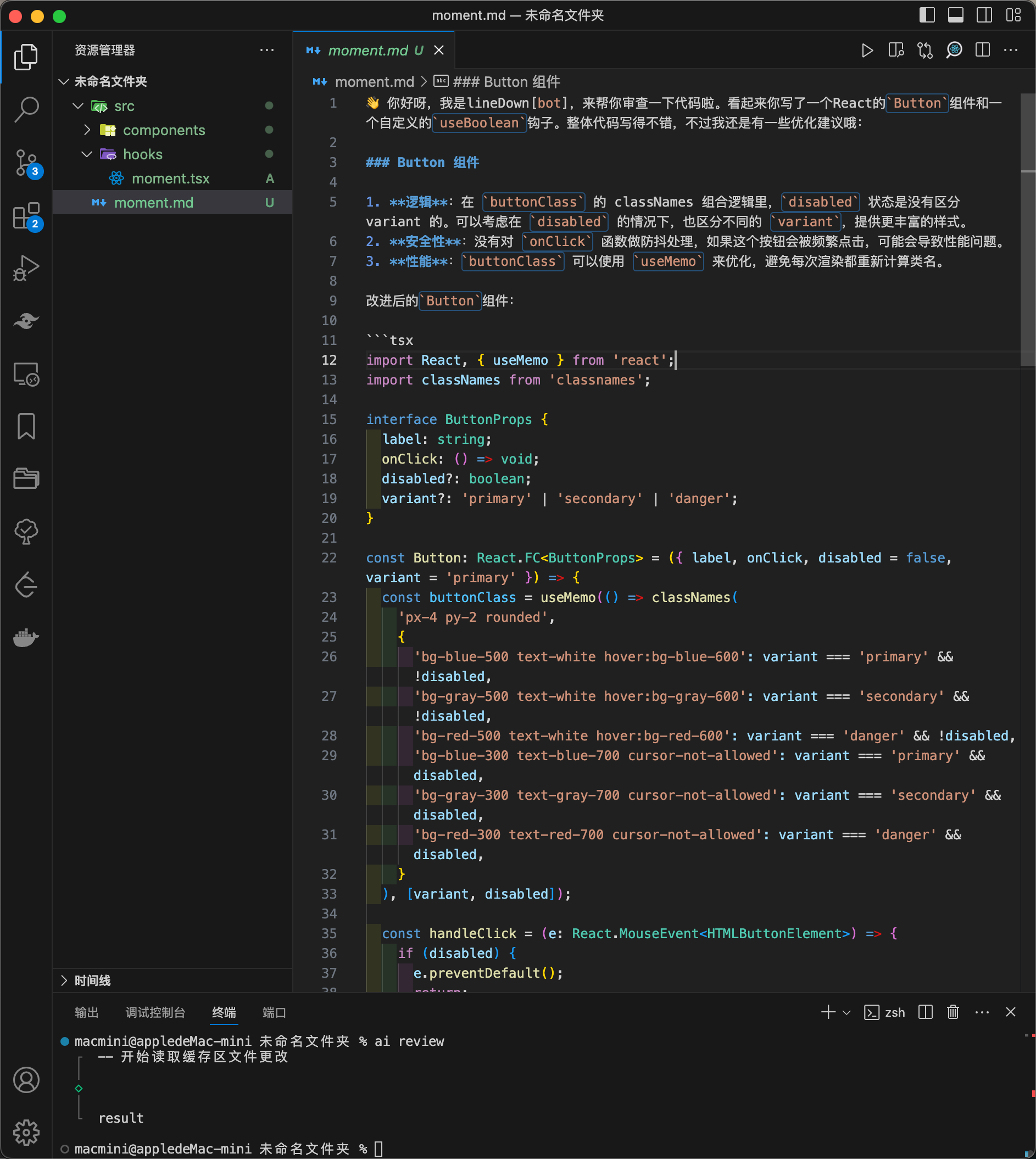
Based on the content of the staging area, AI will automatically perform a code review and provide modification suggestions. Execute the following command:
ai review
After executing the command, AI will automatically generate a moment.md file containing AI's evaluation and modification suggestions:
Configuration
Change API Key
If you need to change the API Key, you can execute the following command:
ai set OPENAI_KEY your-key
Get Current API Key
Execute the following command to get the currently set API Key:
ai get OPENAI_KEY
Change API Endpoint
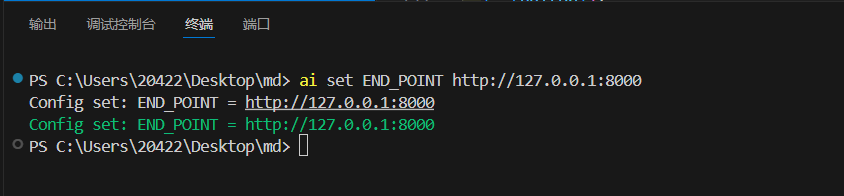
If you are using a different intermediary API Key or running a large model on your machine, you can execute the following command to change the API endpoint:
ai set END_POINT http://127.0.0.1:8000
Get Current API Endpoint
Execute the following command to get the currently set API endpoint:
ai get END_POINT
Contributors
Thank you to all the contributors to this project!

How to Contribute
Contact Us

Email: 2042204285@qq.com




