Boomkin
Your open-source DeFi desk.
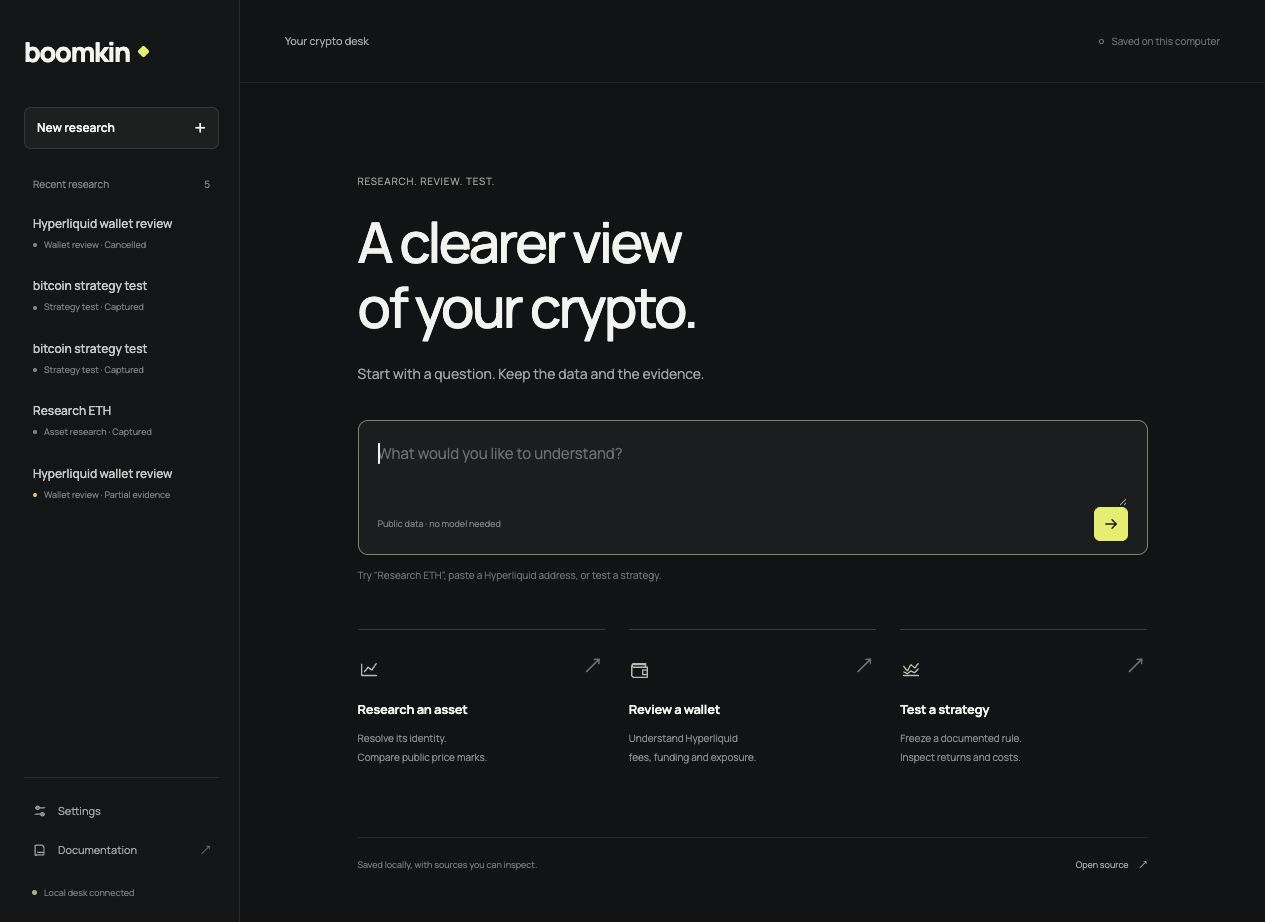
Boomkin is a local DeFi research desk. Research an asset, review public wallet costs or test a strategy; sources and run history stay on your computer. Add native Hermes research when you need a model.
Try the strategy lab → · Explore workflows · Read the docs
The browser demo needs no installation. Choose a research rule, compare held-out periods and higher trading costs, and inspect simulated trades using a dated Bitcoin capture, synthetic prices or your own dataset. Uploaded data stays in your browser.
Only want the skills inside Claude Code, Codex, Cursor or another agent you already use? Install them from crypto-defi-skills.
63 workflows · 59 providers in discovery · 17 independent packs · 81 reviewed skills


Get started
Use macOS or Linux with Bun 1.3.12+ and Git. Windows users can use WSL2.
bun install -g boomkin@0.13.1
boomkin desk
Choose Prepare public tools, then a task. Boomkin installs the three reviewed packs needed for the desk into ~/.boomkin/hermes, retaining your existing instructions and selections. Public jobs need no model account or funded wallet. The launching terminal owns the local server; Ctrl-C stops it.
Optional model setup opens Hermes's own isolated browser dashboard. Hermes owns sign-in and model selection; explicit research follow-ups use your account and may incur provider usage. The desk installs no background service or scheduler. Local desk guide and API.
Native agent chat, profiles and source setup · Model connections
First useful task
Choose Review a wallet, supply a public Hyperliquid address and date range, or try the clearly labeled public vault example. Read fees, signed funding and current exposure; expand the source evidence, export the report, then reopen it from Recent research.
Research an asset captures public USD marks and their age. Test a strategy compares a documented daily rule across independently restarted reference and held-out periods at baseline and higher costs. Wallet coverage and simulation assumptions remain visible. Refresh saves a new run without overwriting earlier work. Compare saved captures to see changed observations and coverage; follow-up questions stay tied to the report you selected.
Start from a research template
boomkin templates
boomkin templates --template wallet-audit --json
boomkin project create --name wallet-review \
  --template wallet-audit --input-file ./inputs.json
boomkin project run --name wallet-review --dry-run
Four reviewed templates cover public wallet cost audits, frozen strategy validation, stablecoin income and thesis review. Supply your public account/window or local dataset/rule paths; required fields and defaults are visible before saving. Templates preserve the question and evidence in your own profile. Inputs and run guide
Pick a job
boomkin workflows
boomkin workflows --protocol Aave
boomkin workflows --workflow transaction-simulation --json
boomkin onboard --workflow aave-health
Workflow discovery runs locally. Each job names its inputs, expected result and provider requirements. Selecting a workflow installs its pack and saves that selection for updates. Already copied skills remain; choose a separate --directory for a dedicated profile.
| Capture market evidence or test a rule | market-snapshot, strategy-backtest |
| Inspect lending or an exit | aave-health, aave-v4-health, morpho-market, lido-exit |
| Review liquidity and routes | uniswap-position, aerodrome-position, across-route |
| Screen income or streaming obligations | yield-screen, sablier-stream, superfluid-stream |
| Review an exact unsigned payload | unsigned-plan, transaction-simulation |
| Research prediction markets | prediction-research, prediction-resolution |
All 63 workflows, inputs and outputs
Read or install the protocol skill
Every listed workflow names an actual SKILL.md: inputs, protocol reads, decision steps, failure handling and the evidence needed to finish. Open a workflow in the explorer to read the exact skill version reviewed by Boomkin. Its individual install command also works in an agent you already use:
npx skills add galleonlabs/crypto-defi-skills --skill galleon-aave-position
Then ask:
Use galleon-aave-position to inspect [chain, Aave V3 market and public wallet]. Show the current health factor and a scenario with a 20% collateral-price fall and 30 days of debt interest. Identify missing evidence and keep the plan unsigned.
The installer follows the skill library’s current main; Boomkin pins reviewed releases. Both install procedures. Your agent and configured tools perform the protocol reads. You can inspect a workflow’s complete inputs and access requirements locally with boomkin workflows --workflow aave-health, before any setup or network request.
Keep the question and the evidence
Save this public research example as inputs.json:
{
  "chain": "Ethereum",
  "asset": "USDC",
  "minimumTvlUsd": "10000000",
  "yieldPreference": "Separate base yield from incentive emissions",
  "limit": 5,
  "question": "What evidence is missing before a deposit decision?"
}
boomkin project create --name stablecoin-yields \
  --workflow yield-screen --input-file ./inputs.json
boomkin project run --name stablecoin-yields --dry-run
boomkin onboard --workflow yield-screen --skip-model-setup
boomkin project run --name stablecoin-yields
boomkin project check --name stablecoin-yields
Creation and preview make no model or data calls. Onboarding prepares the selected workflow and preserves your configured model. A live run uses that model and your tools, then saves a separate report, raw sources, hashes and unsigned plan. Checks establish the saved evidence contract; they do not certify economic safety or authorize execution. Project guide
Discover the right provider
boomkin providers --search simulation --json
boomkin providers --capability Data --access keyless
boomkin providers --provider blockscout
The catalog retains reviewed providers from the skills.eth.sh directory and existing native connections. Dated sources distinguish authorship, access, cost and authority. Discovery does not install or connect every listed provider. Keyless access can still cost money; wallet and x402 capabilities need separate choices. Provider guide
Connect your tools
boomkin connect --provider blockscout
boomkin doctor --live
Blockscout adds optional keyless explorer reads. Other supported connections include AIXBT, Alchemy, DeFiLlama, Tenderly and Coinbase account data, each with its own setup and access boundary. Restart Hermes after changing MCP settings.
Hermes owns tools and authentication. MCP tool selection does not constrain its terminal or replace provider-enforced account and spending limits. Exact prerequisites and connection scope
Skill packs
Boomkin installs reviewed releases from crypto-defi-skills: agent plans, prediction markets, infrastructure, data, strategy, liquidity, Hyperliquid, lending, staking, yield, tokenized assets, routing, derivatives, portfolio, security, payments and governance.
Each pack installs independently. The catalog pins its package, version, immutable source commit and expected skills. Installation checks the copied supporting files; later integrity checks reveal missing or modified instructions and scripts.
Fresh onboarding includes all 17 packs. Repeated --pack options choose fewer; updates preserve that selection and future packs remain opt-in. Hermes supplies the native runtime, sessions, memory and model setup. Other harnesses receive portable skills only.
Updates and recovery
bun install -g boomkin@0.13.1
boomkin check --directory "$HOME/.boomkin/hermes"
boomkin update --directory "$HOME/.boomkin/hermes"
boomkin doctor --directory "$HOME/.boomkin/hermes" --live
Update Boomkin, selected skill packs and Hermes separately. Preserve local skill edits before updates. Updates, backups and recovery
ChatGPT authentication
Use boomkin chatgpt --action login and --action status for native Hermes ChatGPT OAuth. Model selection stays with Hermes. The authentication guide distinguishes sign-in, partner plan consent and verified usage attribution.
Contributing
Bug reports, clearer guides and focused pull requests are welcome. Contributing guide · Issues · Private security reporting
Local development
bun install --frozen-lockfile
bun run check
bun run build
Run the change-specific checks before a pull request. Agents can start with the documentation index and AGENTS.md.
License and credit
MIT licensed. Created by Andrew Wilkinson and Galleon Labs. Preserve copyright and license notices when reusing the project; attribution guidance includes an optional credit line. A repository star is appreciated and entirely optional.
Documentation copy controls were inspired by Rare UI and implemented independently.



