caishi-mcp





Read Chinese platforms from any MCP client — through your own logged-in Chrome.
Bilibili, Douyin (TikTok China), Xiaohongshu (Little Red Book) and any web page, as plain JSON:
titles, captions, authors, engagement stats, media links. Runs on the browser you already use,
with the sessions you are already signed in to.
Part of caishi — a reading toolkit for Chinese
platforms.
What you get
A self-contained MCP server (the protocol layer is implemented in this package, no MCP SDK
dependency). Four tools, one per site command:
bilibili/video | bvid (BV id, video URL or b23.tv short link), optional page | title, author, duration, views/likes/coins/favorites, publish date, description |
douyin/detail | target (share short link, video URL or numeric id) | caption, author, digg/comment/collect/share counts, created time, music, no-watermark play address, image gallery |
xiaohongshu/note | url (full note link, ideally with xsec_token) | title, author, full text, likes/collects/comments, tags |
web/read | url, optional wait, selector | any page's main text, through your logged-in browser |
Works from Claude Code, Claude Desktop, Codex, Cursor and any other MCP client.
Requirements
- Node.js >= 20.18.1
- Google Chrome (used in the background alongside your normal browsing; nothing is uploaded)
- An AI client that speaks MCP
Install
npm install -g caishi-mcp
Add it to your MCP client. For Claude Code:
claude mcp add caishi -- npx caishi-mcp
Or in an mcpServers config block:
{
  "mcpServers": {
    "caishi": {
      "command": "npx",
      "args": ["caishi-mcp"]
    }
  }
}
First tool call opens the browser in the background. The engine (OpenCLI) is installed
automatically as a dependency. After that, every tool call goes through your real browser —
same cookies, same login, same network.
For pages that require a signed-in session (Douyin video pages, Xiaohongshu notes), sign in to
that site in Chrome once. The tools then read as you.
Example
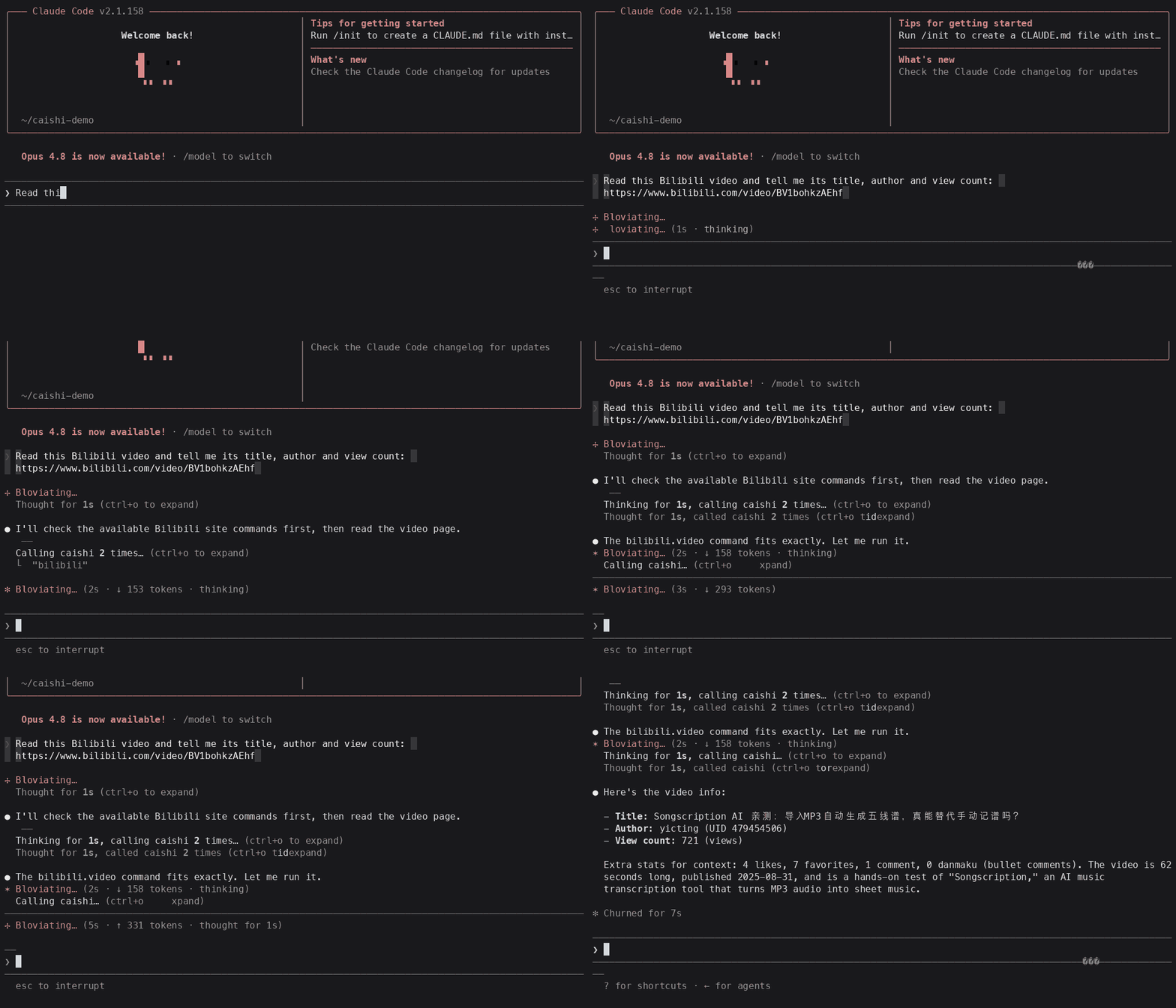
Ask your AI client:
Read this Bilibili video and tell me its title, author and view count: https://www.bilibili.com/video/BV...
The client calls bilibili/video with the URL, gets the metadata back,
and answers. The same works for a Douyin share link or a Xiaohongshu note.
Notes and limits
- Read-only. No write, publish or account operations are included in this package.
- Rate limits and bot checks of the underlying sites apply. The tools report a page's login wall
or risk-control block honestly instead of guessing.
- Xiaohongshu note links work best with a full URL from the site (containing
xsec_token).
License
MIT for the code in this package. The caishi project layers content under CC BY-NC-ND 4.0 —
see the repository's LICENSE for the full scope.
Credits
Browser engine by OpenCLI (the @jackwener/opencli
package). The MCP protocol layer and the site adapters in this package are self-implemented.



