ccpet





简体中文 / Chinese | 🏆 Web Leaderboard
A virtual pet for your Claude Code status line. The pet's energy decays over time, increases when you consume tokens, and persists across sessions.
Features
Installation & Setup
Quick Start
To use ccpet as your Claude Code status line, add this to your ~/.claude/settings.json:
{
  "statusLine": {
    "type": "command",
    "command": "npx ccpet@latest",
    "padding": 0
  }
}
Alternative: Global Installation
For better performance, you can install globally:
npm install -g ccpet
Then update your settings to use the global path.
CLI Commands
Basic Usage
ccpet
ccpet --help
ccpet --version
Pet Management Commands
Check Command
ccpet check
ccpet check --watch
ccpet check -w --interval 30
ccpet check --help
Use ccpet check to:
- ✅ Check pet status without consuming tokens
- ✅ See time since last feeding
- ✅ Monitor energy levels between sessions
- ✅ NEW: Continuous monitoring with real-time updates
- ✅ NEW: Clean countdown display
- ✅ NEW: Customizable refresh intervals (10-300 seconds)
Configuration Command
ccpet config list
ccpet config set <key> <value>
ccpet config reset
ccpet config path
Reset Command
ccpet reset
ccpet reset --help
Use ccpet reset to:
- ✅ Manually trigger the pet death and preservation process
- ✅ Save current pet to graveyard with complete history
- ✅ Create a new pet with random name and fresh start
- ✅ Test the graveyard functionality
- ✅ NEW: Automatic history preservation in
~/.claude-pet/graveyard/
Sync Command
ccpet sync
ccpet sync --dry-run
ccpet sync --verbose
ccpet sync --start-date 2024-01-01
ccpet sync --end-date 2024-12-31
ccpet sync --help
Use ccpet sync to:
- ✅ Upload pet records and token usage to Supabase database
- ✅ Enable cross-device pet history synchronization
- ✅ Support incremental syncing for efficiency
- ✅ Smart date range detection from pet birth time
- ✅ Batch processing for large datasets
- ✅ NEW: Cloud backup for pet graveyard data
Setup:
ccpet comes with Supabase pre-configured for instant sync - just install and start using!
Web Leaderboard:
View the global pet leaderboard online at https://ccpet.surge.sh/ - see how your pet ranks against others worldwide!
Leaderboard Command
ccpet leaderboard
ccpet leaderboard --period 7d
ccpet leaderboard --period 30d
ccpet leaderboard --period all
ccpet leaderboard --sort cost
ccpet leaderboard --sort survival
ccpet leaderboard --limit 20
ccpet leaderboard --verbose
ccpet leaderboard --help
Use ccpet leaderboard to:
- ✅ Compare your pet's performance with historical data
- ✅ Track token consumption and costs across time periods
- ✅ Monitor pet survival statistics and achievements
- ✅ Beautiful CLI table with emoji and formatting
- ✅ Automatic fallback to offline mode when Supabase unavailable
- ✅ NEW: Real-time countdown timers for ranking resets
Leaderboard Features:
- Time Periods:
today, 7d (7 days), 30d (30 days), all (all-time)
- Sorting Options:
tokens (default), cost, survival
- Display: Rank, Pet Name, Type, Tokens, Cost, Survival Days, Status
- Offline Mode: Automatically uses local graveyard data when cloud unavailable
- Web Interface: View online leaderboard at https://ccpet.surge.sh/
Configuration Options:
ccpet config set colors.petExpression "#FF0000:bright:bold"
ccpet config set colors.petName "#FF69B4:bright"
ccpet config set colors.energyBar "#00FF00"
ccpet config set colors.energyValue "#00FFFF"
ccpet config set colors.lifetimeTokens "#FF00FF"
ccpet config set pet.animationEnabled true
ccpet config set pet.decayRate 0.0231
ccpet config set display.maxLines 3
ccpet config set display.line1.enabled true
ccpet config set display.line1.items "expression,energy-bar,energy-value"
ccpet config set display.line2.enabled true
ccpet config set display.line2.items "input,output"
ccpet config set display.line3.enabled true
ccpet config set display.line3.items "total"
Available Display Items:
- Line 1 Only:
expression, energy-bar, energy-value, accumulated-tokens, lifetime-tokens, pet-name
- Lines 2-3 Only:
input, output, cached, total, context-length, context-percentage, context-percentage-usable, cost
Note: Currently, pet-related elements can only be used on Line 1, and session/context elements can only be used on Lines 2-3.
Continuous Pet Monitoring
Monitor your pet in real-time with the new watch mode:
ccpet check --watch
ccpet check --watch --interval 30
ccpet check -w --interval 45
Features:
- ✅ Real-time pet status updates
- ✅ Clean 3-line display layout
- ✅ Countdown timer showing next update
- ✅ Graceful exit with Ctrl+C
- ✅ Error recovery with retry mechanisms
- ✅ Customizable refresh intervals (10-300 seconds)
- ✅ In-place updates without screen flicker
Example Output:
Fluffy 🐶(^_^) ●●●●●●●●●● 100.00 (838.9K) 💖25.84M
⏰ 距离上次喂食: 0分钟前
⏳ 下次更新: 10秒
Note: The display updates in-place every interval, replacing the previous content for a clean monitoring experience.
Status Display
Default 3-Line Display
Luna 🐶(^o^) ●●●●●●●●●● 98.52 (45.2K) 💖5.2M
Input: 2847 Output: 1256 Cached: 512 Total: 4615
Ctx: 2.4K Ctx: 12.0% Ctx(u): 88.5% Cost: $0.15
Note: Pet names are controlled by including pet-name in the display.line1.items configuration. Position the pet-name element wherever you want it to appear on the first line. Context metrics (Ctx(u)) display in light green. Cost metrics show the total USD cost of your current session.
Single Line (Minimal)
Configure with: ccpet config set display.maxLines 1
Luna 🐶(^o^) ●●●●●●●●●● 98.52 (45.2K) 💖5.2M
2-Line Display (Balanced)
Configure with: ccpet config set display.maxLines 2
Luna 🐶(^o^) ●●●●●●●●●● 98.52 (45.2K) 💖5.2M
Input: 2847 Output: 1256 Cached: 512 Total: 4615
Custom Display Examples
With Pet Name Hidden
ccpet config set display.line1.items "expression,energy-bar,energy-value,accumulated-tokens,lifetime-tokens"
🐶(^o^) ●●●●●●●●●● 98.52 (45.2K) 💖5.2M
Input: 2847 Output: 1256 Cached: 512 Total: 4615
Name After Expression
ccpet config set display.line1.items "expression,pet-name,energy-bar,energy-value,accumulated-tokens,lifetime-tokens"
🐶(^o^) Luna ●●●●●●●●●● 98.52 (45.2K) 💖5.2M
Custom Line Configuration
ccpet config set display.line1.items "pet-name,expression,energy-value"
ccpet config set display.line2.items "input,output"
ccpet config set display.line3.items "total,context-percentage-usable"
Luna 🐶(^o^) 98.52
Input: 2847 Output: 1256
Total: 4615 Ctx(u): 88.5%
Display Format:
- Line 1 (Pet Elements Only): Choose from
expression, energy-bar, energy-value, accumulated-tokens, lifetime-tokens, pet-name
- Line 2 (Session/Context Elements Only): Choose from
input, output, cached, total, context-length, context-percentage, context-percentage-usable, cost
- Line 3 (Session/Context Elements Only): Same elements as Line 2
Pet Name Display:
- Controlled by including
pet-name in display.line1.items
- Position determined by where
pet-name appears in the items list
- Examples:
"pet-name,expression,energy-bar" (name first), "expression,pet-name,energy-bar" (name after expression)
Pet Care Guide
🌟 Keeping Your Pet Healthy
- Active Usage: Use Claude Code regularly to feed your pet
- Token Conversion: 1,000,000 tokens = +1 energy point
- Natural Decay: ~0.0231 energy per minute (~3 days to fully decay)
😴 When Your Pet Dies
If your pet's energy reaches 0:
- History Preserved: Your pet's complete history is automatically saved to the graveyard
- New Pet Created: A new pet with a random name and fresh start is born
- Legacy Protected: All previous pet records are safely stored in
~/.claude-pet/graveyard/
- Each new token helps your new pet grow from the beginning
🪦 Pet Graveyard & History Preservation
ccpet automatically preserves your pet's legacy when they pass away:
Automatic History Saving:
- When a pet dies (energy = 0), their complete state is moved to
~/.claude-pet/graveyard/{petName}/
- Each pet gets their own dedicated folder with their final state preserved
- Same-name pets are handled with sequential numbering (e.g.,
Fluffy-2/, Fluffy-3/)
Graveyard Structure:
~/.claude-pet/
├── pet-state.json          # Current pet
└── graveyard/
    ├── Fluffy/
    │   └── pet-state.json  # Complete final state
    ├── Shadow/
    │   └── pet-state.json  # Complete final state
    ├── Luna-2/             # Same-name handling
    │   └── pet-state.json
    └── ...
What's Preserved:
- ✅ Pet name and animal type
- ✅ Final energy level and expression
- ✅ Complete lifetime token statistics
- ✅ Birth time and feeding history
- ✅ All accumulated achievements
Atomic Operations:
- Safe file operations prevent data loss during transitions
- Backup and rollback mechanisms ensure data integrity
- Your pet history is never lost, even during system errors
Troubleshooting
Status Line Not Updating?
The status line only updates when you use Claude Code. Use ccpet check for manual updates.
Pet Disappeared?
- Check Claude Code settings:
cat ~/.claude/settings.json
- Verify ccpet installation:
ccpet --version
- Test manually:
ccpet check
Technical Details
Data Storage
Pet state is stored in ~/.claude-pet/pet-state.json with the following structure:
energy: Current energy level (0-100)expression: Current facial expressionanimalType: Pet species (cat, dog, rabbit, panda, fox)petName: Unique name for each pet (auto-generated)birthTime: When the pet was born/reborn (ISO timestamp)lastFeedTime: Last feeding timestamptotalTokensConsumed: Total tokens consumed this lifecycletotalLifetimeTokens: Lifetime token consumptionaccumulatedTokens: Tokens waiting to convert to energylastDecayTime: Last energy decay calculation timestamp- Session metrics:
sessionTotalInputTokens, sessionTotalOutputTokens, etc.
Graveyard Storage:
- Historical pets stored in
~/.claude-pet/graveyard/{petName}/pet-state.json
- Complete state preservation with all statistics and timestamps
- Atomic file operations ensure no data loss during transitions
The system automatically adds missing fields (like birthTime and petName) for backward compatibility.
Pet Naming System
ccpet features a smart pet naming system with cultural diversity:
- Random Name Generation: Each pet gets a unique random name from a curated list
- Bilingual Support: Both English and Chinese names available
- Cultural Diversity: Names from various origins (Japanese, Chinese, English, etc.)
- Persistent Identity: Pet names are saved and persist across sessions
- Auto-Assignment: New pets automatically get assigned a name
Sample Names:
- English: Whiskers, Shadow, Luna, Max, Bella, Charlie
- Chinese: 小白 (Xiaobai), 毛毛 (Maomao), 花花 (Huahua), 团子 (Tuanzi)
Development
Testing
npm test
npm run test:coverage
Building
npm run build
npm run watch
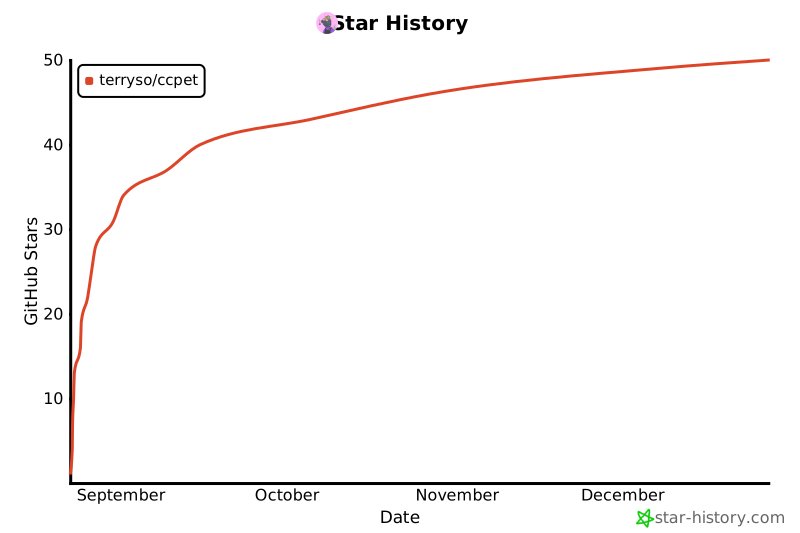
⭐ Star History
License
MIT License
Enjoy your virtual coding companion! 🐾
Remember: A well-fed pet is a happy pet. Keep coding to keep your pet healthy!




