coc-tighten-lint
tlint (Tighten linter for Laravel) extension for coc.nvim.
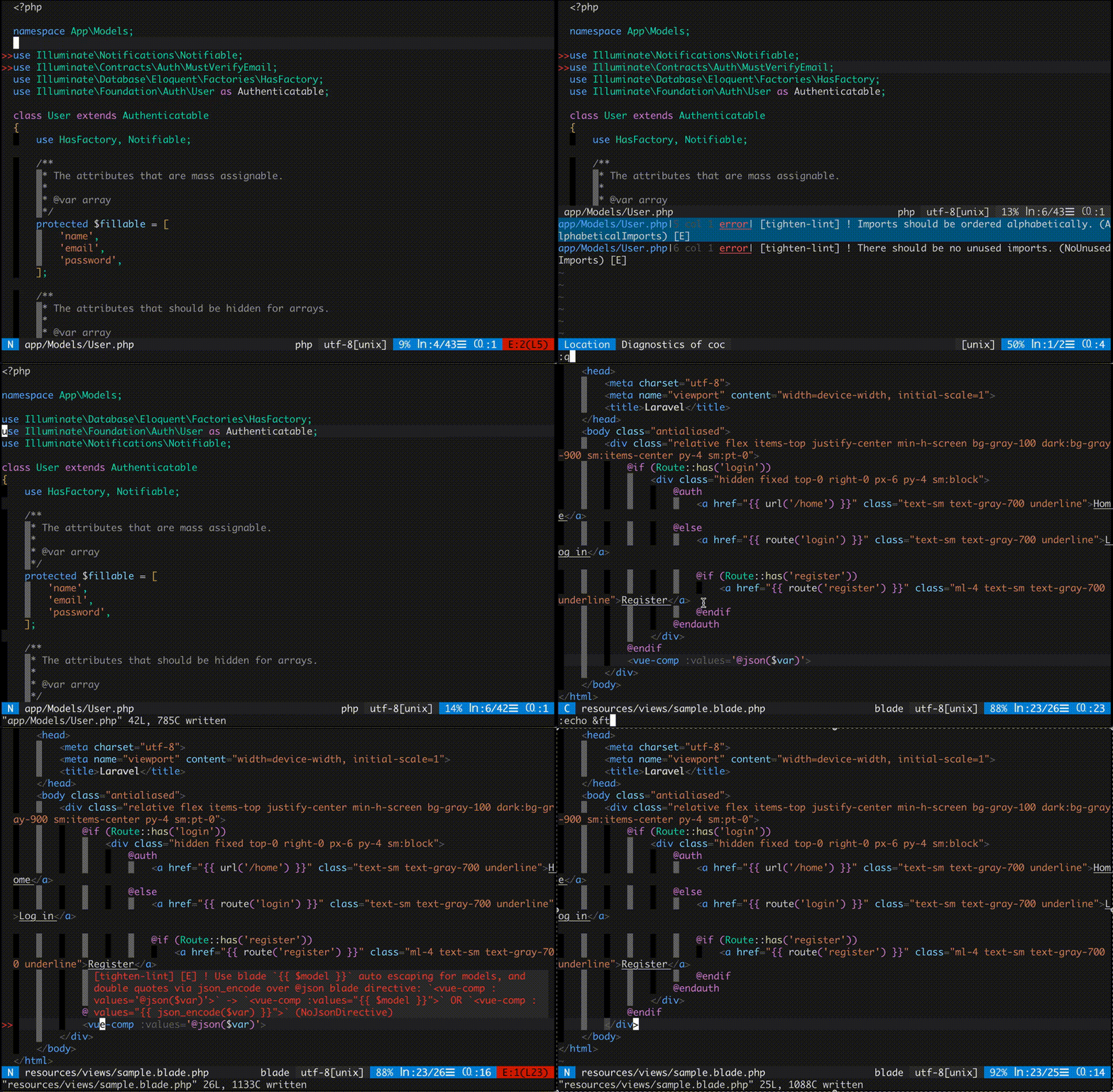
Install
CocInstall:
:CocInstall coc-tighten-lint
vim-plug:
Plug 'yaegassy/coc-tighten-lint', {'do': 'yarn install --frozen-lockfile'}
Features
- Linter by
tlint lint
- CodeAction (autoFix) by
tlint format
- Built-in installer
- Supports
tlint.json configuration file
Detect tool: tlint
tighten-lint.toolPath settingvendor/bin/tlint (project)- builtin (Installation commands are also provided)
- Mac/Linux:
~/.config/coc/extensions/coc-tighten-lint-data/tlint/vendor/bin/tlint
- Windows:
~/AppData/Local/coc/extensions/coc-tighten-lint-data/tlint/vendor/bin/tlint
Bult-in install
:CocComannd tighten-lint.install
Activation Events
"onLanguage:php""onLanguage:blade"
Configuration options
tighten-lint.enable: Enable coc-tighten-lint extension, default: truetighten-lint.toolPath: The path to the tlint (Absolute path), default: ""tighten-lint.lintOnOpen: Lint file on opening, default: truetighten-lint.lintOnChange: Lint file on change, default: truetighten-lint.lintOnSave: Lint file on save, default: truetighten-lint.defaultSeverity: Severity of violations, valid option "error", "warning", "info", "hint", default: "error"tighten-lint.severities: Source to severity mappings, default: {}tighten-lint.only: Policies to include, default: []
Example Configuration ("coc-settings.json" or ".vim/coc-settings.json")
{
  // ...snip
  "tighten-lint.defaultSeverity": "warning",
  "tighten-lint.only": [
      "AlphabeticalImports",
      "NoInlineVarDocs",
      "ImportFacades"
  ],
  "tighten-lint.severities": {
      "NoInlineVarDocs": "info"
  },
  // ...snip
}
tlint.json configuration file
If you wish to use a configuration file you should place the tlint.json file in the root of your project folder in the required format e.g.
example: tslint.json
{
    "preset": "laravel",
    "disabled": ["NoInlineVarDocs"],
    "excluded": ["tests/"]
}
Commands
tighten-lint.install: Install tlint
Code Actions
Run: tighten-lint.autoFix
Thanks
License
MIT
This extension is built with create-coc-extension