

Security News
Deno Goes the Way of the Dinosaur
Cloudflare is acquiring Deno’s team, which will provide another year of bug fixes and security updates before ending support for the runtime.
By Sarah Gooding - Oct 16, 2026
dsh-plugin-terminal
Advanced tools
Bottom terminal panel plugin for DeepSeek Harness Web GUI (node-pty powered, works on Windows via ConPTY)
Bottom terminal panel for the DeepSeek Harness (DSH) Web GUI — an interactive multi-tab shell pinned to the bottom of the page (ConPTY on Windows, openpty on Linux/macOS).
中文 · MIT
dsh plugin --profile web add dsh-plugin-terminal && dsh web
Note: this is a DSH (DeepSeek Harness) plugin — do not use plain
npm i dsh-plugin-terminal; it must be installed throughdsh pluginto activate.
| Collapsed | Expanded | Multi-tab |
|---|---|---|
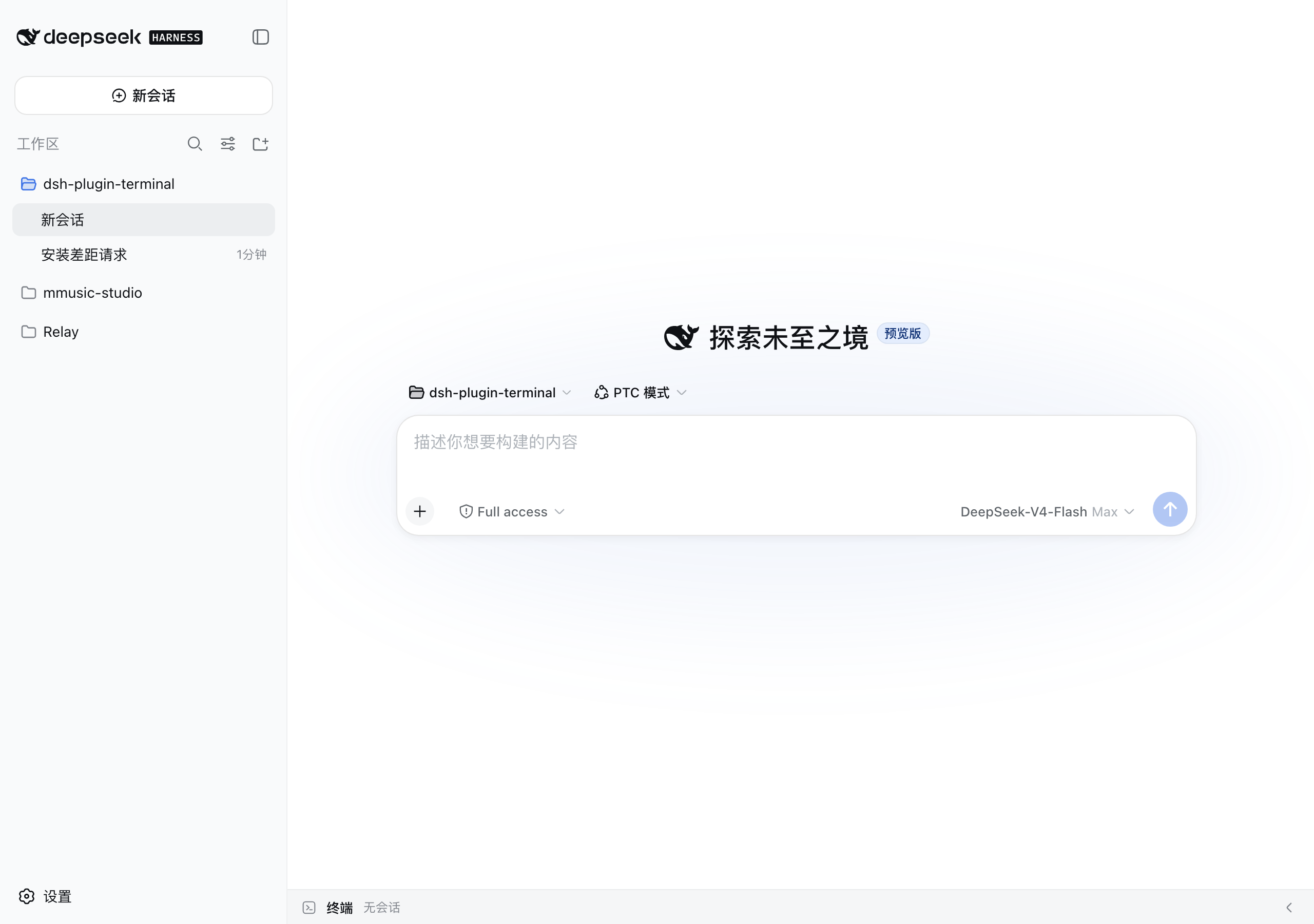 | 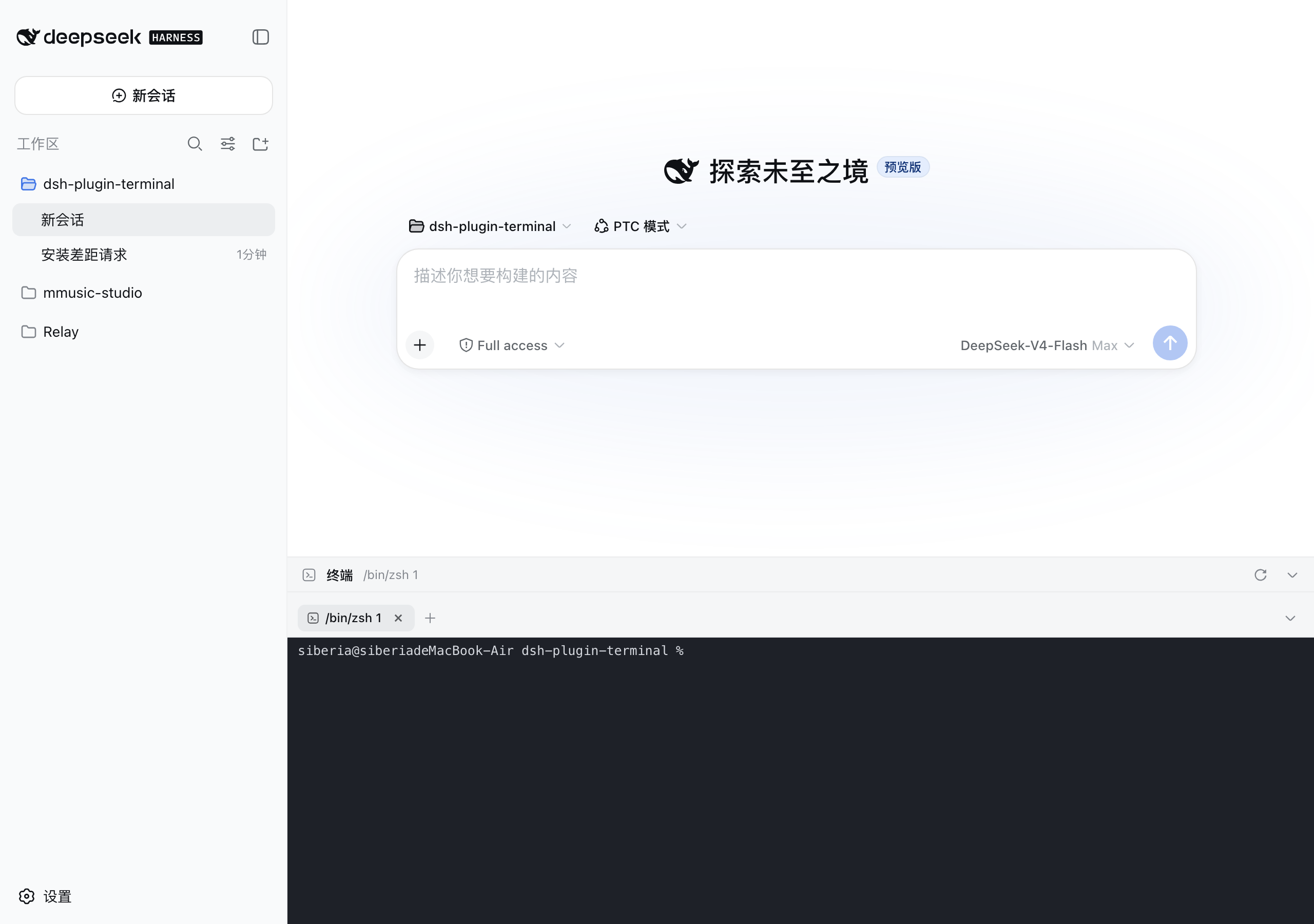 | 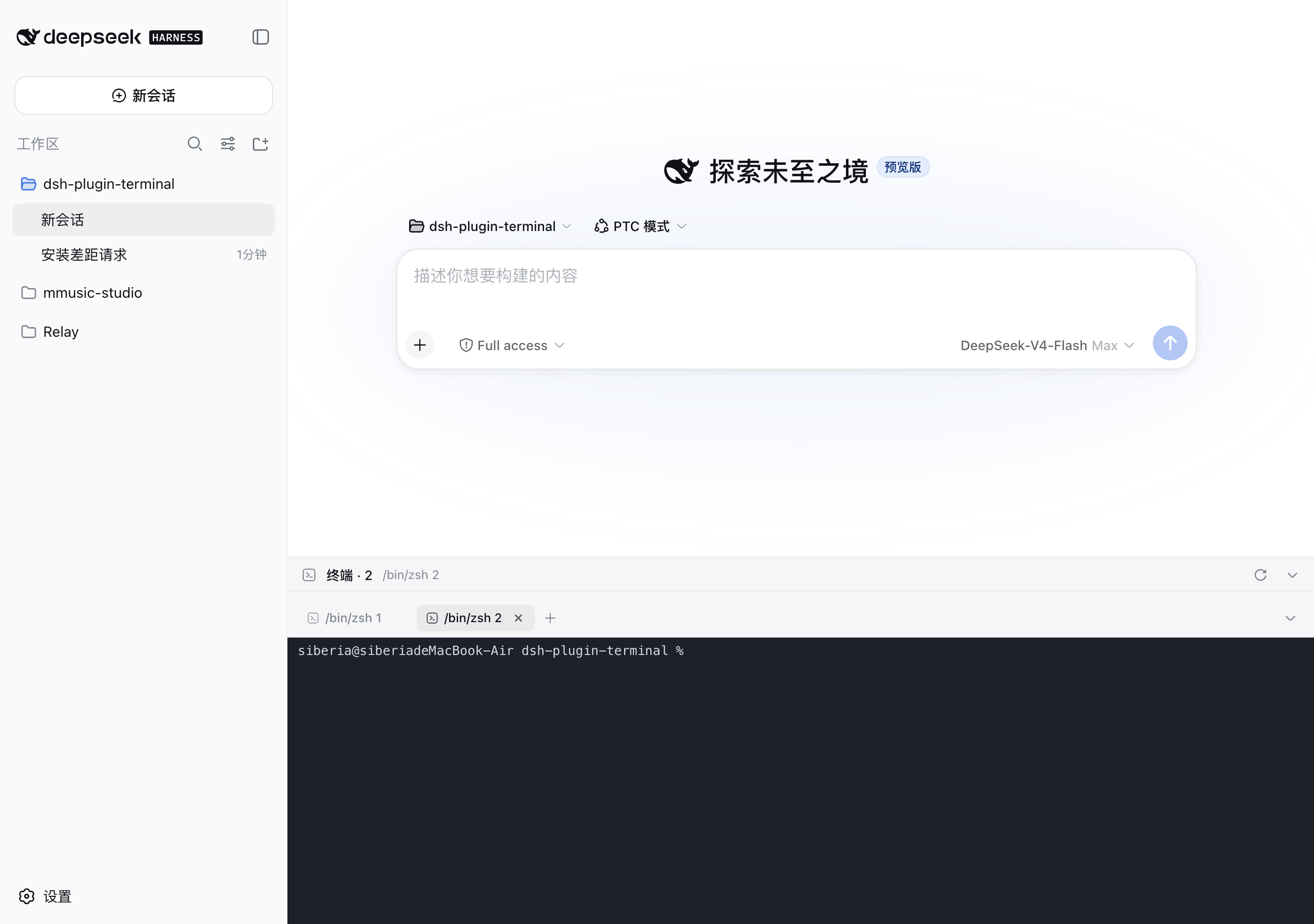 |
Ctrl+``, e.g. Ctrl+J`); drag the top grip to resize (120px–78% viewport, remembered)+ new, ✕ close, ⟳ restart; processes keep running on tab switch; live sessions restore after refresh or workspace switchdsh web restart, ⟳ brings the process back in its original directory instead of the server launch directory$DSH_HOME/plugin-data/terminal/; after a restart they come back as "exited" history tabs (full screen replay, one-click restart of the process); tabs you closed stay closedCtrl+V pastes, Ctrl+Shift+C / Ctrl+Shift+V copy/paste when the clipboard API is available
navigator.clipboard (insecure context) - the plugin falls back to execCommand copy and lets the browser's native context-menu Paste through, so both still workPlugin behavior lives in the DSH settings document ($DSH_HOME/settings.yaml, section terminal), editable from the GUI at Settings → Plugins. Changes apply to sessions created afterwards — no restart needed; tabs that already exist keep the command they started with.
| Field | Default | Meaning |
|---|---|---|
toggleShortcut | `ctrl+`` | Keyboard shortcut toggling the bottom panel. Format: `[ctrl |
shellCommand | (empty — auto-detect) | Command line used to start new terminal sessions. Empty means the platform default (pwsh/powershell/cmd on Windows, $SHELL on POSIX). |
Example — launch cmder on Windows and bind the panel to Ctrl+J:
terminal:
  toggleShortcut: ctrl+j
  shellCommand: cmd.exe /k "C:\cmder\vendor\init.bat"
Notes:
shellCommand is used verbatim (no flags are injected): the command line is split on spaces with double quotes honored, so quoted paths work.DSH_PLUGIN_TERMINAL_TOGGLE_SHORTCUT and DSH_PLUGIN_TERMINAL_SHELL_COMMAND take precedence over the settings document (and are the only way to configure headless compositions without the settings service).These AI coding CLIs are full-screen TUIs (ANSI escapes + alternate screen + truecolor) and demand a lot from the terminal link. The plugin is tuned for them:
If rendering still misbehaves:
set -ga terminal-overrides ',xterm-256color:RGB' if neededMIT
FAQs
Bottom terminal panel plugin for DeepSeek Harness Web GUI (node-pty powered, works on Windows via ConPTY)
We found that dsh-plugin-terminal demonstrated a healthy version release cadence and project activity because the last version was released less than a year ago. It has 1 open source maintainer collaborating on the project.
Security News
Cloudflare is acquiring Deno’s team, which will provide another year of bug fixes and security updates before ending support for the runtime.

Security News
Anthropic’s free OSS Scanner uses Mythos and other Claude models to find open source vulnerabilities and send maintainers reports with proposed fixes.

Security News
On Front Lines’ Early Adopters: CISO podcast, Andrew Becherer shares lessons from Datadog, weighs the long-term costs of AI-built tools, and explains how founders can actually gain a CISO’s trust.