DSH VS Code Workbench
在 DeepSeek Harness 中叠加 VS Code 风格的本地开发工作台。
中文 · English
亮点
- 真正的 VS Code 风格:资源管理器 / 搜索 / 源代码管理三视图 + 活动栏 +
Ctrl+Shift+E/F/G 快捷键,沿用熟悉的 VS Code 工作流。
- 可靠的保存:原子写入 + 版本校验,磁盘文件被外部改动时立即报冲突,绝不静默覆盖。
- 外部变更可感知:WebSocket 实时监听工作区,脏文件被外部修改会在标签与状态栏标记。
- 提交图表:泳道式提交图,分支历史一目了然。
- 按工作区恢复:活动视图、标签、栏宽、面板与目录展开状态随工作区持久化,刷新后继续工作。
功能
资源管理器
懒加载目录树,支持新建文件 / 目录、上传、重命名、删除与刷新。可把本地文件拖到工作区根目录或任一目录;新增文件显示 A,已修改文件显示 M 等 Git 状态。
编辑器
Monaco 多标签编辑,脏状态跟踪,原子保存,版本冲突与外部变更提示。
预览
Markdown 默认渲染,可切换源码与大纲;支持工作区相对链接、图片与常见图片文件预览。
搜索
基于 @vscode/ripgrep 的全文搜索,支持大小写、全词、正则与包含 / 排除规则。
Git
状态分组、暂存、撤销暂存、丢弃、提交、分支切换、内联 / 并排差异与提交图表。
布局
可调节与折叠的左侧视图、可扩展的底部面板与状态栏;设置统一管理主题与栏宽。
DSH 对话
右侧复用官方会话界面,保留消息、编程工具、模型、附件与权限能力。
状态恢复
按工作区保存活动视图、标签、栏宽与面板状态,刷新后继续工作。
工作台通过官方 sidebar.footer.action 与 shell.overlay 扩展点挂载,不替换或卸载 ui-layout。
截图
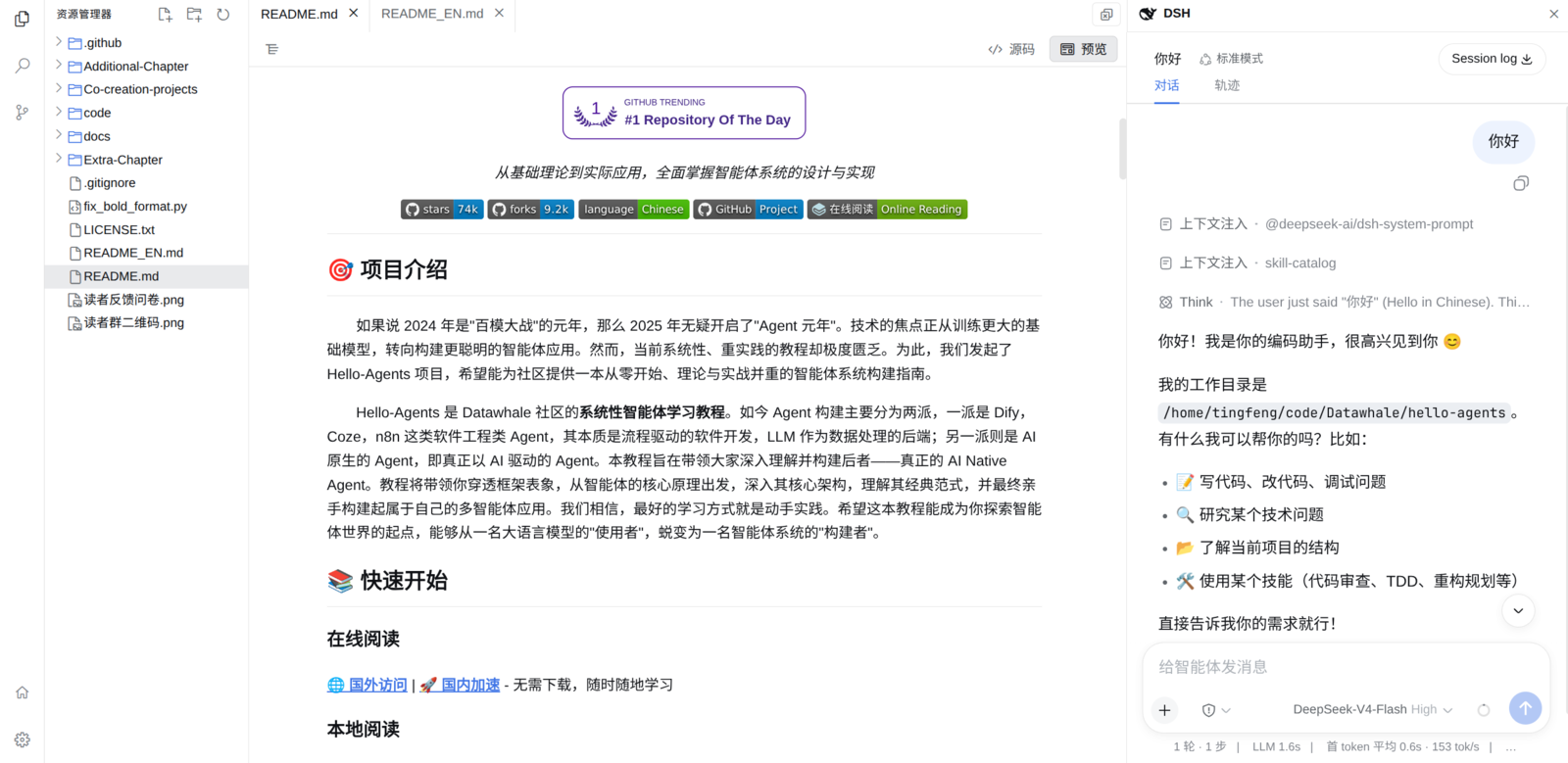
资源管理器与 Monaco 编辑器
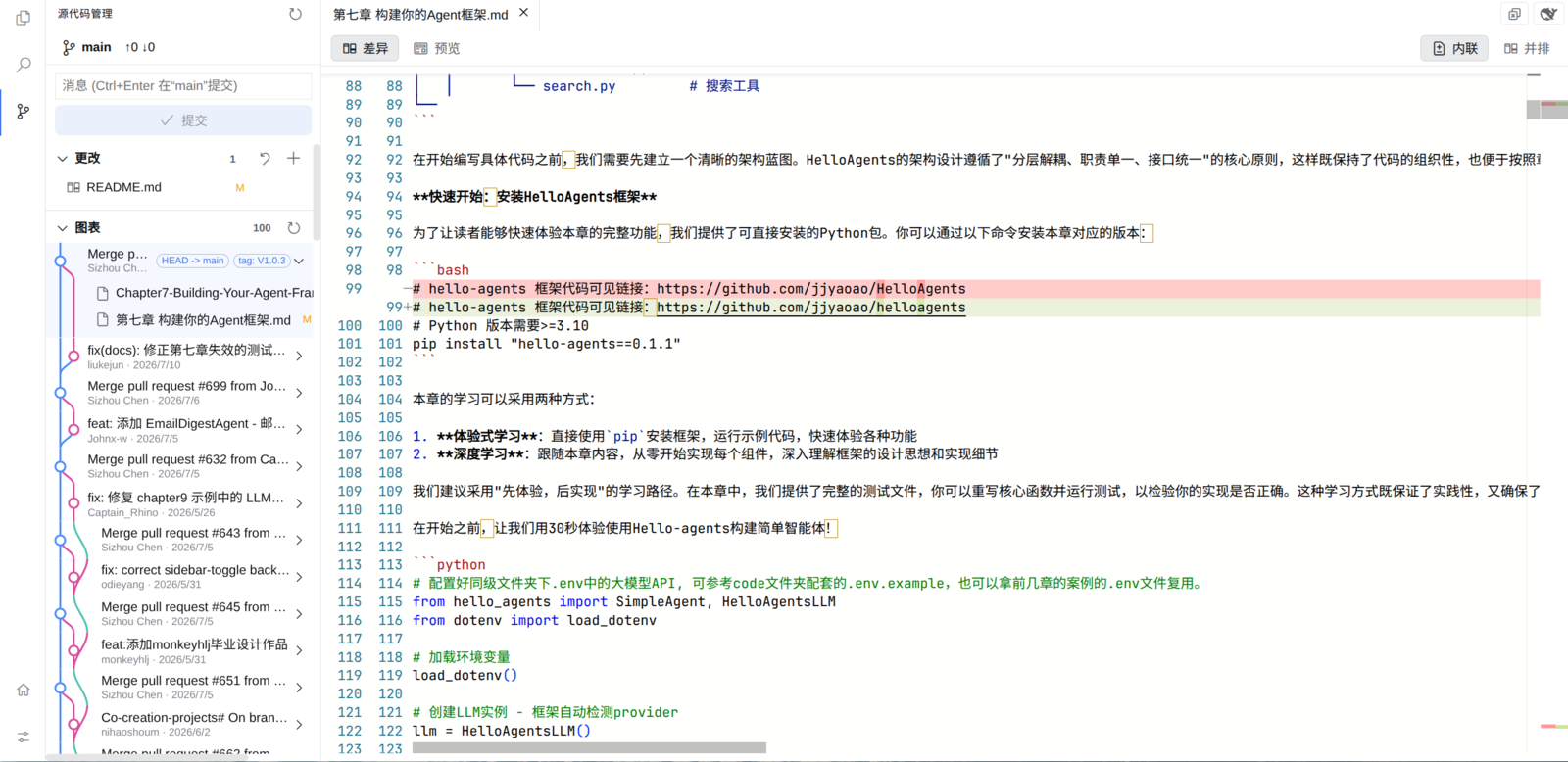
源代码管理与提交图表
安装
dsh plugin --profile web add dsh-vscode-workbench
快捷键
Ctrl+Shift+E | 打开资源管理器 |
Ctrl+Shift+F | 打开搜索 |
Ctrl+Shift+G | 打开源代码管理 |
Ctrl+S | 保存当前文件 |
Ctrl+Alt+B | 显示或隐藏 DSH 对话栏 |
安全
Host 只接受当前 DSH 会话工作目录内的相对路径,并阻止目录穿越与符号链接越界。保存使用版本校验与原子替换;Git 与 ripgrep 使用参数数组启动,不拼接 Shell 命令。
开发
pnpm install
pnpm typecheck
pnpm test
pnpm build
需要 Node.js ^22.19 || >=24、pnpm 11.7 与系统 Git。
许可证
MIT



