
edgefit
Know your project runs on Cloudflare Workers, Bun, Deno, Netlify or Vercel Edge before you deploy.





edgefit follows your code and every dependency from the entry point, finds the Node and Web APIs it reaches, and checks each one against pinned compatibility data for the runtime you deploy to. Every finding names the package, the file and the import chain behind it.
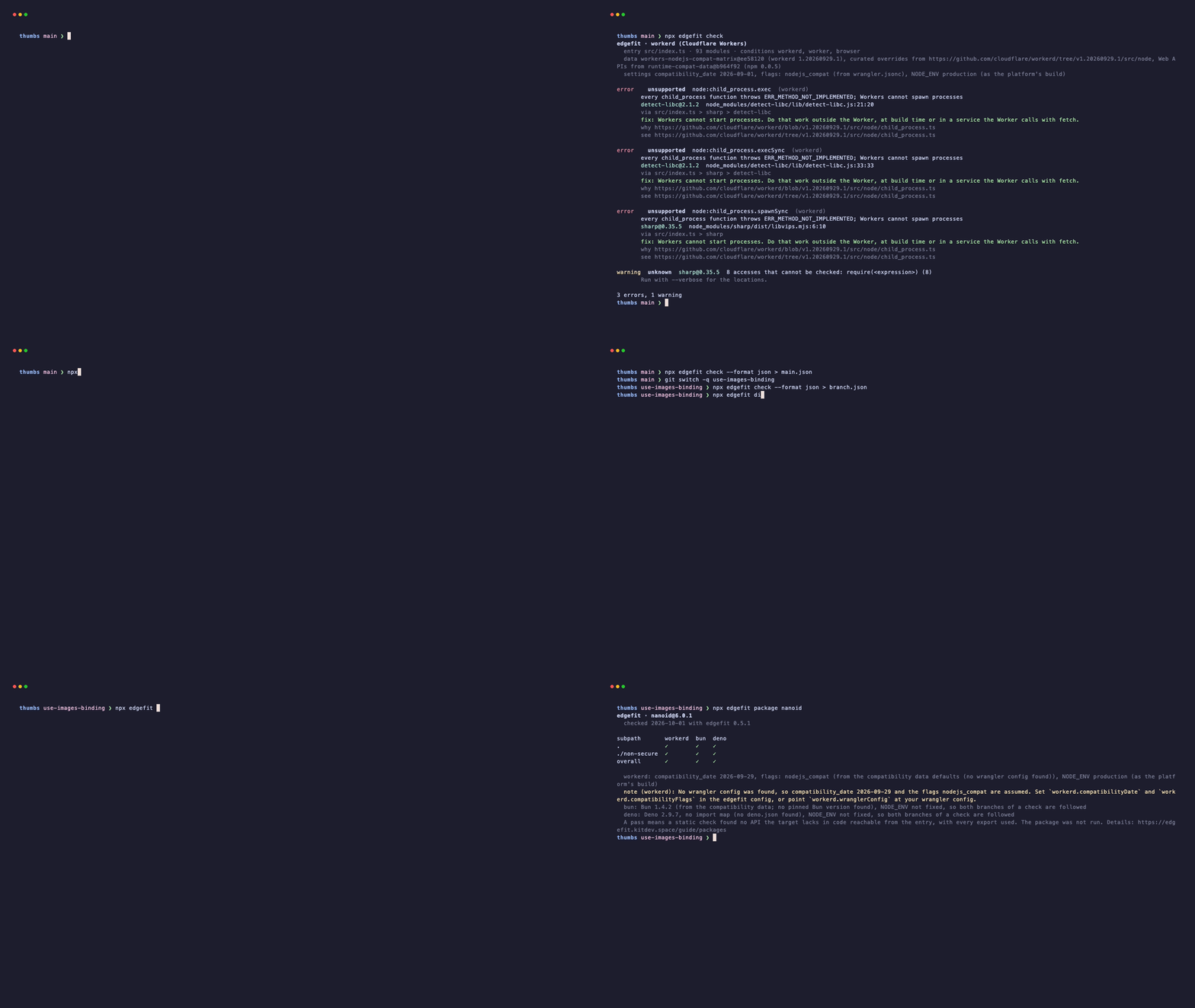
- Resolves packages with the target's export conditions, so a library's Workers build is checked, not its Node build.
- Never claims safety: code it cannot analyze is reported as
unknown.
- Checks
workerd, bun, deno, deno-deploy, netlify-edge and the experimental vercel-edge, and framework build output.
- Reproducible: all data is vendored and pinned, and every result links to its source.
- Tested on real starters: Hono, Hono with zod, drizzle-orm, a Postgres client and a Nitro build, with pinned packages installed from npm.
Why edgefit
- Before the deploy: the check runs on your machine or in CI, so you find an unsupported API in a pull request and not in a failed deploy.
- Static, so no runtime needed: you do not need a Worker, Bun or Deno installation to check against them.
- Dependencies included: most failures come from a package three levels down, so edgefit reports the import chain and not only your own code.
- One command, many runtimes:
edgefit compare shows the result for every supported runtime side by side.
Quick start
npx edgefit check
npx edgefit check --entry src/index.ts --target bun
npx edgefit compare --entry src/index.ts
On pull requests, with the GitHub Action:
- uses: hamedniroomand/edgefit@v0
  with:
    targets: workerd
Package compatibility
npx edgefit package <name> checks a published package, and the package table lists popular ones. Add a badge to your README, linking to what it means:
[](https://edgefit.kitdev.space/packages/#<name>)
For a package that is not on the table, run npx edgefit package . --badge badge.svg and commit the result.
Status
edgefit is a 0.x release and reads your code statically, so a clean run is not a guarantee: see the limitations. Its data is pinned to workerd 1.20260929.1, Bun 1.4.2 and Deno 2.9.7 and compared with the newest releases every week: see the status page.
Documentation
Configuration, per-runtime behavior, the GitHub Action, JSON reports and the JavaScript API are at edgefit.kitdev.space.
Contributing
Bug reports, data corrections and pull requests are welcome. See CONTRIBUTING.md, and SECURITY.md to report a vulnerability.
License
MIT © Hamed Niroomand. The vendored compatibility data is © Cloudflare, Inc. (MIT) and runtime-compat-data (CC0-1.0); both licenses ship in data.



