esbuild-plugin-less








esbuild plugin for LESS files.
Supports all LESS features, including imports, variables, mixins, and more.
Features
- 💫 Support for all LESS.js features and options
- 🎨 CSS Modules support with
.module.less files
- 🔄 Watch mode support with automatic rebuilds
- 🎯 Custom file filtering options
- 📝 Written in TypeScript
Installation
$ bun add -D esbuild-plugin-less
$ yarn add -D esbuild-plugin-less
$ pnpm add -D esbuild-plugin-less
$ npm install --save-dev esbuild-plugin-less
Basic Usage
import { build } from 'esbuild';
import { lessLoader } from 'esbuild-plugin-less';
build({
entryPoints: ['src/index.ts'],
bundle: true,
outdir: 'dist',
plugins: [lessLoader()],
loader: {
'.ts': 'ts',
},
});
Advanced Configuration
With LESS Options
import { build } from 'esbuild';
import { lessLoader } from 'esbuild-plugin-less';
build({
entryPoints: ['src/index.ts'],
bundle: true,
outdir: 'dist',
plugins: [
lessLoader({
math: 'always',
globalVars: {
primaryColor: '#ff0000',
},
paths: ['./src/styles'],
javascriptEnabled: true,
}),
],
});
With Loader Options
import { build } from 'esbuild';
import { lessLoader } from 'esbuild-plugin-less';
build({
entryPoints: ['src/index.ts'],
bundle: true,
outdir: 'dist',
plugins: [
lessLoader(
{},
{
filter: /\._?less$/,
inline: false,
},
),
],
});
CSS Modules Support
The plugin automatically handles .module.less files as CSS Modules. This enables local scoping of styles and generates unique class names.
.button {
color: blue;
}
import styles from './styles.module.less';
element.className = styles.button;
Configuration Options
LESS Options
The plugin accepts all valid options from LESS.js. Here are some commonly used options:
For a complete list of LESS options, see the LESS documentation.
Loader Options
filter | RegExp | /\.less$/ | Custom filter for processing files |
inline | boolean | false | Import LESS files as strings in TypeScript |
License
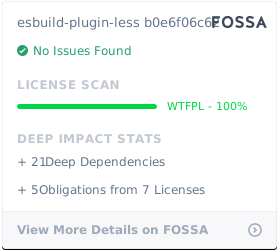
esbuild-plugin-less is WTFPL licensed.