

Security News
Rust 1.100 Will Add Dependency Cooldowns to Cargo
Rust 1.100 will add opt-in dependency cooldowns to Cargo, giving security scanners and maintainers time to catch malicious crate releases.
By Sarah Gooding - Oct 20, 2026
harness-doctor
Advanced tools
Read-only health checks for DeepSeek Harness, Claude Code, Codex, and OpenClaw
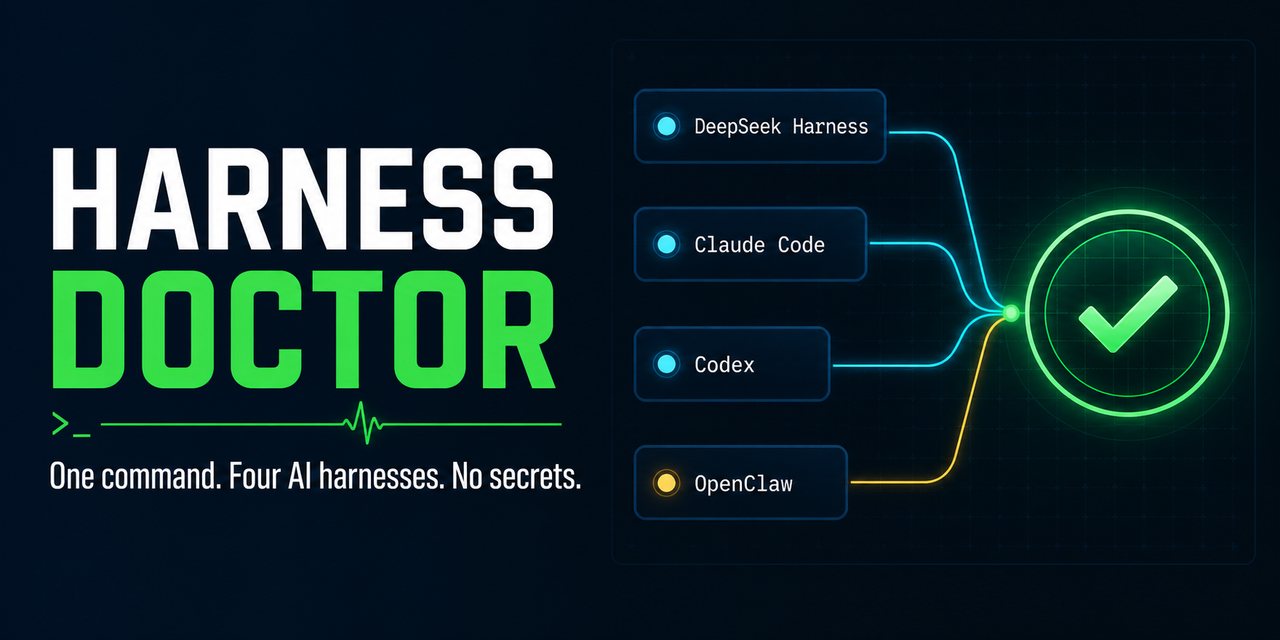

harness-doctor 是一个零依赖、只读优先的 AI Agent Harness 体检工具。目前检查:
dsh)它检查命令路径、版本、Node 兼容性、已知配置位置、凭据环境变量是否存在、localhost 服务端口和 PATH 重复项。它不读取或输出凭据值,也不修改配置。
npm install -g harness-doctor
也可以锁定 GitHub Release 安装:
npm install -g github:dongsheng123132/harness-doctor#v0.3.2
需要 Node.js 20+。检查 DSH 时会额外验证 DSH 自己要求的 Node.js 22.19+ 或 24+。
codex plugin marketplace add dongsheng123132/harness-doctor --ref v0.3.2
codex plugin add harness-doctor@harness-doctor
插件会教 Codex 运行只读体检、解释稳定 JSON、生成脱敏支持包,并在执行任何 DSH 安装/修复前要求用户明确选择一个 fix_id。CLI 仍是唯一诊断核心,插件不复制业务逻辑。
也可以从 GitHub Releases 下载 npm tarball 后离线安装。
npx skills add dongsheng123132/harness-doctor --skill harness-doctor --full-depth
该入口已收录到 skills.sh,可供 Codex、Claude Code、Cursor、Kimi Code、OpenCode 等支持 Agent Skills 的客户端发现和安装。
如果你要把 DeepSeek Harness 接进脚本、CI 或其它 Agent,请使用 @hfshfg/dshx:它提供 --cwd、stdin、timeout、稳定 JSON 和 doctor。
需要对外介绍本项目时,可直接复用 docs/launch-kit.md 中的中英文首发文案和 30 秒演示脚本。
harness-doctor
harness-doctor --target dsh
harness-doctor --target dsh,codex --json
harness-doctor --target all --strict
生成可发给售后的脱敏支持包:
harness-doctor bundle --target all --output ./harness-support.json --json
支持包会把 HOME、工作目录和 token 形状的文本替换成占位符;默认拒绝覆盖已有文件,并返回 SHA-256。
查看允许执行的修复:
harness-doctor fixes --json
harness-doctor fix install_dsh          # 只显示确认要求,不执行
harness-doctor fix install_dsh --yes    # 只执行这一个明确修复
当前可执行修复只有锁定版本的 install_dsh 和 repair_dsh。其它 fix_id 是给 U-King 或未来修复器消费的建议标识,不会被猜测执行;没有 --fix-all。
默认检查 localhost 端口;完全离线扫描可用:
harness-doctor --no-ports
{
  "schema_version": "harness-doctor/v1",
  "ok": true,
  "exit_code": 0,
  "mode": "read_only",
  "targets": ["dsh"],
  "summary": {
    "pass": 4,
    "warn": 2,
    "fail": 0
  },
  "checks": [
    {
      "id": "tool.dsh.command",
      "target": "dsh",
      "status": "pass",
      "summary": "DeepSeek Harness: 0.1.0-rc.6",
      "details": {
        "path": "C:\\...\\dsh.cmd",
        "version": "0.1.0-rc.6",
        "error": null
      },
      "fix_id": null
    }
  ]
}
退出码:
0:没有失败项;普通模式允许 warning1:存在失败项,或 --strict 下存在 warning2:参数错误fix_id 是稳定的修复建议标识,目前只报告、不自动执行。后续修复器可以显式选择某一个 fix_id,不会用一个危险的 --fix-all 静默改机器。
127.0.0.1。报告会包含本机命令和配置路径,公开贴日志前请自行确认路径中的用户名是否需要隐藏。
npm test
npm run check
npm pack --dry-run
MIT。Harness Doctor 不是 DeepSeek、Anthropic、OpenAI 或 OpenClaw 的官方产品。
FAQs
Read-only health checks for DeepSeek Harness, Claude Code, Codex, and OpenClaw
We found that harness-doctor demonstrated a healthy version release cadence and project activity because the last version was released less than a year ago. It has 1 open source maintainer collaborating on the project.
Security News
Rust 1.100 will add opt-in dependency cooldowns to Cargo, giving security scanners and maintainers time to catch malicious crate releases.

Security News
Cloudflare is acquiring Deno’s team, which will provide another year of bug fixes and security updates before ending support for the runtime.

Security News
Anthropic’s free OSS Scanner uses Mythos and other Claude models to find open source vulnerabilities and send maintainers reports with proposed fixes.