富文本编辑器
https://github.com/hansinhu/npm-vue-editor.git
-
富文本编辑器是自己封装改写的,然后发布到npm的,在package.json中可以找到 "longxi-vue-html5-editor": "^2.2.0", 2.2.0是目前最高版本,自己改写了副本文编辑器连通素材库,图片调整大小,等功能。
-
不同的功能都在longxi-html5-editor\src\modules目录下,如果要改写功能,修改完文件后,运行
npm run build
提交源码改动
npm login
用户名:qiankaijie
密码:********
邮箱:qiankaijie1024@gmail.com
npm version patch
npm publish
更新日志
20180925: v2.2.0 - 新增图片拖拽改变大小 / colorPicker
简介 Intro
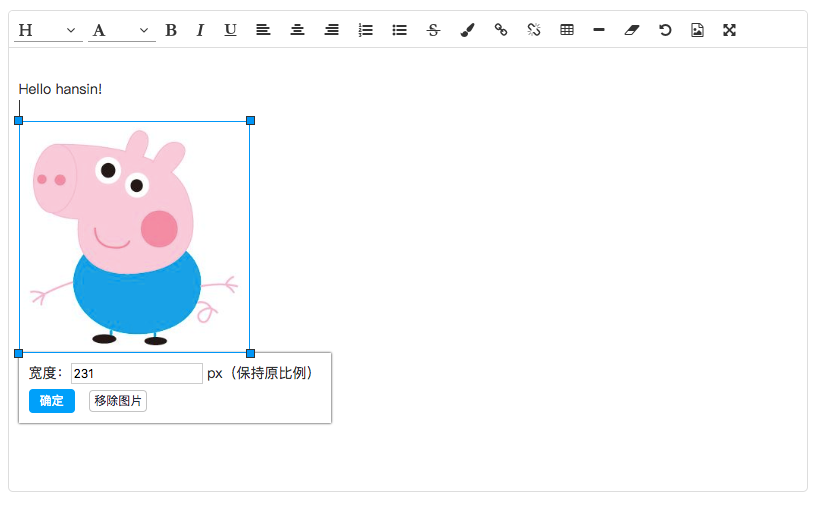
loonxi-vue-editor 是一个Vue的富文本编辑器插件,简洁灵活可扩展,适用于vue2.0以上版本,支持IE11.
安装 Installation
Npm
npm install loonxi-vue-editor --save-dev
import Vue from 'vue'
import VueHtml5Editor from 'loonxi-vue-editor'
Vue.use(VueHtml5Editor,options);
同样你也可以作为局部组件使用,方便在不同的场景里使用不同的配置.
const editor1 = new VueHtml5Editor(options1)
const app1 = new Vue({
    components:{
        editor1
    }
})
const editor2 = new VueHtml5Editor(options2)
const app2 = new Vue({
    components:{
        editor2
    }
})
浏览器直接使用 browser
<script src="serverpath/vue.js"></script>
<script src="serverpath/loonxi-vue-editor.js"></script>
使用说明 Usage
模板代码如下:
template code as follows:
<vue-html5-editor :content="content" :height="500"></vue-html5-editor>
options
Vue.use(VueHtml5Editor, {
name: "vue-html5-editor",
showModuleName: false,
icons: {
text: "fa fa-pencil",
color: "fa fa-paint-brush",
font: "fa fa-font",
align: "fa fa-align-justify",
list: "fa fa-list",
link: "fa fa-chain",
unlink: "fa fa-chain-broken",
tabulation: "fa fa-table",
image: "fa fa-file-image-o",
hr: "fa fa-minus",
eraser: "fa fa-eraser",
undo: "fa-undo fa",
"full-screen": "fa fa-arrows-alt",
info: "fa fa-info",
},
image: {
sizeLimit: 512 * 1024,
upload: {
url: null,
headers: {},
params: {},
fieldName: {}
},
compress: {
width: 1600,
height: 1600,
quality: 80
},
uploadHandler(responseText){
var json = JSON.parse(responseText)
if (!json.ok) {
alert(json.msg)
} else {
return json.data
}
}
},
language: "zh-cn",
i18n: {
"zh-cn": {
"align": "对齐方式",
"image": "图片",
"list": "列表",
"link": "链接",
"unlink": "去除链接",
"table": "表格",
"font": "文字",
"full screen": "全屏",
"text": "排版",
"eraser": "格式清除",
"info": "关于",
"color": "颜色",
"please enter a url": "请输入地址",
"create link": "创建链接",
"bold": "加粗",
"italic": "倾斜",
"underline": "下划线",
"strike through": "删除线",
"subscript": "上标",
"superscript": "下标",
"heading": "标题",
"font name": "字体",
"font size": "文字大小",
"left justify": "左对齐",
"center justify": "居中",
"right justify": "右对齐",
"ordered list": "有序列表",
"unordered list": "无序列表",
"fore color": "前景色",
"background color": "背景色",
"row count": "行数",
"column count": "列数",
"save": "确定",
"upload": "上传",
"progress": "进度",
"unknown": "未知",
"please wait": "请稍等",
"error": "错误",
"abort": "中断",
"reset": "重置"
}
},
hiddenModules: [],
visibleModules: [
'font-header',
'font-name',
'text-bold',
'text-italic',
'text-underline',
'align-left',
'align-center',
'align-right',
'text-strikethrough',
'text-subscript',
'text-superscript',
'align-left',
'align-center',
'align-right',
'color',
'list-ol',
'list-ul',
'link',
'unlink',
'tabulation',
'hr',
'eraser',
'undo',
'full-screen'
],
modules: {
}
})
组件属性 attributes
<editor :content="content" :height="500" :z-index="1000" :auto-height="true" :show-module-name="false"></editor>
content
编辑内容
The html content to edit
height
编辑器高度,如果设置了auto-height为true,将设置为编辑器的最小高度.
The height or min-height ( if auto-height is true ) of editor.
z-index
层级,将会设置编辑器容量的z-index样式属性,默认为1000.
Sets z-index style property of editor,default 1000.
auto-height
是否自动根据内容控制编辑器高度,默认为true.
Resize editor height automatically,default true.
show-module-name
局部设置是否显示模块名称,会覆盖全局的设定.
Set showModuleName locally.
事件
<editor @change="updateData"></editor>
change
每次内容有变动时触发,回传改变后的内容.
Emited when the content changes,and pass the current content as event data.
License
Apache-2.0




