mc-asset


English | 繁體中文 | 简体中文

A pixel-native 2D asset creation engine and deterministic CLI/MCP toolchain for Minecraft Java Edition resource packs, designed for human creators and AI coding agents.
mc-asset bridges the gap where language models struggle with visual pixel art. It provides deterministic pixel manipulation, procedural pattern generation, seamless tiling analysis, animated sprite sheet packaging, palette quantization, and resource pack validation.
Highlights
- Pixel-Native Engine: All raster formats and editable text specifications map directly to an in-memory
PixelCanvas with integer coordinates and strict layer/region bounds.
- Strict Determinism: Zero unseeded randomness and zero floating-point drift. Re-running a command with the same inputs and seed produces byte-identical PNG and
.mcpx files across both Bun and Node runtimes.
- Agent-First Architecture: Clean separation between standard output and diagnostic logs. All core operations support
--json structured envelopes with standardized error codes.
- Dual Interface (CLI & MCP): A unified Core engine powers both a command-line interface and a native Model Context Protocol (MCP) server for integration with AI assistants (Claude Desktop, Cursor, and OpenCode).
- Filesystem Safety: Refuses implicit output filenames. Implements per-file atomic staging (
O_EXCL temp files + rename), collision detection with Unicode NFC and case-folding, and guards against accidental overwrites.
Showcase
Every image below is produced by mc-asset itself, with fixed seeds for the procedural sources, so the whole set is reproducible. The commands live in docs/assets/showcase/README.md.
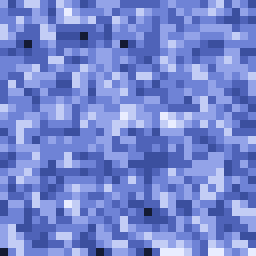 → → 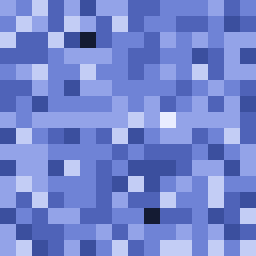 |  → →  |
| A detailed reference image (128px, shown ×2) reduced to 16px (shown ×16): the grain coarsens and shapes snap to a tidy pixel grid. | A 64-color gradient reduced to 8 colors (both ×4): the color count drops and the result settles into clear steps. |
Material variants — one source fanned out into four ramps (iron, gold, wood, crystal); the shape stays the same and only the palette changes:


Seamless tiling — a single 32px seamless tile (left, ×4) and a 2×2 repeat of it (right, ×4); the edges meet with no visible seam:
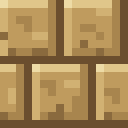

Animation sheet packed from individual frames:

Installation
Via npm (recommended)
Run the server straight from the registry — no local install needed:
npx -y mc-asset mcp
Install the CLI globally to get the mc-asset command on your PATH:
npm install -g mc-asset
mc-asset --version
Via Homebrew (macOS / Linux)
brew tap smile-minecraft/tap
brew install smile-minecraft/tap/mc-asset
mc-asset --version
Via Bun or Node.js (From Source)
git clone https://github.com/smile-minecraft/mc-asset.git
cd mc-asset
bun install --frozen-lockfile
bun run build
./bin/mc-asset.js --version
Prerequisites: tested with Node.js 22 and Bun 1.3. bun run build needs Bun and ./bin/mc-asset.js needs Node.js; with Bun alone, run bun ./bin/mc-asset.js.
For AI agents
llms.txt — a compact index of the repository for agents.llms-full.txt — the same material as a single file: install, the twenty-one MCP tools, batch operations, the error model, and the limits.docs/mcp-guide.md — registration, one verbatim capture per MCP tool, and the error model.docs/mcp-surface.md — the frozen MCP surface: tool names, inputs, and the read/write contract.AGENTS.md — the rules for changing this repository.
Quickstart
1. From ASCII Grid to Validated Texture
Create a 16×16 sprite using human-readable text syntax:
mkdir -p /tmp/mc-asset-demo
cat << 'EOF' > /tmp/mc-asset-demo/gem.grid
[palette]
. = transparent
R =
D =
L =
W =
[grid]
................
......LLLL......
.....LRRRRD.....
....LRRRRRRD....
...LRRRWWRRRD...
...LRRWWWRRRD...
..LRRRWWWRRRRD..
..LRRRRRRRRRRD..
..LRRRRRRRRRRD..
..LRRRRRRRRRRD..
...DRRRRRRRRD...
...DRRRRRRRRD...
....DRRRRRRD....
.....DRRRRD.....
......DDDD......
................
EOF
Render the grid into a PNG texture and save the editable .mcpx source:
mc-asset render /tmp/mc-asset-demo/gem.grid \
--output /tmp/mc-asset-demo/gem.png \
--source /tmp/mc-asset-demo/gem.mcpx
Analyze color metrics and alpha distribution:
mc-asset analyze /tmp/mc-asset-demo/gem.png
Validate the asset for Minecraft resource pack compliance:
mc-asset validate /tmp/mc-asset-demo/gem.png --profile minecraft:item
Practical Recipes
Recipe 1: Downsampling Reference Art (pixelize)
Convert high-resolution reference art into pixel art with deterministic color reduction and edge alignment:
mc-asset pixelize reference.png \
  --size 16 \
  --preset item \
  --profile minecraft:item \
  --output item_texture.png
--preset item: Applies 16-color target palette, item-specific boundary preservation, and noise elimination.- Supported presets:
item, block, gui, particle, generic.
Recipe 2: Procedural Textures & Seam Tiling (generate & tile)
Generate a procedural stone texture and check its tiling seamlessness:
mc-asset generate noise \
--size 16 \
--palette stone \
--seed 42 \
--output stone.png
mc-asset tile stone.png
mc-asset tile stone.png \
--edge-match both \
--preview 4x4 \
--output stone_preview.png
Recipe 3: Palette Quantization & Artifact Cleanup (quantize & cleanup)
Clean up stray semi-transparent pixels from third-party tools:
mc-asset quantize sprite.png --colors 8 --output quantized.png
mc-asset cleanup quantized.png \
--fix isolated,noise \
--allow-render-pass-change \
--output clean.png
Recipe 4: Material Variants (variant & recolor)
Fan out a single source asset into multiple material tiers:
mc-asset variant sword.mcpx \
--materials iron,copper,gold \
--output-dir ./dist_variants \
--mkdir
Recipe 5: Animated Sprite Sheets (animate)
Pack individual frames into an animated vertical sprite sheet:
mc-asset animate pack \
--frames-dir ./textures/fire_frames \
--layout vertical \
--output ./textures/fire.png
mc-asset validate ./textures/fire.png --mcmeta ./textures/fire.png.mcmeta
Recipe 6: Full Resource Pack Validation (validate-pack)
Scan an entire resource pack directory for missing texture dependencies, invalid namespaces, unreferenced files, and broken model JSON references:
mc-asset validate-pack ./MyResourcePack \
  --minecraft-version 26.3 \
  --json
MCP Server Integration (For AI Agents)
mc-asset includes a native stdio Model Context Protocol server. Agents interact with the pixel engine directly through structured function calls without subprocess overhead.
The running server exposes 21 tools. scale_gui_asset plus all authoring additions (inspect_asset, apply_asset_operations.feedback, ellipse/polygonFill/strokeMask) are unreleased source-tree additions under [Unreleased]; the latest published release is still v0.3.1.
Exposed MCP Tools
analyze_asset | Read-only inspection: dimensions, palette distribution, alpha classification, pixel-art heuristics. |
pixelize_asset | Converts raster inputs (PNG, JPEG, WebP) into pixel art; returns PNG bytes or .mcpx source. |
render_pixel_asset | Compiles inline ASCII grid strings or .grid files with optional batch operations. |
apply_asset_operations | Applies atomic batch pixel/layer/region mutations to .mcpx text. |
recolor_asset | Remaps texture palettes to built-in material ramps (iron, gold, stone, etc.). |
create_variants | Fans out a source asset into per-material variants in an output directory. |
validate_asset | Checks single texture and .mcmeta conformance against Minecraft requirements. |
import_asset | Decodes raster inputs (PNG, JPEG, WebP) into the pixel canvas with an optional batch. |
build_asset | Builds .mcpx sources into PNG bytes or re-serialized source with an optional batch. |
transform_asset | Applies one geometry operation (flip, rotate, crop, pad, resize, translate) to a raster or .mcpx input. |
scale_gui_asset | Scales a GUI sprite with the mcmeta stretch/tile/nine_slice mapping; PNG only. |
quantize_asset | Reduces distinct colors to a target count. |
cleanup_asset | Detects or fixes pixel defects (isolated, noise, cluster, fringe, outlier, hole, aa). |
palette_asset | Read-only palette extract / inspect reports (unique colors, distribution, roles, contrast). |
material_asset | Read-only list / show reports over the built-in material set. |
tile_asset | Seam, edge-repetition, and brightness analysis with an optional tiled preview PNG. |
generate_asset | Deterministic procedural texture generation (pattern, size, palette, seed). |
preview_asset | ascii / palette-map reports, scale and nine-slice guide PNGs. |
animate_asset | Animation pack / unpack / reorder / resize / validate / preview over frame sets. |
validate_pack_asset | Read-only whole-pack scan: namespaces, models, textures, atlases, version targeting. |
inspect_asset | Read-only structure (layers, regions, color usage, overlaps) or view (composited PNG image block plus metadata); takes inputPath. |
inspect_asset has two modes. structure reports layers (bounds, area, visibility, raw RGBA color usage), regions (identity, bounds, area only), and overlaps. view returns the composited PNG as a standard image block plus six-key metadata, with optional crop and scale (integer 1–16, default 1). Outputs wider than 1024px are refused with RESOURCE_LIMIT_EXCEEDED and a crop hint; the small-image auto-scale applies to apply feedback only, never to inspect view. Image bytes travel as type: "image" and are not duplicated in the text block.
apply_asset_operations accepts an optional feedback object (image: none / full / changed; scale 1–16; crop selection expression; diff none / summary). Omitting it keeps the legacy output byte-for-byte.
Configuration
Claude Desktop
Add to ~/Library/Application Support/Claude/claude_desktop_config.json:
{
  "mcpServers": {
    "mc-asset": {
      "command": "npx",
      "args": ["-y", "mc-asset", "mcp"]
    }
  }
}
OpenCode
Add to opencode.json or opencode.jsonc:
{
  "mcp": {
    "mc-asset": {
      "type": "local",
      "command": ["npx", "-y", "mc-asset", "mcp"],
      "enabled": true
    }
  }
}
Cursor
Add to your MCP configuration:
{
  "mcpServers": {
    "mc-asset": {
      "command": "npx",
      "args": ["-y", "mc-asset", "mcp"]
    }
  }
}
Command Reference
| Intake & Build | import <image> | Decodes PNG, JPEG, or WebP to PNG and/or .mcpx. |
| render <grid> | Compiles ASCII grid (.grid) to PNG and/or .mcpx. |
| build [source] | Builds .mcpx source file or stdin (--stdin) to PNG. |
| Transform & Geometry | transform <input> | Spatial operations: --flip, --rotate, --crop, --pad, --resize, --translate. |
| Color & Cleanup | quantize <input> | Color reduction to target count (--colors <N>). |
| cleanup <input> | Artifact removal (--fix isolated,noise,outlier). |
| palette extract | Extracts palette from image. |
| palette inspect | Detailed palette analysis and role mapping. |
| material list | Lists built-in Minecraft materials. |
| material show | Shows color ramps for a material. |
| recolor <source> | Remaps .mcpx colors using a material ramp. |
| variant <source> | Generates multiple material variants into --output-dir. |
| Generation & Tiles | generate <pattern> | Deterministic procedural texture generation (--seed <int>). |
| tile <input> | Seam measurement and automatic tile correction. |
| preview <input> | Visual previews: --ascii, --palette-map, --scale <N>, --nine-slice. |
| gui-scale <input> | Scales a GUI sprite to --size <N|WxH> with the mcmeta stretch/tile/nine_slice mapping. |
| Animation | animate pack | Packs frame directory into sprite sheet. |
| animate unpack | Unpacks sprite sheet into frame directory. |
| animate reorder | Re-sequences animation frames. |
| animate resize | Rescales animation frames. |
| animate validate | Validates frame counts and layout against .mcmeta. |
| animate preview | ASCII or diagnostic preview of animation sequence. |
| Validation | analyze <image> | Read-only metric analysis (colors, alpha, dimensions). |
| inspect <input> | Read-only structure report or composited view (--mode structure|view, --crop, --scale). |
| validate <asset> | Validates single asset texture and optional .mcmeta. |
| validate-pack <path> | Validates entire resource pack root directory. |
| Agent Interface | mcp | Starts the stdio MCP server. |
Batch Operations (--operations)
The import, render, and build commands support batch pixel edits via --operations <path> or --operations - (stdin).
[
  { "type": "setPixel", "x": 0, "y": 0, "color": "#FF0000FF" },
  { "type": "drawLine", "from": [0, 0], "to": [15, 15], "color": "#00FF00FF" },
  { "type": "fillRect", "rect": { "x": 2, "y": 2, "width": 4, "height": 4 }, "color": "#FFFF00FF" },
  { "type": "floodFill", "x": 5, "y": 5, "color": "#0000FFFF" },
  { "type": "clearPixel", "x": 0, "y": 0 }
]
- Atomicity: Execution is all-or-nothing. If an operation fails (e.g. out of bounds), all preceding operations in the batch roll back.
- Color Values: Accepts
transparent, #RRGGBB, or #RRGGBBAA.
- Vocabulary: 25 typed variants, including 9 pixel operations (
setPixel, clearPixel, drawLine, drawRect, fillRect, floodFill, ellipse, polygonFill, strokeMask) plus layer, region, stampRect, and regionFromSelection operations. The full per-type table lives in docs/cli-surface.md.
- Compact shapes:
ellipse takes rect plus color plus mode (fill / outline); polygonFill takes integer [x, y] points plus color, at most 4096 points with no self-intersection and no holes; strokeMask takes layerId plus a source selection plus color, with an optional selection clip. A 4097-point polygon fails with RESOURCE_LIMIT_EXCEEDED before point mapping; a self-intersecting ring fails with SELF_INTERSECTING_POLYGON.
- Selection: Pixel operations accept an optional
selection expression; an empty match refuses the write with EMPTY_SELECTION and rolls the batch back.
Architecture & Reliability Guarantees
                  ┌─────────────────────────────────┐
                  │          mc-asset Core          │
                  │  PixelCanvas • IO • Algorithms  │
                  └───────────────┬─────────────────┘
                                  │
                 ┌────────────────┴────────────────┐
                 │                                 │
     ┌───────────▼───────────┐         ┌───────────▼───────────┐
     │     CLI Interface     │         │   Native MCP Server   │
     │  (Terminal & Scripts) │         │  (Stdio Agent Bridge) │
     └───────────────────────┘         └───────────────────────┘
Determinism Model
- Byte-Identical PNG Encoding: Uses fixed deflate levels and filter strategies (
src/io/png.ts) with pure integer color blending. Output files do not embed timestamps or host metadata.
- Seed-Driven PRNG: Procedural generation relies exclusively on an integer xorshift32 PRNG initialized via
--seed.
- Cross-Runtime Consistency: Output bytes produced under Bun match bytes produced under Node.js byte for byte for the commands covered by the
scripts/compare-runtime.mjs matrix.
File & Channel Safety
- Atomic Writes: Every output file is written to a unique temporary file (
.tmp-<pid>-<counter>-<randomhex>-<original name>) in the target directory and committed via atomic rename.
- Collision Protection: Paths are resolved to absolute normalized paths folded with Unicode NFC and case-folding. Aliasing the input without
--in-place or defining duplicate output targets fails before any bytes land on disk.
- Channel Isolation:
- Without
--stdout: Human logs route to stdout. With --json, a structured { success, result, error } envelope routes to stdout and logs route to stderr.
- With
--stdout: Raw artifact bytes exclusively own stdout. Envelope and logs route to stderr.
Standardized Exit Codes
| 0 | Success | Operation completed successfully. |
| 1 | Internal Error | Unhandled engine failure (INTERNAL_ERROR). |
| 2 | Invalid Invocation | Syntax error, conflicting options, missing parameters (INVALID_ARGUMENT). |
| 3 | Validation Failure | Engine succeeded, but asset or pack failed validation (VALIDATION_FAILED). |
| 4 | Filesystem Error | File exists without --force, missing directory without --mkdir. |
| 5 | Unsupported Format | Unsupported file type or resource limit exceeded. |
Development
bun test
bun run test:typecheck
bun run lint
bun run build
node scripts/compare-runtime.mjs
License
MIT © 2026 Smile Minecraft Project



