


Security News
Happy Birthday, Shai-Hulud
It has been one year since Shai-Hulud made its first appearance on npm.
By Sarah Gooding - Sep 18, 2026
mcp-crypto-toolkit
Advanced tools
Live crypto prices, conversion, gas tracker, portfolio tools and calculators for AI agents - MCP Server



Live crypto prices, conversion, gas tracker, portfolio tools, and calculators for AI agents.
Ask Claude: What's ETH doing? Top 10 coins? Gas on Base? What's my portfolio worth?
Hosted (Claude.ai Custom Connector): https://mcp-crypto-toolkit.nad33mahm3d.workers.dev/mcp
Docs: DeepWiki · mcpservers.org
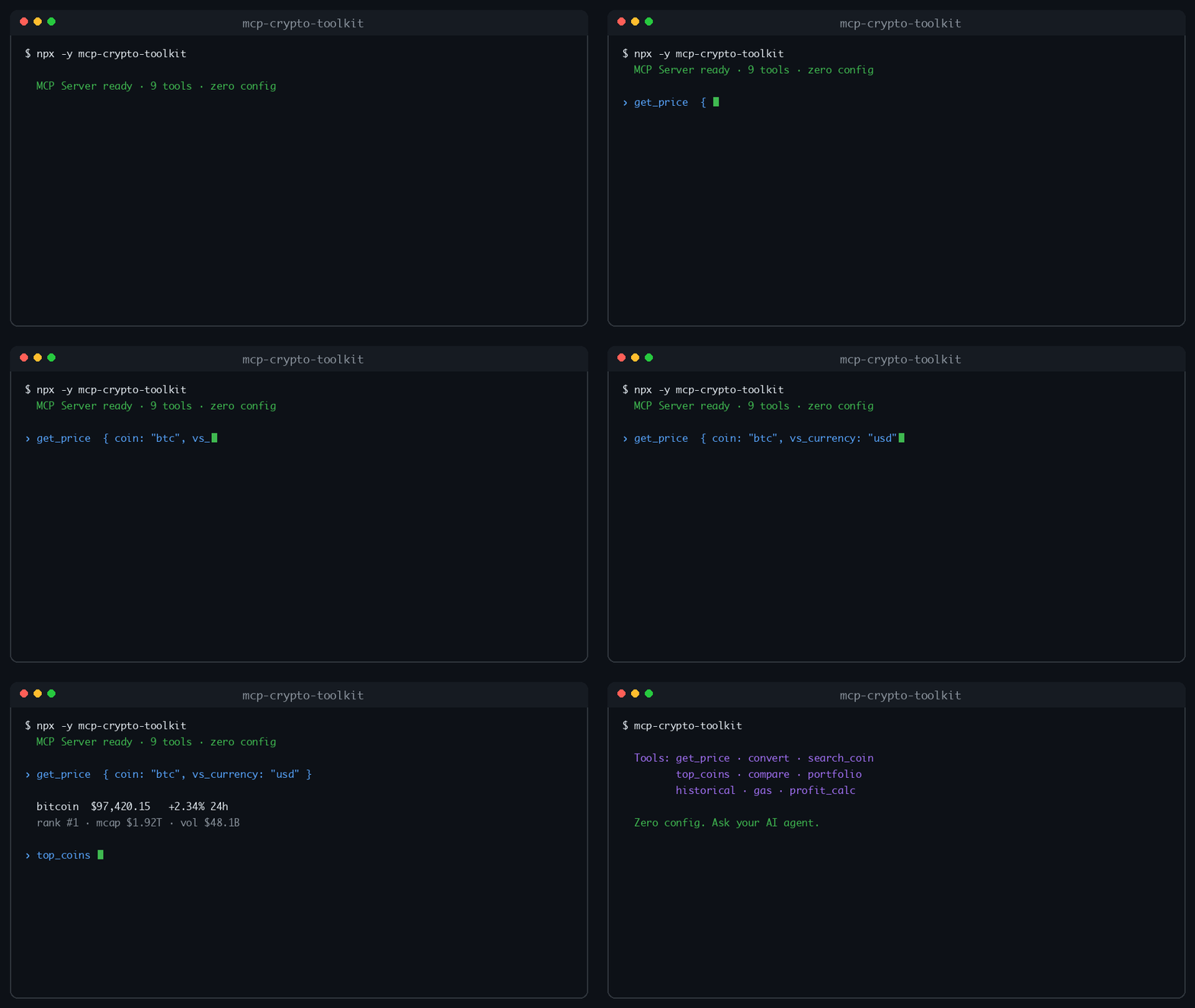
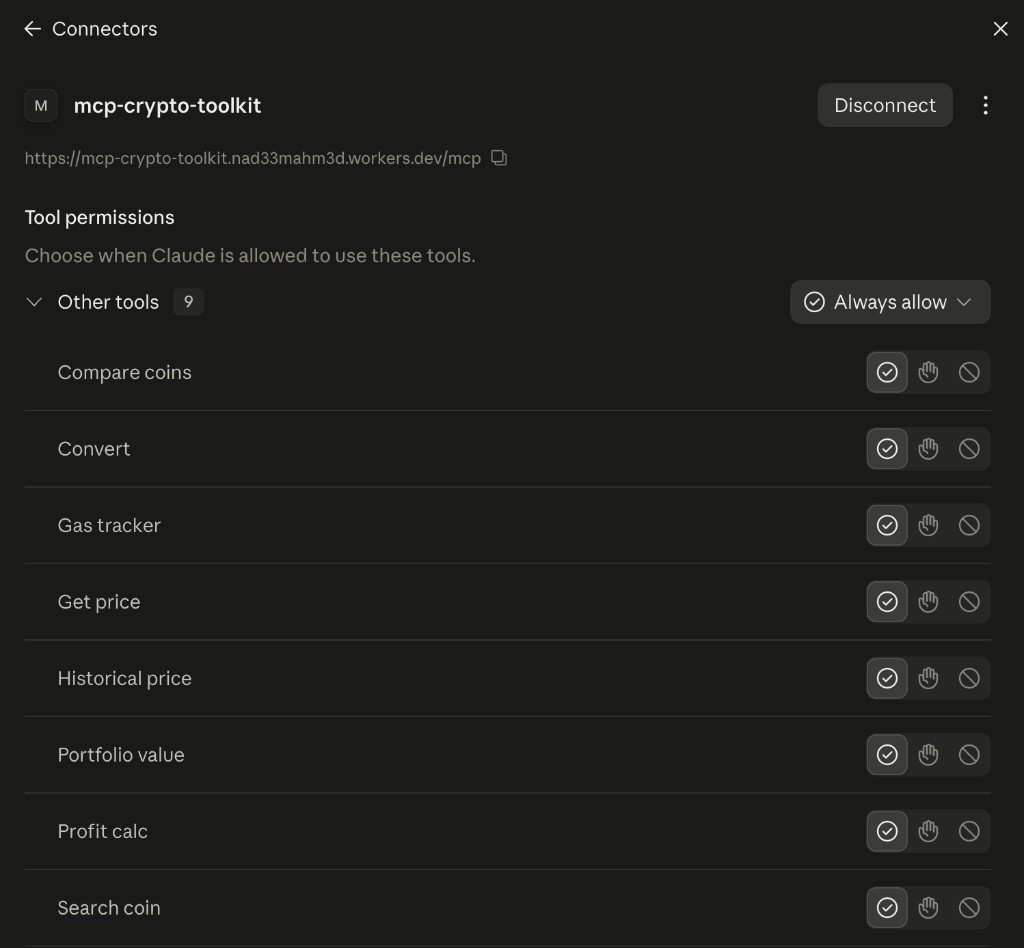
COINGECKO_API_KEY for higher limits)npx -y mcp-crypto-toolkit
{
  "mcpServers": {
    "crypto-toolkit": {
      "command": "npx",
      "args": ["-y", "mcp-crypto-toolkit"]
    }
  }
}
Local build:
{
  "mcpServers": {
    "crypto-toolkit": {
      "command": "node",
      "args": ["/ABSOLUTE/PATH/TO/mcp-crypto-toolkit/dist/index.js"]
    }
  }
}
npm run build
npm run start:http
# POST http://localhost:3000/mcp
You do not need paid hosting for discoverability. This server already installs via npx -y mcp-crypto-toolkit (stdio) and is listed on the Official MCP Registry. Glama and PulseMCP ingest from there — no Fly/Railway bill required.
Only deploy HTTP if you want a remote /mcp endpoint (e.g. Claude.ai Custom Connector or Smithery URL publish).
Public hosted endpoint (Cloudflare Workers):
https://mcp-crypto-toolkit.nad33mahm3d.workers.dev/mcp
/mcp)Or deploy your own (Cloudflare / Docker / Render) and use https://YOUR-HOST/mcp. After upgrading a hosted server, remove and re-add the connector if tools still show as empty.
Do not put a remote URL in claude_desktop_config.json — that file is stdio-only. For Claude Desktop local use, prefer:
{
  "mcpServers": {
    "crypto-toolkit": {
      "command": "npx",
      "args": ["-y", "mcp-crypto-toolkit"]
    }
  }
}
Cloudflare Workers (recommended remote — free tier)
Uses the web-standard MCP transport (src/worker.ts) — no Docker required.
npm install
npx wrangler login
npm run deploy:cf
After deploy: https://mcp-crypto-toolkit.<your-subdomain>.workers.dev/health
Claude / Smithery URL: https://mcp-crypto-toolkit.<your-subdomain>.workers.dev/mcp
Local preview: npm run dev:cf
Optional secrets / vars:
npx wrangler secret put COINGECKO_API_KEY
npx wrangler secret put MCP_API_KEY   # optional: require Bearer / x-api-key on /mcp
# Pro keys also need: wrangler.toml [vars] COINGECKO_PRO = "1"
# Optional: RATE_LIMIT_PER_MINUTE = "60" (default)
CI: add repo secrets CLOUDFLARE_API_TOKEN + CLOUDFLARE_ACCOUNT_ID — Worker auto-deploys on GitHub Release (and via workflow_dispatch).
Render (free — no credit card)
render.yaml uses the Free plan)https://YOUR-SERVICE.onrender.com/healthhttps://YOUR-SERVICE.onrender.com/mcpFree tier sleeps after ~15 min idle; first request may take ~30s to wake.
Docker (local / your own VPS)
docker build -t mcp-crypto-toolkit .
docker run -p 3000:3000 mcp-crypto-toolkit
Paid PaaS (if you outgrow free tier): Fly.io and Railway work with the included fly.toml / railway.toml but are not free long-term.
Optional env: COINGECKO_API_KEY, COINGECKO_PRO=1, gas oracle keys (see table below).
| Tool | Description |
|---|---|
get_price | Live price + market cap, volume, rank, ATH/ATL |
convert | Crypto ↔ fiat/crypto conversion |
search_coin | Search by name or symbol |
top_coins | Top N by market cap/volume + gainers/losers |
compare_coins | Side-by-side compare 2–5 coins |
portfolio_value | Value a list of holdings |
historical_price | Point date or range chart + investment snapshot |
gas_tracker | Gas fees + estimated transfer cost (USD) |
profit_calc | P&L, ROI, break-even (fees + network fee) |
trending | Trending coins + Fear & Greed Index |
| Prompt | Purpose |
|---|---|
market-overview | Top coins + trending + market tone |
whats-trending | Trending coins + Fear & Greed |
analyze-coin | Price + 7d trend for one coin |
trade-pnl | Walk through a P&L calc |
gas-check | Gas + transfer cost advice |
git clone https://github.com/nad33mahm3d/mcp-crypto-toolkit
cd mcp-crypto-toolkit
npm install
npm test
npm run build
npm run inspector
| Variable | Purpose |
|---|---|
COINGECKO_API_KEY | Higher CoinGecko rate limits (still optional) |
COINGECKO_PRO=1 | Use Pro header with your key |
MCP_API_KEY | Worker only: require Bearer / x-api-key on /mcp |
RATE_LIMIT_PER_MINUTE | Worker only: default 60 |
ETHERSCAN_API_KEY / BSCSCAN_API_KEY / … | Better gas oracles |
OPTIMISM_API_KEY | Optimism gas oracle |
PORT | HTTP server port (default 3000) |
Without gas API keys, gas falls back to Blocknative then static estimates.
See CONTRIBUTING.md for setup, PR guidelines, and the release process.
nad33mahm3d/mcp-crypto-toolkit, workflow publish.yml, environment release, allow npm publishCHANGELOG.mdvX.Y.ZNPM_TOKEN; provenance automatic)MIT — see LICENSE
FAQs
Live crypto prices, conversion, gas tracker, portfolio tools and calculators for AI agents - MCP Server
We found that mcp-crypto-toolkit demonstrated a healthy version release cadence and project activity because the last version was released less than a year ago. It has 1 open source maintainer collaborating on the project.
Security News
It has been one year since Shai-Hulud made its first appearance on npm.

Research
/Security News
Operators behind PolinRider used a compromised GitHub account to plant malware in four development versions of a Packagist package with 700,000+ downloads.

Security News
GitHub Actions now supports cache-mode, a least-privilege control on the Actions cache aimed at the cache poisoning technique behind recent compromises.