

Security News
RubyGems Adds Cooldown Feature to Bundler for Newly Published Gems
RubyGems and Bundler 4.0.13 introduced an opt-in cooldown feature that delays newly published gems during dependency resolution.
By Sarah Gooding - Jun 05, 2026
Zero-config local observability proxy for the Model Context Protocol (MCP). Intercept, inspect, replay and share MCP traffic in real time.
Zero-config observability proxy for the Model Context Protocol (MCP).
Intercept, inspect, and debug MCP traffic in real time — straight from your terminal.
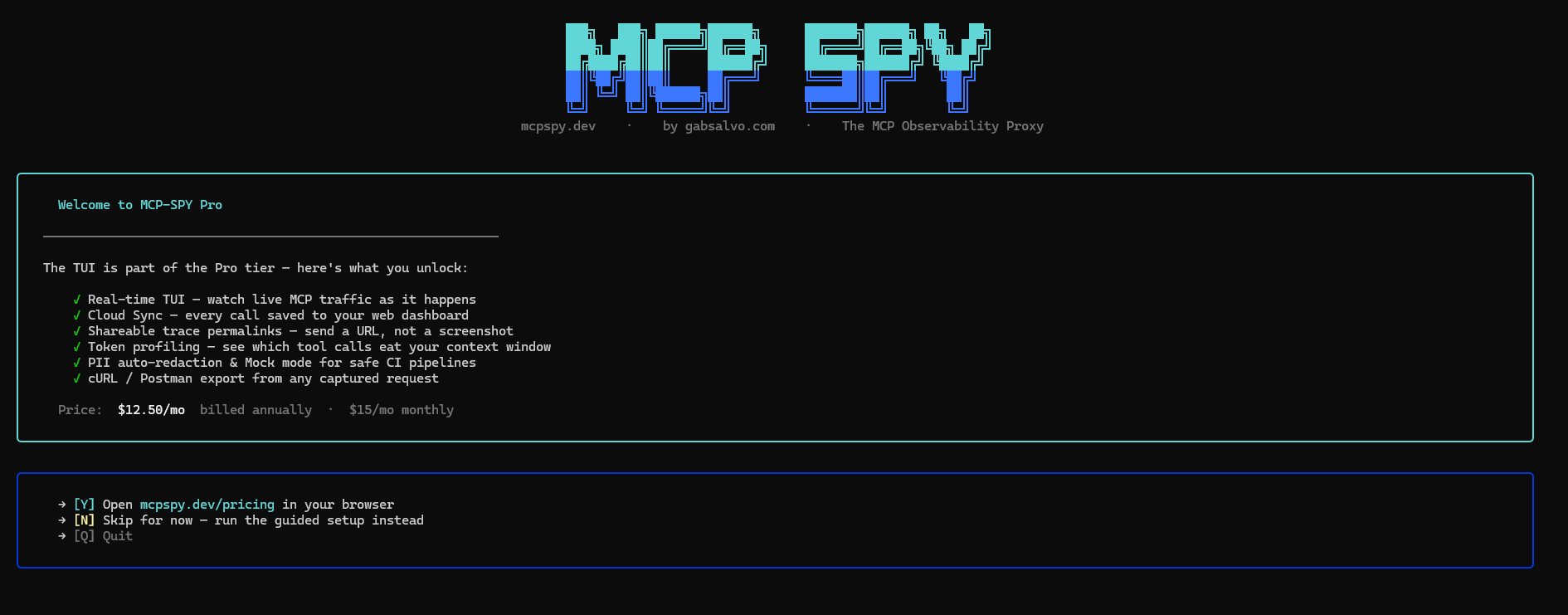
mcp-spy sits between your MCP client (Claude Desktop, Cursor, etc.) and your MCP server. Every JSON-RPC call passes through it, gets logged to a local SQLite database, and shows up live in a terminal UI.
No config files. No agents. No cloud required.
npm install -g mcp-spy-proxy
Or use it without installing:
npx mcp-spy-proxy
1. Start your MCP server (example using the official filesystem server):
npx -y @modelcontextprotocol/server-filesystem \
     --transport sse --port 3001 ~/Documents
2. Start the proxy pointing at it:
mcp-spy -t 3001 --name filesystem
3. Point your MCP client at the proxy (port 4000) instead of the server directly.
For Claude Desktop, edit claude_desktop_config.json:
{
  "mcpServers": {
    "filesystem": {
      "url": "http://localhost:4000"
    }
  }
}
Use
"url", not"command"/"args"— that bypasses the proxy.
Now make a request in your client and watch traffic appear live.
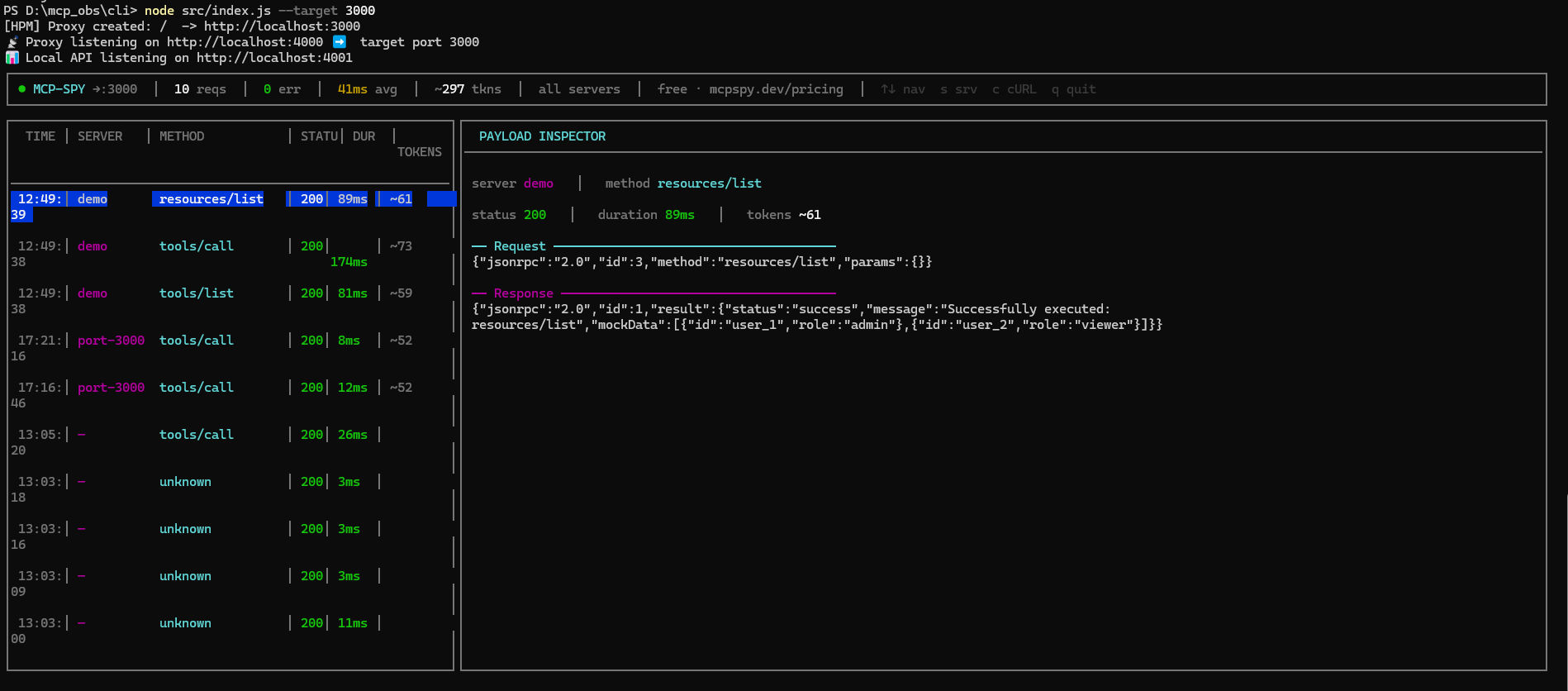
The TUI has two panels:
| Key | Action |
|---|---|
↑ / ↓ | Navigate log entries |
s | Cycle server filter |
c | Toggle cURL export view |
q | Quit |
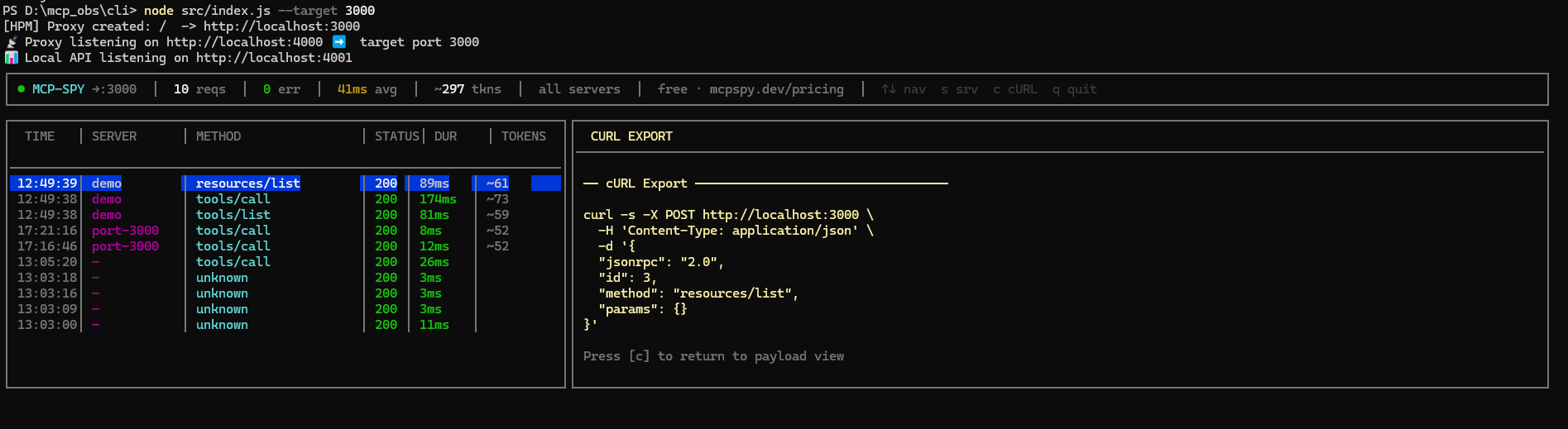
Press c on any selected request to get a ready-to-paste curl command you can replay in a terminal or import into Postman.
mcp-spy [options]

Options:
  -t, --target <port>    Target port of the MCP server
  -n, --name <label>     Label for this server (e.g. "filesystem", "github")
  -s, --sync <api_key>   Pro: sync logs to cloud dashboard
  --redact-pii           Auto-redact secrets (AWS keys, tokens, emails) before saving
  --mock                 Mock mode: return saved responses instead of forwarding
  --no-tui               Disable TUI, use plain console output
  -V, --version          Output version number
  -h, --help             Display help
--no-tui)Useful for CI or headless environments:
mcp-spy -t 3001 --name filesystem --no-tui
>>> MCP-Spy Proxy
======================================
 [√] Target: port 3001  Label: filesystem
 [!] Cloud Sync Disabled. (Free Tier)
     → Upgrade at https://mcpspy.dev/pricing
 [√] Database ready (WAL mode)
======================================
🚀 MCP-Spy is listening on http://localhost:4000
Replay saved responses without hitting the real server — useful for offline development or testing:
mcp-spy -t 3001 --mock
Once you've captured real traffic, --mock will return the last saved response for each method instead of forwarding the request.
Replay captured requests against a target and assert valid JSON-RPC responses:
mcp-spy test -t 3001
mcp-spy test -t 3001 --method tools/call --count 5
mcp-spy test -t 3001 --name filesystem --timeout 3000
Auto-scrub secrets from logs before they hit the database:
mcp-spy -t 3001 --redact-pii
Detects and redacts AWS keys, bearer tokens, emails, and other common secret patterns. Redacted entries are marked with 🔒 in the TUI.
mcp-spy -t 3001 --sync mcp_live_XXXX...
With a Pro API key, every captured call is synced to your mcpspy.dev dashboard — shareable trace links, full token analytics, and team access.
Get your key at mcpspy.dev/dashboard → Settings.
MCP Client (Claude Desktop, Cursor…)
        │
        ▼  port 4000
  [ mcp-spy proxy ]  ──── logs to SQLite ────► TUI / dashboard
        │
        ▼  port <target>
  MCP Server (@modelcontextprotocol/server-filesystem, etc.)
All traffic is intercepted via an HTTP proxy. Request and response payloads are captured, token-estimated, and stored locally in a SQLite database (WAL mode). The TUI polls the database every 1.5s and renders updates live.
MIT — gabsalvo.com
FAQs
Zero-config local observability proxy for the Model Context Protocol (MCP). Intercept, inspect, replay and share MCP traffic in real time.
We found that mcp-spy demonstrated a healthy version release cadence and project activity because the last version was released less than a year ago. It has 1 open source maintainer collaborating on the project.
Did you know?

Socket for GitHub automatically highlights issues in each pull request and monitors the health of all your open source dependencies. Discover the contents of your packages and block harmful activity before you install or update your dependencies.
Security News
RubyGems and Bundler 4.0.13 introduced an opt-in cooldown feature that delays newly published gems during dependency resolution.

Security News
pnpm 11.5 now recognizes npm staged publish approvals in release metadata, preventing those releases from being mistaken for lower-trust package publishes.

Security News
Federal audit finds NIST lacked a plan to clear the NVD backlog, wasted funds on duplicate work, and delayed use of CISA data.