◌ pi-glance
A calm input surface for pi
Replace the default prompt with a rounded multiline editor
and an inline glance at model, context, tokens, cost, and Git.


Install
From npm:
pi install npm:pi-glance
Or clone as a traditional pi extension directory:
git clone https://github.com/LinYS77/pi-glance.git ~/.pi/agent/extensions/pi-glance
Then restart pi or run /reload.
Compatibility: pi-glance v0.3.1 targets current Pi packages under @earendil-works/* and the Node runtime supported by current Pi. If your Pi installation still exposes the older package namespace or runs on Node 20, pin pi-glance@0.3.0 or upgrade Pi before updating pi-glance.
For development/testing:
pi -e /path/to/pi-glance
Local checks and Git diagnostics:
npm test
npm run test:git
npm run debug:git
Use
/glance
That's the only command — opens a calm settings pane with a real input-surface preview and a compact three-column settings grid.
What you see
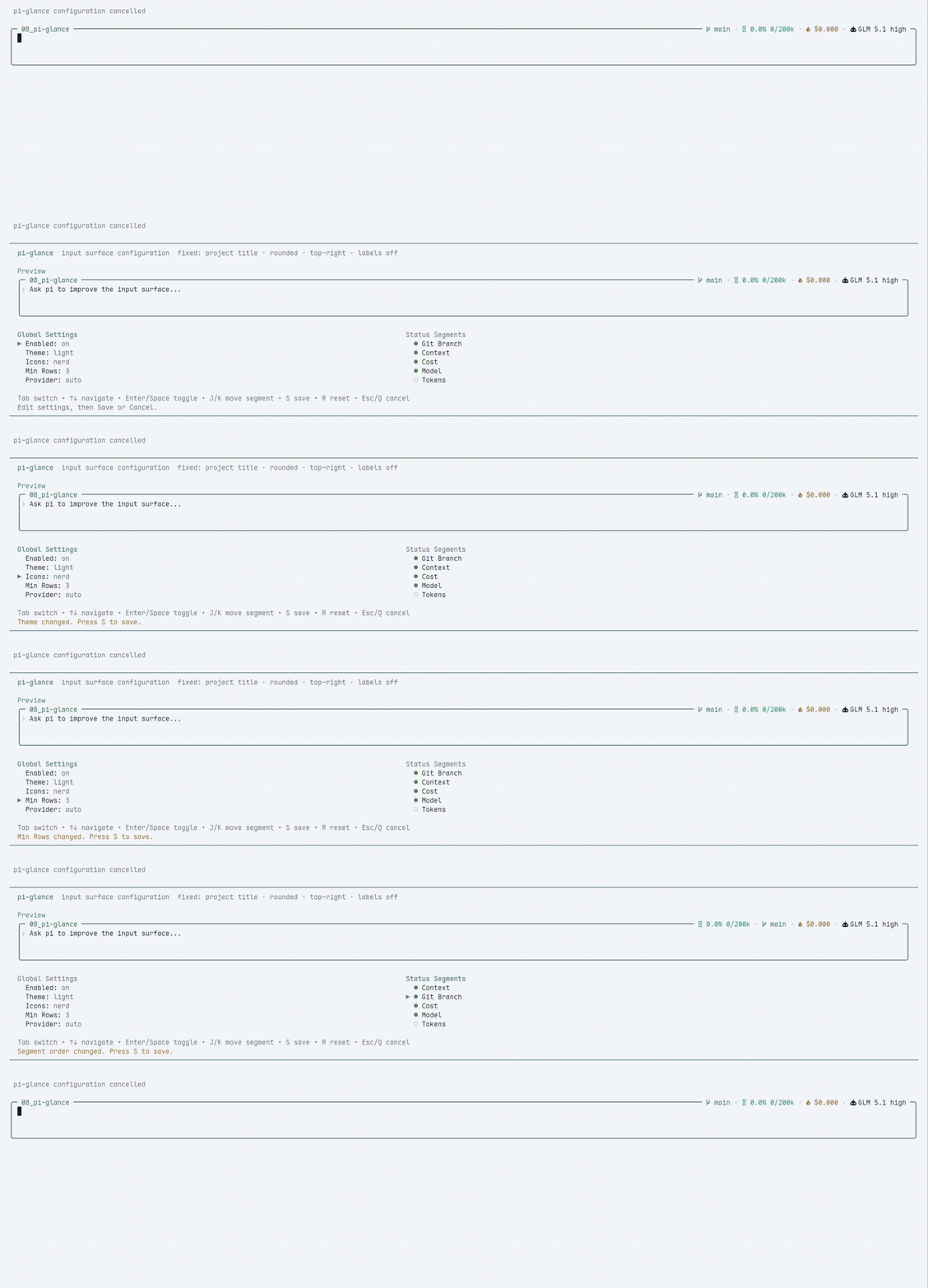
| 🖊️ | Rounded editor | Configurable 2 / 3 / 4 min rows, preserves all pi defaults |
| 🏷️ | Project title | Current folder name, or a safe ~/... path when enabled |
| 📊 | Inline status | Model · context · tokens · cost · Git status — top-right |
| ⚙️ | /glance pane | General settings, segment order, and per-segment detail settings in a calm grid |
| 💤 | Dim unfocused | Surface quiets down when you scroll the chat |
| 🎨 | Themes | 10 built-in palettes, from Light/Dark to Catppuccin, Nord, Tokyo Night, Gruvbox, Solarized, Rosé Pine, and One Dark |
Notes
- To switch themes, open
/glance → General → Theme. Built-ins: Light, Dark, Catppuccin Latte/Mocha, Nord, Tokyo Night, Gruvbox Dark, Solarized Dark, Rosé Pine, and One Dark.
- Icons default to
plain so pi-glance works with normal terminal fonts.
- If you use a Nerd Font, open
/glance and set Icons to nerd for richer symbols.
Segment details
/glance keeps segment settings small and display-focused:
- Context — percent / tokens, or hide unknown usage.
- Cost — hide zero cost.
- Tokens — input / output, total, or cache details.
- Model — provider and thinking labels.
- Git — dirty marker, upstream counts, SHA, and polling.
Workspace title
Open /glance, select General, and set Workspace label:
name — show only the current directory name. This is the default.smart — show more path context on wider terminals.path — show a safe ~/... path when possible.
pi-glance never renders full absolute paths in the title: home paths are shortened to ~/..., and non-home paths use an ellipsis tail such as …/work/project.
Git status
The Git segment is intentionally quiet:
- Clean repositories show only the branch name.
- Dirty repositories add
* in plain mode or ● in Nerd Font mode.
- Conflicts add
! in plain mode or ⚠ in Nerd Font mode.
- Ahead/behind counts appear when Git reports an upstream, for example
↑2 ↓1.
- Non-Git directories hide the Git segment.
Open /glance, select Git, move to a value with the arrow keys, and press Enter to configure:
Dirty marker — hide/show normal dirty markers; conflict markers stay visible.Ahead / behind — hide/show upstream counts.SHA — off, detached, or always.Polling — 2s, 5s, 10s, or 30s.
Git is collected asynchronously and cached. External file changes usually appear within a few seconds. For local development/debugging you can compare pi-glance with Git directly:
git status --short --branch
npm run debug:git
Design
- No pi core patches — public extension APIs only
- No render-time IO — Git is collected asynchronously and cached
- Global config at
~/.pi/agent/pi-glance/config.json
License
MIT © 2026 linys77




