


Company News
Andrew Becherer Joins Socket as Chief Information Security Officer
Socket’s first CISO brings deep experience securing high-growth SaaS companies as open source supply chain threats accelerate.
By Sarah Gooding - Jun 11, 2026
react-drag-resize-growth
Advanced tools
说明:组件基于vue-draggable-resizable为参考借鉴,进行的 React 版本改造
部分功能使用,基于考虑略有修改,相对于原本设计上进行了部分优化,支持操作操作回溯以及,键盘操作功能 1.19 版本,已修复引入报错问题
1.2.4 版本修复 onResizestop 与 onResizing 不是组件最新的属性的问题
1.2.5 修复限制父级宽度的时候组件缩放会超出的问题,修复组件高宽以及位置改变时,位置不匹配问题

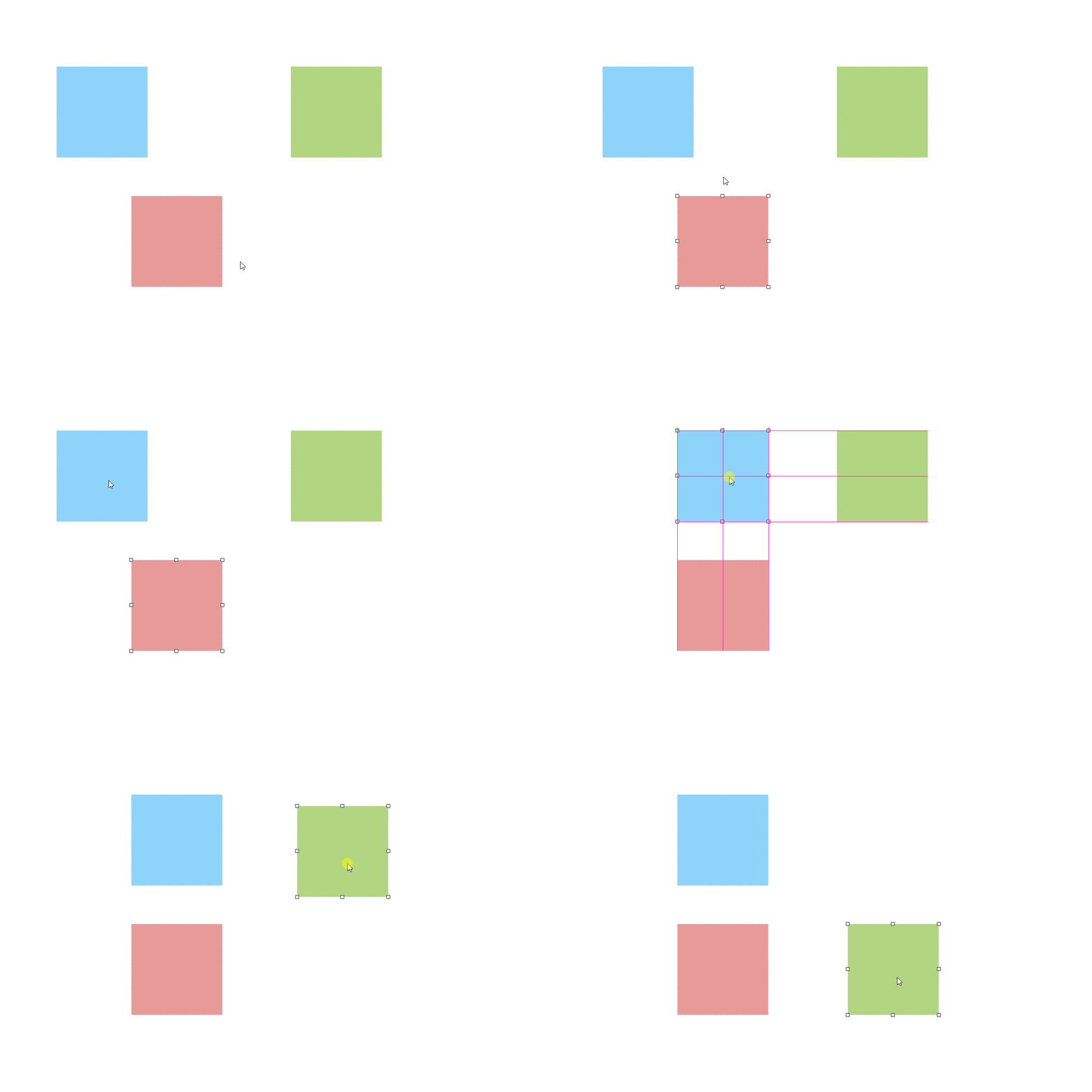
npm install react-drag-resize-growth
yarn add react-drag-resize-growth
import ReactDragResize from 'react-drag-resize-growth'
;<ReactDragResize></ReactDragResize>
插槽
类型: ReactNode
必需: false
组件具有插槽,被插入的 ReactNode 可直接显示在拖拽物体里面
<ReactDragResize comid="comuuid">我在里面</ReactDragResize>
comid
类型: String
必需: false
默认: null
组件的标识符唯一 id,必须为唯一值,后续逻辑处理或事件监听中可知道是哪个组件触发事件监听,若只有一个组件,通常无需传值
<ReactDragResize comid="comuuid" />
w
类型: Number 'auto'
必需: false
默认: 200
h
类型: Number 'auto'
必需: false
默认: 200
物体的高度与宽度,传auto时则表示宽度为自动撑开
<ReactDragResize h={200} w={200} />
x
类型: Number
必需: false
默认: 0
y
类型: Number
必需: false
默认: 0
物体的距离父节点左边与顶部距离
<ReactDragResize y={200} x={200} />
minw
类型: Number
必需: false
默认: 0
minh
类型: Number
必需: false
默认: 0
物体的最小宽度与高度
<ReactDragResize minh={10} minw={10} />
maxw
类型: Number
必需: false
默认: null
maxh
类型: Number
必需: false
默认: null
物体的最大宽度与高度,若传 null 则不受限制
<ReactDragResize maxh={100} maxw={100} />
dragHandle
类型: String
必需: false
默认: null
设置拖拽物体标识,为 css 选择器,若设置则物体物体内需要具有对应的 css 标识才可拖动
<ReactDragResize style={{ backgroundColor: 'pink' }} w={200} h={200} dragHandle=".dragBox">
  <div style={{ width: '100%', height: '20px', backgroundColor: '#009688', cursor: 'move' }} class="dragBox">
    只有点击我才可以拖拽
  </div>
</ReactDragResize>
dragCancel
类型: String
必需: false
默认: null
设置拖拽物体标识,为 css 选择器,与 dragHandle 相反若设置则物体物体内具有对应的 css 标识不可拖动
<ReactDragResize style={{ backgroundColor: 'pink' }} w={200} h={200} dragCancel=".dragBox">
  <div style={{ width: '100%', height: '20px', backgroundColor: '#009688', cursor: 'no-drop' }} class="dragBox">
    只有点击我才可以拖拽
  </div>
</ReactDragResize>
isDraggable
类型: Boolen
必需: false
默认: true
物体是否允许拖动,false 不可拖动 true 可拖动
<ReactDragResize style={{ backgroundColor: 'pink' }} w={200} h={200} isDraggable={false}>
  我现在不可以拖动
</ReactDragResize>
isResizable
类型: Boolen
必需: false
默认: true
物体是否允许缩放,false 不可缩放 true 可缩放
<ReactDragResize style={{ backgroundColor: 'pink' }} w={200} h={200} isResizable={false}>
  我现在不可以缩放
</ReactDragResize>
aspectRatio
类型: Boolen
必需: false
默认: false
物体是否等比例缩放
<ReactDragResize style={{ backgroundColor: 'pink' }} w={50} h={50} aspectRatio={true}>
  我现在是等比例缩放
</ReactDragResize>
parentScaleX
类型: Number
必需: false
默认: 1
parentScaleY
类型: Number
必需: false
默认: 1
物体拖动以及缩放的比例因子,值为则鼠标移动与物体缩放成正比,若因子X小于 1 则物体速度为1/X,既速度为 2 倍,手柄大小也会为 2 倍
<ReactDragResize style={{ backgroundColor: 'pink' }} parentScaleX={0.5} parentScaleX={0.5} aspectRatio={true}>
  速度为2倍
</ReactDragResize>
stickSize
类型: Number
必需: false
默认: 8
手柄大小基数,受 parentScale[X/Y]影响
<ReactDragResize style={{ backgroundColor: 'pink' }} stickSize={16} aspectRatio={true}>
  放大手柄大小
</ReactDragResize>
classNameStick
类型: String
必需: false
默认: 空
自定义手柄 className 名,当需要自定义样式的时候使用
<ReactDragResize style={{ backgroundColor: 'pink' }} classNameStick="diyclass" aspectRatio={true}>
  手柄颜色变了
</ReactDragResize>
.diyclass {
  background: red;
}
stickSlot
类型:
{
  tl: ReactNode,
  tm: ReactNode,
  tr: ReactNode,
  mr: ReactNode,
  br: ReactNode,
  bm: ReactNode,
  bl: ReactNode,
  ml: ReactNode
}
必需: false
默认: {}
手柄插槽,当需要往手柄 dom 里自定义物体的时候使用
<ReactDragResize style={{ backgroundColor: 'pink' }} classNameStick="diyclass" stickSlot={{ tm: <div>上边</div> }}>
  手柄多了一个字
</ReactDragResize>
sticks
类型: Array
必需: false
默认: ['tl', 'tm', 'tr', 'mr', 'br', 'bm', 'bl', 'ml']
需要显示的手柄,默认全展示,当手动传入的时候则只显示传入的手柄标识
<ReactDragResize style={{ backgroundColor: 'pink' }} sticks={['br']} classNameStick="diyclass" aspectRatio={true}>
  只可以拖动右下角
</ReactDragResize>
axis
类型: String
必需: false
可选值: x y none both
默认:both
传入x或y时,则物体只允许 x 轴或 y 轴移动,both则两边都可移动,none则不可移动,但不影响缩放
<ReactDragResize style={{ backgroundColor: 'pink' }} axis="x" classNameStick="diyclass" aspectRatio={true}>
  只可以拖动右下角
</ReactDragResize>
onClicBodyDown
类型: Function
必需: false
默认: null
onDeselect
类型: Function
必需: false
默认: null
点击物体内部与外部事件监听
const clicBodyDownHandel = ({ comid, ev }) => {
  console.log('我点击了里面了', comid, ev)
}
const onDeselectHandel = ({ comid, ev }) => {
  console.log('我点击了外面了', comid, ev)
}

;<ReactDragResize style={{ backgroundColor: 'pink' }} comid="comuuid" w={200} h={200} onDeselect={onDeselectHandel} onClicBodyDown={clicBodyDownHandel}>
  请点击我
</ReactDragResize>
onDragging
类型: Function
必需: false
默认: null
onDragstop
类型: Function
必需: false
默认: null
拖动物体,以及拖动物体停止的事件回调
返参
comid 标识唯一 id
beforeMove开始位置信息
curMove当前位置信息
const onDraggingHandel = ({ comid, beforeMove, curMove }) => {
  console.log('我在拖拽', comid, beforeMove, curMove)
}

const onDragstopHandel = ({ comid, beforeMove, curMove }) => {
  console.log('拖拽结束', comid, beforeMove, curMove)
}

;<ReactDragResize style={{ backgroundColor: 'pink' }} comid="comuuid" w={200} h={200} onDragstop={onDragstopHandel} onDragging={onDraggingHandel}>
  请拖动我
</ReactDragResize>
onResizing
类型: Function
必需: false
默认: null
onResizestop
类型: Function
必需: false
默认: null
缩放物体,以及缩放物体停止的事件回调
返参
comid 标识唯一 id
beforeMove开始位置信息
curMove当前位置信息
const onResizingHandel = ({ comid, beforeMove, curMove }) => {
  console.log('我在缩放', comid, beforeMove, curMove)
}

const onResizestopHandel = ({ comid, beforeMove, curMove }) => {
  console.log('拖拽缩放', comid, beforeMove, curMove)
}

;<ReactDragResize style={{ backgroundColor: 'pink' }} comid="comuuid" w={200} h={200} onResizestop={onResizestopHandel} onResizing={onResizingHandel}>
  请点击手柄进行缩放
</ReactDragResize>
组件是否为激活状态, 默认为null,当为null的时候组件激活状态则是非受控状态,若希望激活状态为受控则需传入对于的true 或 false
内部提供事件监听
onClicBodyDown点击物体内部
onDeselect: 点击物体外部
如果希望根据自己已有的逻辑来手动控制激活转态,则可以根据事件监听来做相应的处理,以达到更灵活的程度
<ReactDragResize style={{ backgroundColor: 'pink' }} w={200} h={200} isActive={true}>
  我现在一直处于激活状态
</ReactDragResize>
parentW
类型: Number
必需: false
默认: null
限制:必须大于 0 或 null
parentH
类型: Number
必需: false
默认: null
限制:必须大于 0 或 null
物体父级的宽度与高度,若不传则自动获取父级 dom 元素宽度
<ReactDragResize parentH={800} parentW={800} />
snapToGrid
类型: Boolen
必需: false
默认: false
gridX
类型: Number
必需: false
默认: 50
gridY
类型: Number
必需: false
默认: 50
snapToGrid是否开启是否开启父级限制拖拽距离,若开启则标识物体拖动最小单位会根据gridX``gridY来移动
// 我最少会移动50px
<ReactDragResize snapToGrid={true} gridX={50} parentW={50} />
parentLimitation
类型: Boolen
必需: false
默认: false
将拖拽物体限制在父级盒子里面高宽里面
// 我离不开父级范围
<ReactDragResize parentH={800} parentW={800} parentLimitation={true} />
isActive
类型: Boolen
必需: false
默认: null
组件是否为激活状态, 默认为null,当为null的时候组件激活状态则是非受控状态,若希望激活状态为受控则需传入对于的true 或 false
内部提供事件监听
onClicBodyDown点击物体里面
onDeselect: 点击物体外部
如果希望根据自己已有的逻辑来手动控制激活转态,则可以根据事件监听来做相应的处理,以达到更灵活的程度
<ReactDragResize style={{ backgroundColor: 'pink' }} w={200} h={200} isActive={true}>
  我现在一直处于激活状态
</ReactDragResize>
isConflictCheck
类型: Boolen
必需: false
默认: false
冲突检测,若开启冲突检测的目标物体,相互之间不能重叠
<ReactDragResize style={{backgroundColor: 'pink'}} w={100} h={100} isConflictCheck={true}>
  我们无法重叠
</ReactDragResize>

<ReactDragResize style={{backgroundColor: 'green'}} x={150} y={150} w={100} h={100} isConflictCheck={true}>
  我们无法重叠
</ReactDragResize>
historyStepsLength
类型: Number
必需: false
默认: 0
ref-previousOperationStep
类型: Function返回上一步位置
ref-nextOperationStep
类型: Function返回下一步位置
ref-goOperationStep
类型: Function去往第步位置
ref-historySteps
类型: Array历史步数记录信息
历史记录长度,目标物体会开启一个记录,将物体移动过的地方做一个记录historyStepsLength越大则记录的步数越多
组件内部会提供对应方法
import { useRef } from 'react';

const ReactDrageResizeRef = useRef();

const previousOperationStepHandel = () =>{
  ReactDrageResizeRef.current.previousOperationStep()
}
const nextOperationStepHandel = () =>{
  ReactDrageResizeRef.current.nextOperationStep()
}
const goOperationStepStepHandel = () =>{
  ReactDrageResizeRef.current.goOperationStep(-2)
}
const getHistoryStepsHandel = () =>{
  console.log(ReactDrageResizeRef.current.historySteps)
}

<button onClick={previousOperationStepHandel}>上一步</button>
<button onClick={nextOperationStepHandel}>下一步</button>
<button onClick={goOperationStepStepHandel}>跳到前2步</button>
<button onClick={getHistoryStepsHandel}>获取信息</button>

<ReactDragResize style={{backgroundColor: 'pink'}} w={200} h={200} historyStepsLength={30} ref={ReactDrageResizeRef} isConflictCheck={true}>
操作块之后可以回退
</ReactDragResize>
ReactDragResize 组件可以在外层包裹一层Group,包裹后则可以使用组的功能,激活状态active则不再受自身影响,而受Group的控制,在Group激活转态只会存在一个
<ReactDragResize.Group>
  <ReactDragResize style={{ backgroundColor: 'pink' }} w={200} h={200} isConflictCheck>
    我们是一个组
  </ReactDragResize>

  <ReactDragResize style={{ backgroundColor: 'pink' }} w={200} h={200} x={300} y={300} isConflictCheck>
    我们是一个组
  </ReactDragResize>
  <ReactDragResize style={{ backgroundColor: 'pink' }} w={200} h={200} x={300} y={300} isConflictCheck>
    我们是一个组
  </ReactDragResize>
</ReactDragResize.Group>
defaultActive
在组内支持,默认激活,defaultActive 与 comid 一致时候则激活
<ReactDragResize.Group defaultActive="1">
  <ReactDragResize comid="1" style={{ backgroundColor: 'pink' }} w={200} h={200} isConflictCheck>
    我们是一个组,并且我是默认激活的那个
  </ReactDragResize>
  <ReactDragResize comid="2" style={{ backgroundColor: 'pink' }} w={200} h={200} x={300} y={300} isConflictCheck>
    我们是一个组
  </ReactDragResize>
</ReactDragResize.Group>
keyDirection
类型: String 或 Boolen
必需: false
默认: null
directionStep
类型: String 或 Boolen
必需: false
默认: null
shiftDirectionStep
类型: String 或 Boolen
必需: false
默认: null
keyDirection 为为null的时候则不开启,若为 true 的时候,则激活状态会受键盘控制,若为字符串则与 comid 一致时受键盘控制
键盘控制方法为方向键 “←”,“→”,“↑”,“↓” 或者是 shift + “←”,“→”,“↑”,“↓”
默认移动距离为 1px,按住shift为 10px,可通过directionStep shiftDirectionStep 修改对应的步数
单个组件
keyDirection 为null的时候则不开启,若为 true 的时候,则激活状态会受键盘控制
<ReactDragResize
  keyDirection={true}
  directionStep={1}
  shiftDirectionStep={10}
  style={{ backgroundColor: 'pink' }}
  w={200}
  h={200}
  x={300}
  y={300}
  isConflictCheck
>
  开启键盘移动,按住shift可移动10px
</ReactDragResize>
使用组包裹
<ReactDragResize.Group keyDirection={true} directionStep={1} shiftDirectionStep={10}>
  <ReactDragResize comid="1" style={{ backgroundColor: 'pink' }} w={200} h={200} isConflictCheck>
    谁被激活,谁受控制
  </ReactDragResize>
  <ReactDragResize comid="2" style={{ backgroundColor: 'pink' }} w={200} h={200} x={300} y={300} isConflictCheck>
    谁被激活,谁受控制
  </ReactDragResize>
</ReactDragResize.Group>
<ReactDragResize.Group keyDirection="1" directionStep={1} shiftDirectionStep={10}>
  <ReactDragResize comid="1" style={{ backgroundColor: 'pink' }} w={200} h={200} isConflictCheck>
    我是被控制的那个
  </ReactDragResize>
  <ReactDragResize comid="2" style={{ backgroundColor: 'pink' }} w={200} h={200} x={300} y={300} isConflictCheck>
    我不是被控制的那个
  </ReactDragResize>
</ReactDragResize.Group>
FAQs
React 用于可调整大小和可拖动元素的组件并支持冲突检测与与操作回溯与键盘操作
The npm package react-drag-resize-growth receives a total of 3 weekly downloads. As such, react-drag-resize-growth popularity was classified as not popular.
We found that react-drag-resize-growth demonstrated a not healthy version release cadence and project activity because the last version was released a year ago. It has 1 open source maintainer collaborating on the project.
Did you know?

Socket for GitHub automatically highlights issues in each pull request and monitors the health of all your open source dependencies. Discover the contents of your packages and block harmful activity before you install or update your dependencies.
Company News
Socket’s first CISO brings deep experience securing high-growth SaaS companies as open source supply chain threats accelerate.

Company News
Replit is integrating Socket Firewall into its AI-powered development experience to help protect builders from malicious open source packages.

Security News
npm confirmed a tooling bug incorrectly marked several one-character packages as security holders and said it was working on a rollback.