

Security News
US Government Forces Anthropic to Pull Claude Fable Days After Launch
Anthropic says the directive cited national security concerns over a narrow jailbreak, but offered no specific technical details.
By Sarah Gooding - Jun 13, 2026
This is an embeddable Chat widget for n8n. It allows the execution of AI-Powered Workflows through a Chat window.
This is an embeddable Chat widget for n8n. It allows the execution of AI-Powered Workflows through a Chat window.
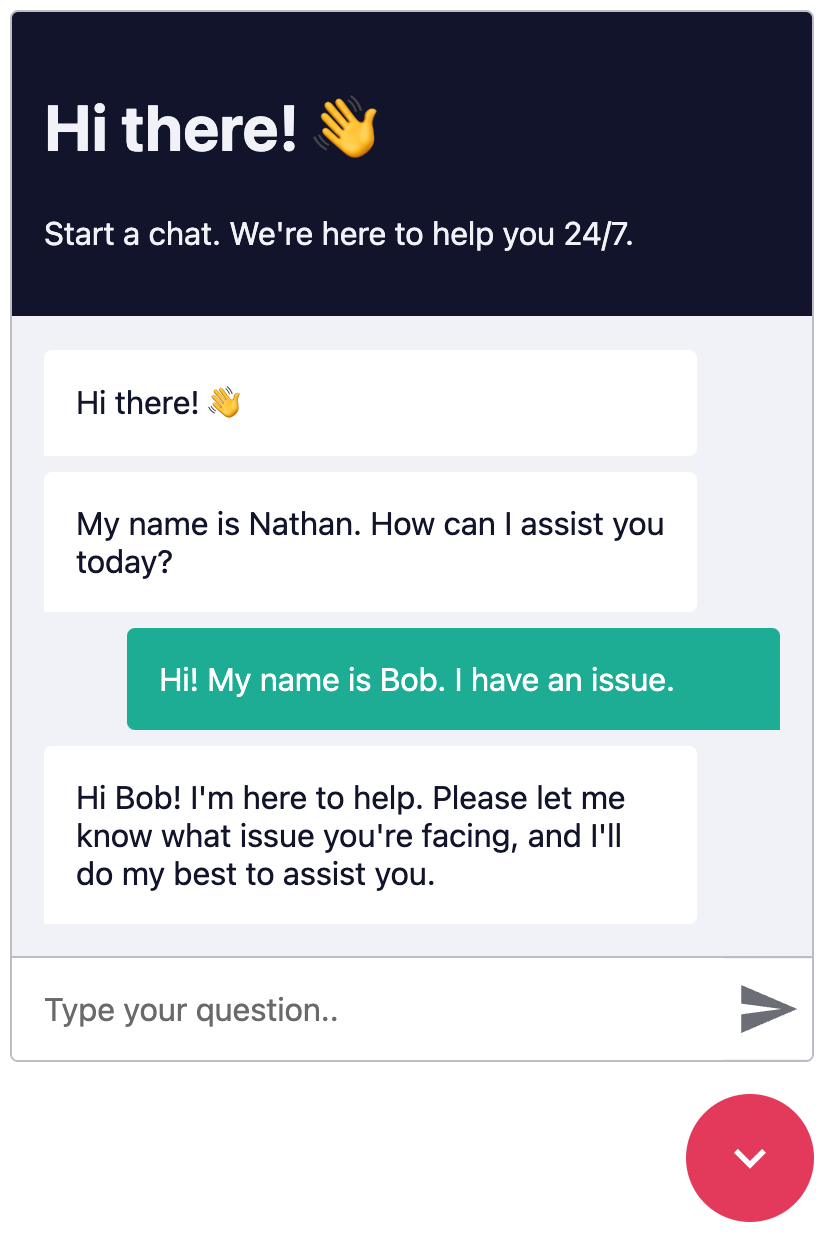
Windowed Example
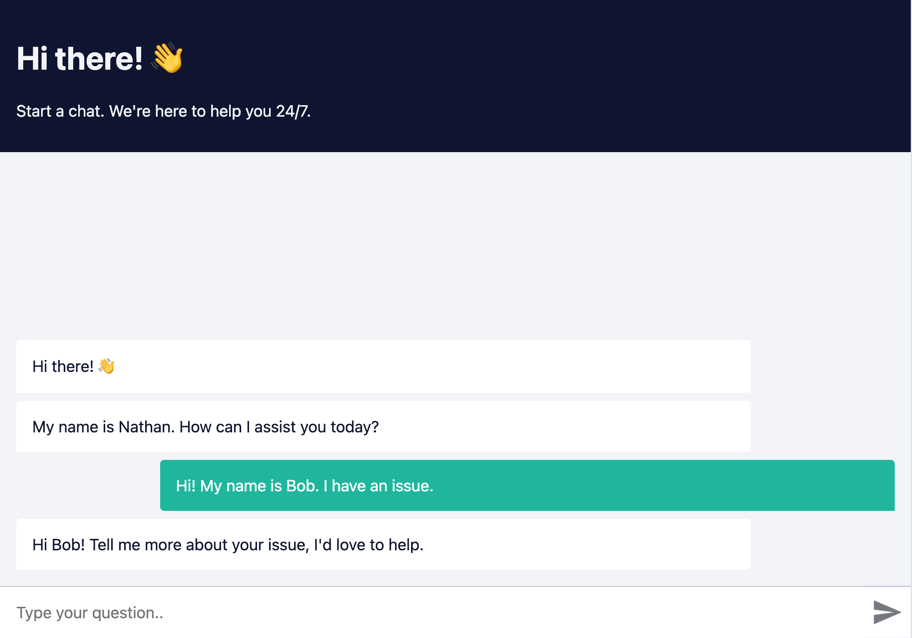
Fullscreen Example
Create a n8n workflow which you want to execute via chat. The workflow has to be triggered using a Chat Trigger node.
Open the Chat Trigger node and add your domain to the Allowed Origins (CORS) field. This makes sure that only requests from your domain are accepted.
To use streaming responses, you need to enable the Streaming response response mode in the Chat Trigger node. See example workflow with streaming
Make sure the workflow is Active.
Each Chat request is sent to the n8n Webhook endpoint, which then sends back a response.
Each request is accompanied by an action query parameter, where action can be one of:
loadPreviousSession - When the user opens the Chatbot again and the previous chat session should be loadedsendMessage - When the user sends a messageOpen the Webhook node and replace YOUR_PRODUCTION_WEBHOOK_URL with your production URL. This is the URL that the Chat widget will use to send requests to.
Add the following code to your HTML page.
<link href="https://cdn.jsdelivr.net/npm/@n8n/chat/dist/style.css" rel="stylesheet" />
<script type="module">
	import { createChat } from 'https://cdn.jsdelivr.net/npm/@n8n/chat/dist/chat.bundle.es.js';

	createChat({
		webhookUrl: 'YOUR_PRODUCTION_WEBHOOK_URL'
	});
</script>
Install and save n8n Chat as a production dependency.
npm install @n8n/chat
Import the CSS and use the createChat function to initialize your Chat window.
import '@n8n/chat/style.css';
import { createChat } from '@n8n/chat';

createChat({
	webhookUrl: 'YOUR_PRODUCTION_WEBHOOK_URL'
});
<script lang="ts" setup>
// App.vue
import { onMounted } from 'vue';
import '@n8n/chat/style.css';
import { createChat } from '@n8n/chat';

onMounted(() => {
	createChat({
		webhookUrl: 'YOUR_PRODUCTION_WEBHOOK_URL'
	});
});
</script>
<template>
	<div></div>
</template>
// App.tsx
import { useEffect } from 'react';
import '@n8n/chat/style.css';
import { createChat } from '@n8n/chat';

export const App = () => {
	useEffect(() => {
		createChat({
			webhookUrl: 'YOUR_PRODUCTION_WEBHOOK_URL'
		});
	}, []);

	return (<div></div>);
};
The default options are:
createChat({
	webhookUrl: '',
	webhookConfig: {
		method: 'POST',
		headers: {}
	},
	target: '#n8n-chat',
	mode: 'window',
	chatInputKey: 'chatInput',
	chatSessionKey: 'sessionId',
	loadPreviousSession: true,
	metadata: {},
	showWelcomeScreen: false,
	defaultLanguage: 'en',
	initialMessages: [
		'Hi there! 👋',
		'My name is Nathan. How can I assist you today?'
	],
	i18n: {
		en: {
			title: 'Hi there! 👋',
			subtitle: "Start a chat. We're here to help you 24/7.",
			footer: '',
			getStarted: 'New Conversation',
			inputPlaceholder: 'Type your question..',
		},
	},
	enableStreaming: false,
});
webhookUrlstringtruehttps://yourname.app.n8n.cloud/webhook/513107b3-6f3a-4a1e-af21-659f0ed14183http://localhost:5678/webhook/513107b3-6f3a-4a1e-af21-659f0ed14183webhookConfig{ method: string, headers: Record<string, string> }{ method: 'POST', headers: {} }targetstring'#n8n-chat'mode'window' | 'fullscreen''window'window mode, the Chat window will be embedded in the target element as a chat toggle button and a fixed size chat window.fullscreen mode, the Chat will take up the entire width and height of its target container.showWelcomeScreenbooleanfalsechatInputKeystring'chatInput'chatSessionKeystring'sessionId'loadPreviousSessionbooleantruedefaultLanguagestring'en'en is supported.i18n{ [key: string]: Record<string, string> }en is supported.initialMessagesstring[]allowFileUploadsRef<boolean> | booleanfalsetrue, users will be able to upload files through the chat interface.allowedFilesMimeTypesRef<string> | string''allowFileUploads is set to true. If left empty, all file types are allowed. For example: 'image/*,application/pdf'.true, the chat will display responses as they are being generated, providing a more interactive experience. For this to work the workflow must be configured as well to return streaming responses.The Chat window is entirely customizable using CSS variables.
:root {
	--chat--color-primary: #e74266;
	--chat--color-primary-shade-50: #db4061;
	--chat--color-primary-shade-100: #cf3c5c;
	--chat--color-secondary: #20b69e;
	--chat--color-secondary-shade-50: #1ca08a;
	--chat--color-white: #ffffff;
	--chat--color-light: #f2f4f8;
	--chat--color-light-shade-50: #e6e9f1;
	--chat--color-light-shade-100: #c2c5cc;
	--chat--color-medium: #d2d4d9;
	--chat--color-dark: #101330;
	--chat--color-disabled: #777980;
	--chat--color-typing: #404040;

	--chat--spacing: 1rem;
	--chat--border-radius: 0.25rem;
	--chat--transition-duration: 0.15s;

	--chat--window--width: 400px;
	--chat--window--height: 600px;

	--chat--header-height: auto;
	--chat--header--padding: var(--chat--spacing);
	--chat--header--background: var(--chat--color-dark);
	--chat--header--color: var(--chat--color-light);
	--chat--header--border-top: none;
	--chat--header--border-bottom: none;
	--chat--header--border-bottom: none;
	--chat--header--border-bottom: none;
	--chat--heading--font-size: 2em;
	--chat--header--color: var(--chat--color-light);
	--chat--subtitle--font-size: inherit;
	--chat--subtitle--line-height: 1.8;

	--chat--textarea--height: 50px;

	--chat--message--font-size: 1rem;
	--chat--message--padding: var(--chat--spacing);
	--chat--message--border-radius: var(--chat--border-radius);
	--chat--message-line-height: 1.8;
	--chat--message--bot--background: var(--chat--color-white);
	--chat--message--bot--color: var(--chat--color-dark);
	--chat--message--bot--border: none;
	--chat--message--user--background: var(--chat--color-secondary);
	--chat--message--user--color: var(--chat--color-white);
	--chat--message--user--border: none;
	--chat--message--pre--background: rgba(0, 0, 0, 0.05);

	--chat--toggle--background: var(--chat--color-primary);
	--chat--toggle--hover--background: var(--chat--color-primary-shade-50);
	--chat--toggle--active--background: var(--chat--color-primary-shade-100);
	--chat--toggle--color: var(--chat--color-white);
	--chat--toggle--size: 64px;
}
In fullscreen mode, the Chat window will take up the entire width and height of its target container. Make sure that the container has a set width and height.
html,
body,
#n8n-chat {
	width: 100%;
	height: 100%;
}
You can find the license information here
FAQs
This is an embeddable Chat widget for n8n. It allows the execution of AI-Powered Workflows through a Chat window.
We found that slx_chat demonstrated a healthy version release cadence and project activity because the last version was released less than a year ago. It has 1 open source maintainer collaborating on the project.
Did you know?

Socket for GitHub automatically highlights issues in each pull request and monitors the health of all your open source dependencies. Discover the contents of your packages and block harmful activity before you install or update your dependencies.
Security News
Anthropic says the directive cited national security concerns over a narrow jailbreak, but offered no specific technical details.

Security News
A network of 152 Chrome live wallpaper extensions hid ad tracking and made extension-driven traffic look like Google search clicks.

Company News
Socket’s first CISO brings deep experience securing high-growth SaaS companies as open source supply chain threats accelerate.