

Security News
Deno Goes the Way of the Dinosaur
Cloudflare is acquiring Deno’s team, which will provide another year of bug fixes and security updates before ending support for the runtime.
By Sarah Gooding - Oct 16, 2026
smartlogic-react-typeahead
Advanced tools
(Smartlogic fork of) React-based typeahead and typeahead-tokenizer
A typeahead/autocomplete component for React
react-typeahead is a javascript library that provides a react-based typeahead, or autocomplete text entry, as well as a "typeahead tokenizer", a typeahead that allows you to select multiple results.
For a typeahead input:
var Typeahead = require('react-typeahead').Typeahead;
React.render(
<Typeahead
options={['John', 'Paul', 'George', 'Ringo']}
maxVisible={2}
/>
);
For a tokenizer typeahead input:
var Tokenizer = require('react-typeahead').Tokenizer;
React.render(
  <Tokenizer
    options={['John', 'Paul', 'George', 'Ringo']}
    onTokenAdd={function(token) {
      console.log('token added: ', token);
    }}
  />
);
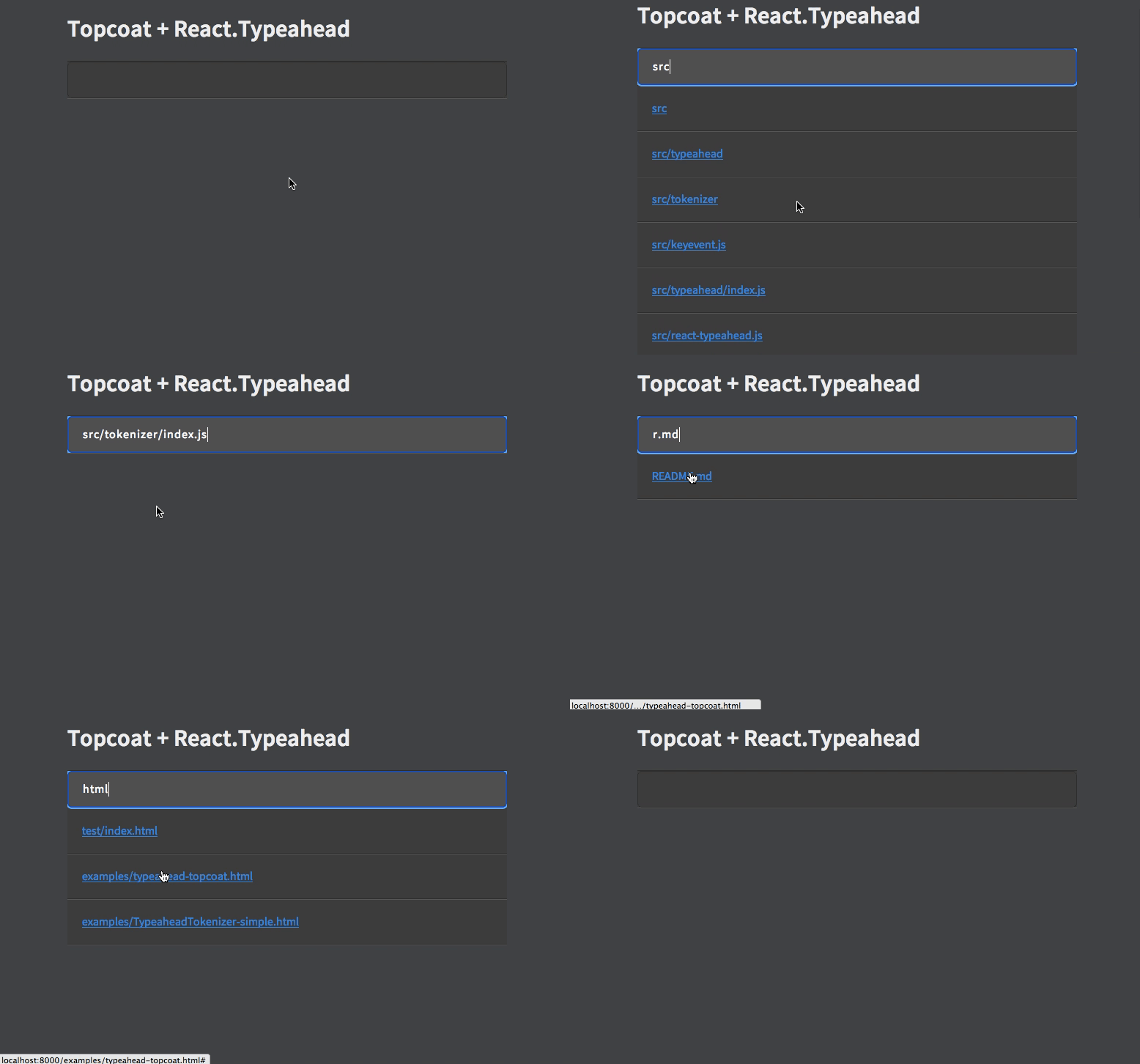
Type: React Component
Basic typeahead input and results list.
Type: Array
Default: []
An array supplied to the filtering function. Can be a list of strings or a list of arbitrary objects. In the latter case, filterOption and displayOption should be provided.
Type: String
A default value used when the component has no value. If it matches any options a option list will show.
Type: String
Specify a value for the text input.
Type: Number
Limit the number of options rendered in the results list.
Type: Object
Allowed Keys: input, results, listItem, listAnchor, hover
An object containing custom class names for child elements. Useful for integrating with 3rd party UI kits.
Type: String
Placeholder text for the typeahead input.
Type: Boolean
Set to true to use a <textarea> element rather than an <input> element
Type: Object
Props to pass directly to the <input> element.
Type: Function
Event handler for the keyDown event on the typeahead input.
Type: Function
Event handler for the keyUp event on the typeahead input.
Type: Function
Event handler for the blur event on the typeahead input.
Type: Function
Event handler for the focus event on the typeahead input.
Type: Function
Event handler triggered whenever a user picks an option.
Type: String or Function
A function to filter the provided options based on the current input value. For each option, receives (inputValue, option). If not supplied, defaults to fuzzy string matching.
If provided as a string, it will interpret it as a field name and fuzzy filter on that field of each option object.
Type: String or Function
A function to map an option onto a string for display in the list. Receives (option, index) where index is relative to the results list, not all the options. Must return a string.
If provided as a string, it will interpret it as a field name and use that field from each option object.
Type: String or Function
A function to map an option onto a string to include in HTML forms (see props.name). Receives (option) as arguments. Must return a string.
If specified as a string, it will interpret it as a field name and use that field from each option object.
If not specified, it will fall back onto the semantics described in props.displayOption.
This option is ignored if you don't specify the name prop. It is required if you both specify the name prop and are using non-string options. It is optional otherwise.
Type: boolean
Default: true
If false, the default classNames are removed from the typeahead.
Type: boolean
Default: false
If true, allows keyDown events to propagate. This is useful if you want the tab key to focus the next element, for example.
Type: React Component
A React Component that renders the list of typeahead results. This replaces the default list of results.
This component receives the following props :
props.displayOptionsprops.customClassesprops.onOptionSelectedprops.options
props.options filtered and limited to Typeahead.props.maxVisible.props.selectionIndex
Focuses the typeahead input.
Type: React Component
Typeahead component that allows for multiple options to be selected.
Type: Array
Default: []
An array supplied to the filter function.
Type: Number
Limit the number of options rendered in the results list.
Type: String
The name for HTML forms to be used for submitting the tokens' values array.
Type: Object
Allowed Keys: input, results, listItem, listAnchor, typeahead
An object containing custom class names for child elements. Useful for integrating with 3rd party UI kits.
Type: String
Placeholder text for the typeahead input.
Type: Object
Props to pass directly to the <input> element.
Type: Function
Event handler for the keyDown event on the typeahead input.
Type: Function
Event handler for the keyUp event on the typeahead input.
Type: Function
Event handler for the blur event on the typeahead input.
Type: Function
Event handler for the focus event on the typeahead input.
Type: Array
A set of values of tokens to be loaded on first render.
Type: Function
Params: (removedToken)
Event handler triggered whenever a token is removed.
Type: Function
Params: (addedToken)
Event handler triggered whenever a token is removed.
Type: String or Function
A function to map an option onto a string for display in the list. Receives (option, index) where index is relative to the results list, not all the options. Must return a string.
If provided as a string, it will interpret it as a field name and use that field from each option object.
Type: Function
A function to filter the provided options based on the current input value. For each option, receives (inputValue, option). If not supplied, defaults to fuzzy string matching.
Type: boolean
Default: true
If false, the default classNames are removed from the tokenizer and the typeahead.
Focuses the tokenizer input.
Type: Function
A function to return the currently selected tokens.
You will need npm to develop on react-typeahead. Installing npm.
Once that's done, to get started, run npm install in your checkout directory.
This will install all the local development dependences, such as gulp and mocha
react-typeahead uses mocha for unit tests and gulp for running them. Large changes should include unittests.
After updating or creating new tests, run npm run-script build-test to regenerate the
test package.
Once that's done, running the tests is easy with gulp:
> gulp test
[00:17:25] Using gulpfile ~/src/react-typeahead/gulpfile.js
[00:17:25] Starting 'test'...


  ․․․․․․․․․․․․․․․

  15 passing (43ms)

[00:17:25] Finished 'test' after 448 ms
[00:17:25] Starting 'default'...
[00:17:25] Finished 'default' after 6.23 μs
Basically, fork the repository and send a pull request. It can be difficult to review these, so here are some general rules to follow for getting your PR accepted more quickly:
FAQs
(Smartlogic fork of) React-based typeahead and typeahead-tokenizer
We found that smartlogic-react-typeahead demonstrated a not healthy version release cadence and project activity because the last version was released a year ago. It has 1 open source maintainer collaborating on the project.
Security News
Cloudflare is acquiring Deno’s team, which will provide another year of bug fixes and security updates before ending support for the runtime.

Security News
Anthropic’s free OSS Scanner uses Mythos and other Claude models to find open source vulnerabilities and send maintainers reports with proposed fixes.

Security News
On Front Lines’ Early Adopters: CISO podcast, Andrew Becherer shares lessons from Datadog, weighs the long-term costs of AI-built tools, and explains how founders can actually gain a CISO’s trust.