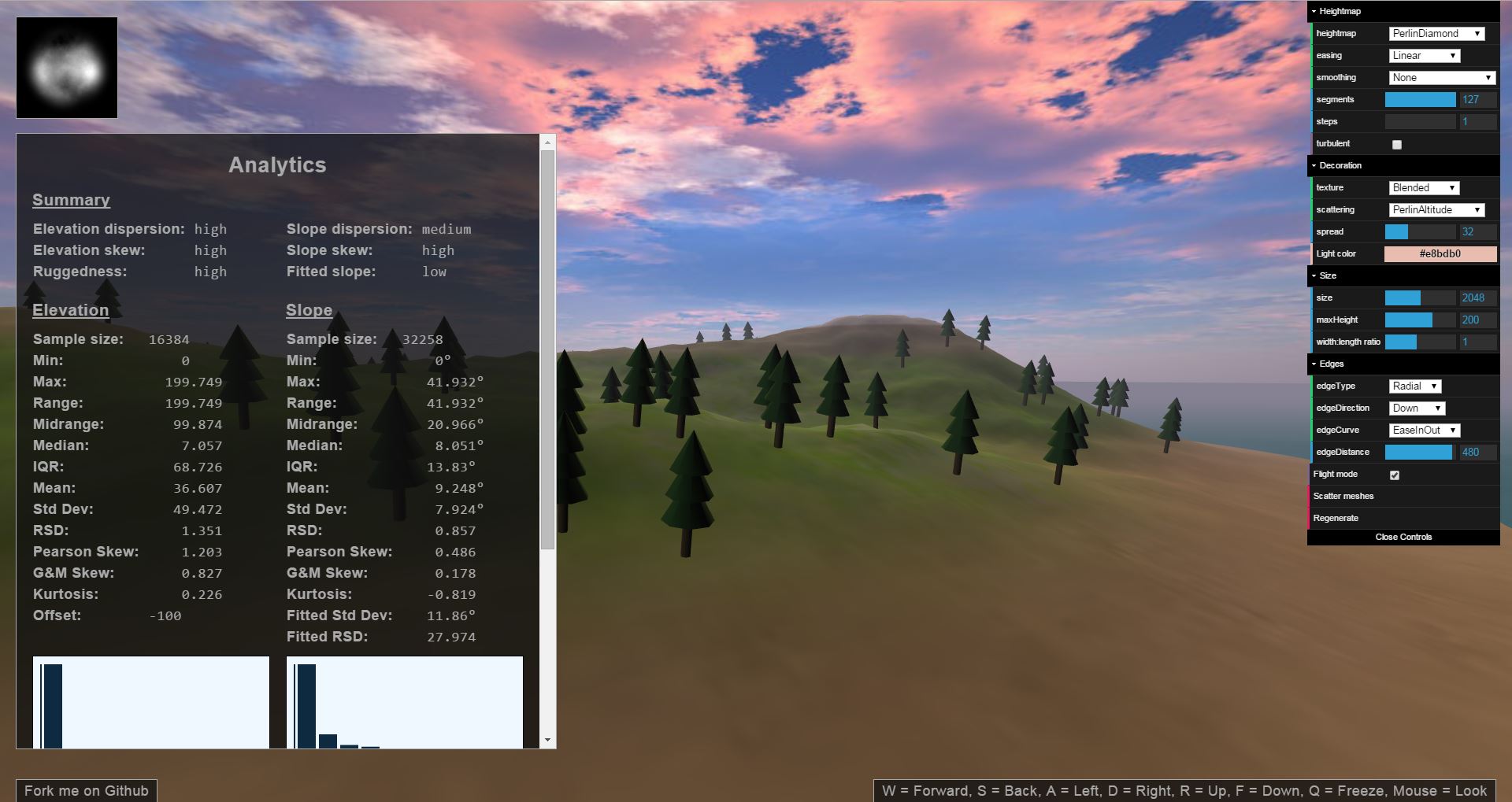
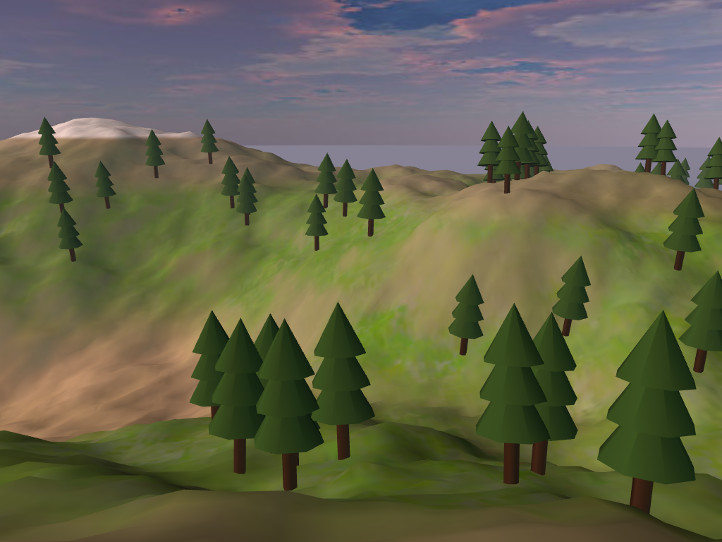
THREE.Terrain is a procedural terrain generation engine for use with the
Three.js 3D graphics library for the web.
Usage
Install with npm (npm install three.terrain.js) and import as an ES module.
You also need a compatible version of three.js
(r160 or later) in your project.
import * as THREE from 'three';
import Terrain, { TerrainNS, generateBlendedMaterial } from 'three.terrain.js';
Terrain (default export) builds a terrain mesh.TerrainNS holds generators, filters, and other helpers (for example
TerrainNS.DiamondSquare, TerrainNS.Smooth, TerrainNS.ScatterMeshes).generateBlendedMaterial (also available as
TerrainNS.generateBlendedMaterial) helps texture the terrain.
Procedurally Generate a Terrain
In your own script, generate a terrain and add it to your scene:
var xS = 63, yS = 63;
var terrainScene = Terrain({
easing: TerrainNS.Linear,
frequency: 2.5,
heightmap: TerrainNS.DiamondSquare,
material: new THREE.MeshBasicMaterial({color: 0x5566aa}),
maxHeight: 100,
minHeight: -100,
steps: 1,
xSegments: xS,
xSize: 1024,
ySegments: yS,
ySize: 1024,
});
scene.add(terrainScene);
var geo = terrainScene.children[0].geometry;
var decoScene = TerrainNS.ScatterMeshes(geo, {
mesh: new THREE.Mesh(new THREE.CylinderGeometry(2, 2, 12, 6)),
w: xS,
h: yS,
spread: 0.02,
randomness: Math.random,
});
terrainScene.add(decoScene);
All parameters are optional and thoroughly documented in the
source code.
You can play around with some of the parameters and see what happens in the
demo.
Methods for generating terrain procedurally that are available by default
include Cosine, Diamond-Square (a better version of Midpoint Displacement),
Fault lines, Feature picking, Particle deposition, Perlin and Simplex noise,
Value noise, Weierstrass functions, Worley noise (aka Cell or Voronoi noise),
Brownian motion, arbitrary curves, and various combinations of those.
Exporting and Importing
Export a terrain to a heightmap image:
var canvas = TerrainNS.toHeightmap(
terrainScene.children[0].geometry.attributes.position.array,
{ xSegments: 63, ySegments: 63 }
);
The result will look something like this:

If all you need is a static terrain, the easiest way to generate a heightmap is
to use the demo and save the
generated heightmap that appears in the upper-left corner. However, if you want
to perform custom manipulations on the terrain first, you will need to export
the heightmap yourself.
To import a heightmap, create a terrain as explained above, but pass the loaded
heightmap image (or a canvas containing a heightmap) to the heightmap option
for the Terrain() function (instead of passing a procedural generation
function).
Dynamic Terrain Materials
When generating terrains procedurally, it's useful to automatically texture
terrains based on elevation/biome, slope, and location. A utility function is
provided that generates such a material (other than blending textures together,
it is the same as a MeshLambertMaterial).
var material = generateBlendedMaterial([
{ texture: t1 },
{ texture: t2, levels: [-80, -35, 20, 50] },
{ texture: t3, levels: [20, 50, 60, 85] },
{ texture: t4, glsl: '1.0 - smoothstep(65.0 + smoothstep(-256.0, 256.0, vPosition.x) * 10.0, 80.0, vPosition.z)' },
{ texture: t3, glsl: 'slope > 0.7853981633974483 ? 0.2 : 1.0 - smoothstep(0.47123889803846897, 0.7853981633974483, slope) + 0.2' },
]);
More
Many other utilities are provided, for example for compositing different
terrain generation methods; creating islands, cliffs, canyons, and plateaus;
manually influencing the terrain's shape at different locations; different
kinds of smoothing; and more. These features are all fully documented in the
source code.
Additionally, you can create custom methods for generating terrain or affecting
other processes.
Development
To run the demo locally:
npm install
npm start
This starts a Vite development server, which resolves three and other demo
dependencies from node_modules. Append ?stats=1 to the URL to show a
frame-time overlay.
To rebuild the library bundles in dist/:
npm run build
There is also a statistics simulation that compares procedural
generation methods. Run it with npm start and open /statistics/, or see
statistics/README.md.
Static hosting (GitHub Pages)
The published npm package does not include demo assets. For this repository’s
demo and statistics pages without Vite (for example GitHub Pages), copy runtime
dependencies from node_modules into vendor/ and commit the result:
npm install
npm run vendor
That updates vendor/ and vendor/importmap.json so the HTML pages can load
three, dat.gui, and stats-js locally. Re-run npm run vendor after
bumping those devDependencies.
Screenshots