⚡ useForm
Form hook made blazing fast and easy.


The most unopinionated form hook.
Installation
npm i --save use-form-react
# or
yarn add use-form-react
Have a good to use form in 10 seconds
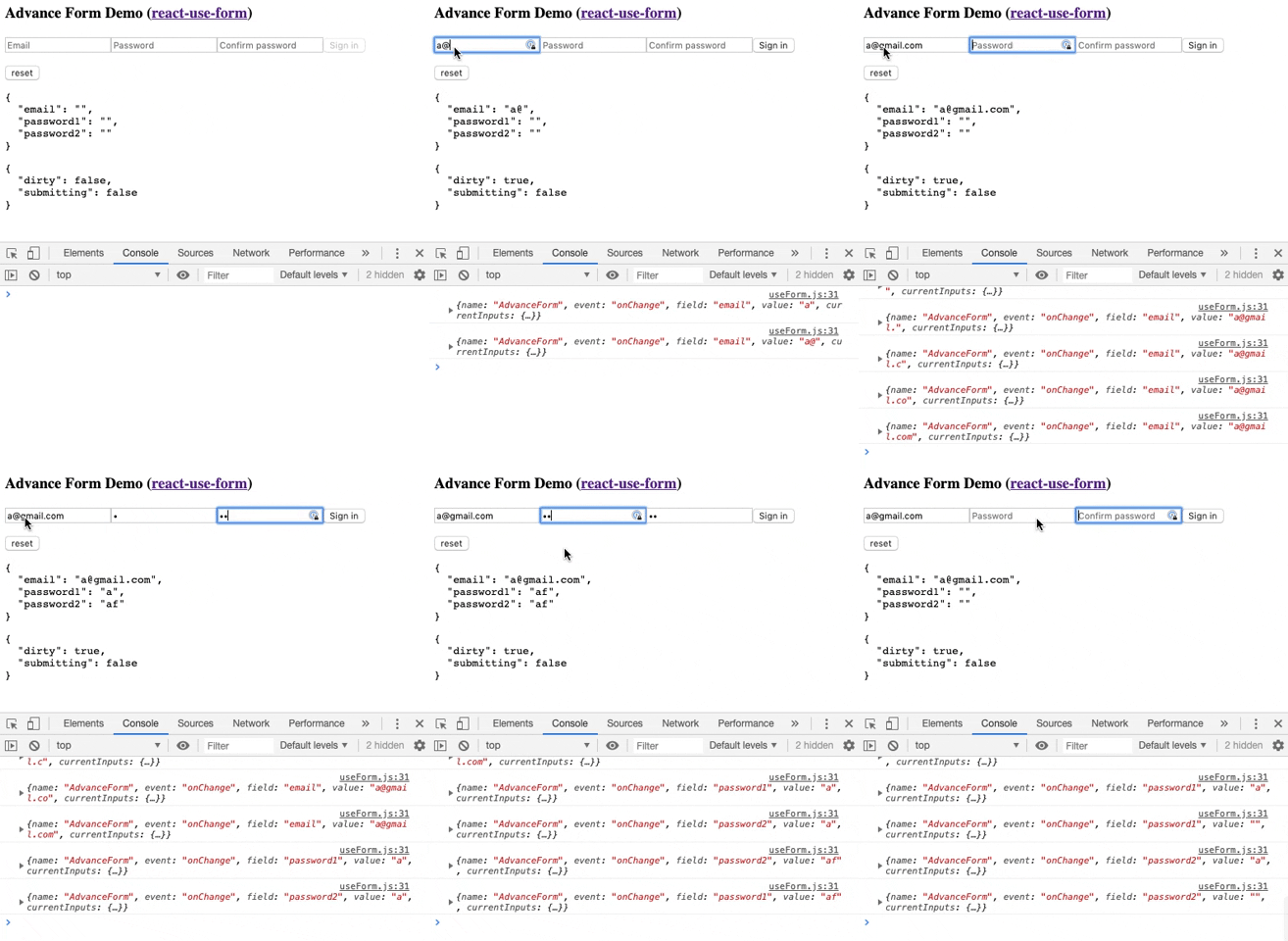
Usage
Basic Usage
check basic example
import useForm from 'use-form-react'

const Form = () => {
  const { onSubmit, onChange, inputs } = useForm('sampleForm', {
      initialValues: { 'name': '' },
      callback: (inputs) => console.log(inputs)
    }
  )
  return (
    <div>
      <div>Hello {inputs.name}</div>
      <form onSubmit={onSubmit}>
        <input name="name" value={inputs.name} onChange={onChange} />
        <button type="submit">Sign in</button>
      </form>
    </div>
  );
}
Advance Usage
check advance example
import React, { useEffect } from 'react';
import useForm from 'use-form-react'

const SignUp = () => {
  const options = {
      initialValues: {
          'email': '',
          'password1': '',
          'password2': ''
      },
      callback: () => console.log('it works'),
      debug: true
  }
  const {
    onSubmit, onChange, inputs, dirty, submitting, reset
  } = useForm('myAdvanceFormName', option)

  useEffect(() => {
    if(inputs.password1!==inputs.password2) console.log('password not matched')
  });
  return (
    <form onSubmit={onSubmit}>
      <input
        type='email'
        name="email"
        value={inputs.email}
        placeholder="Email"
        required
        onChange={onChange}
        />
      <input
        type='password'
        name="password1"
        value={inputs.password1}
        placeholder="Password"
        onChange={onChange}
        required
        />
      <input
        type='password'
        name="password2"
        value={inputs.password2}
        placeholder="Confirm password"
        onChange={onChange}
        required
        />
      <button disabled={!dirty || error || submitting} type="submit">Sign up</button>
    </form>
  );
}
To Do
License
MIT




