Variant Form Mobile
一款高效的移动端Vue低代码表单,可视化设计,一键生成源码,享受更多摸鱼时间。
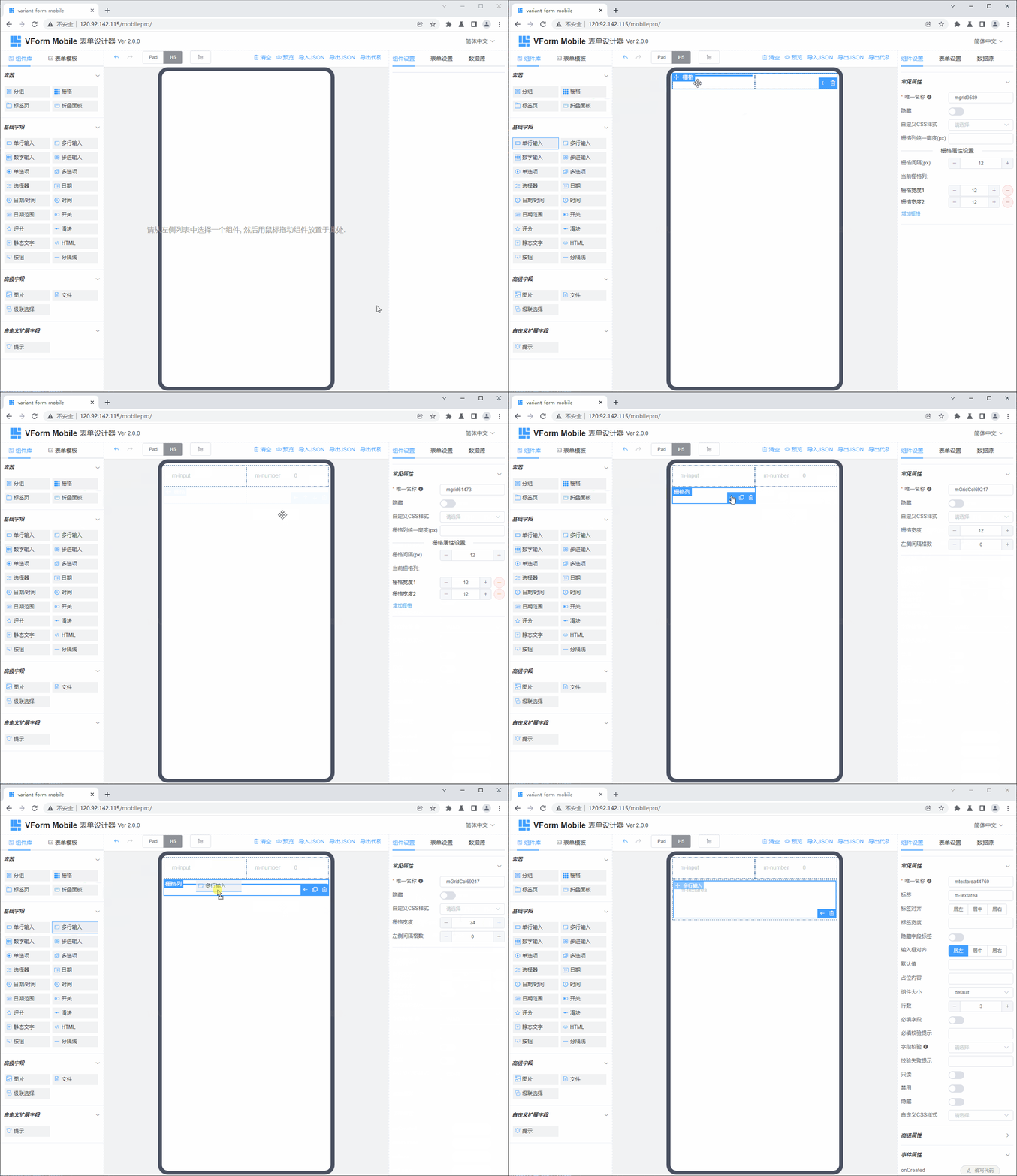
立即体验
在线Demo
使用文档
立即查看
功能一览
> 拖拽式可视化表单设计,所见即所得;
> 丰富的表单组件支持,包含20多种表单基础组件和高级组件;
> 支持多种布局容器,包含栅格、折叠面板、页签、子表单;
> 暴露组件交互事件,可处理复杂交互逻辑;
> 提供丰富的组件API方法;
> 内置axios库,方便跟后端接口集成、交互;
> 提供丰富的组件属性设置;
> 支持自定义CSS样式设置;
> 字段组件支持自定义校验逻辑;
> 支持多语言国际化,内置中英文两种语言;
> 支持PAD/H5两种表单设计模式;
> 表单设计支持撤销、重做历史功能;
> 良好的开放性,支持扩展组件API方法;
> 支持浏览器缓存功能,自动保存表单最新状态,无须担心工作成果丢失;
> 可导出Vue组件或HTML源码,方便在历史项目中集成;
> 可导出、导入JSON配置,便于表单迁移,支持Vue2、Vue3两个版本;
> 内置表单模板功能,常见表单模板化、一键生成;
> 支持组件层次结构树视图查看;
> 更多功能等待您体验...;
安装依赖
npm install --registry=https://registry.npm.taobao.org
开发调试
npm run serve
生产打包
npm run build
表单设计器 + 表单渲染器打包
npm run lib
表单渲染器打包
npm run lib-render
浏览器兼容性
Chrome(及同内核的浏览器),Edge, Firefox,Safari
跟Vue项目集成
1. 安装包
npm i vform-mobile-builds
或
yarn add vform-mobile-builds
2. 引入并全局注册VForm组件
import Vue from 'vue'
import App from './App.vue'
import axios from 'axios'
import ElementUI from 'element-ui'
import Vant from 'vant';
import VmForm from 'vform-mobile-builds'
import 'element-ui/lib/theme-chalk/index.css'
import 'vant/lib/index.css';
import 'vform-mobile-builds/dist/VmFormDesigner.css'
Vue.config.productionTip = false
Vue.use(ElementUI)
Vue.use(Vant);
Vue.use(VmForm)
window.axios = axios
new Vue({
render: h => h(App),
}).$mount('#app')
3. 在Vue模板中使用表单设计器组件
<template>
<vm-form-designer></vm-form-designer>
</template>
<script>
export default {
data() {
return {
}
}
}
</script>
<style lang="scss">
body {
margin: 0;
}
</style>
4. 在Vue模板中使用表单渲染器组件
<template>
<div>
<vm-form-render :form-json="formJson" :form-data="formData" :option-data="optionData" ref="vFormRef">
</vm-form-render>
<el-button type="primary" @click="submitForm">Submit</el-button>
</div>
</template>
<script>
export default {
data() {
return {
formJson: {"widgetList":[],"formConfig":{"labelWidth":80,"labelPosition":"left","size":"","labelAlign":"label-left-align","cssCode":"","customClass":"","functions":"","layoutType":"H5","onFormCreated":"","onFormMounted":"","onFormDataChange":""}},
formData: {},
optionData: {}
}
},
methods: {
submitForm() {
this.$refs.vFormRef.getFormData().then(formData => {
alert( JSON.stringify(formData) )
}).catch(error => {
this.$message.error(error)
})
}
}
}
</script>
资源链接
产品官网:http://www.vform666.com/vform-mobile/
在线演示:http://120.92.142.115/mobilepro/
产品文档:https://www.yuque.com/vform-mobile/doc/
订阅源码:https://vform666.com/pages/mobile-pro/
技术交流群:微信搜索“ArcherJ1986”,或者扫如下二维码加群