无名江湖TUI客户端(wumingmud-tui)
无名江湖客户端是一个基于 TUI 的 MUD 终端应用,负责玩家登录、世界信息展示、聊天与指令交互。
MUD服务端使用:wumingmud。
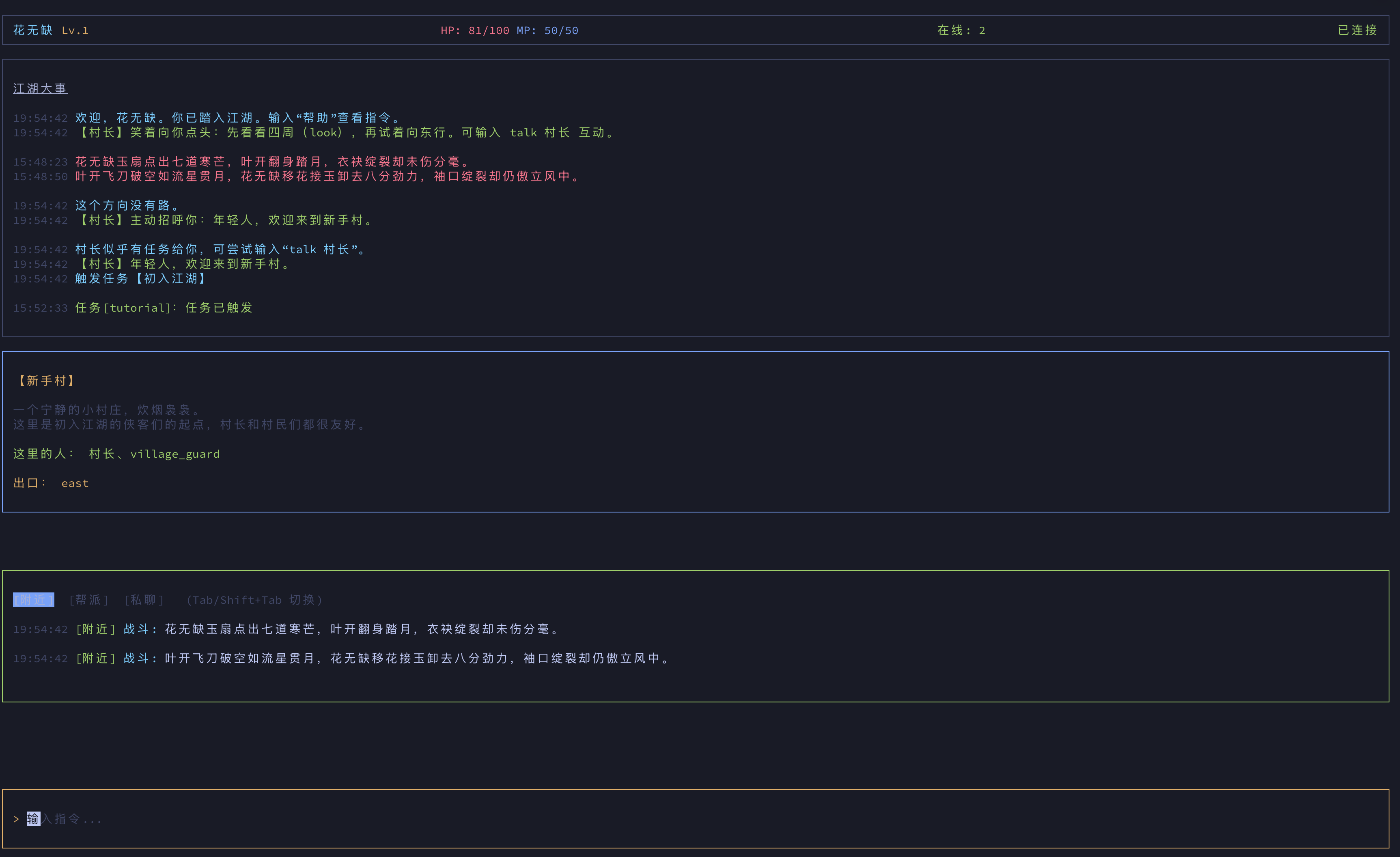
进入江湖
npx wumingmud
FOR DEVELOPERS
技术栈
- Node.js 18+
- TypeScript
- Ink(React for CLI)
- Zustand
- WebSocket
- esbuild
目录结构
.
├── src/
│   ├── components/      # TUI 组件
│   ├── hooks/           # 自定义 hooks
│   ├── services/        # 网络、鉴权、日志、存储
│   ├── store/           # 状态管理
│   ├── types/           # 类型定义
│   ├── utils/           # 工具函数
│   └── index.tsx        # 入口
├── esbuild.config.js
├── package.json
└── tsconfig.json
环境要求
快速开始
npm install
cp .env.example .env
npm run dev
默认会连接 ws://localhost:8080/ws。如果你的服务端地址不同,请修改 .env。
环境变量
WS_URL | ws://localhost:8080/ws | WebSocket 服务地址 |
API_URL | http://localhost:8080/api | HTTP API 基地址 |
DEBUG | false | 是否开启调试日志 |
CLIENT_LOG_PATH | logs/client.log | 客户端日志文件 |
CLIENT_LOG_STDOUT | false | 是否输出日志到标准输出 |
CLIENT_STORAGE_PATH | ~/.wumingmud/client-storage.json | 本地持久化路径 |
常用命令
npm run dev
npm run typecheck
npm run build
npm start
常见问题
连接失败
- 确认服务端已启动并监听正确端口。
- 检查
WS_URL 是否包含正确路径(通常是 /ws)。
- 检查本机防火墙或代理设置。
中文显示异常
- 确认终端编码为 UTF-8。
- 使用支持中文字符的终端字体。




