Easy-email-extensions
Introduction
Provide default UI components, when they don’t meet your needs, you can refer to it and write your own
usage
$ npm install --save easy-email-extensions
or
$ yarn add easy-email-extensions
import React from 'react';
import { BlockManager, BasicType } from 'easy-email-core';
import { EmailEditor, EmailEditorProvider } from 'easy-email-editor';
import { SimpleLayout } from 'easy-email-extensions';

import 'easy-email-editor/lib/style.css';
import 'easy-email-extensions/lib/style.css';

const initialValues = {
  subject: 'Welcome to Easy-email',
  subTitle: 'Nice to meet you!',
  content: BlockManager.getBlockByType(BasicType.PAGE)!.create({}),
};

export function App() {
  return (
    <EmailEditorProvider
      data={initialValues}
      height={'calc(100vh - 72px)'}
      autoComplete
      dashed={false}
    >
      {({ values }) => {
        return (
          <SimpleLayout>
            <EmailEditor />
          </SimpleLayout>
        );
      }}
    </EmailEditorProvider>
  );
}
Extensions
-
AttributePanel
-
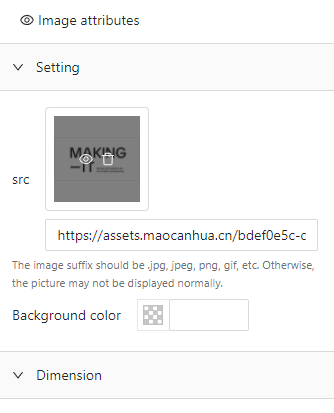
Basic block configuration panel
-
-
You can add or overwrite
import { BlockAttributeConfigurationManager } from "easy-email-extensions";

BlockAttributeConfigurationManager.add({
  [BasicType.TEXT]: () => <div>will be overwrite `Text`</div>,
});
-
InteractivePrompt
-
BlockLayer
-
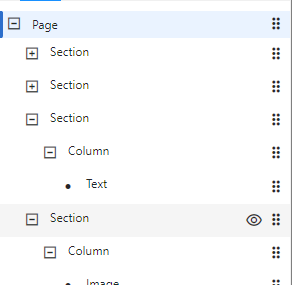
- No configuration items
-
ShortcutToolbar
-
-
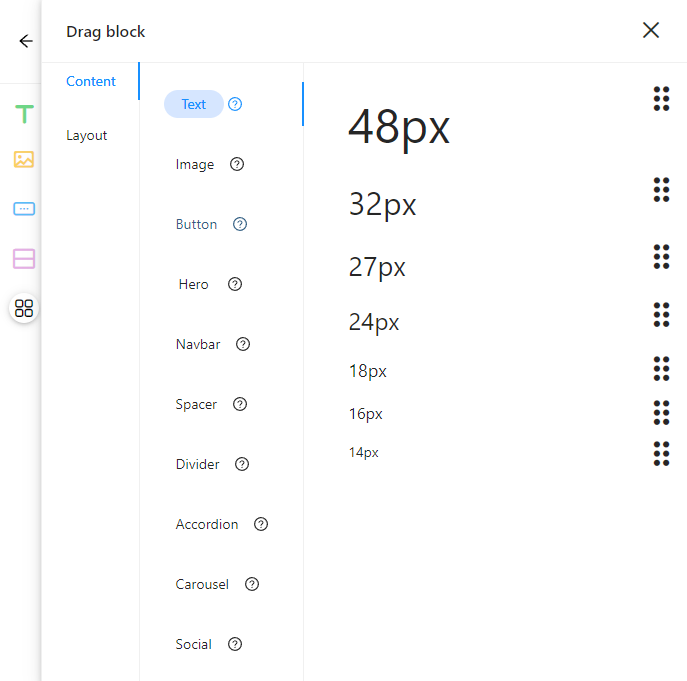
You can add or overwrite popover's preset blocks
import { BasicType } from "easy-email-core";
import {
  BlockMarketManager,
  BlockMaskWrapper,
} from "easy-email-extensions";

BlockMarketManager.addCategories([
  {
    title: "Custom",
    name: "custom",
    blocks: [
      {
        type: BasicType.TEXT,
        title: "Text",
        description: "This block allows you to display text in your email.",
        component: () => {
          return (
            <BlockMaskWrapper
              type={BasicType.TEXT}
              payload={{
                attributes: {
                  "font-size": "20px",
                  align: "center",
                  padding: "0px 0px 0px 0px",
                  color: "#4A90E2",
                },
                data: {
                  value: {
                    content: "20px",
                  },
                },
              }}
            >
              <div style={{ fontSize: 20, width: "100%", paddingLeft: 20 }}>
                20px
              </div>
            </BlockMaskWrapper>
          );
        },
      },
    ],
  },
]);
-
SimpleLayout
- All in one extension, provide basic and complete layout example. Refer to the above extension for configuration items.