Python extension for Visual Studio Code
A Visual Studio Code extension with rich support for the Python language (for all actively supported versions of the language: >=3.7), including features such as IntelliSense (Pylance), linting, debugging, code navigation, code formatting, refactoring, variable explorer, test explorer, and more!
The Python extension does offer some support when running on vscode.dev (which includes github.dev). This includes partial IntelliSense for open files in the editor.
Installed extensions
The Python extension will automatically install the Pylance extension to give you the best experience when working with Python files. However, Pylance is an optional dependency, meaning the Python extension will remain fully functional if it fails to be installed. You can also uninstall it at the expense of some features if you’re using a different language server.
Extensions installed through the marketplace are subject to the Marketplace Terms of Use.
Quick start
Set up your environment
Jupyter Notebook quick start
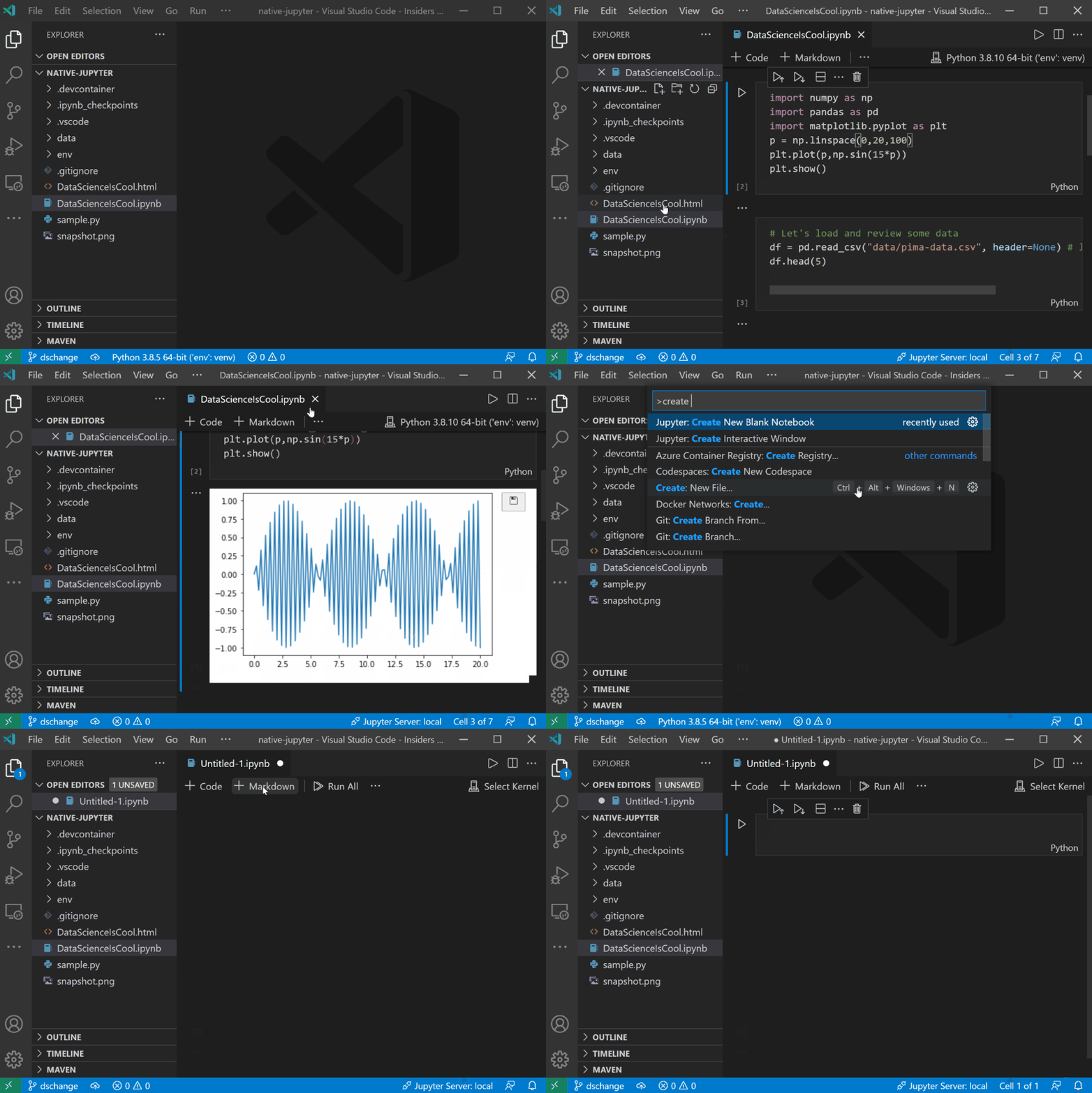
The Python extension offers support for Jupyter notebooks via the Jupyter extension to provide you a great Python notebook experience in VS Code.
For more information you can:
Useful commands
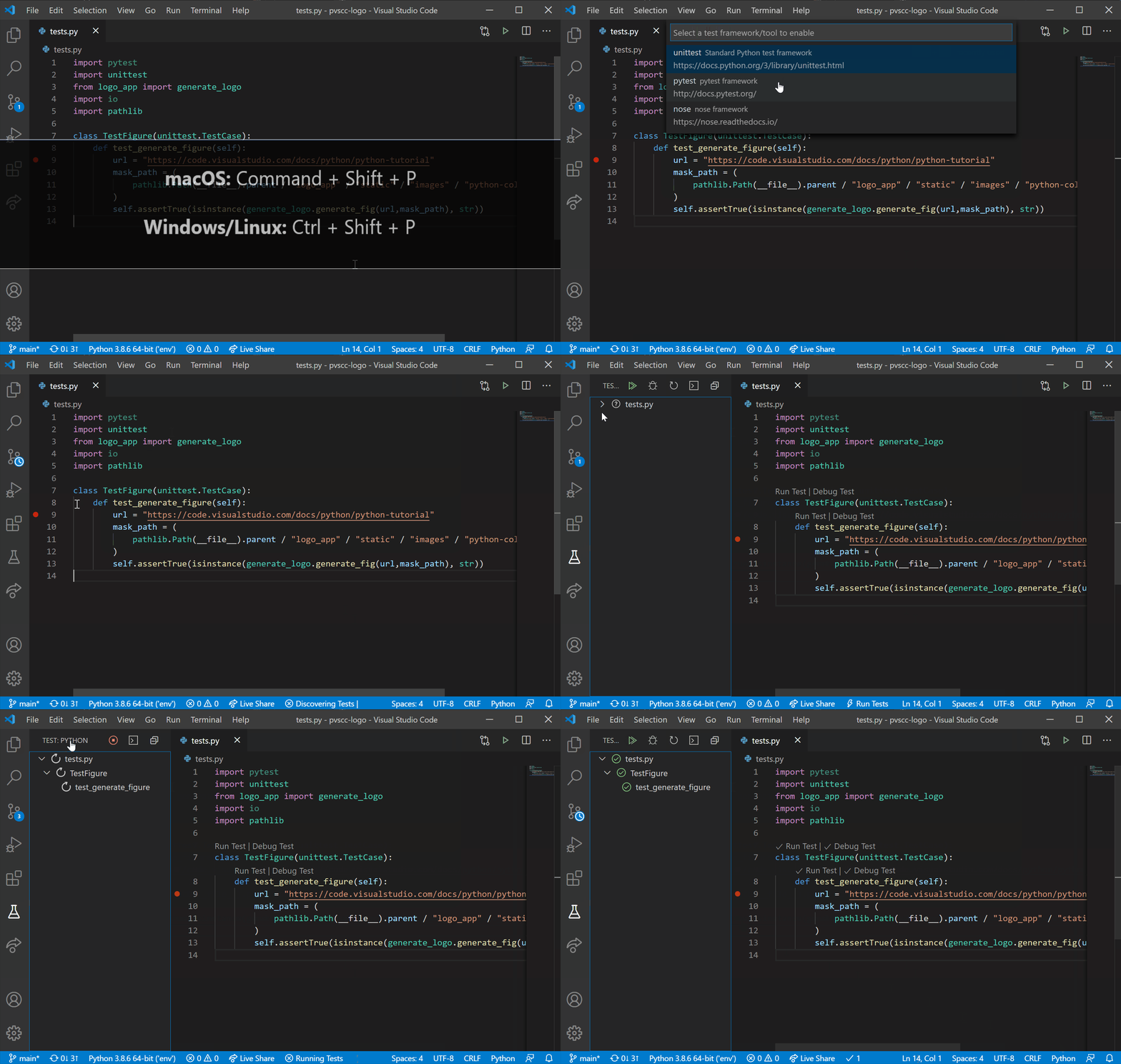
Open the Command Palette (Command+Shift+P on macOS and Ctrl+Shift+P on Windows/Linux) and type in one of the following commands:
Python: Select Interpreter | Switch between Python interpreters, versions, and environments. |
Python: Start REPL | Start an interactive Python REPL using the selected interpreter in the VS Code terminal. |
Python: Run Python File in Terminal | Runs the active Python file in the VS Code terminal. You can also run a Python file by right-clicking on the file and selecting Run Python File in Terminal. |
Format Document | Formats code using the provided formatter in the settings.json file. |
Python: Configure Tests | Select a test framework and configure it to display the Test Explorer. |
To see all available Python commands, open the Command Palette and type Python. For Jupyter extension commands, just type Jupyter.
Feature details
Learn more about the rich features of the Python extension:
- IntelliSense: Edit your code with auto-completion, code navigation, syntax checking and more
- Linting: Get additional code analysis with Pylint, Flake8 and more
- Code formatting: Format your code with black, autopep or yapf
- Debugging: Debug your Python scripts, web apps, remote or multi-threaded processes
- Testing: Run and debug tests through the Test Explorer with unittest or pytest.
- Jupyter Notebooks: Create and edit Jupyter Notebooks, add and run code cells, render plots, visualize variables through the variable explorer, visualize dataframes with the data viewer, and more
- Environments: Automatically activate and switch between virtualenv, venv, pipenv, conda and pyenv environments
- Refactoring: Restructure your Python code with variable extraction and method extraction. Additionally, there is componentized support to enable additional refactoring, such as import sorting, through extensions including isort and Ruff.
Supported locales
The extension is available in multiple languages: de, en, es, fa, fr, it, ja, ko-kr, nl, pl, pt-br, ru, tr, zh-cn, zh-tw
Questions, issues, feature requests, and contributions
- If you have a question about how to accomplish something with the extension, please ask on Stack Overflow
- If you come across a problem with the extension, please file an issue
- Contributions are always welcome! Please see our contributing guide for more details
- Any and all feedback is appreciated and welcome!
- If someone has already filed an issue that encompasses your feedback, please leave a 👍/👎 reaction on the issue
- Otherwise please start a new discussion
- If you're interested in the development of the extension, you can read about our development process
Data and telemetry
The Microsoft Python Extension for Visual Studio Code collects usage
data and sends it to Microsoft to help improve our products and
services. Read our
privacy statement to
learn more. This extension respects the telemetry.enableTelemetry
setting which you can learn more about at
https://code.visualstudio.com/docs/supporting/faq#_how-to-disable-telemetry-reporting.