


Research
/Security News
Popular npm Packages in the keyv and Cacheable Namespaces Compromised in Active Supply Chain Attack
Popular npm packages keyv and cacheable compromised.
By Socket Research Team - Aug 04, 2026
chemdraw-mcp
Advanced tools
MCP server that turns molecule names or SMILES into publication-style 2D structure drawings (PNG/SVG via RDKit) — reaction schemes, mechanisms, spectra. Unofficial, not affiliated with Revvity.


Chat → chemical structure. An MCP server for Claude Desktop that turns molecule names or SMILES into publication-style 2D structure drawings — "draw aspirin" produces a print-ready PNG/SVG, rendered fully offline with RDKit. No ChemDraw required; ChemDraw CDXML is available as an optional extra format for users who want to keep editing there.
Built for pharmacy/chemistry students who spend too much time clicking hexagons: structures, full reaction schemes, step-by-step mechanisms, substance data sheets and Ph.Eur. assay calculations — straight from the chat, with an interactive preview panel rendered inline.
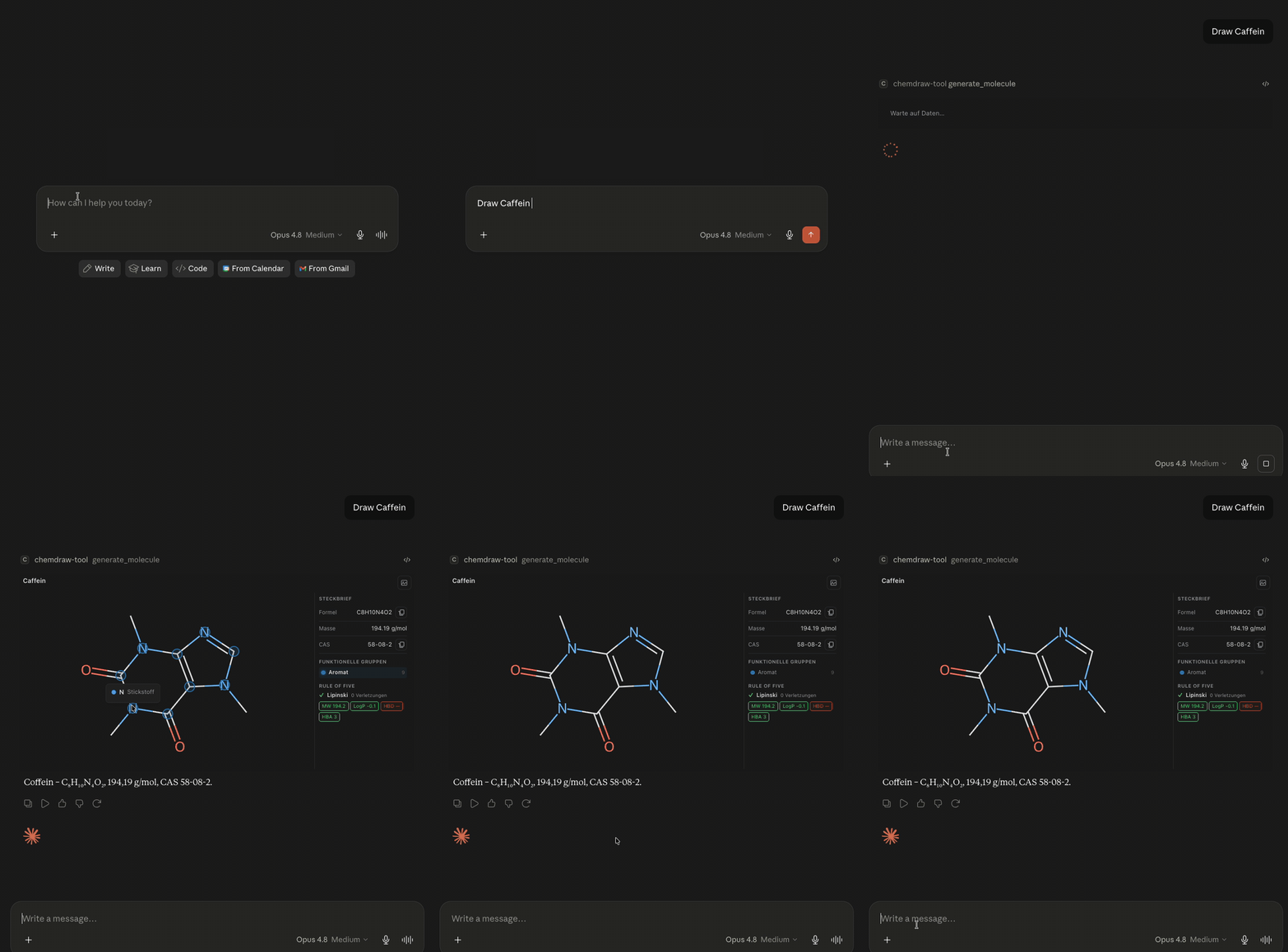
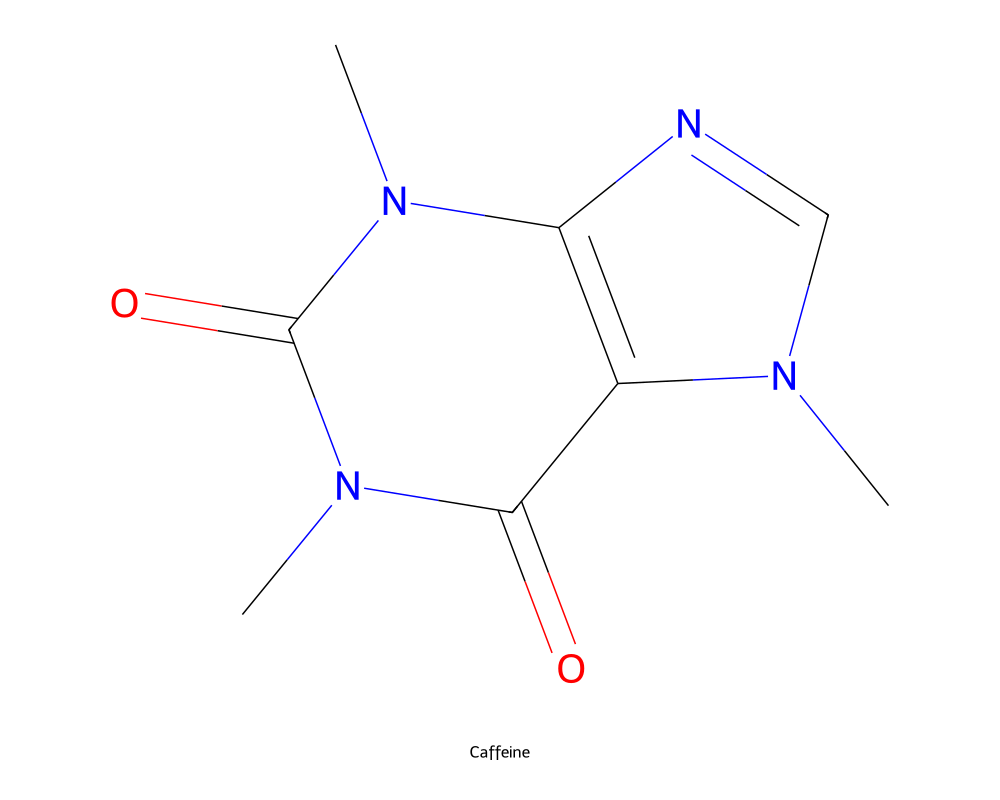
"Draw caffeine" — print-ready PNG, generated by generate_molecule:
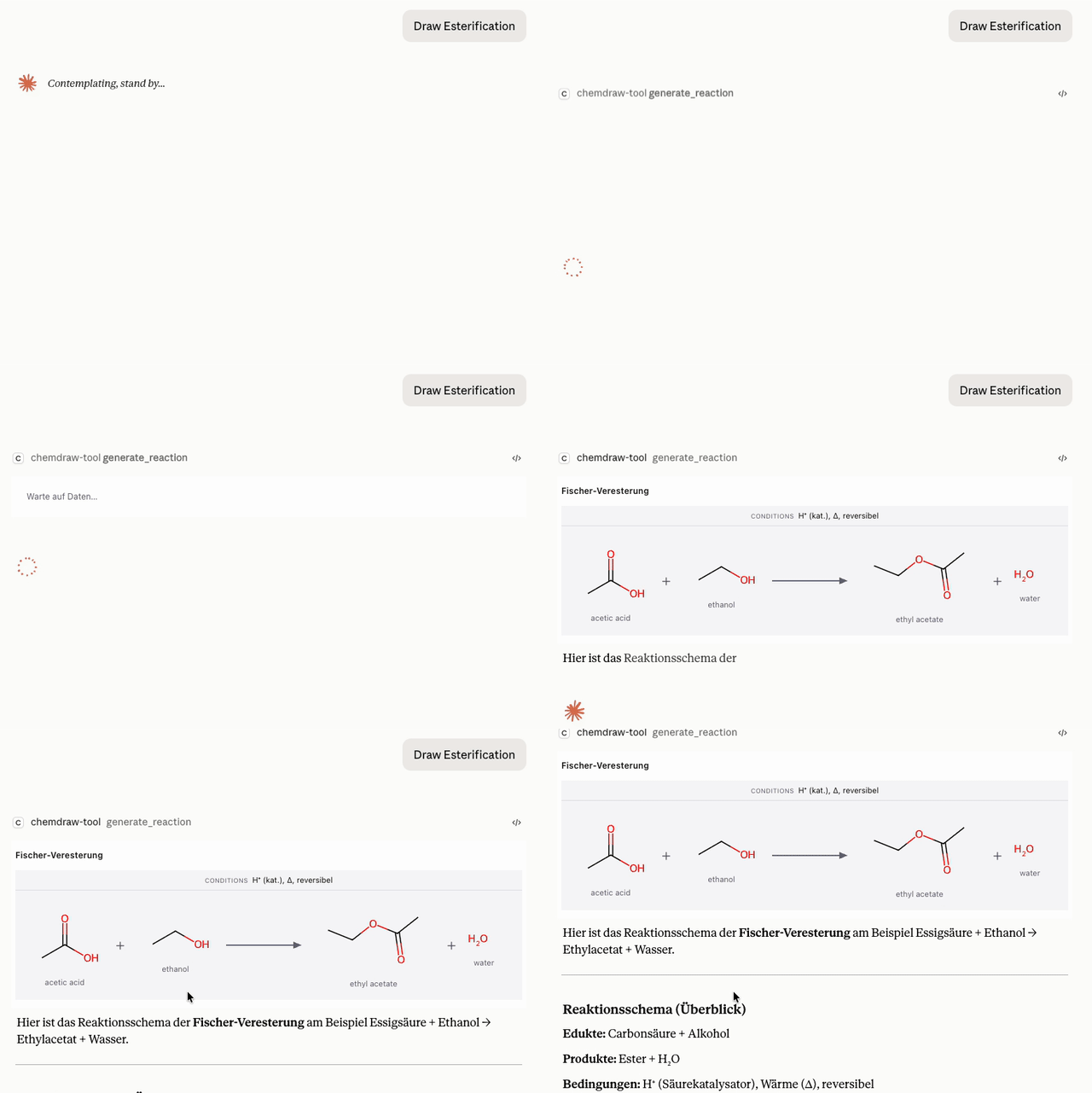
"Show the Fischer esterification of ethanol with acetic acid" —
generate_reaction renders the scheme with conditions above the arrow,
live in the chat panel:
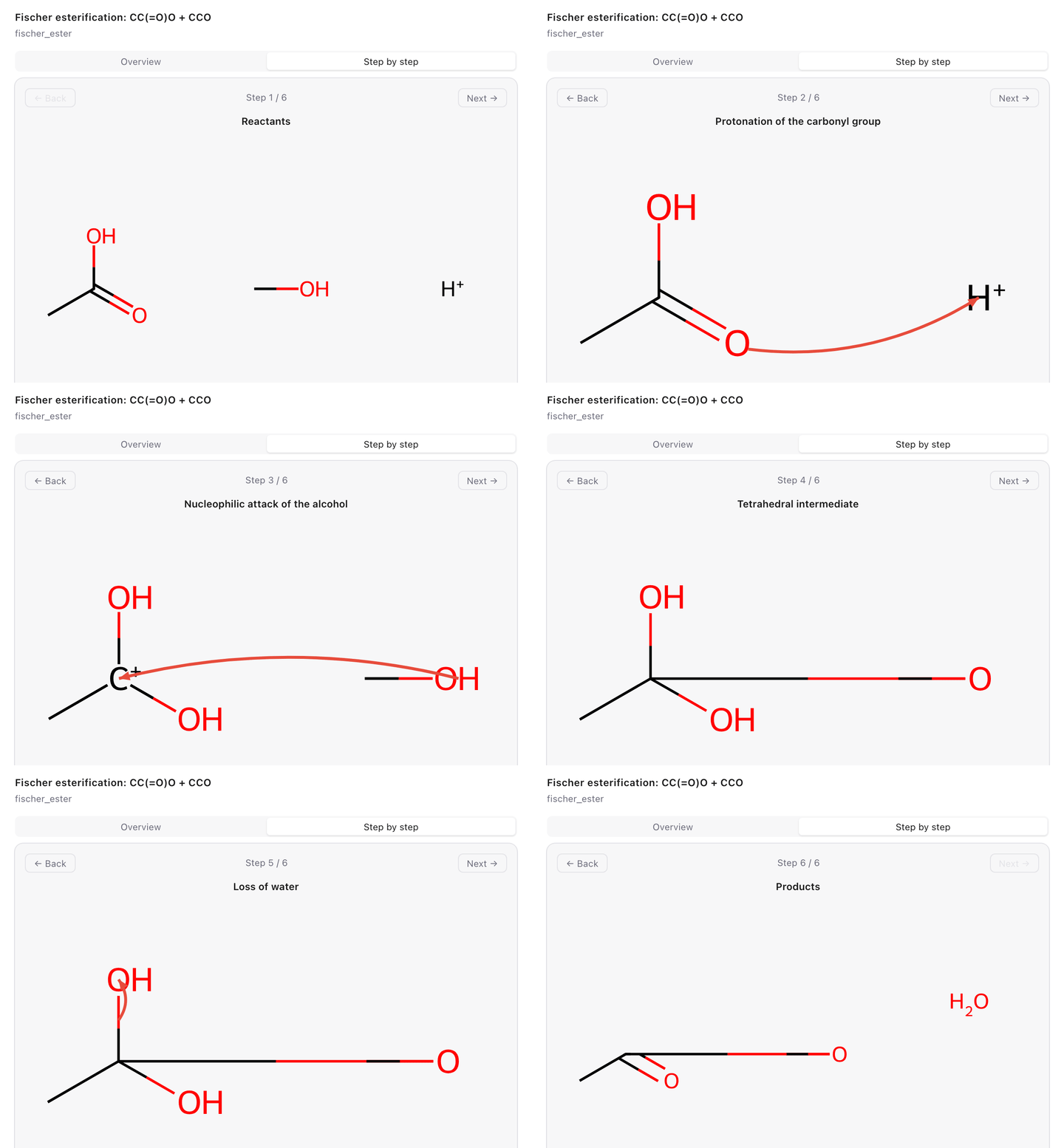
"Show the Fischer esterification mechanism step by step" —
generate_mechanism renders curved electron-flow arrows in the interactive
panel:
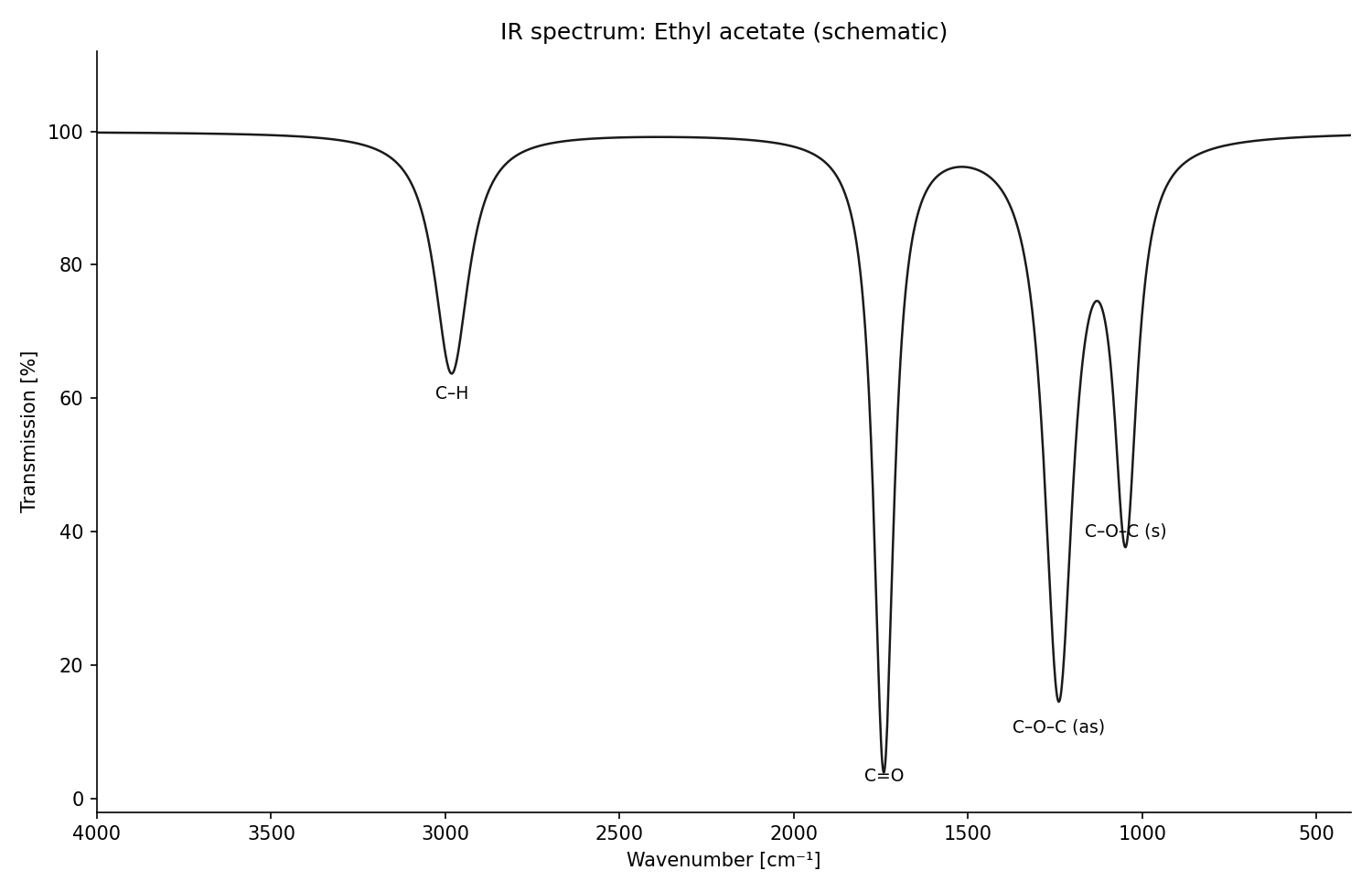
"Sketch the IR spectrum of ethyl acetate" — generate_spectrum (draws the
peaks it is given, with per-type axis conventions):
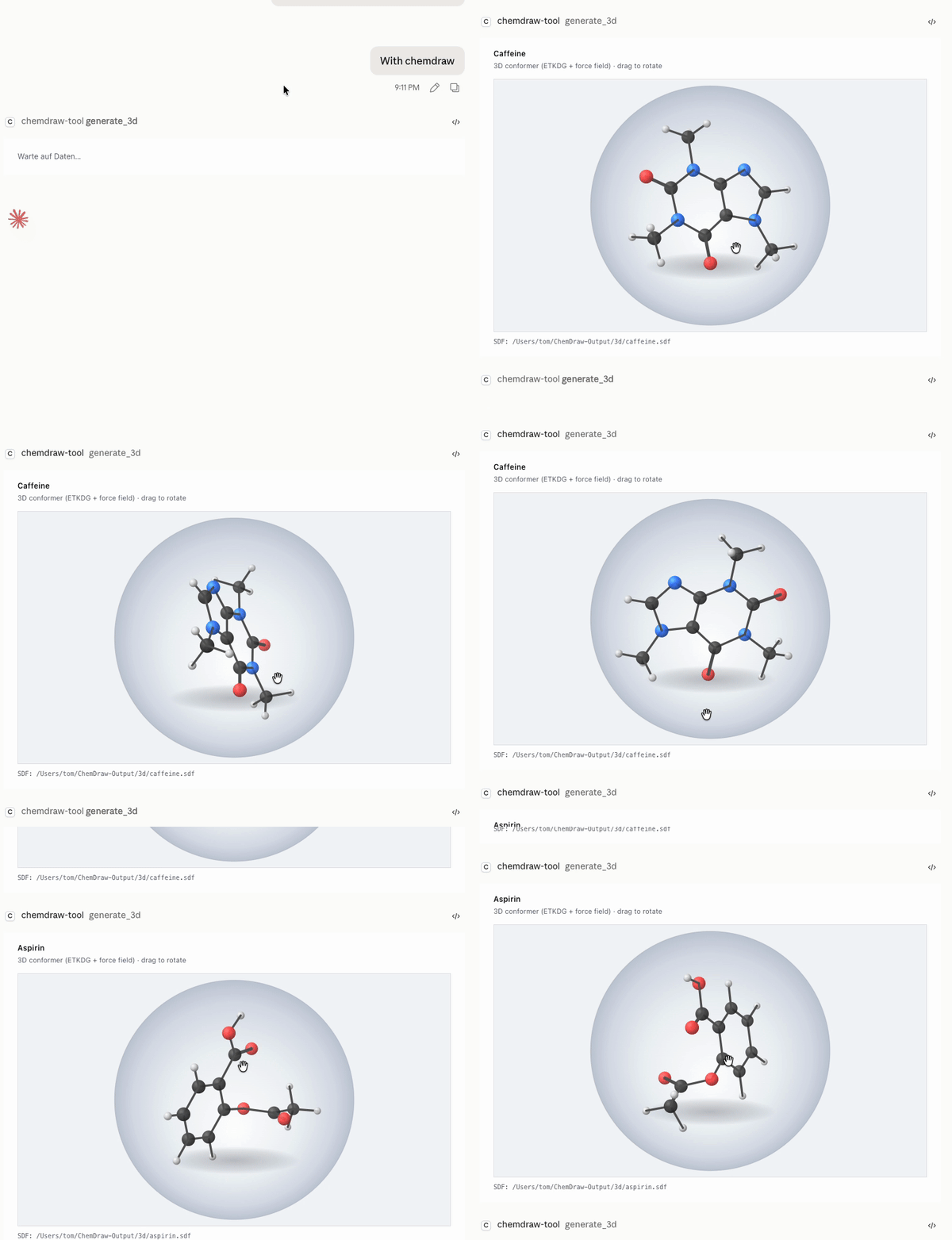
"Show caffeine in 3D" — generate_3d embeds the molecule (ETKDG + force
field) and opens a drag-to-rotate ball-and-stick viewer in the chat panel:
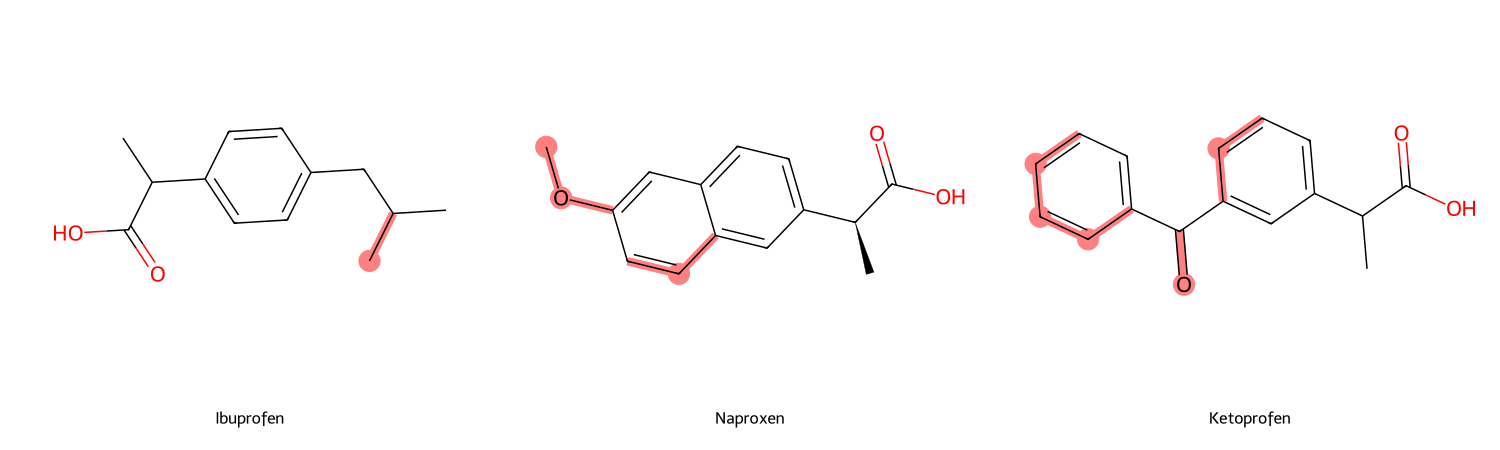
"What distinguishes ibuprofen from naproxen and ketoprofen?" —
compare_molecules keeps the shared scaffold (MCS) neutral and highlights
everything that differs:
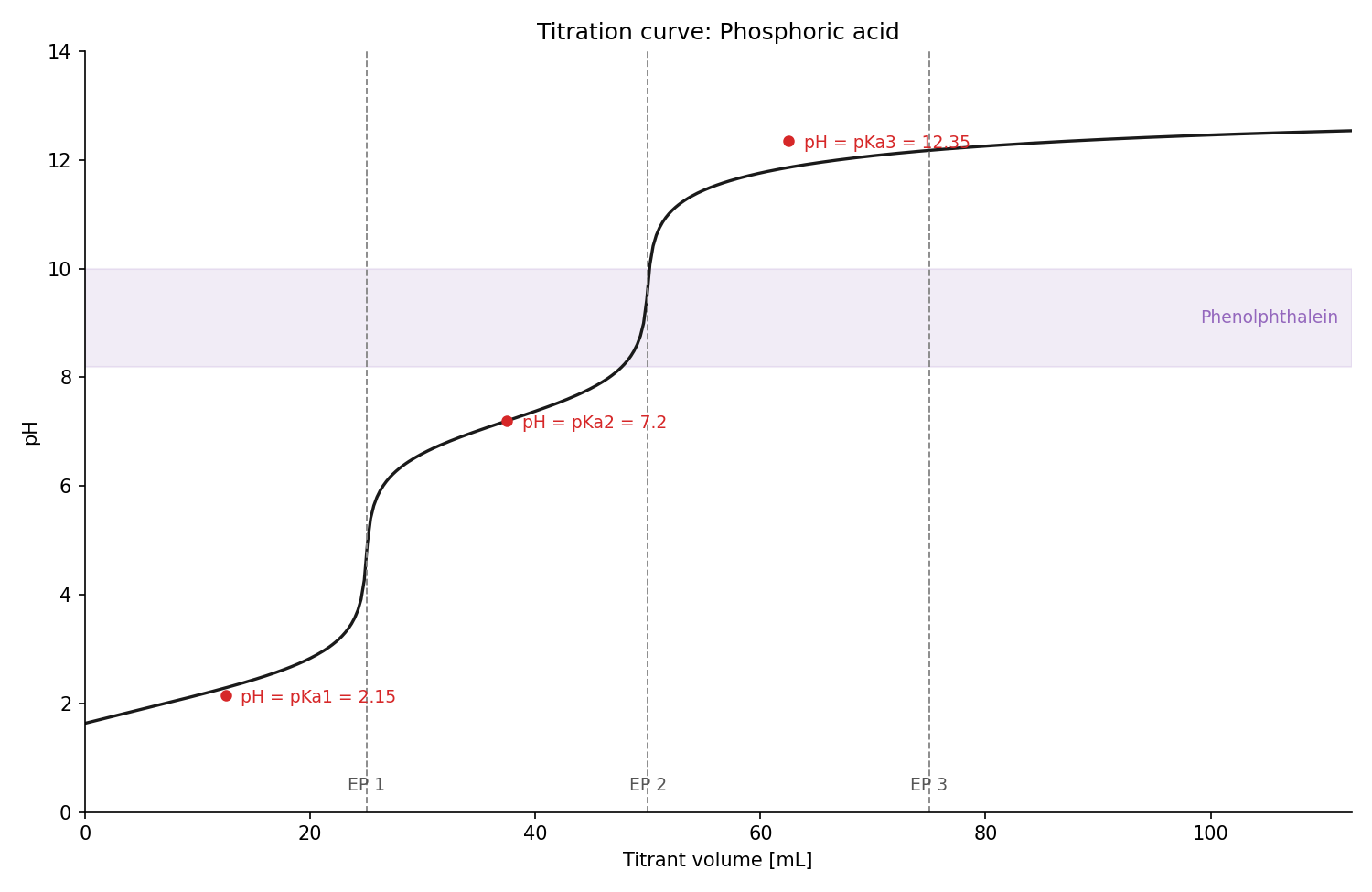
"Titration curve of phosphoric acid with NaOH, phenolphthalein as
indicator" — generate_titration_curve computes pH from the exact charge
balance, with equivalence points, buffer points (pH = pKa) and the indicator
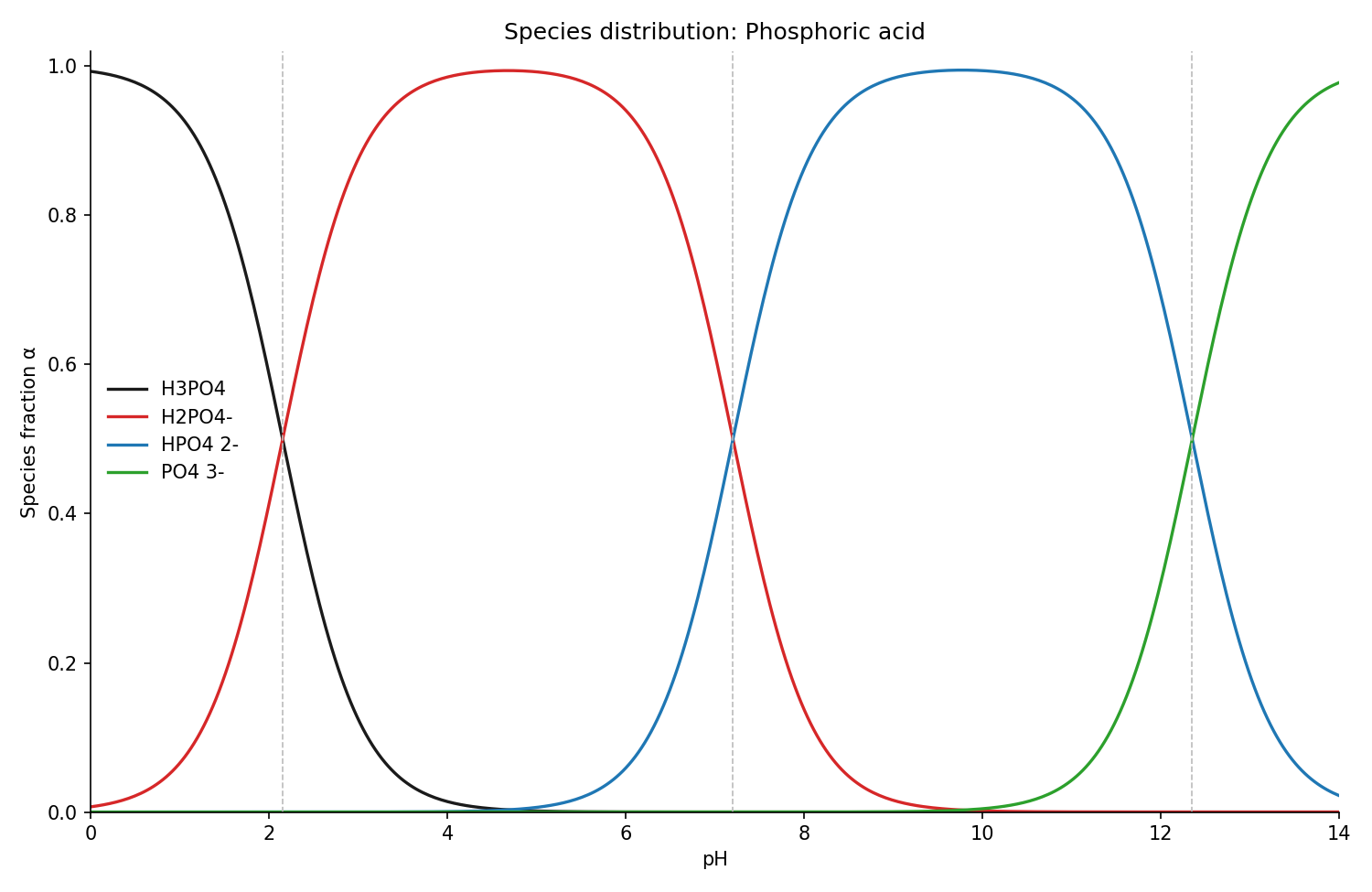
band; its sibling generate_species_distribution shows which protonation
species dominates at every pH:
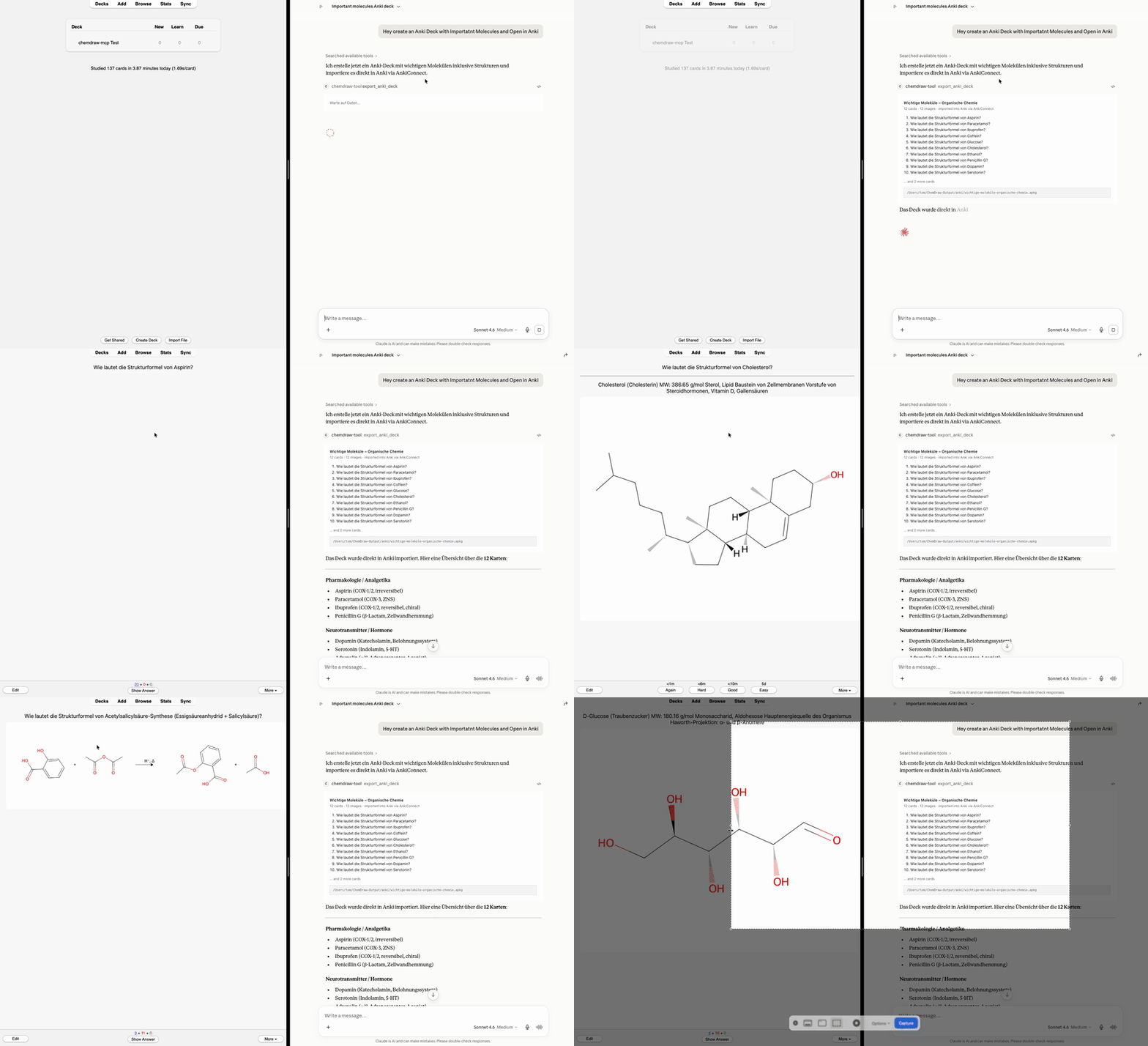
"Create an Anki deck with important molecules and open it in Anki" —
export_anki_deck / export_curated_deck build a ready-to-import .apkg
with rendered structures embedded; with the optional AnkiConnect add-on the
cards land straight in the running Anki, no clicks:
generate_molecule — name/SMILES → 2D structure as PNG + SVG
(optionally CDXML), with properties, functional-group detection and a
Lipinski rule-of-five checkgenerate_reaction — educts + products + conditions → reaction schemebatch_generate — a whole list of structures in one callgenerate_mechanism — curved-arrow mechanisms (SN1, SN2, Fischer
esterification) step by stepgenerate_spectrum — schematic spectra from peak lists (IR, NIR,
Raman, UV/Vis, fluorescence, ORD, CD, ¹H/¹³C NMR, MS) with per-type axis
conventions — draws given peaks, does not predict spectraexport_anki_deck — exam-prep flashcards as a ready-to-import
Anki .apkg: structure↔name drills (optionally reversed: one note,
both directions), cloze/fill-in-the-blank cards, identity/detection
reactions, spectrum band assignment — with rendered images embedded,
per-card tags, Parent::Child subdecks; re-exporting a deck updates
cards instead of duplicating them. Optional delivery straight into the
running Anki via the AnkiConnect add-onexport_curated_deck — small, formula-verified starter decks
(classic analgesics, Ph.Eur. identity reactions)generate_titration_curve — pH vs. titrant volume from the exact
charge balance, with equivalence points, buffer points (pH = pKa) and
indicator transition bandgenerate_species_distribution — protonation species fractions
over pH (Henderson-Hasselbalch) with pKa crossovers markedcompare_molecules — 2-4 structures side by side, differences
highlighted, shared scaffold (MCS) neutralgenerate_3d — rotatable 3D ball-and-stick conformer in the chat
panel (ETKDG + force field) plus SDF export; stereo descriptors (R/S,
E/Z) available on 2D drawings via annotate_stereolookup_* — substance data from PubChem, ChEBI, KEGG and UniProt
(properties, GHS safety, pathways)calculate_validation — Ph.Eur.-style content determination with full
calculation steps, t-test/F-test statisticsopen_chemdraw_fileOption 1 — straight from PyPI (needs uv):
add this to your Claude Desktop config (claude_desktop_config.json →
mcpServers):
"chemdraw": {
  "command": "uvx",
  "args": ["chemdraw-mcp"]
}
Option 2 — one-command installer (clones the repo and registers the server in Claude Desktop automatically):
git clone https://github.com/jurimaxam-dotcom/chemdraw-mcp.git
cd chemdraw-mcp && ./install.sh
Both are idempotent and leave existing MCP servers untouched. Restart Claude Desktop, then ask: "draw caffeine".
Optional: with a Java runtime installed (e.g. brew install openjdk),
systematic IUPAC names — including ones no database indexes — are parsed
offline via OPSIN. Without Java the
server falls back to the PubChem/NCI online lookup.
name / SMILES
   │
   ▼
resolver ──► OPSIN (systematic IUPAC names, offline) ──► PubChem / NCI (names)  ·  direct parse (SMILES)
   │
   ▼
RDKit 2D coordinates ──► validation (sanity, round-trip)
   │
   ├──► image_export   → PNG + SVG files          (primary, offline)
   ├──► svg_renderer   → interactive chat preview (MCP App resource)
   └──► cdxml_writer   → ChemDraw CDXML           (optional, on request)
uv sync                      # backend deps
cd chemdraw_tool/ui && npm install && npx playwright install chromium  # frontend, once
./test.sh                    # the gate: pytest + JS unit + headless-Chromium e2e
~400 tests, written test-first. The e2e test rasters a real RDKit SVG in headless Chromium and compares it against an exact pixel snapshot.
Apache-2.0 — see LICENSE. Copyright 2026 jurimaxam-dotcom.
Disclaimer: This is an unofficial, independent project, not affiliated with or endorsed by Revvity. ChemDraw is a trademark of Revvity Signals Software, Inc. This tool does not include or require ChemDraw; it can optionally export files in the open CDXML format.
FAQs
MCP server that turns molecule names or SMILES into publication-style 2D structure drawings (PNG/SVG via RDKit) — reaction schemes, mechanisms, spectra. Unofficial, not affiliated with Revvity.
We found that chemdraw-mcp demonstrated a healthy version release cadence and project activity because the last version was released less than a year ago. It has 1 open source maintainer collaborating on the project.
Did you know?

Socket for GitHub automatically highlights issues in each pull request and monitors the health of all your open source dependencies. Discover the contents of your packages and block harmful activity before you install or update your dependencies.
Research
/Security News
Popular npm packages keyv and cacheable compromised.

Security News
A misconfiguration gave three Anthropic models internet access, and one, believing it was in a simulation, shipped a credential-stealing package to PyPI.

Security News
/Company News
Socket has joined the new Composer and Packagist sponsorship program as a launch sponsor, supporting the team that keeps PHP's package ecosystem secure.