Product
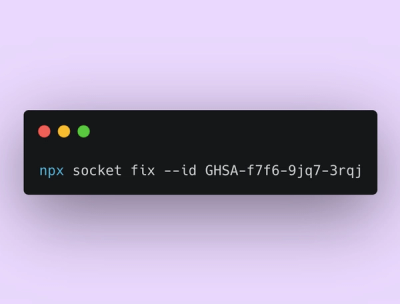
Announcing Socket Fix 2.0
Socket Fix 2.0 brings targeted CVE remediation, smarter upgrade planning, and broader ecosystem support to help developers get to zero alerts.
A Python module to obtain and read Dutch weather data from Meteoserver.nl. The code is being developed by Marc van der Sluys of the department of Astrophysics at the Radboud University Nijmegen, the Netherlands and the department of Sustainable energy of the HAN University of Applied Sciences in Arnhem, the Netherlands. The Meteoserver package can be used under the conditions of the GPLv3 licence.
This package can be installed using pip install meteoserver. This should automatically install the
dependency packages pandas and requests, if they haven't been installed already. If you are installing by
hand, ensure that these packages are installed as well.
You will need to obtain a (free) account and API key at Meteoserver.nl to download data from the Meteoserver API.
"""Example Python script using the Meteoserver module."""
import meteoserver as meteo
myKey = 'a123456789' # My Meteoserver API key - put your OWN key here!
myLocation = 'De Bilt' # My location
# Weather forecast #################################################################################
# Print some help:
meteo.print_help_weatherforecast()
location = 'Unknown' # Ensure we always have a location 'name' to write to file.
# Read weather-forecast data from file:
# data = meteo.read_json_file_weatherforecast('WeatherForecast1.json', full=True) # Option 1: HARMONIE/HiRLAM (48 (42?) hours)
# data = meteo.read_json_file_weatherforecast('WeatherForecast2.json') # Option 2: GFS (4/10 days), useful columns only, no location
# Option 2, with ALL columns and location; don't convert to numerical format, to allow writing to file later:
# data, location = meteo.read_json_file_weatherforecast('WeatherForecast2.json', full=True, loc=True, numeric=False)
# Get weather-forecast data from server:
# data = meteo.read_json_url_weatherforecast(myKey, myLocation, model='HARMONIE') # Option 1: HARMONIE/HiRLAM
# data = meteo.read_json_url_weatherforecast(myKey, myLocation) # Option 2 (default): GFS, useful columns only, no location
# Option 2, with ALL columns and location; don't convert to numerical format, to allow writing to file later:
data, location = meteo.read_json_url_weatherforecast(myKey, myLocation, full=True, loc=True, numeric=False)
# Print the data:
print(data)
# Write the downloaded data to a json file:
meteo.write_json_file_weatherforecast('WeatherForecast3.json', location, data)
# Sun forecast #####################################################################################
# Print some help:
meteo.print_help_sunData()
# Read a Meteoserver Sun-data JSON file from disc:
# current, forecast = meteo.read_json_file_sunData('SunData.json')
# Return the location; don't convert to numerical format, to allow writing to file later:
# current, forecast, location = meteo.read_json_file_sunData('SunData.json', loc=True, numeric=False)
# Get Meteoserver Sun data from the server for the given location (and key):
# current, forecast = meteo.read_json_url_sunData(myKey, myLocation)
# Return the location; don't convert to numerical format, to allow writing to file later:
current, forecast, location = meteo.read_json_url_sunData(myKey, myLocation, loc=True, numeric=False)
# Print the current-weather and forecast dataframes:
print("\nCurrent Sun/weather observation from a nearby station:")
print(current)
print("\nSun/weather forecast for the selected location/region:")
print(forecast)
# Write the downloaded data to a json file:
meteo.write_json_file_sunData('SunData1.json', location, current, forecast)
FAQs
A Python module to obtain and read Dutch weather data from Meteoserver.nl
We found that meteoserver demonstrated a healthy version release cadence and project activity because the last version was released less than a year ago. It has 1 open source maintainer collaborating on the project.
Did you know?

Socket for GitHub automatically highlights issues in each pull request and monitors the health of all your open source dependencies. Discover the contents of your packages and block harmful activity before you install or update your dependencies.

Product
Socket Fix 2.0 brings targeted CVE remediation, smarter upgrade planning, and broader ecosystem support to help developers get to zero alerts.

Security News
Socket CEO Feross Aboukhadijeh joins Risky Business Weekly to unpack recent npm phishing attacks, their limited impact, and the risks if attackers get smarter.

Product
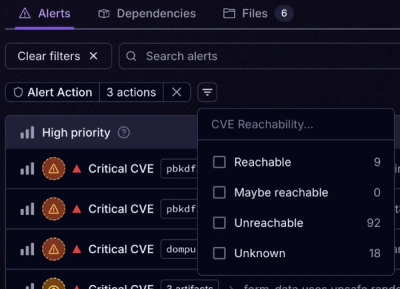
Socket’s new Tier 1 Reachability filters out up to 80% of irrelevant CVEs, so security teams can focus on the vulnerabilities that matter.