

Security News
vlt 1.5.0 Adds Agent Skills Management
vlt 1.5.0 links skills from JavaScript dependencies to coding agents, with lockfile versioning and Socket data to filter out known malicious packages.
By Sarah Gooding - Oct 21, 2026
navig
Advanced tools
Terminal-first infrastructure CLI with multi-host SSH management, encrypted vault, AI operator layer, and memory

No Admin Visible In Graveyard
The terminal was never the problem. The chaos around it was.






[!NOTE] NAVIG 3.x is a stable release. The CLI contract (
navig <resource> <action>) is stable and changes follow semantic versioning. Review the CHANGELOG before upgrading across major versions. As with any tool that operates live infrastructure, use read-only inspection and dry runs first in production-critical environments.
Real sessions, recorded from the tapes in tools/showcase/ against lab hosts —
nothing typed into the output, nothing edited out. All eleven scenes, the videos and how they were
made: docs/showcase · videos (and a 90-second trailer) on the NAVIG 3.25.0 release.
Live dashboard — navig dashboard | Hosts & safety — host test, a second session refused, a destructive command declined |
Spaces — space init --dry-run → space init → space doctor | Blocks — block show → apply --dry-run with per-step risk |
Ledger & undo — ledger show → ledger verify → undo --list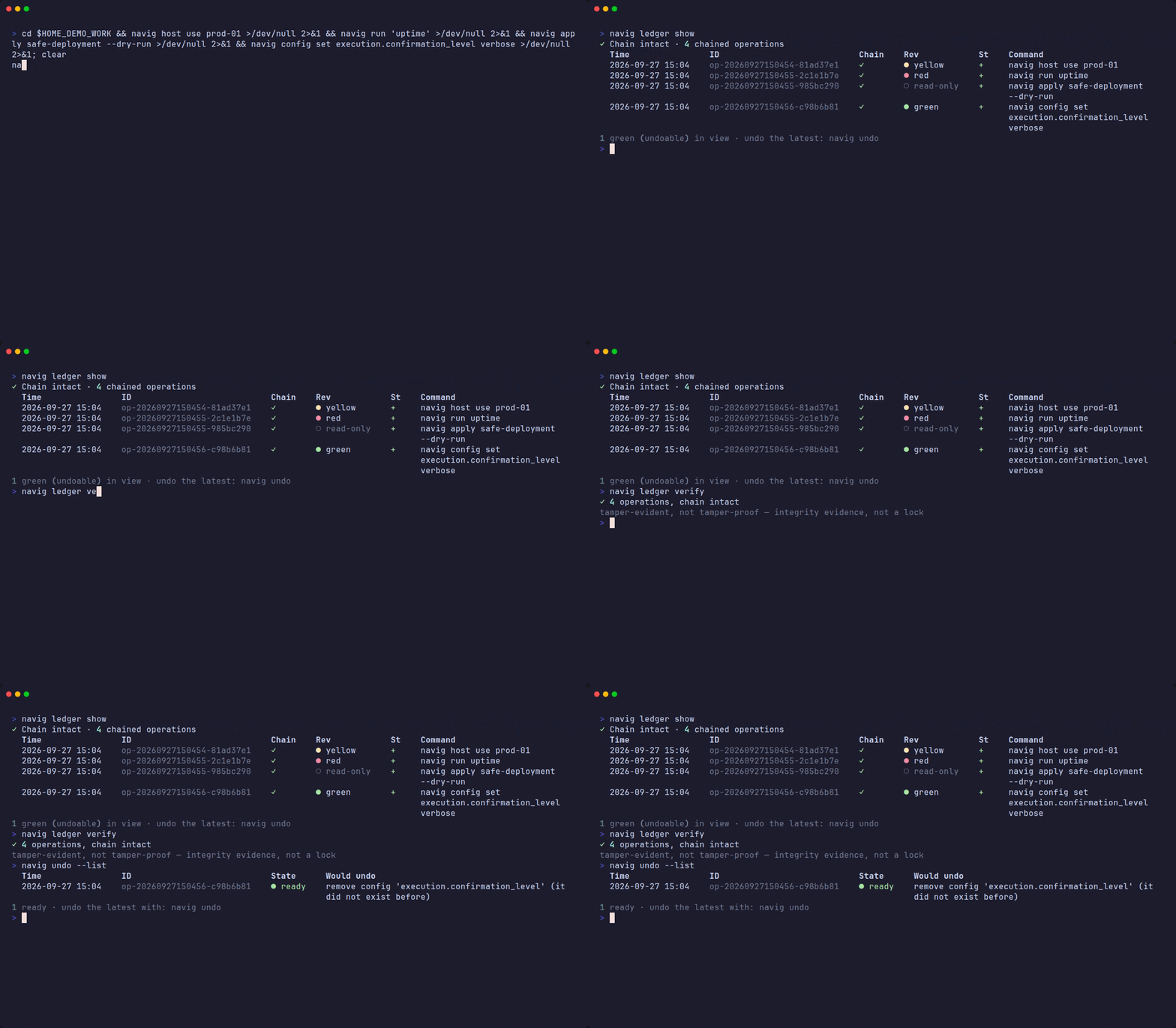 | Your node — navig whoami |
NAVIG CLI uses Nerd Font glyphs for Powerline-style status bars and icons. Install once per machine:
pwsh navig/builtin/scripts/Install-NerdFont.ps1
| Platform | Recommended terminal | Additional step |
|---|---|---|
| Windows | Windows Terminal | Script patches automatically |
| macOS | iTerm2 or Kitty | Set font to JetBrainsMono Nerd Font Mono after script runs |
| Linux | Kitty, Alacritty, GNOME Terminal | Set font manually after script runs |
VS Code is patched automatically on all platforms. Restart VS Code and your terminal after running the script.
Offline install: set
$env:NAVIG_FONT_ZIPto a local zip path, or pass-LocalZip <path>.
NAVIG is a terminal-first infrastructure CLI and runtime for people who are tired of juggling SSH sessions, scattered scripts, disconnected dashboards, and ad-hoc credentials just to keep their systems running.
It was built by one person — a solo founder managing a growing swarm of remote machines, projects, and operational overhead with no platform team to fall back on. The problem wasn't the terminal. The problem was everything fragmented around it: SSH in one place, SFTP in another, databases behind dashboards, secrets pasted into notes, logs spread across providers, and no single coherent surface to operate from.
NAVIG is the result of refusing to accept that reality.
It gives operators direct control over remote hosts, databases, containers, files, tunnels, and workflows — from one place, with structure, memory, and optional AI assistance that stays out of the way until it's actually useful.
One operator surface. For operators.
NAVIG ships in two layers with a deliberate split:
pip install navig[deck]). Hosts inventory,
mesh topology, vault UI, mission queue, workflow runner, Telegram
Mini App. Free on one host; Harbor Pass / Max add host scale and the
full operator module suite — see navig.run/deck.The split is honest: the daemon is open and audit-able, the Deck is free on one host, and Harbor subscriptions add host scale, every operator module and all of Harbor Bay. See navig.run/buy for the plans.
What's free, forever, no matter what:
navig ssh, unlimited hosts you connect to/start, /run, /status, all commands)navig ask, conversation memory, missions)What a Harbor subscription pays for is scale and the operator suite; the daemon never will be paid.
Most operators already have SSH. What they don't have is everything that should live around it:
| You probably have | NAVIG adds |
|---|---|
| SSH client | Multi-host management with one active context |
| Ad-hoc shell scripts | Named workflows with dry-run and preview |
Secrets in .env files | Encrypted vault with context-aware resolution |
grep in log files | Structured log tailing across hosts |
| Copy-paste from Stack Overflow | AI operator layer with your infra as context |
| One terminal per machine | Mesh networking and command delegation |
NAVIG is not a configuration management tool (not Ansible). It is not a deployment platform (not Kubernetes). It is a control plane for humans — the thing you reach for when you need to do something to a real machine, right now, without writing a playbook.
| Capability | Description |
|---|---|
| Multi-host management | Add, switch, test, and operate remote hosts over SSH |
| Remote execution | Run commands, pipe stdin, use base64 encoding for complex scripts |
| Database operations | Query, dump, restore, and maintain MySQL, MariaDB, and PostgreSQL |
| File operations | Upload, download, read, edit, and list remote files safely |
| Docker & containers | Inspect containers, restart services, tail logs, manage compose stacks |
| Web server control | Manage nginx/apache configs, test changes, reload safely |
| Encrypted vault | Store credentials without leaving secrets in plaintext config files |
| Workflows | Define repeatable multi-step flows with dry-run and preview support |
| AI operator layer | Natural language assistance for infra tasks — CLI, Telegram, or MCP |
| Mesh networking | LAN peer-to-peer node discovery and command delegation |
| MCP integration | Expose tools and resources to AI editors and compatible clients |
| Daemon & gateway | Background service with Telegram and Matrix channel support |
| Telegram Manager | Full-account Telegram organizer (MTProto): search/move/forward/dedupe + a business-conversation AI catcher, reply-keyword actions, deletion alerts, and rich-message replies — owner-only (docs · cheatsheet) |
| GitHub mirroring | navig github — search, backup, and clone GitHub repos (flat or nested), token from the vault |
| TikTok | navig tiktok — download videos, extract metadata + top comments, and AI-brief any link (via yt-dlp) |
curl -fsSL https://navig.run/install.sh | bash
iwr -useb https://navig.run/install.ps1 | iex
pipx install navig
pip install navig
| Option | Example | Description |
|---|---|---|
--version | bash -s -- --version <release> | Pin a specific version |
--dev | bash -s -- --dev | Include development extras |
--method git | bash -s -- --method git | Install from source instead of PyPI |
NAVIG_EXTRAS | NAVIG_EXTRAS=voice,keyring | Enable optional extras |
NAVIG_INSTALL_PROFILE | NAVIG_INSTALL_PROFILE=operator | Choose the first-run bootstrap profile |
Telegram bootstrap is available through the installer pipeline after install:
NAVIG_TELEGRAM_BOT_TOKEN="<your-bot-token>" navig init --profile operator
git clone https://github.com/navig-run/core.git navig
cd navig
pip install -e ".[dev]"
With a virtual environment (optional but recommended):
git clone https://github.com/navig-run/core.git navig
cd navig
python -m venv .venv
source .venv/bin/activate   # Windows: .venv\Scripts\activate
pip install -e ".[dev]"
navig --version
navig --help
If you don't have a remote server available yet, NAVIG works on localhost too:
# Install
pip install navig

# Discover your local machine as a host
navig host discover-local

# Run your first command (on this machine)
navig run "echo hello from NAVIG && uname -a"

# Explore files
navig file list ~ --tree --depth 2

# Ask the AI operator layer something
navig ask "what process is using the most CPU right now?"
That's a complete first run — no remote server required.
# 1. Initialize — creates ~/.navig/, runs setup wizard
navig init

# 2. Add a remote host
navig host add

# 3. Test the connection
navig host test

# 4. Set it as active
navig host use <name>

# 5. Run your first remote command
navig run "uname -a"

# 6. Ask the AI operator layer something about it
navig ask "what is consuming the most memory on this host?"
That's it. Everything else builds from here.
No server yet? examples/quickdemo.sh walks the same path on your own machine in 60 seconds.
Where to go next — after that first navig run:
| Command | What it does |
|---|---|
navig host add | Add more hosts |
navig vault set KEY=value | Store secrets encrypted |
navig db query "SELECT 1" | Connect to a remote database |
navig tunnel 5432 | Open an SSH tunnel to a port |
navig flow run deploy.yaml | Run a multi-step workflow |
navig ask "..." | Ask the AI operator layer anything |
The pattern is consistent across all resources:
navig <resource> <action> [options]
| Command | What it does |
|---|---|
navig host | Add, switch, test, and inspect remote hosts |
navig run | Execute commands on remote or local hosts |
navig file | Upload, download, read, and edit remote files |
navig db | Query, dump, restore, and maintain databases |
navig docker | Container and compose operations |
navig web | Web server config, test, and reload |
navig tunnel | SSH tunnel management |
navig backup | Config and data backup / restore |
| Command | What it does |
|---|---|
navig ask | AI-assisted troubleshooting and command guidance |
navig flow | Multi-step automation workflows |
navig mcp | MCP server for AI editor and tool integration |
navig gateway | Start and manage chat gateway (Telegram, Matrix) |
navig agent | Autonomous agent runtime — install, start, configure, manage |
navig telegram | Telegram Manager — login, search, organize, business catcher, emoji rights |
navig github | Search / backup / clone GitHub repos (flat by default) — token from the vault |
navig tiktok | Download TikTok content + AI briefings (description + top comments) |
| Command | What it does |
|---|---|
navig config | View, validate, and manage configuration |
navig vault | Encrypted credential storage |
navig space | Multi-context operator environments |
navig mesh | LAN peer discovery and command delegation |
Run navig help or navig help <topic> for detailed usage. Every command also supports --help.
First-party plugins extend navig with new commands — and several run on their own, with no
navig install at all. Source and per-plugin docs: navig-run/plugins.
| Plugin | What it does | Runs on its own | Install |
|---|---|---|---|
| navig-agentctl | Agent Control Center (devops section): sessions, worktrees, tasks and the Agent Monitor (runs, hooks, verified lands)… | — adds navig agentctl | pip install "navig[agentctl]" |
| navig-ahk | AutoHotkey v2 automation for navig — click, type, open, windows and AI-written scripts, as its own plugin | — a Deck surface | pip install "navig[ahk]" |
| navig-antivirus | Browser-extension malware/PUP scanning, Chrome extension-registry auditing, Chrome profile-index recovery, and a… | ✅ navig-antivirus | pip install navig-antivirus (with navig: navig[antivirus]) |
| navig-audio | Speak text, transcribe audio, generate music and sound effects, analyse beats and render podcasts — its own… | ✅ navig-audio | pip install navig-audio (with navig: navig[voice]) |
| navig-blackbox | A standalone flight-recorder & crash black-box for any Python app: append-only event log, sys.excepthook crash… | ✅ navig-blackbox · nbb | pip install navig-blackbox (with navig: navig[blackbox]) |
| navig-bookmarks | A local bookmark manager: import from any browser or HTML export, full-text search, AI folder plans and tags with your… | ✅ navig-bookmarks | pip install navig-bookmarks (with navig: navig[bookmarks]) |
| navig-browser | Launch an isolated Chrome/Edge/Brave or Electron app, drive it over CDP, keep named profiles and stop only what it… | ✅ navig-browser | pip install navig-browser (with navig: navig[stealth]) |
| navig-cabinet | Your documents in one plugin: an encrypted cabinet for important files (ID and passport scans, medical records,… | ✅ navig-cabinet | pip install navig-cabinet (with navig: navig[cabinet]) |
| navig-calendar | List/add/sync events (Google Calendar, CalDAV, ICS) | ✅ navig-calendar | pip install navig-calendar |
| navig-chats | A local library for your AI conversations: import your ChatGPT data export, save chats from the page with the NAVIG… | ✅ navig-chats | pip install navig-chats (with navig: navig[chats]) |
| navig-contacts | navig contacts: the address book and the alias-to-route table dispatch resolves against, in one store | ✅ navig-contacts | pip install navig-contacts |
| navig-debrief | Visual presentation of a work session: a slide deck from transcript facts (navig debrief), plus the full HTML report… | ✅ navig-debrief | pip install navig-debrief (with navig: navig[debrief]) |
| navig-dedupe | A free, standalone perceptual duplicate finder for photos, video, audio & any file | ✅ navig-dedupe · ndup | pip install navig-dedupe (with navig: navig[dedupe]) |
| navig-devhost | Give any local dev server a real .test domain over trusted HTTPS in one command (hosts + mkcert + raw TLS relay),… | ✅ navig-devhost | pip install navig-devhost |
| navig-devnet | Developer/ops network inspection: DNS/WHOIS/SSL lookups and an SSRF-guarded HTTP repeater — its own navig-devnet… | ✅ navig-devnet | pip install navig-devnet (with navig: navig[devnet]) |
| navig-distribution | Distribution for NAVIG OS: project-scoped channel research, eligibility, campaigns, block-level content, identities,… | — adds navig distribution | from source (not on PyPI yet) |
| navig-download | Universal media downloader (yt-dlp): video, audio & files from YouTube, TikTok and any supported site | ✅ navig-download | pip install navig-download (with navig: navig[download]) |
| navig-ebay | Sell on eBay via the official Sell APIs (draft, publish, price, orders) wired into navig ebay | ✅ navig-ebay | pip install navig-ebay (with navig: navig[ebay]) |
| navig-email | Gmail mailroom: rules, watch, labels, stats, digests, drafts — its own navig-email command (Gmail app password over… | ✅ navig-email | pip install navig-email |
| navig-explore | A universal local media/data explorer for ANY folder | ✅ navig-explore | pip install navig-explore |
| navig-games | Proactively find & auto-claim FREE games (Epic now; GOG/Amazon/Steam next) and manage your game library | ✅ navig-games | pip install navig-games (with navig: navig[games]) |
| navig-generate | Generate images, video and audio with your own provider keys, keep the variants you like, and edit them: cut, fx,… | ✅ navig-generate | pip install navig-generate (with navig: navig[generate]) |
| navig-github | The full GitHub toolbox (backup, mirror, export, manage): its own navig-github command, and navig github inside navig | ✅ navig-github | pip install navig-github (with navig: navig[github]) |
| navig-glass | NAVIG Glass integration: discover the standalone viewer, open files through NAVIG, keep Glass fully usable without it | — adds navig glass | from source (not on PyPI yet) |
| navig-matrix | Matrix messaging surface for navig — rooms, invites, tokens, admin and the inbox bridge, as its own plugin | — a Deck surface | pip install "navig[matrix]" |
| navig-media | The NAVIG media suite in one install: image and video generation, voice and music, writing, and the assembly line that… | ✅ navig-media | pip install navig-media |
| navig-media-core | The shared media engine NAVIG's media packages run on — media types and the generator registry, the generation… | — a shared library | pip install navig-media-core |
| navig-menu | AI-first menu builder — auto-detects any project's stack and builds a premium interactive terminal menu with layouts,… | ✅ navig-menu · nm | npm i -g navig-menu |
| navig-mini | Lightweight AI agent daemon for Raspberry Pi, NAS boxes, and low-power devices | ✅ navig-mini | pip install navig-mini |
| navig-mobile | Pro-grade Android + iOS device operations: connect, device info, apps, file pull, screenshots, backups, plus forensics… | ✅ navig-mobile | pip install navig-mobile (with navig: navig[mobile]) |
| navig-msstore | Microsoft Store publishing verbs for NAVIG, wrapping the msstore-publish block | ✅ navig-msstore | pip install navig-msstore |
| navig-notes | Your web sticky notes on this computer: the NAVIG Dock syncs every note you keep on a page, a site or everywhere, so… | ✅ navig-notes | pip install navig-notes (with navig: navig[notes]) |
| navig-obs | Control OBS Studio from navig — scenes, sources, streams, recording, studio mode, whole obs-websocket v5 surface — its… | ✅ navig-obs | pip install navig-obs |
| navig-pentest | The authorized-only offensive-security toolkit: passive recon (RDAP/whois, DNS, crt.sh subdomains, HTTP fingerprint)… | ✅ navig-pentest · navig-warroom · warroom-osint | pip install navig-pentest |
| navig-perplexity | Delegate independent intellectual work — research, articles, marketing copy, naming, comparisons, critique,… | ✅ navig-perplexity | from source (not on PyPI yet) |
| navig-pipeline | The content assembly line: short vertical clips cut to the beat, narrated reels, captions and hooks, and download →… | ✅ navig-pipeline · navig-content | pip install navig-pipeline |
| navig-social | Compose, schedule & publish across social networks (Studio + one-call fan-out) | ✅ navig-social | pip install navig-social (with navig: navig[social]) |
| navig-telegram | Telegram surface for navig — bot management, sessions, status and the MTProto user-account verbs, as its own plugin | — a Deck surface | pip install "navig[telegram]" |
| navig-text | AI text generation (drafts/articles/captions/briefs) + navig design (agent HTML/CSS restyle + design tokens) for the… | ✅ navig-text | pip install navig-text |
| navig-vault | A free, standalone, encrypted developer secrets manager (Doppler / 1Password-CLI / Infisical class) | ✅ navig-vault · nv | pip install navig-vault |
| navig-video | Render a channel's video formats (kinetic episodes, bulletins, motion cards) from its workspace of texts, plates and… | ✅ navig-video | pip install navig-video (with navig: navig[video]) |
| navig-vm | Local VMware Workstation VMs from verified cloud images, provisioned on first boot with cloud-init and driven from… | ✅ navig-vm | pip install navig-vm (with navig: navig[vm]) |
NAVIG ships an autonomous agent layer that runs as a persistent background process.
# One-time setup: write ~/.navig/agent/config.yaml and create runtime directories
navig agent install

# Optional: register as an OS service (starts on boot)
navig service install
navig service start

# Check state
navig agent status
Operating modes: supervised (default, confirms actions), autonomous (executes without prompts), observe-only (reads and reports, no writes).
Personality profiles: friendly, professional, witty, paranoid, minimal.
See docs/agent/install.md for the full reference.
NAVIG can expose its operator layer through:
navig ask)navig gateway)navig ask "Why does this container keep restarting?"
The AI layer assists with reasoning, context, and workflow execution. It does not replace direct operator control — the operator stays responsible, the operator stays in command.
NAVIG's hosted Deck lives at relay.navig.run. It's a static React app + a tiny broker (Cloudflare Pages Functions + D1) that maps your daemon's API key (and your Telegram user_id) to its current public URL. Your daemon registers itself with the broker on every boot; the Deck and the Telegram Mini App resolve "where is my daemon" via the broker. Daemon data never leaves your machine — the broker only stores routing metadata (a SHA-256 of your api_key, your current public URL, and the Telegram bindings).
| Mode | Use when | How to enable | Subscription needed? |
|---|---|---|---|
| Lighthouse (recommended) | You want always-on access (Telegram / SMS / remote Deck) with no tunnel and no domain. | navig lighthouse deploy deploys a tiny edge to your own Cloudflare account (no Node/wrangler); the brain dials out to it over one WebSocket. See docs/LIGHTHOUSE.md. | None — self-hosted on your Cloudflare, free for everyone. |
| cloudflared / hosted relay | Laptop, home machine, anything behind NAT. No public IP, no domain. | The daemon spawns cloudflared to create a free *.trycloudflare.com quick tunnel. Manual: navig cloud connect. | Free for new Solo users + active subscribers. Lapsed subscribers get a 30-day grace; perpetual-only buyers self-host via Lighthouse/Tailscale instead. |
| Tailscale Funnel | You want a free, stable, subscription-free public URL for your Mini App. | navig cloud tailscale --enable — bring up a *.ts.net URL via Tailscale Funnel, then navig miniapp register to push it to BotFather. | None — direct mode, broker not involved. |
| direct (your domain) | VPS with a public domain and a reverse proxy (nginx, Caddy, Traefik). | navig cloud direct https://navig.example.com — daemon skips cloudflared entirely and registers your URL with the broker. Also picks up $NAVIG_PUBLIC_URL from systemd Environment= lines. | None — direct mode, broker not involved. |
| off | Fully local-only. Don't talk to the broker at all. | navig cloud disconnect (or cloud.enabled: false in ~/.navig/config.yaml). | None. |
The subscription-vs-perpetual split: the hosted cloud relay is the one feature that costs us money per month. So it's a subscription feature. Perpetual-pack buyers get the full local app forever and self-host the Mini App with a single Tailscale command — free, stable, costs us nothing. See docs/CLOUD.md for the full topology.
NAVIG self-hosts entirely on your Cloudflare account — two tiny deployments, each with its own stable URL, plus your brain dialing out:
navig lighthouse login     # 1. EDGE: API uplink (Worker + Durable Object). Opens
                           #    Cloudflare → click Authorize → deploys + sets the
                           #    Telegram webhook. (Or: navig lighthouse deploy --token <t>)
navig miniapp deploy       # 2. DECK: builds the UI (static export) → your own
                           #    Cloudflare Pages, bakes the edge URL in (auto-targets
                           #    your brain) → sets the bot's Mini App button.
navig gateway start        # 3. BRAIN: your daemon dials OUT to the edge. Nothing inbound.
Open your bot → tap the menu button → your Deck, talking to your brain through
your edge — reachable from anywhere, no tunnel, no port-forwarding, no domain.
navig lighthouse url prints every inbound hook (Telegram is set automatically;
paste the SMS hook into Twilio only if you use SMS; social publishers are outbound
— token only, no webhook).
One Cloudflare credential for both deploys, no wrangler: both
lighthouse deploy/loginandminiapp deployupload via the Cloudflare REST API and reuse the same credential (an API token with the "Edit Cloudflare Workers" template, or the OAuth token fromlighthouse login). Node 18+ is only needed to build the Deck (miniapp deploy); the upload — like the edge — needs neither Node nor wrangler. (miniapp deploy --wrangleris a Cloudflare-Pages fallback if you prefer it.)
| Mode | Inbound | Outbound | Daemon bind |
|---|---|---|---|
| cloudflared | none | 443 → *.cloudflare.com (cloudflared opens an outbound WebSocket) | 127.0.0.1:8765 (loopback only) |
| direct | 443 → your VPS (terminated by nginx/Caddy) | 443 → relay.navig.run (heartbeat every 60s) | 127.0.0.1:8765 (your proxy forwards from 443 → here) |
| off | none | none | 127.0.0.1:8765 (machine-local) |
The daemon itself never binds to a public interface — your reverse proxy is what listens on 0.0.0.0:443 in direct mode. Defense in depth: even if you misconfigure the proxy, the daemon socket stays on loopback.
navig lighthouse login        # recommended: your own Cloudflare edge (browser auth)
navig lighthouse url          # show every inbound hook + the one stable edge URL
navig miniapp deploy          # deploy your own Deck UI → bot's Mini App button
navig cloud connect           # turn cloudflared mode on (default)
navig cloud direct https://navig.example.com   # switch to VPS direct mode
navig cloud direct --clear    # revert direct mode back to cloudflared
navig cloud status            # show mode, public URL, last heartbeat
navig cloud disconnect        # full off (no broker, no tunnel)
navig cloud key --reveal      # print the api_key (sensitive)
For the full operator guide — including ready-made nginx/Caddy configs, a systemd unit template with Environment=NAVIG_PUBLIC_URL=..., the security model, and troubleshooting — see docs/CLOUD.md.
Global config lives in ~/.navig/. Override with NAVIG_CONFIG_DIR.
~/.navig/
├── config.yaml       ← main config
├── vault/            ← encrypted credentials
├── sessions/
├── workspace/
│   ├── SOUL.md       ← persistent operator identity
│   └── HEARTBEAT.md
└── logs/
Project-specific overrides: place a .navig/ directory at your repository root. Project config takes precedence over global config.
See docs/user/CONFIG_SCHEMA.md and docs/user/HANDBOOK.md.
| Guide | |
|---|---|
| Installation | docs/user/INSTALLATION.md |
| Quick reference | docs/user/QUICK_REFERENCE.md |
| CLI commands | docs/user/CLI_COMMANDS.md |
| Handbook | docs/user/HANDBOOK.md |
| Troubleshooting | docs/user/troubleshooting.md |
| Telegram setup | docs/features/TELEGRAM.md |
Agent runtime (agent install) | docs/agent/install.md |
| Production deployment | docs/dev/PRODUCTION_DEPLOYMENT.md |
| Migration guide | docs/dev/MIGRATION_GUIDE.md |
| Plugin / pack development | navig-registry |
# Lint
ruff check navig tests
ruff format --check navig tests

# Test
pytest

# Build
python -m build
Quick checks before a PR:
python -c "import navig"             # no import errors
navig --help                         # CLI loads in < 1s
pytest tests/ -q                     # all green
See CONTRIBUTING.md for the full contribution workflow, branch model, and commit conventions.
| Channel | |
|---|---|
| Bug reports & feature requests | GitHub Issues |
| Ideas & discussion | GitHub Discussions |
| Announcements | t.me/navigrun |
| Community group | t.me/+OyFMwN66c3M0NTk0 |
| Security reports | SECURITY.md |
navig/
├── navig/               # Main Python package
│   ├── cli/             # CLI app, commands registry, help system
│   ├── commands/        # CLI command modules (one file per resource)
│   ├── agents/          # Specialist agents (inbox router, etc.)
│   ├── memory/          # Conversation store, knowledge base, RAG, embeddings
│   ├── providers/       # AI provider clients, fallback manager, OAuth
│   ├── gateway/         # Chat gateway (Telegram, Matrix) integrations
│   ├── onboarding/      # First-run setup engine and wizard steps
│   ├── daemon/          # Background service entry point
│   ├── core/            # Config loader, migrations, crash handler
│   └── resources/       # Default prompts, personas, assets
├── sdk/                 # Pointer to the SDK in navig-run/registry
├── scripts/             # Install and deployment scripts
├── deploy/              # Docker, systemd, hardening configs
├── docs/                # Documentation
├── packages/            # Optional add-on packages
└── tests/               # pytest test suite
NAVIG is built by one person and released as open-source. If it saves you time, prevents mistakes, or earns a place in your workflow:


| Tier | ||
|---|---|---|
| 📡 Watcher | $5/mo | Simple backing. Badge + optional name in supporters. |
| ⚡ Node Operator | $10/mo | You run this in real workflows. Early betas + dev updates. |
| 🏗️ System Architect | $25/mo | Long-term support. Roadmap input + private changelogs. |
| ⚡ Signal Boost | $10 one-time | Small direct contribution. |
| 🚀 Feature Sprint | $50 one-time | Funds a focused development push. |
| 🌐 Founding Node | $100 one-time | Permanent credit in FOUNDERS.md. Limited. |
See FUNDING.md for full details.
Report vulnerabilities privately. See SECURITY.md.
Apache-2.0 — see LICENSE.
Brand usage and official build identity: TRADEMARK.md · GOVERNANCE.md
Forge-coded by @miztizm
FAQs
Security News
vlt 1.5.0 links skills from JavaScript dependencies to coding agents, with lockfile versioning and Socket data to filter out known malicious packages.

Security News
Rust 1.100 will add opt-in dependency cooldowns to Cargo, giving security scanners and maintainers time to catch malicious crate releases.

Security News
Cloudflare is acquiring Deno’s team, which will provide another year of bug fixes and security updates before ending support for the runtime.