

Security News
Deno Goes the Way of the Dinosaur
Cloudflare is acquiring Deno’s team, which will provide another year of bug fixes and security updates before ending support for the runtime.
By Sarah Gooding - Oct 16, 2026
rowbase-db
Advanced tools
Fast, safe, read-only-by-default database client for MySQL/MariaDB, PostgreSQL and SQLite — CLI, web UI and MCP server for AI agents

A fast, good-looking, read-only-by-default database client — for humans and for AI agents.
MySQL / MariaDB · PostgreSQL · SQLite · native macOS app · one-file app for macOS, Linux & Windows · built-in MCP server






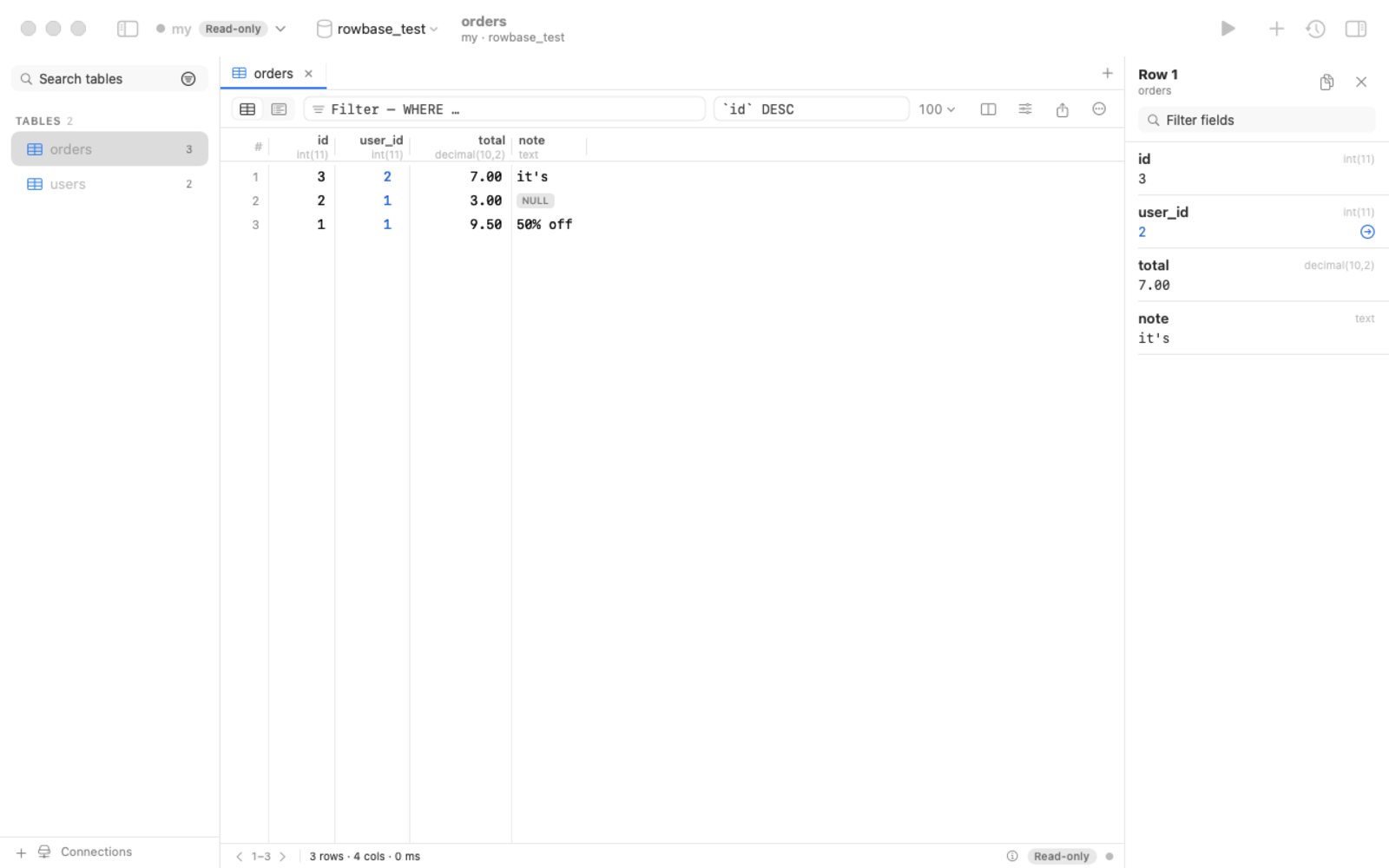
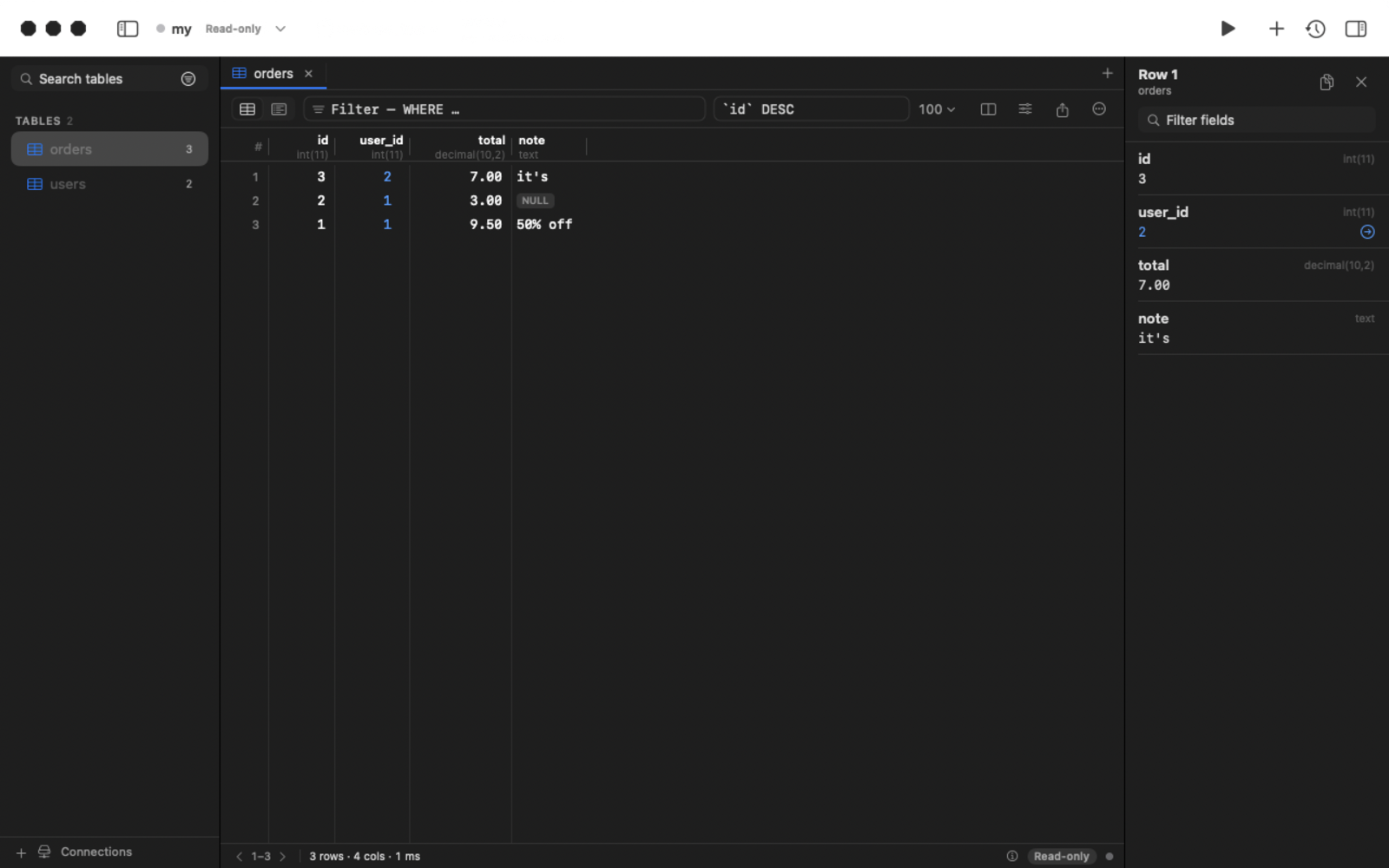
READ ONLY transaction, timeouts). Production connections get a red accent.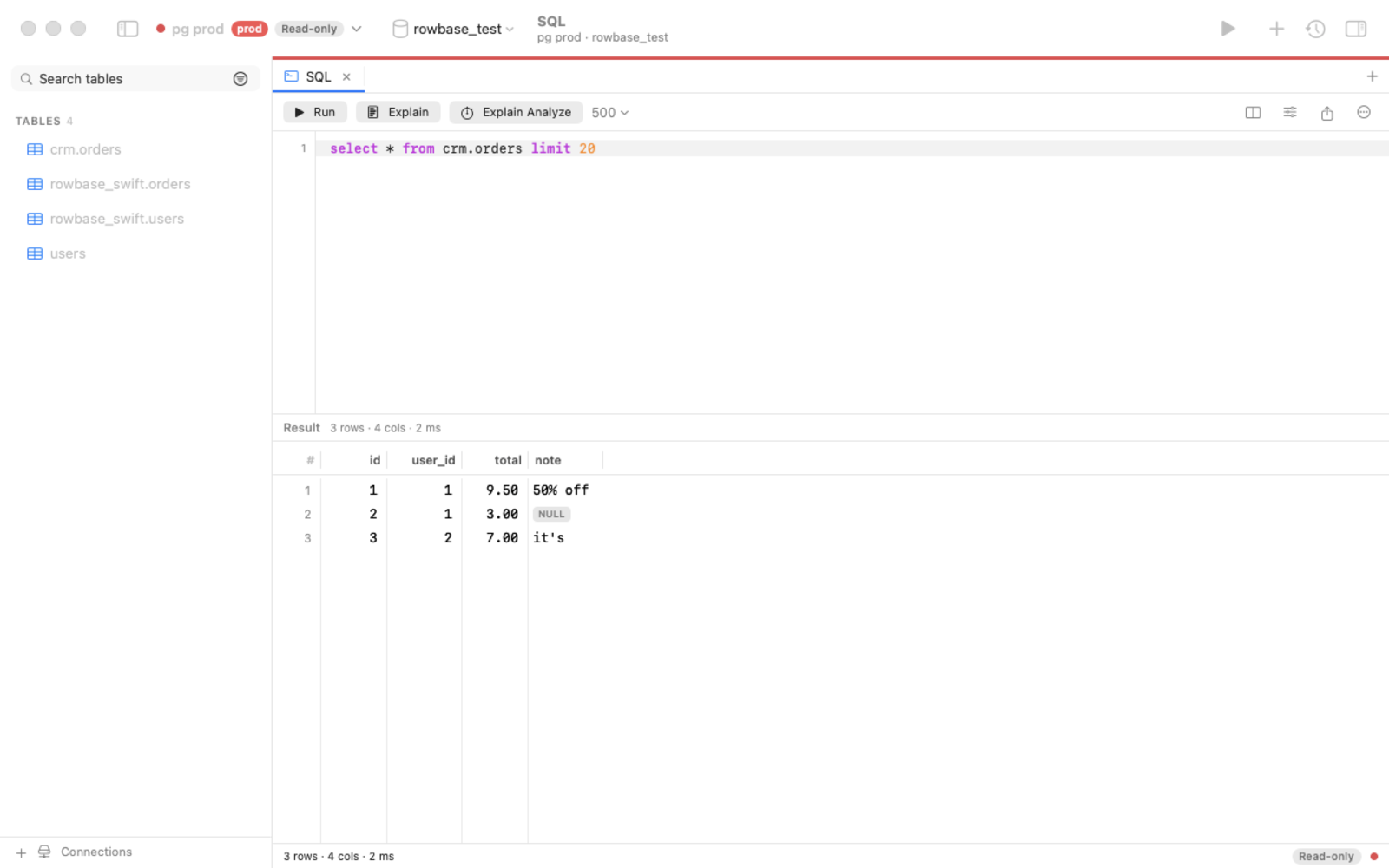 | 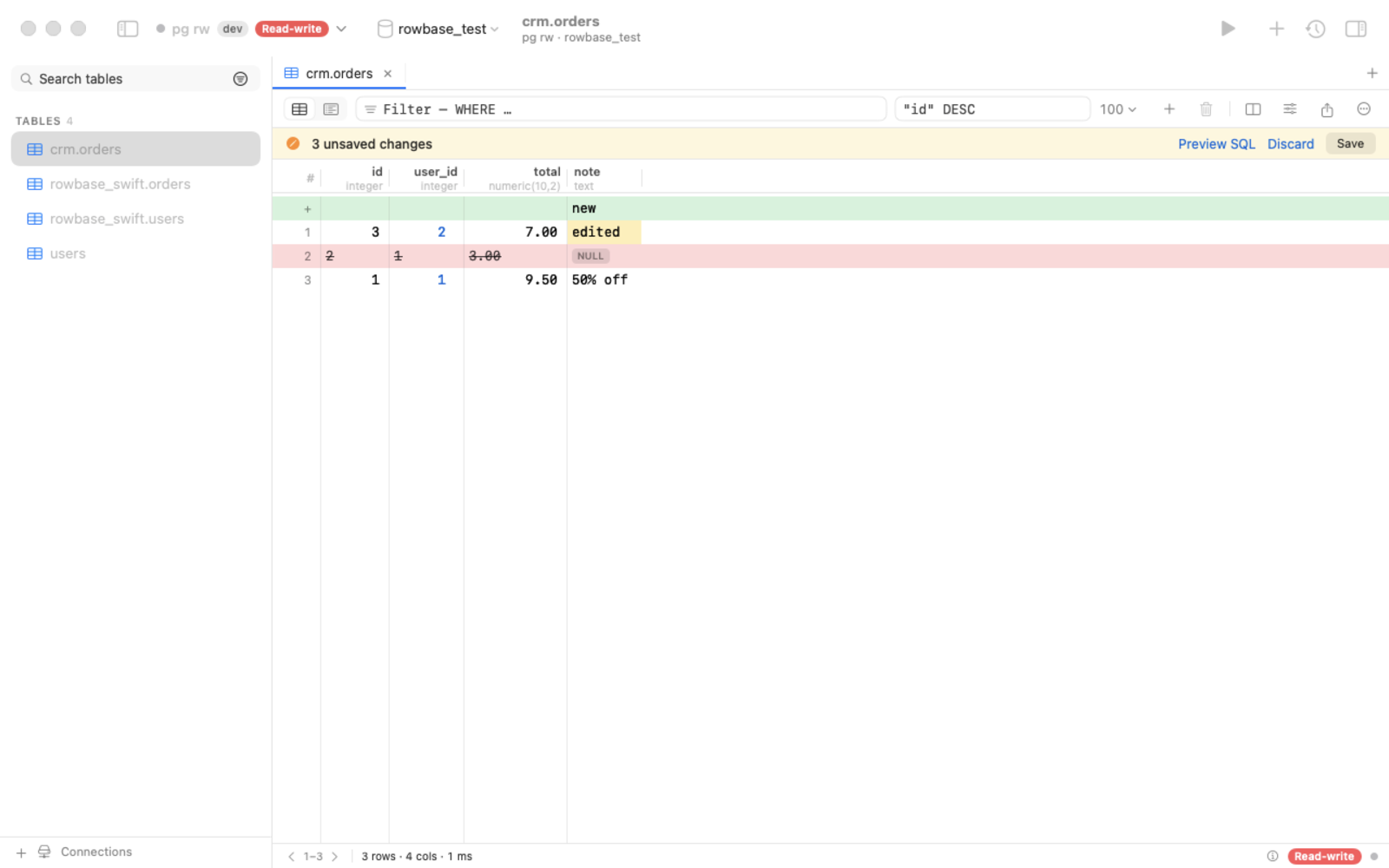 |
| SQL editor: autocomplete, ⌘↩ runs the statement under the caret, EXPLAIN, cancel | Edit rows safely: pending changes, SQL preview, one atomic save |
Grab the latest from Releases:
| Platform | File | How to run |
|---|---|---|
| macOS (native app) | Rowbase-x.y.z.dmg | open, drag to Applications |
| macOS (one file) | rowbase-macos-arm64 | chmod +x rowbase-macos-arm64 && ./rowbase-macos-arm64 |
| Ubuntu / Debian | rowbase_x.y.z_amd64.deb / _arm64.deb | double-click → Install (or sudo apt install ./rowbase_*.deb), then start Rowbase from the apps menu |
| Linux, no root | one command | curl -fsSL https://raw.githubusercontent.com/djstreet11/Rowbase/main/packaging/install.sh | sh — installs to ~/.local/bin + apps menu |
| Linux x64 / arm64 (one file) | rowbase-linux-x64 / -arm64 | chmod +x rowbase-linux-* && ./rowbase-linux-x64 (Ubuntu 20.04+, Debian 10+, RHEL 8+) |
| Windows 10 / 11 | rowbase-windows-x64.exe | double-click |
Started without arguments (or from the apps menu), Rowbase opens the web UI in your browser; starting it again just
reopens the page. A downloaded Linux one-file binary has no "executable" flag, so a double-click does nothing — use the
.deb or the install command above, or chmod +x it. Builds are not code-signed yet:
macOS → System Settings → Privacy & Security → Open Anyway; Windows → More info → Run anyway.
Updates. The Mac app: Rowbase → Check for Updates… (from 0.3.0). One-file binaries: rowbase update, or the
Update button in the web UI. PyPI installs: pipx upgrade rowbase-db. The only request is an anonymous check of
GitHub Releases, at most once a day — no telemetry; turn it off with ROWBASE_NO_UPDATE_CHECK=1.
Open AI / MCP in the app, click Copy prompt, paste it into your assistant — it registers the server, reads the built-in guide and creates a reusable skill. Or register manually:
claude mcp add rowbase -- /path/to/rowbase mcp          # one-file binary or app
claude mcp add rowbase -- uvx --from rowbase-db rowbase mcp   # straight from PyPI, nothing to download
Listed in the official MCP Registry as io.github.djstreet11/rowbase.
Results come back as compact TOON tables (~40% fewer tokens than JSON):
rows[2]{id,customer,total}:
  1,"Smith, Bob",9.50
  2,ann,null
truncated: false
Tools: guide, connections, databases, tables, describe, search_schema, sample, count, query, explain, find_ref
(+ apply_changes only when you allow writes). Details: docs/MCP.md.
Install from PyPI (pipx install rowbase-db / uv tool install rowbase-db) or use a one-file download.
rowbase add shop 'postgres://me@db.example.com/shop?ssh=deploy@bastion'   # read-only unless --rw
rowbase tables -c shop
rowbase q "SELECT * FROM orders WHERE status = 'new'" -c shop --format json
rowbase ui        # web UI on http://127.0.0.1:8765
rowbase mcp       # MCP server (stdio)
rowbase doctor    # environment report
rowbase update    # update a one-file binary in place (--check: only check)
python3 -m venv .venv && .venv/bin/pip install -e . && .venv/bin/rowbase uicd native && swift build · releases: docs/RELEASING.mdIssues, ideas and pull requests are welcome — see CONTRIBUTING.md and the Code of Conduct. If Rowbase is useful to you, a ⭐ helps others find it.
Apache-2.0 — see NOTICE and THIRD_PARTY_LICENSES.md.
FAQs
Fast, safe, read-only-by-default database client for MySQL/MariaDB, PostgreSQL and SQLite — CLI, web UI and MCP server for AI agents
The pypi package rowbase-db receives a total of 165 weekly downloads. As such, rowbase-db popularity was classified as not popular.
We found that rowbase-db demonstrated a healthy version release cadence and project activity because the last version was released less than a year ago. It has 1 open source maintainer collaborating on the project.
Security News
Cloudflare is acquiring Deno’s team, which will provide another year of bug fixes and security updates before ending support for the runtime.

Security News
Anthropic’s free OSS Scanner uses Mythos and other Claude models to find open source vulnerabilities and send maintainers reports with proposed fixes.

Security News
On Front Lines’ Early Adopters: CISO podcast, Andrew Becherer shares lessons from Datadog, weighs the long-term costs of AI-built tools, and explains how founders can actually gain a CISO’s trust.