

Research
/Security News
Popular npm Packages in the keyv and Cacheable Namespaces Compromised in Active Supply Chain Attack
Popular npm packages keyv and cacheable compromised.
By Socket Research Team - Aug 04, 2026
terradev-cli
Advanced tools
Cross-cloud GPU infrastructure CLI for training, inference, and AI workload orchestration.
Cross-cloud GPU infrastructure CLI for training, inference, and AI workload orchestration.
License: Apache 2.0 - Free and open source for commercial and personal use.
pypi.org/project/terradev-cli/
Terradev is a cross-cloud compute control plane for AI workloads, not just a provisioning wrapper.
Combines quoting, provisioning, topology optimization, training orchestration, inference tuning, and cost analytics in one CLI, with a Rust-accelerated idempotent runtime underneath.
Continued focus on lower cost, faster provisioning, and topology-aware execution with local credential storage.
Model agnostic. Dataset agnostic. GPU agnostic. Provider agnostic. The only thing Terradev is not agnostic about is correctness: it enforces topology, idempotency, and sequencing.
NOTES ON 5.7.5
EnterpriseAuthManager and SAMLProvider scaffolding for enterprise SSO.requires-python to >=3.9 and gated the mcp dependency on Python >=3.10.NOTES ON 5.6.1
Added Database Connection System and Unified Observability & Scheduling commands:
Database Connection System (core/database_connection.py): SQLite and PostgreSQL support with in-memory connection storage, connection ID system, auto-table creation for 4 standard metadata tables (dataset_versions, workflow_runs, idempotency_keys, node_executions), and database operations (query, upsert, get connection).
Observe Command (terradev observe): Unified monitoring pipeline that wires API Gateway traffic into W&B, Phoenix, and Cost Analytics with a shared trace ID across all three destinations. Commands: terradev observe gateway, terradev observe status.
Schedule Command (terradev schedule): Spot-aware scheduling for cost-optimized job execution with pricing window awareness (not just generic cron). Commands: terradev schedule job, terradev schedule list, terradev schedule windows.
MCP Tools: 5 new database tools for connection management and queries (create_sqlite_connection, create_postgresql_connection, query_database, upsert_database, get_database_connection).
NOTES ON 5.6.0
Added API Gateway for inference serving with OpenAI/Anthropic/custom API entry and exit points:
Gateway Service (core/gateway_service.py): FastAPI-based gateway that provides OpenAI-compatible, Anthropic-compatible, and custom workflow API endpoints for inference serving. Integrates with Terradev's inference router and KV cache management for intelligent routing.
Gateway CLI command (terradev gateway):
terradev gateway
terradev gateway --host 0.0.0.0 --port 8080
terradev gateway --no-anthropic --max-concurrent 50
terradev gateway --model meta-llama/Llama-3.1-8B-Instruct
OpenAI-compatible endpoints:
Anthropic-compatible endpoints:
Custom workflow endpoints:
Management endpoints:
Features:
NOTES ON 5.3.9
Added LoRAX (LoRA eXchange) integration and HuggingFace PEFT import for production-grade multi-LoRA inference serving:
LoRAX Service (ml_services/lorax_service.py): Async HTTP client for Predibase LoRAX multi-LoRA inference server that serves thousands of fine-tuned models on a single GPU with dynamic adapter loading, heterogeneous continuous batching, and adapter exchange scheduling.
LoRAX CLI commands (terradev lora lorax):
terradev lora lorax deploy -m mistralai/Mistral-7B-Instruct-v0.1 --docker
terradev lora lorax test --host localhost --port 8080
terradev lora lorax list-adapters
terradev lora lorax load-adapter -a vineetsharma/qlora-adapter-Mistral-7B-Instruct-v0.1-gsm8k
terradev lora lorax unload-adapter -a my-adapter
terradev lora lorax generate -p "What is 2+2?" -a my-adapter
terradev lora lorax sync-registry
PEFT Import Service (ml_services/peft_import_service.py): Download, validate, and prepare LoRA adapters from HuggingFace using the PEFT library with auto-detection of rank, alpha, and target modules.
PEFT CLI commands (terradev lora peft):
terradev lora peft import -a vineetsharma/qlora-adapter-Mistral-7B-Instruct-v0.1-gsm8k
terradev lora peft import -a username/adapter --local-name my-adapter --register --base-model mistralai/Mistral-7B-Instruct-v0.1
terradev lora peft list
terradev lora peft validate -p ~/.terradev/peft_adapters/username--adapter
terradev lora peft delete -a username/adapter
LoRAX Helm Template (clusters/lorax-template/helm/): Production-ready Kubernetes manifests with GPU resource limits, storage configuration, and Prometheus metrics support.
Registry Integration: One-step import from HuggingFace and automatic registration in Terradev LoRA registry with version tracking, cross-replica sync, and cost attribution.
NOTES ON 5.3.3
Added provider registration and profiling system for intelligent quirk-aware routing across 23 cloud providers, and registration for custom providers from .yaml import:
ProviderProfile schema (providers/types.py): Encodes provider-specific behaviors including API style (REST/GraphQL/JSON:API), authentication type (Bearer/Basic/HMAC/X-Api-Key), rate limits, spot instance support, egress costs, fallback routing, capacity checks, container image pinning, and spot interruption handling.
Built-in profiles (providers/provider_profiles.py): Pre-configured profiles for all 23 providers (RunPod, Vast.ai, Lambda Labs, AWS, GCP, Azure, Oracle, Crusoe, CoreWeave, DigitalOcean, Yotta Labs, E2E Networks, FluidStack, Alibaba, OVHcloud, Hetzner, SiliconFlow, TensorDock, Baseten, HuggingFace, Hyperstack, InferX, Latitude).
Dynamic registration: Users can register custom provider profiles programmatically or load from YAML/JSON files for internal clusters or proprietary cloud providers.
Profile-aware routing (providers/registry.py): ProviderRegistry.ranked_providers() now incorporates provider profiles into scoring, using egress costs, fallback routing preferences, and spot preemption rates for intelligent provider selection.
CLI commands (terradev providers): New command group for managing custom provider profiles:
terradev providers load-profiles ~/.terradev/custom_providers.yaml
terradev providers list-profiles
terradev providers show-profile runpod
terradev providers remove-profile my_custom_provider
terradev providers export-example -o ~/.terradev/custom_providers.yaml
NOTES ON 5.2.1
Added two new BYOAPI providers: Yotta Labs (Shakti Cloud) and E2E Networks — India's leading GPU clouds. Yotta Labs uses a pod-based compute model (similar to RunPod), and E2E Networks is a traditional VM-style hyperscaler that is NSE-listed and MeitY empanelled. Both are BYOAPI: your key, stored locally, never touches a Terradev server.
terradev configure --provider yottalabs
terradev configure --provider e2enetworks
NOTES ON 5.0.0
We removed the paywall, open-sourced Terradev, and added Rust accelerators for safe and snappy delivery...
With the Rust DAG orchestrator, the execution graph enforces correct sequencing and idempotency at the runtime level. You or the agent can issue commands freely... the orchestrator ensures they're safe to execute.
218 tools not including subcommand/flags require heavy context. The Rust MCP orchestrator processes tool calls with minimal overhead: deserializing, routing, executing, and responding faster than pure-Python-based MCP servers by an order of magnitude. For an agent running a complex provisioning workflow across 23 cloud providers, that compounds across every tool call in the chain.
Your API keys are stored locally at ~/.terradev/credentials.json and never sent to Terradev servers.
# Configure multiple providers
terradev configure --provider runpod
terradev configure --provider vastai
terradev configure --provider aws
terradev configure --provider gcp
pip install terradev-cli
For all cloud provider SDKs and ML integrations:
pip install terradev-cli[all]
Verify and list commands:
terradev --help
Terradev supports 23 GPU cloud providers. Start with one, RunPod is the fastest to set up:
terradev setup runpod --quick
This shows you where to get your API key. Then configure it:
terradev configure --provider runpod
Paste your API key when prompted. It's stored locally at ~/.terradev/credentials.json, never sent to a Terradev server. Add more providers later:
terradev configure --provider vastai
terradev configure --provider lambda_labs
terradev configure --provider aws
The more providers you configure, the better your price coverage.
Check pricing across every provider you've configured:
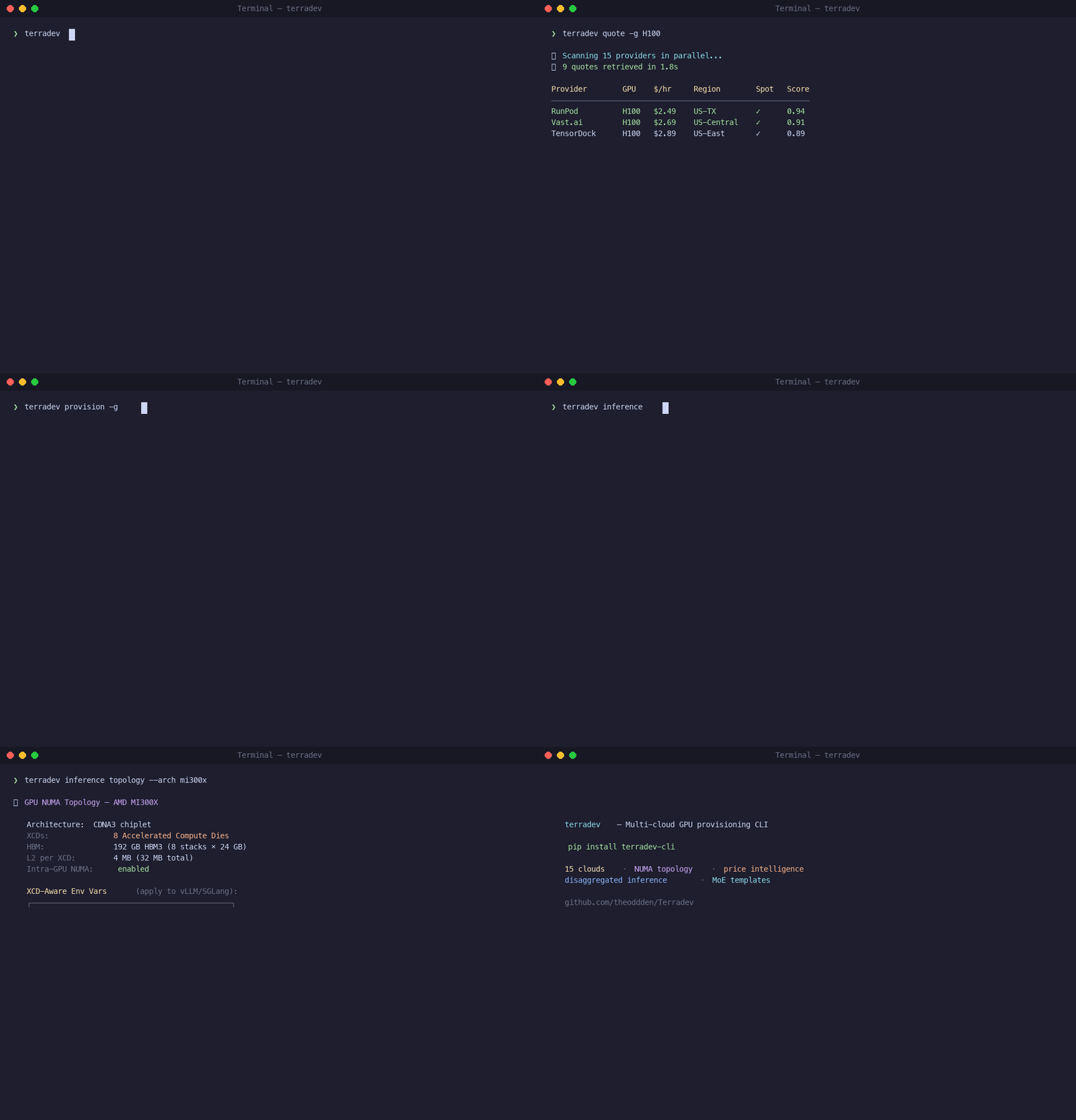
terradev quote -g A100
Output is a table sorted cheapest-first: price/hour, provider, region, spot vs. on-demand. Try different GPUs:
terradev quote -g H100
terradev quote -g L40S
terradev quote -g RTX4090
Most clouds hand you GPUs with suboptimal topology by default. Your GPU and NIC end up on different NUMA nodes, RDMA is disabled, and the kubelet Topology Manager is set to none. That's a 30-50% bandwidth penalty on every distributed operation and you'll never see it in nvidia-smi.
When you provision through Terradev, topology optimization is automatic:
terradev provision -g H100 -n 4 --parallel 6
What happens behind the scenes:
You don't configure any of this. It's applied automatically.
To preview the plan without launching:
terradev provision -g A100 -n 2 --dry-run
To set a price ceiling:
terradev provision -g A100 --max-price 2.50
Option A — Run a command on your provisioned instance:
terradev execute -i <instance-id> -c "nvidia-smi"
terradev execute -i <instance-id> -c "python train.py"
Option B — One command that provisions, deploys a container, and runs:
terradev run --gpu A100 --image pytorch/pytorch:latest -c "python train.py"
Option C — Keep an inference server alive:
terradev run --gpu H100 --image vllm/vllm-openai:latest --keep-alive --port 8000
# See all running instances and current cost
terradev status --live

# Stop (keeps allocation)
terradev manage -i <instance-id> -a stop

# Restart
terradev manage -i <instance-id> -a start

# Terminate and release
terradev manage -i <instance-id> -a terminate
# View spend over the last 30 days
terradev analytics --days 30

# Find cheaper alternatives for running instances
terradev optimize
Now that your nodes have correct topology, distributed training actually runs at full bandwidth:
# Validate GPUs, NCCL, RDMA, and drivers before launching
terradev preflight

# Launch training on the nodes you just provisioned
terradev train --script train.py --from-provision latest

# Watch GPU utilization and cost in real time
terradev monitor --job my-job

# Check status
terradev train-status

# 6. List checkpoints when done
terradev checkpoint list --job my-job
The --from-provision latest flag auto-resolves IPs from your last provision command. Supports torchrun, DeepSpeed, Accelerate, and Megatron.
If you're serving a model with vLLM, there are 6 settings most teams leave at defaults — each one costs throughput:
| Knob | Default | Optimized | Impact |
|---|---|---|---|
| max-num-batched-tokens | 2048 | 16384 | 8x throughput |
| gpu-memory-utilization | 0.90 | 0.95 | 5% more VRAM |
| max-num-seqs | 256/1024 | 512-2048 | Prevent queuing |
| enable-prefix-caching | OFF | ON | Free throughput win |
| enable-chunked-prefill | OFF | ON | Better prefill |
| CPU Cores | 2 + #GPUs | Optimized | Prevent starvation |
Auto-tune all six from your workload profile:
terradev ml vllm auto-optimize -s workload.json -m meta-llama/Llama-2-7b-hf -g 4
Or analyze a running server:
terradev ml vllm analyze -e http://localhost:8000
Benchmark:
terradev ml vllm benchmark -e http://localhost:8000 -c 10
For large Mixture-of-Experts models (GLM-5, Qwen 3.5, DeepSeek V4), Terradev's MoE templates include every optimization auto-applied — KV cache offloading, speculative decoding, sleep mode, expert load balancing:
terradev provision --task clusters/moe-template/task.yaml \
  --set model_id=Qwen/Qwen3.5-397B-A17B
Or a smaller model:
terradev provision --task clusters/moe-template/task.yaml \
  --set model_id=Qwen/Qwen3.5-122B-A10B --set tp_size=4 --set gpu_count=4
What's auto-applied (no flags needed):
This separates inference into two GPU pools optimized for each phase:
The KV cache transfers between them via NIXL — zero-copy GPU-to-GPU over RDMA. This is why getting the NUMA topology right in Step 4 matters: NIXL only runs at full speed when the GPU and NIC share a PCIe switch.
terradev ml ray --deploy-pd \
  --model zai-org/GLM-5-FP8 \
  --prefill-tp 8 --decode-tp 1 --decode-dp 24
Terradev's inference router automatically uses sticky routing. Once a prefill GPU hands off a KV cache to a decode GPU, future requests with the same prefix go to that same decode GPU, avoiding redundant transfers.
For production, create a topology-optimized K8s cluster:
terradev k8s create my-cluster --gpu H100 --count 8 --prefer-spot
This auto-configures Karpenter NodePools with NUMA-aligned kubelet Topology Manager, GPUDirect RDMA, and PCIe locality enforcement.
# List clusters
terradev k8s list

# Get cluster info
terradev k8s info my-cluster

# Tear down
terradev k8s destroy my-cluster
Each step builds on the one before it:
If the provisioning layer is wrong, every optimization above it underperforms. A disaggregated P/D setup with a cross-NUMA KV transfer is slower than a monolithic setup with correct topology.
Terradev handles the foundation automatically so the rest of the stack works the way it's supposed to.
#!/bin/bash

# Complete LLM deployment workflow

# 1. Find cheapest GPU
terradev quote -g A100 --quick
# 2. Provision with auto-optimization
terradev provision -g A100 -n 2 --parallel 4
# 3. Deploy optimized vLLM
terradev ml vllm --start --instance-ip $(terradev status --json | jq -r '.[0].ip') --model meta-llama/Llama-2-7b-hf --tp-size 2
# 4. Set up monitoring
terradev monitor --endpoint llama-api --live
# 5. Add customer adapter
terradev lora add -e http://$(terradev status --json | jq -r '.[0].ip'):8000 -n customer-a -p ./adapters/customer-a
#!/bin/bash

# GLM-5 production deployment

# 1. Deploy MoE cluster
terradev provision --task clusters/moe-template/task.yaml --set model_id=zai-org/GLM-5-FP8 --set tp_size=8
# 2. Deploy monitoring
terradev k8s monitoring-stack --cluster glm-5-cluster
# 3. Set up warm pool for bursty traffic
terradev ml warm-pool --configure --strategy traffic_based --max-warm-models 5 --endpoint glm-5-api
# 4. Test failover
terradev inferx failover --endpoint glm-5-api --test-load 5000
#!/bin/bash

# Production deployment with cold start failover and multi-tenant LoRA adapters

echo " Deploying InferX + LoRA Hybrid Inference Service"

# 1. Deploy baseline reserved GPUs for steady traffic
echo " Step 1: Provision reserved baseline capacity"
terradev provision -g H100 -n 2 --parallel 4 \
  --tag baseline-llm \
  --max-price 2.50

BASELINE_IP=$(terradev status --json | jq -r '.[] | select(.tags[] | contains("baseline-llm")) | .ip' | head -1)

# 2. Deploy optimized vLLM with LoRA support on baseline
echo " Step 2: Deploy vLLM with LoRA adapter support"
terradev ml vllm --start \
  --instance-ip $BASELINE_IP \
  --model meta-llama/Llama-2-7b-hf \
  --tp-size 2 \
  --enable-lora \
  --enable-kv-offloading \
  --enable-sleep-mode \
  --port 8000

# 3. Load customer-specific LoRA adapters
echo " Step 3: Load multi-tenant LoRA adapters"
terradev lora add -e http://$BASELINE_IP:8000 \
  -n customer-enterprise-a \
  -p ./adapters/customer-enterprise-a

terradev lora add -e http://$BASELINE_IP:8000 \
  -n customer-startup-b \
  -p ./adapters/customer-startup-b

terradev lora add -e http://$BASELINE_IP:8000 \
  -n customer-internal \
  -p ./adapters/customer-internal

# 4. Configure InferX for cold start and burst handling
echo " Step 4: Configure InferX for serverless burst capacity"
terradev inferx deploy \
  --endpoint burst-llm-api \
  --model-id meta-llama/Llama-2-7b-hf \
  --baseline-endpoint http://$BASELINE_IP:8000 \
  --cold-start-threshold 100 \
  --burst-capacity 10 \
  --failover-strategy active-passive

# 5. Set up intelligent routing with semantic awareness
echo " Step 5: Configure semantic routing for multi-tenant requests"
cat > routing-config.yaml << EOF
rules:
  - name: "enterprise_customers"
    condition: "header:x-customer-id == 'enterprise-a'"
    route_to: "baseline"
    lora_adapter: "customer-enterprise-a"
    strategy: "latency"

  - name: "startup_customers"
    condition: "header:x-customer-id == 'startup-b'"
    route_to: "baseline"
    lora_adapter: "customer-startup-b"
    strategy: "cost"

  - name: "internal_workloads"
    condition: "header:x-api-key starts_with 'internal_'"
    route_to: "baseline"
    lora_adapter: "customer-internal"
    strategy: "throughput"

  - name: "burst_traffic"
    condition: "request_rate > 50"
    route_to: "inferx"
    strategy: "auto-scale"

  - name: "fallback"
    condition: "default"
    route_to: "baseline"
    lora_adapter: "customer-internal"
    strategy: "round-robin"
EOF

terradev semantic-router --deploy --config routing-config.yaml

# 6. Configure warm pool for frequently used adapters
echo " Step 6: Configure warm pool for LoRA adapters"
terradev ml warm-pool --configure \
  --strategy adapter_based \
  --max-warm-models 5 \
  --warm-adapters customer-enterprise-a,customer-internal \
  --idle-eviction-minutes 10 \
  --enable-predictive-warming

# 7. Set up comprehensive monitoring and alerting
echo " Step 7: Deploy monitoring stack"
terradev k8s monitoring-stack --cluster production

# Configure W&B for ML observability
terradev ml wandb --setup-alerts \
  --endpoint http://$BASELINE_IP:8000 \
  --metric-thresholds "latency_p95<2000,throughput>100,gpu_utilization>80" \
  --alert-channels slack,email

# Configure InferX-specific monitoring
terradev inferx status --endpoint burst-llm-api --detailed
terradev inferx failover --endpoint burst-llm-api --test-load 1000

# 8. Test the complete setup
echo " Step 8: Testing complete deployment"
echo "Testing baseline endpoint with LoRA..."
curl -X POST http://$BASELINE_IP:8000/v1/chat/completions \
  -H "Content-Type: application/json" \
  -H "x-customer-id: enterprise-a" \
  -d '{
    "model": "meta-llama/Llama-2-7b-hf",
    "messages": [{"role": "user", "content": "Hello from enterprise customer!"}],
    "max_tokens": 100
  }'

echo "Testing InferX burst endpoint..."
curl -X POST https://inferx.terradev.cloud/burst-llm-api/v1/chat/completions \
  -H "Content-Type: application/json" \
  -H "Authorization: Bearer $INFERX_API_KEY" \
  -d '{
    "model": "meta-llama/Llama-2-7b-hf",
    "messages": [{"role": "user", "content": "Hello from burst traffic!"}],
    "max_tokens": 100
  }'

echo " Step 9: Deployment summary"
echo " Baseline endpoint: http://$BASELINE_IP:8000"
echo " InferX endpoint: https://inferx.terradev.cloud/burst-llm-api"
echo " LoRA adapters loaded: $(terradev lora list -e http://$BASELINE_IP:8000 --count)"
echo " Semantic routing: Active"
echo " Warm pool: Configured for top adapters"
echo " Monitoring: W&B + Prometheus + Grafana"

# 10. Set up automated LoRA updates
echo " Step 10: Configure automated LoRA adapter updates"
cat > lora-update-config.yaml << EOF
adapters:
  - name: "customer-enterprise-a"
    path: "./adapters/customer-enterprise-a"
    update_strategy: "rolling"
    health_check: true
    rollback_on_failure: true

  - name: "customer-startup-b"
    path: "./adapters/customer-startup-b"
    update_strategy: "blue_green"
    health_check: true
    rollback_on_failure: true

monitoring:
  update_frequency: "hourly"
  health_check_timeout: "30s"
  rollback_threshold: "error_rate > 0.05"
EOF

terradev lora auto-update --config lora-update-config.yaml

echo " InferX + LoRA Hybrid Deployment Complete!"
echo ""
echo " Next Steps:"
echo "1. Monitor performance: terradev monitor --endpoint hybrid-llm --live"
echo "2. Check LoRA performance: terradev lora metrics --endpoint http://$BASELINE_IP:8000"
echo "3. Test failover: terradev inferx failover --endpoint burst-llm-api --test-load 5000"
echo "4. Update adapters: terradev lora update -n customer-enterprise-a -p ./new-adapters/"
# Set up cloud provider credentials
terradev configure

# Real-time GPU pricing across 21+ clouds
terradev quote -g H100

# Provision with auto topology optimization
terradev provision -g H100 -n 4

# Provision + deploy + run in one command
terradev run --gpu A100 --image ...

# View running instances and costs
terradev status --live

# Launch training on provisioned nodes
terradev train --from-provision latest

# Auto-tune 6 critical vLLM knobs
terradev ml vllm auto-optimize

# Topology-optimized Kubernetes cluster
terradev k8s create

# Cost analytics
terradev analytics --days 30

# Find cheaper alternatives
terradev optimize
NCCL Connectivity Problems
# Symptoms: Training hangs, NCCL errors, slow communication

# Diagnosis: Check inter-node connectivity
terradev preflight --detailed
terradev execute -i <node-id> -c "nccl_test -b 8G -e 8G -s 1073741824"

# Fix: Re-provision with proper NUMA alignment
terradev provision -g H100 -n 4 --parallel 6 --ensure-numa-alignment
GPU Memory Issues
# Symptoms: OOM errors, CUDA out of memory

# Diagnosis: Check memory usage across nodes
terradev monitor --job <job-id> --memory-usage
terradev execute -i <node-id> -c "nvidia-smi --query-gpu=memory.used,memory.total --format=csv"

# Fix: Reduce batch size or enable gradient checkpointing
terradev train --script train.py --from-provision latest --script-args "--batch-size 16 --gradient-checkpointing"
Dataset Staging Failures
# Symptoms: Slow data loading, transfer timeouts

# Diagnosis: Check dataset cache status
terradev stage --status --dataset-id <dataset-id>
terradev stage --list-cached --region us-east-1

# Fix: Re-stage with higher parallelism or compression
terradev stage -d ./my-dataset --target-regions us-east-1 --parallel-streams 64 --compression zstd
FlashOptim Compatibility Issues
# Symptoms: FlashOptim fails to apply, training crashes

# Diagnosis: Check FlashOptim compatibility
terradev train-status --job <job-id> | grep flashoptim
terradev preflight --flashoptim-check

# Fix: Disable FlashOptim or adjust configuration
terradev train --script train.py --flashoptim off --from-provision latest
# or with manual configuration
terradev train --script train.py --flashoptim on --flashoptim-optimizer adamw --flashoptim-master-weight-bits 8
Checkpoint Recovery Issues
# Symptoms: Can't resume from checkpoint, corrupted checkpoints

# Diagnosis: Verify checkpoint integrity
terradev checkpoint list --job <job-id> --verify
terradev checkpoint validate --checkpoint <checkpoint-path>

# Fix: Create new checkpoint or repair existing
terradev checkpoint save --job <job-id> --force
terradev checkpoint repair --checkpoint <checkpoint-path>
Performance Optimization
Slow Training Speed
# Diagnose bottlenecks
terradev monitor --job <job-id> --bottleneck-analysis
terradev execute -i <node-id> -c "nvtop --interval 1"

# Common fixes
# 1. Enable mixed precision training
terradev train --script train.py --script-args "--mixed-precision --fp16"

# 2. Optimize data loading
terradev stage --hf-dataset <dataset> --target-regions us-east-1 --preprocess "shuffle,cache"

# 3. Increase parallelism
terradev provision -g H100 -n 8 --parallel 12
Network Bottlenecks
# Check network performance between nodes
terradev preflight --network-test
terradev execute -i <node-id> -c "ibstat -v"

# Fixes for RDMA/InfiniBand issues
terradev provision -g H100 -n 4 --ensure-rdma --enable-gpudirect
We welcome contributions! Please see our Contributing Guide for details.
Apache 2.0.
FAQs
Cross-cloud GPU infrastructure CLI for training, inference, and AI workload orchestration.
We found that terradev-cli demonstrated a healthy version release cadence and project activity because the last version was released less than a year ago. It has 1 open source maintainer collaborating on the project.
Did you know?

Socket for GitHub automatically highlights issues in each pull request and monitors the health of all your open source dependencies. Discover the contents of your packages and block harmful activity before you install or update your dependencies.
Research
/Security News
Popular npm packages keyv and cacheable compromised.

Security News
A misconfiguration gave three Anthropic models internet access, and one, believing it was in a simulation, shipped a credential-stealing package to PyPI.

Security News
/Company News
Socket has joined the new Composer and Packagist sponsorship program as a launch sponsor, supporting the team that keeps PHP's package ecosystem secure.