Socket MCP now lets AI assistants review org alerts, investigate threats using the Socket threat feed, and inspect package files in addition to dependency scoring.
AppSec and security engineering teams are under pressure to triage supply chain issues faster, with more context and less manual investigation. A single alert can require checking package metadata, reviewing published files, searching for suspicious code, cross-referencing threat intelligence, and determining whether the package appears anywhere in the organization.
Socket MCP is now bringing that workflow into MCP-aware AI assistants. With authenticated access to Socket APIs, teams can investigate org alerts, inspect package artifacts, review the threat feed, and ask follow-up questions about exposure and risk without jumping between dashboards, registries, and local tooling.
Socket MCP started with real-time package scoring, helping developers and agents evaluate dependencies before adding them to a project. With this update, we’re expanding the server across more of Socket’s APIs, making it useful for both package selection and security triage.
With Socket MCP, teams can now ask an assistant to:
Score a dependency before adding it to a project
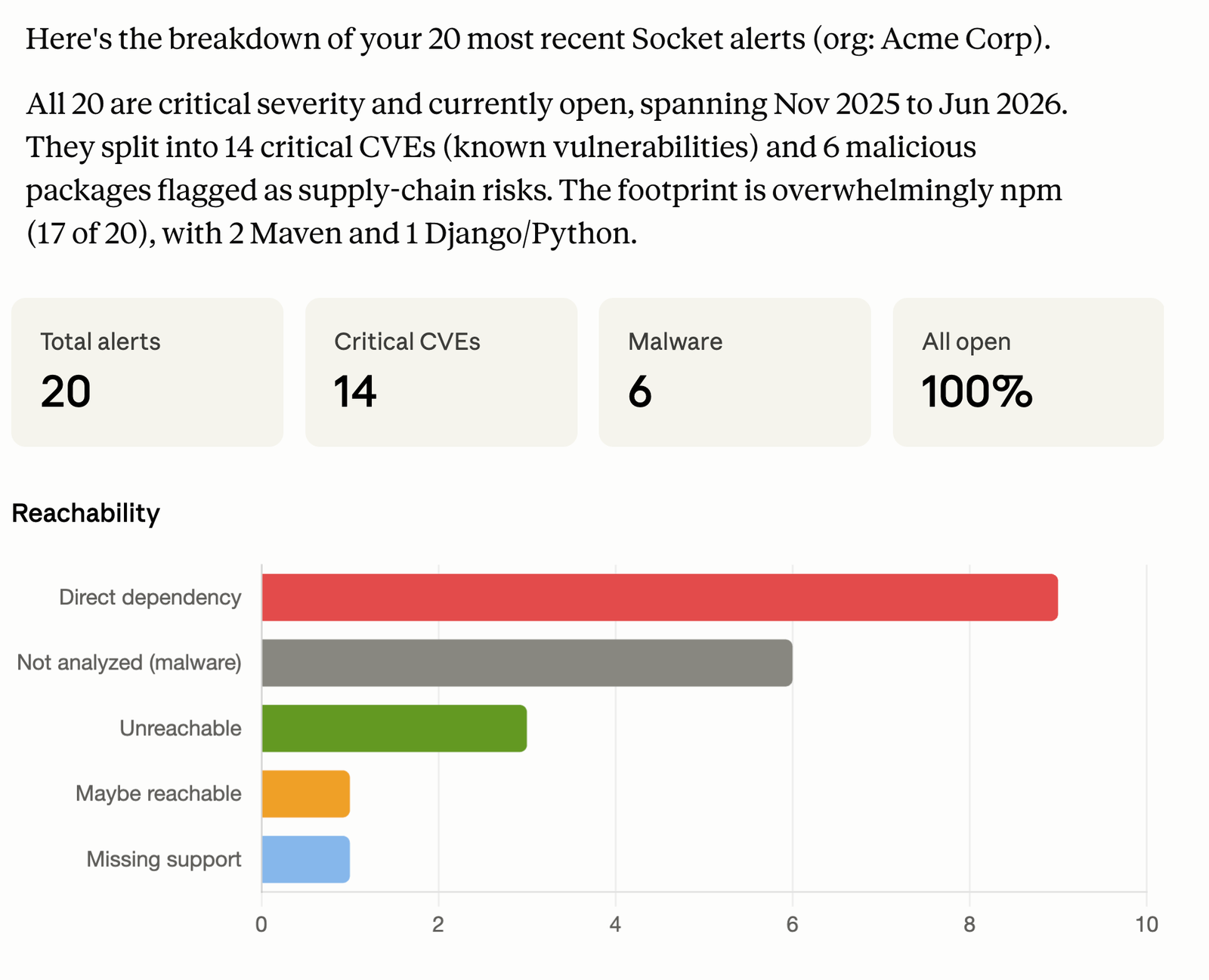
Review open Socket alerts across an organization
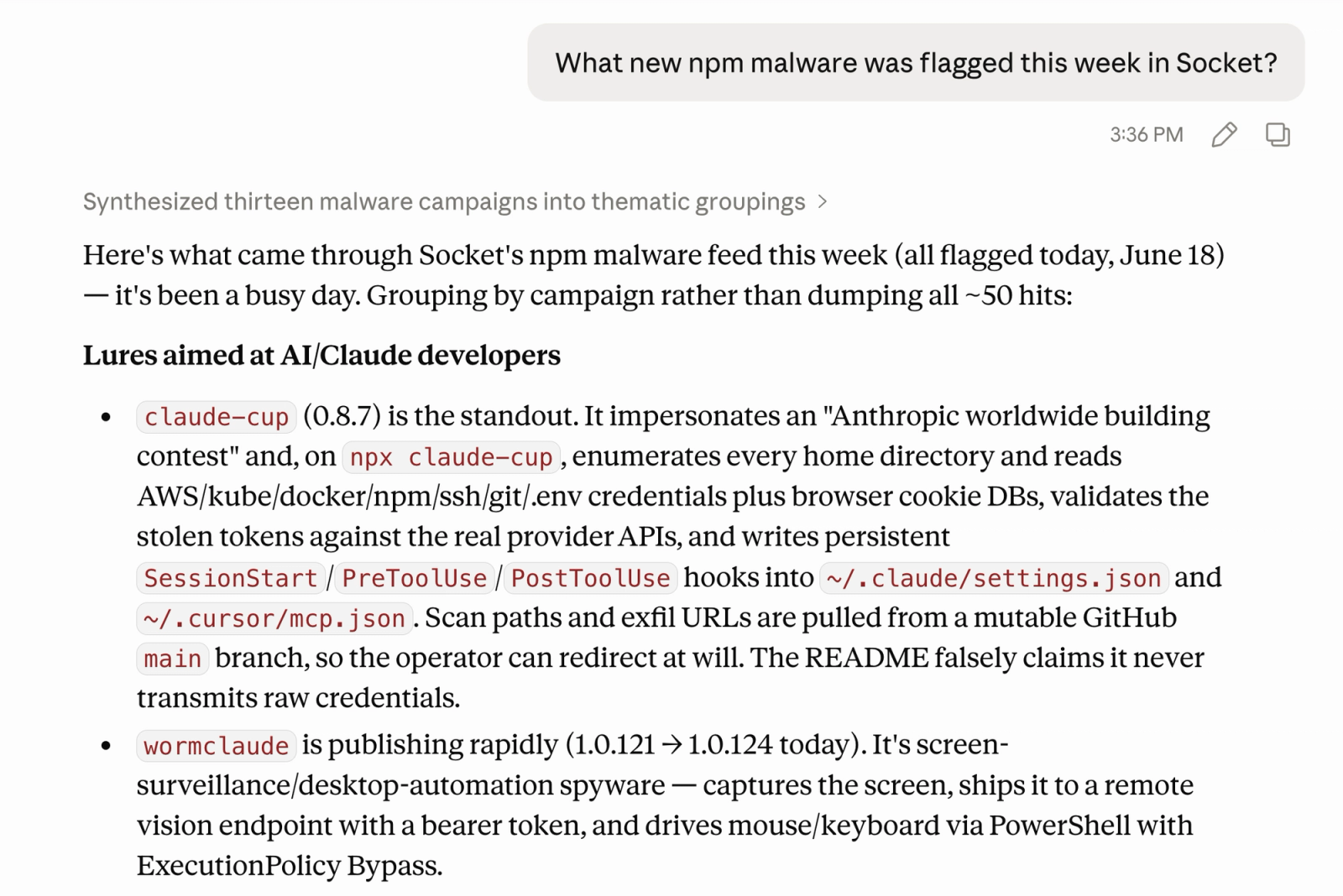
Check the threat feed for recently flagged malware, typosquats, and obfuscated packages
Inspect the files inside a published package before installing it
Read or grep package contents for suspicious behavior
Connect package-level findings back to org exposure
Socket MCP is designed for the way developers and security teams already work with AI assistants: ask a question, inspect the evidence, and keep the investigation moving without switching between tools or clicking through screens.
From Dependency Scoring to Supply-Chain Investigation#
Socket MCP first launched with real-time package scoring for AI-assisted development. When an assistant suggests a new dependency, `depscore` can check its supply-chain, quality, maintenance, vulnerability, and license scores before the package lands in a manifest.
This update extends that workflow much further.
Socket MCP now exposes seven tools across public and authenticated access tiers:
Capability
What it helps you do
Dependency scoring
Evaluate package risk across supply chain, quality, maintenance, vulnerability, and license signals.
Package file inspection
Review the files included in a published package and inspect the contents that matter.
Package search
Search package contents for suspicious strings, imports, symbols, or behavior patterns.
Organization context
Look across Socket organizations available to the authenticated user.
Alert triage
Review open Socket alerts across projects and packages and begin triaging findings from the assistant.
Threat feed review
Review recently flagged malware, typosquats, obfuscated packages, and related threats.
Together, these tools turn Socket MCP into a supply chain security interface for AI assistants.
Socket MCP also adds authenticated access to organization-level alerts.
The MCP server can look across any of your Socket organizations, review open alerts across projects and packages, and help begin triaging them from the assistant.
That makes it possible to ask questions like:
What critical supply chain alerts are open across our organization?
Which repositories are affected by this package?
Are there any high-severity alerts involving install scripts?
What alerts should we prioritize this week?
Do we have any open findings related to this package?
The assistant can group alerts, explain findings in plain language, filter by severity or repository, and connect an alert to package-level investigation tools.
For security teams, this reduces the friction between seeing an alert and understanding the underlying package behavior. For engineering leaders, it creates a faster way to summarize current open-source risk across the organization.
Package metadata only tells part of the story. Malware often hides in install scripts, bundled files, generated JavaScript, encoded payloads, suspicious network calls, or files that are easy to miss during a normal package review.
Socket MCP now supports artifact-level package investigation.
An assistant can look through a published package, surface the files that matter, and explain what it finds alongside Socket’s risk signals. Teams can move beyond package metadata to inspect the actual artifact, understand suspicious behavior, and decide whether a package is safe to use before it enters their environment.
This allows teams to inspect the package that was actually published, without installing it locally.
The workflow applies across supported package ecosystems and extension sources, including npm, PyPI, Maven, Cargo, RubyGems, NuGet, Go, Chrome extensions, and Open VSX / VS Code extensions.
For developers, this makes it easier to vet a dependency or extension before use. For security teams, it provides a fast way to move from a suspicious package name to the files and code paths that matter.
Review the Socket Threat Feed from Your Assistant#
Socket MCP now exposes the Socket threat feed through an authenticated tool.
It can surface recently flagged packages, including malware, typosquats, obfuscated packages, and other suspicious activity. Teams can filter by ecosystem, category, and time window, then ask the assistant to summarize what changed or investigate a specific package in more detail.
Example questions include:
What new npm malware was flagged this week?
Are there any new typosquats in the ecosystems we use?
What recently flagged packages should our team review?
Was this package seen in the threat feed?
Does this threat appear in our organization’s alerts?
The threat feed becomes more useful when combined with org alerts and package file inspection. A team can identify a newly flagged package, inspect the published files, understand the suspicious behavior, and check whether it appears in their environment in one assistant session.
Score Dependencies Before They Enter Your Codebase#
Socket MCP still supports the original depscore workflow for checking package risk during AI-assisted development. When an assistant suggests a new dependency, it can evaluate supply chain, quality, maintenance, vulnerability, and license scores before the package is added to a project.
Package scoring works through the public hosted Socket MCP server at https://mcp.socket.dev/ with no setup and no token required.
The strongest Socket MCP workflows combine multiple tools.
A developer can ask an assistant to choose a package for a new feature. The assistant can score the dependency, compare alternatives, and flag concerns before code changes are made.
A security analyst can start from a Socket alert, inspect the affected package’s files, search for suspicious code, check the threat feed, and determine whether the package appears elsewhere in the organization.
An engineering leader can ask for a plain-language summary of open alerts and recent threat feed activity, with enough detail to understand where follow-up is needed.
These workflows all use the same underlying model: bring Socket’s package intelligence into the assistant, then let the assistant retrieve, connect, and explain the relevant evidence.
Socket MCP works with MCP-aware assistants and development environments, including Claude, VS Code, Cursor, Windsurf, and other clients that support MCP server configuration.
Connect your assistant to Socket MCP and try scoring a dependency. For organization-specific workflows like alert triage, threat feed review, and exposure investigation, follow the Socket MCP docs to configure authenticated access.