◉ Bob's CLI
Your AI Engineering Partner — In Your Terminal


Bob's CLI is a locally-installed developer tool that provides a senior-level AI engineering partner directly inside your native terminal. Stay in your development environment. Never switch to a browser. Ship faster.

Installation · Quick Start · Features · Docs
Built by Bob's Workshop — A Seedling Company
Why Bob's CLI?
Every other AI coding assistant lives in a browser, disconnected from your actual workflow. Bob lives where your code lives — in your terminal. He sees your files, understands your architecture, writes code with your approval, and learns how YOU work over time.
We believe AI should empower developers, not exploit them. Your code stays on your machine. Your data belongs to you. No surveillance, no vendor lock-in, no token meters draining your wallet while you think. Bob's CLI is built for the developer who refuses to hand over sovereignty in exchange for convenience. This is AI that works FOR you — on YOUR hardware, under YOUR control, at YOUR pace. Power to the people who build.
| Local file awareness | ✅ | ✅ | ✅ | ✅ |
| Zero-cost local model | ✅ | ✅ | ❌ | ❌ |
| Behavioral profiling | ✅ | ❌ | ❌ | ❌ |
| Personalization Mode | ✅ | ❌ | ❌ | ❌ |
| Conversation persistence | ✅ | ✅ | ❌ | Partial |
| Deep Dives & Forks | ✅ | ❌ | ❌ | ❌ |
| Remote execution (SovereignLink) | ✅ | Partial | ❌ | ❌ |
| Cross-surface sync (CLI ↔ Web) | ✅ | ✅ | ❌ | ❌ |
| Autonomous code repair | ✅ | ✅ | ❌ | ✅ |
| Source code stays on-device | ✅ | ✅ | ❌ | ✅ |
Installation
pnpm add -g @bobsworkshop/cli
Or with npm:
npm install -g @bobsworkshop/cli
Verify:
bob whoami
Requirements:
- Node.js 18+
- Any terminal (VS Code, Android Studio, Windows Terminal, iTerm, PowerShell)
- For local AI: Ollama with a downloaded model
- For platform features: A Bob's Workshop account
📖 Full setup guide: https://seedling-io.gitbook.io/bob-cli/
Quick Start
Local-First (Free)
bob chat "hello, what can you help me with?"
Bob auto-detects Ollama running on your machine. No configuration needed. No internet. No API keys. No cost. Your code never leaves your machine.
Platform (Subscribers)
bob login
bob chat "help me refactor this service"
Sync to web. Access Claude, Gemini, deep dives, forks, and personalization.
First Run Experience
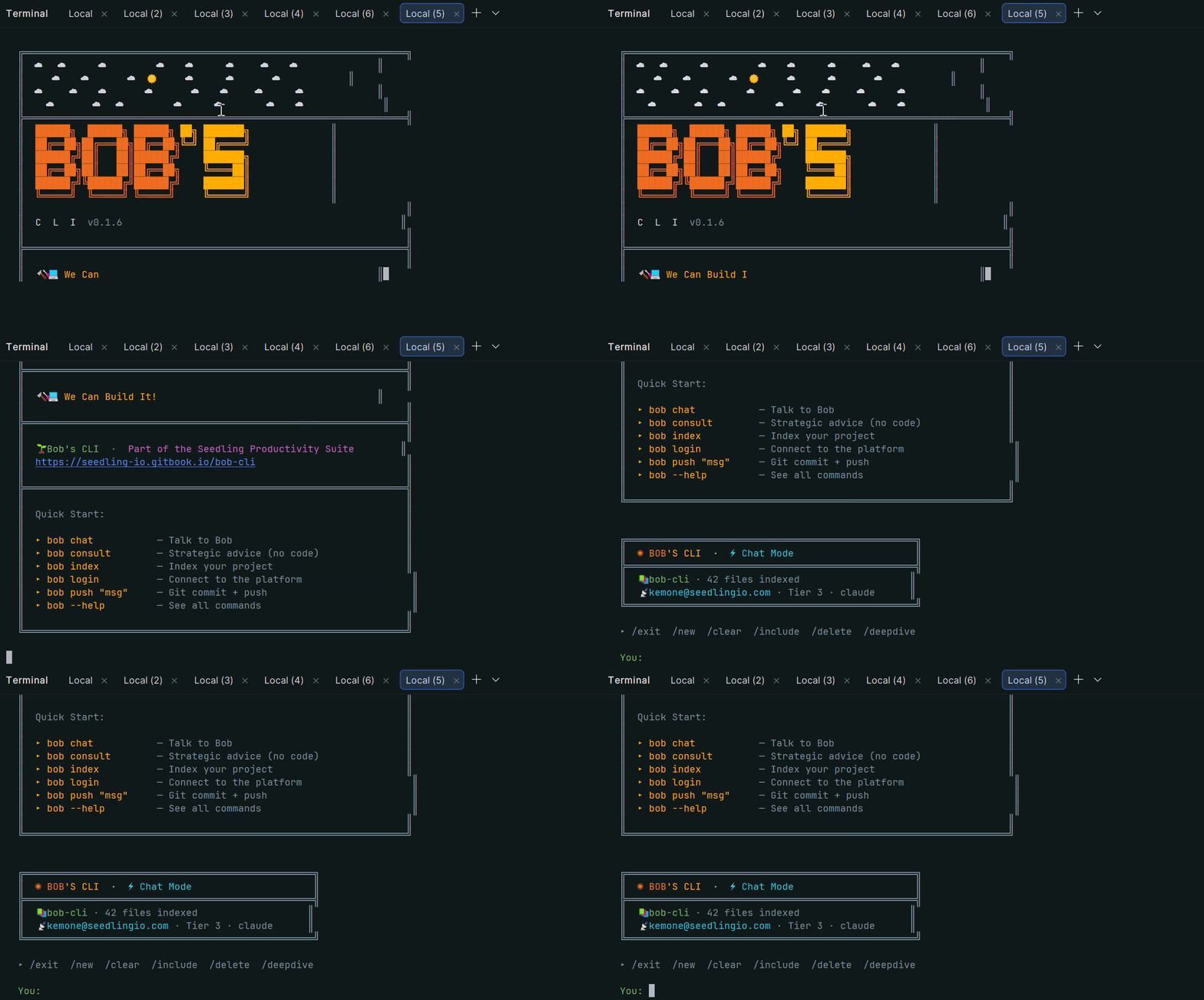
When you first install Bob's CLI, you're greeted with a branded welcome screen:
Features
| Chat | AI coding partner with automatic file discovery |
| Consult | Strategic advice, no code output |
| Index | AI-powered project understanding |
| Analyse | Full QA code review with auto-fix |
| Autonomy | Autonomous repair across entire codebase |
| Profile | Behavioral DNA profiling + dashboard |
| Deep Dive | Sandboxed exploration on any message |
| Fork | Branch conversations into sub-projects |
| SovereignLink | Remote execution from any device |
| BYOK | Bring your own API keys |
| Push | Git stage + commit + push in one command |
Code Analysis
Bob performs production-grade QA reviews across your entire codebase — identifying bugs, features, improvements, and upgrades with actionable implementation instructions:
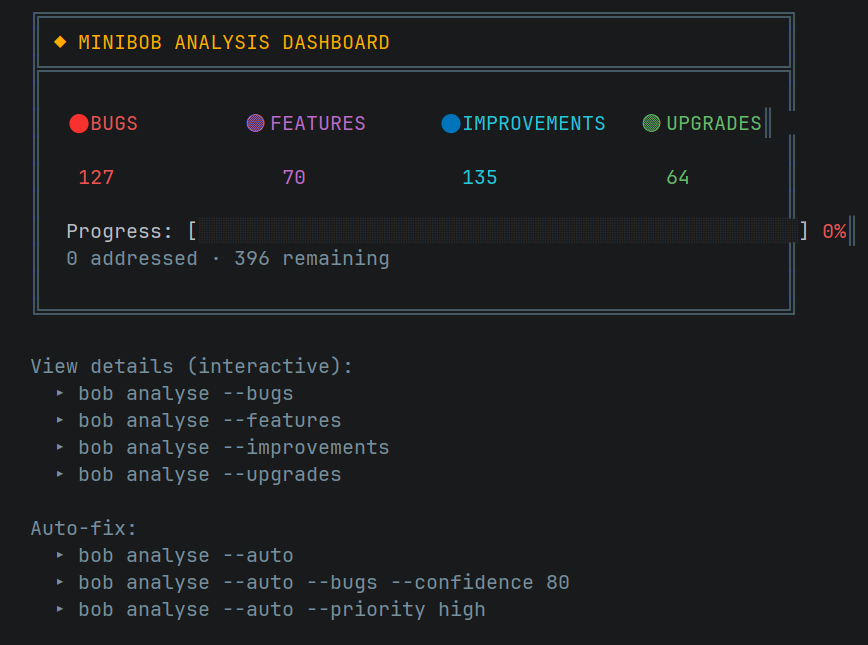
bob analyse
bob analyse --results
bob analyse --auto
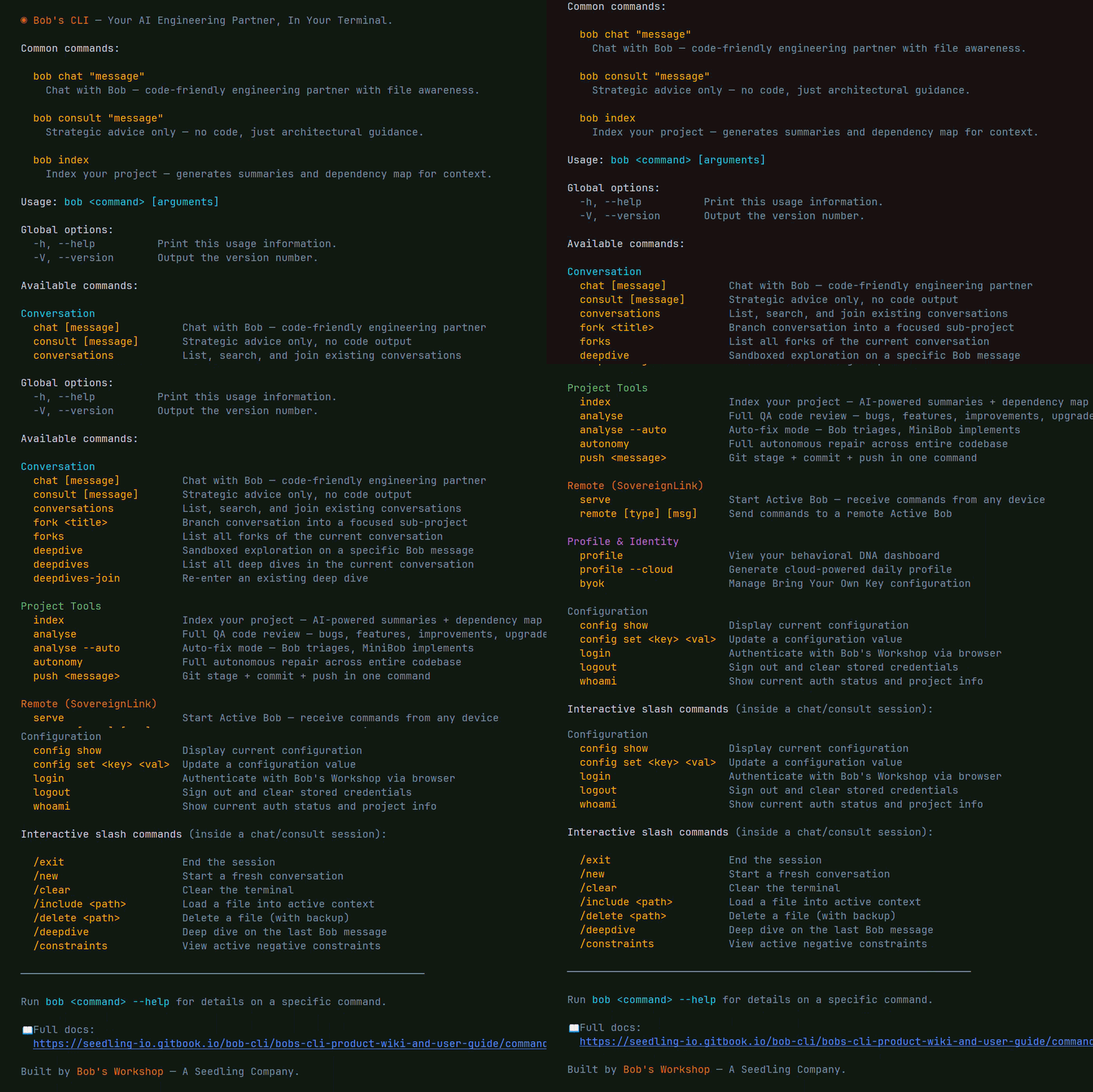
Commands
bob chat "question"                # AI coding partner
bob consult "question"             # Strategic advice
bob index                          # Index codebase
bob analyse                        # Code review
bob analyse --auto                 # Auto-fix
bob autonomy                       # Full autonomous repair
bob profile --cloud                # Generate DNA profile
bob profile                        # View dashboard
bob deepdive                       # Sandboxed exploration
bob fork "topic"                   # Branch conversation
bob serve                          # Start SovereignLink
bob remote chat "msg"              # Remote execution
bob push "message"                 # Git push
bob login                          # Authenticate
bob byok set google <key>          # Add BYOK key
bob whoami                         # Status
📖 Full command reference: https://seedling-io.gitbook.io/bob-cli/bobs-cli-product-wiki-and-user-guide/command-reference
Personalization Mode
Powered by the Frank Reasoning Engine. Bob learns how you work and adapts:
- Tone, pacing, and depth matched to your style
- Blind spots proactively addressed
- Emotional state calibrated encouragement
bob profile --cloud
bob chat --personalized "what should I focus on?"
Architecture
Tier 1 — Local (Free)              Tier 3 — Platform (Subscription)
─────────────────────────           ─────────────────────────────────
▸ Your model (Ollama)               ▸ Claude / Gemini
▸ Files on your machine             ▸ Conversations sync to web
▸ Local profiling                   ▸ Cloud profiling + Frank Engine
▸ Zero cost                         ▸ Deep dives, forks, remote exec
Same commands. Scale without changing tools.
The Philosophy
Bob's CLI exists because we believe the future of software development should be owned by the developer, not rented from a corporation.
- Your AI runs on your hardware — not someone else's data center
- Your source code never leaves your machine — unless you choose to connect
- Your conversations, your profile, your workflow — yours to keep, yours to control
- Zero cost to start. Zero permission needed. Zero compromises on privacy.
The cloud is optional. The power is not.
This is AI for the people who build the future — not the companies who gatekeep it.
Documentation
The AI coding tool that learns how you think.
Sovereign. Free. Yours.
Bob's CLI · Bob's Workshop · Seedling
Written by Bob.




