

Security News
Ruby's Bundler 4.0.18 Extends Cooldown to bundle lock and bundle cache
The supply chain control that delays freshly published gems now covers lockfile generation and gem vendoring in Ruby projects.
By Sarah Gooding - Aug 06, 2026
@dfx.swiss/services-react
Advanced tools
Reusable web widget to buy, sell and swap crypto assets
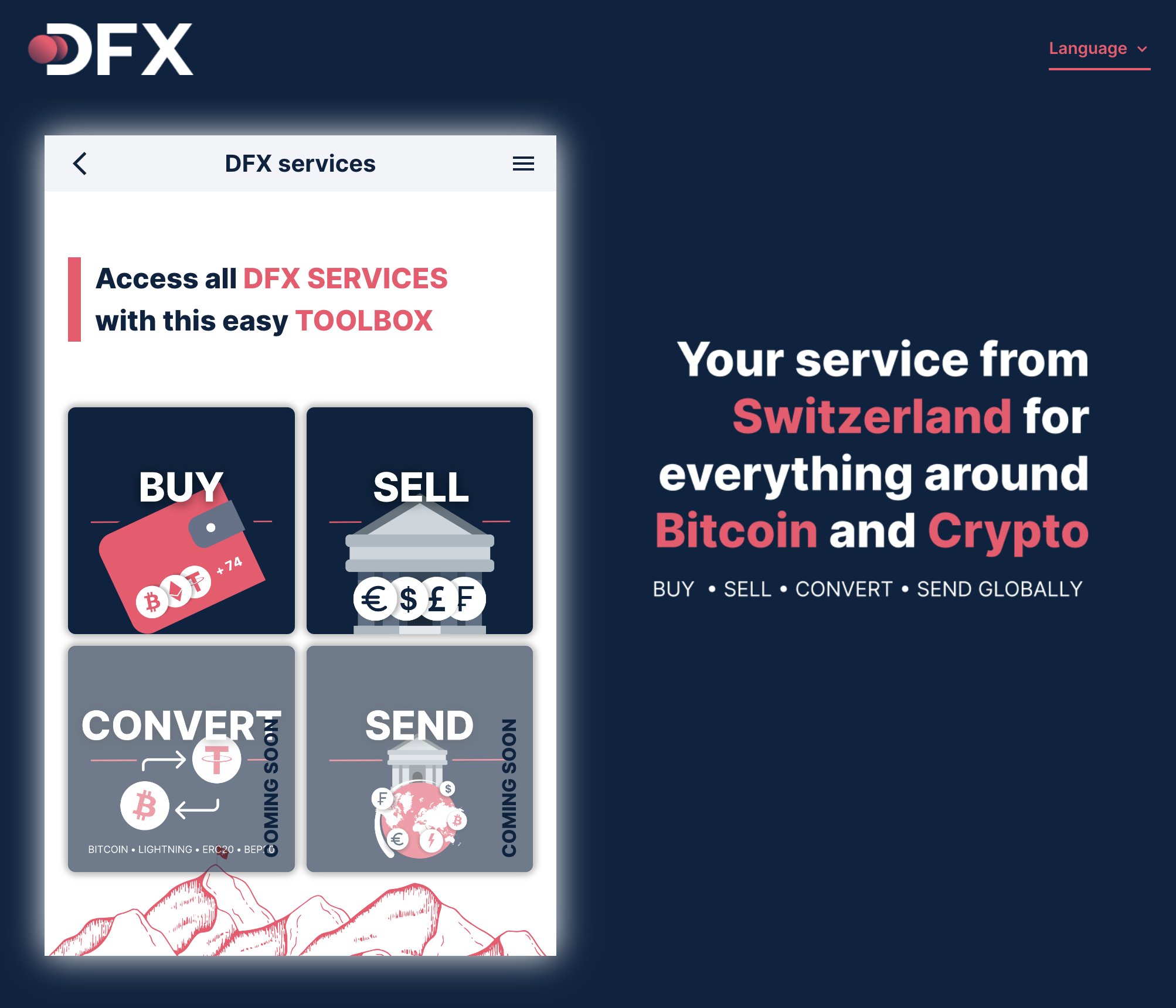
DFX Services can be integrated in three different ways,
and supports two different login modes,
Content
DFX services can be integrated using a browser redirect to app.dfx.swiss with the desired parameters (see below). For standalone usage, the redirect-uri parameter should be provided. On cancel or completion, the user will be redirected to this URI (see redirect).
DFX services can be integrated by opening app.dfx.swiss with the desired parameters (see below) in an Iframe. See the code example below.
On cancel or completion, a message will be sent on the window object of the browser. See below for details on the message format. If a redirect URI is specified, the user will be redirected to this URI (see redirect).
DFX services can be integrated as a web component. See the code example below. The desired parameters (see below) can be supplied as attributes.
For web component integration, a closing callback (on-close attribute) should be provided. On cancel or completion, this callback is called. See below for details on the message format.
DFX services can be integrated as React component from the @dfx.swiss/services-react NPM package. See code example below. The desired parameters (see below) can be supplied as props.
Similar to the Web Component, the React component requires a closing callback (onClose prop) to be provided. On cancel or completion, this callback is called. See below for details on the message format.
Credentials can be provided directly when opening DFX services. This is recommended for integrators with access to the wallet of the user. The services can be opened with a JWT access token for DFX API. Details on the authentication can be found in the API documentation. Use the following parameter.
session: access token for the DFX APIWhen using direct login, the type of service (buy, sell or swap) should be preselected. For standalone or Iframe integration, the service type needs to be added as URL path (e.g. app.dfx.swiss/buy). For web/react component integration the service attribute can be used.
For selling or swapping, the integrator should provide the available asset balances (see balances parameter). Additionally, the integrator finally has to initiate the corresponding blockchain transaction, as the widget does not have the right to do so (see closing and integration chapters for more details).
If no credentials are provided during opening, the user will be presented with a guided tour. He will be asked to connect a wallet of his choice, which will be used to log in to DFX. The following wallets are currently supported (depending on the crypto asset the user selects).
DFX services supports the following parameters. Note that for the React component, the parameters are written in camelCase, e.g. assetIn instead of asset-in (see React component example).
General parameters
Settings
lang): app language (en, de, fr, it)User information
mail): user emailwallet): wallet/client identifier (name or ID), used for sign up, see API documentation (optional, but recommended)refcode): sign-up referral codespecial-code): special/promo codeTransaction information
payment-method): the payment method (buy only, bank, instant or card)bank-account): the bank account to send the money to (sell only)amount-in): the amount to sell or swap (in input asset)amount-out): the amount to receive (in output asset) (TBD)assets): crypto asset filterasset-in): the asset to sell or swap (crypto asset or currency)asset-out): the asset to receive (crypto asset or currency)external-transaction-id): a custom ID to track the transactionHint: Asset selection parameters may be overwritten when using wallet login
Direct login parameters
session): access token for the DFX APIbalances): wallet balances of the user (recommended for sell and swap), usage example: balances=0.35@113,12.3@111blockchain): filter for the asset selection (useful if the user has a multi-chain address)blockchains): supported blockchains to which the user can switchSpecial parameters
redirect-uri): URI to redirect the user to after cancel or completion (only for standalone or Iframe integration, see closing)headless=true): hides the menu barborderless=true): removes the page paddingBTC, caution when using multi-chain accounts - not recommended), the unique name (e.g. Ethereum/ETH) or the DFX asset ID (get from asset endpoint) can be used.USD) or the DFX fiat ID (get from fiat endpoint) can be used.There are multiple types of closings.
In case of a sell or swap, the service returns the information (isComplete) as to whether the required blockchain transaction has already been executed or not. If isComplete is set to false, the integrator should initiate the corresponding transaction to complete the sell/swap.
If a redirect URI was provided (redirect-uri parameter), the user will be redirected to this URI on cancel or completion. Depending on the type of closing, a suffix will be appended to the URI and parameters will be provided.
Cancel: redirected to {redirect-url}
Buy: redirected to {redirect-url}/buy
Sell/swap: redirected to {redirect-url}/sell or {redirect-url}/swap with the following parameters:
routeId: sell/swap route ID (get details from sell route or swap route endpoint, authentication required)amount: amount to sendasset: asset to sendblockchain: transfer blockchainisComplete: is true, if blockchain transaction is already executedThe following data format is used for the close message (Iframe, web component or React component integration).
enum CloseType {
  CANCEL = 'cancel',
  BUY = 'buy',
  SELL = 'sell',
  SWAP = 'swap',
  PAYMENT = 'payment',
}

interface CloseMessage {
  type: CloseType;
  isComplete?: boolean; // is 'true', if transaction is already executed
  buy?: BuyPaymentInfoDto;
  sell?: SellPaymentInfoDto;
  swap?: SwapPaymentInfoDto;
}
Documentation on BuyPaymentInfoDto, SellPaymentInfoDto and SwapPaymentInfoDto can be found in the DFX API Swagger documentation.
<script>
  window.addEventListener('message', (event: MessageEvent<CloseMessage>) => handleClose(event.data));

  function handleClose(message: CloseMessage) {
    try {
      /* ADD YOUR CODE HERE */
    } catch (e) {
      console.error('Failed to handle Iframe message:', e);
    }
  }
</script>

<iframe src="https://app.dfx.swiss" height="600" width="450" frameborder="0" />
<script defer="defer" src="https://app.dfx.swiss/widget/v1.0"></script>
<script>
  function handleClose(data: CloseMessage) {
    /* ADD YOUR CODE HERE */
  }
</script>

<h1>DFX Services in a Widget</h1>

<dfx-services on-close="handleClose" session="{ACCESS_TOKEN}">Loading ...</dfx-services>
import { DfxServices, Service, CloseMessage } from '@dfx.swiss/services-react';

function App() {
  const handleClose = (data: CloseMessage) => {
    /* ADD YOUR CODE HERE */
  };

  return <DfxServices headless="true" service={Service.BUY} session="{ACCESS_TOKEN}" onClose={handleClose} />;
}
FAQs
Reusable web widget to buy, sell and swap crypto assets
We found that @dfx.swiss/services-react demonstrated a healthy version release cadence and project activity because the last version was released less than a year ago. It has 1 open source maintainer collaborating on the project.
Did you know?

Socket for GitHub automatically highlights issues in each pull request and monitors the health of all your open source dependencies. Discover the contents of your packages and block harmful activity before you install or update your dependencies.
Security News
The supply chain control that delays freshly published gems now covers lockfile generation and gem vendoring in Ruby projects.

Security News
During a UK cyber test, a Mythos 5 agent used sockpuppets, social engineering, and prompt injection to try to get a maintainer to merge malware.

Company News
Socket is now in the AWS Security Hub Extended plan. Adopt it through AWS, apply committed spend, and block malicious open source packages.